-
Created by
 Implementation Department, last updated by Elena Podorozhnyaya on 01 Jul, 2026
3 minute read
Implementation Department, last updated by Elena Podorozhnyaya on 01 Jul, 2026
3 minute read
In the following cases:
- when setting up automatic payroll calculation
- when no values are calculated after clicking the “Calculate” button in the Payroll Calculation document, or
- when any errors occur during payroll calculation,
Please check the settings according to the list below.
1. 2.9. Work Day Calendars should be filled correctly for the each year. Please check how to set it up 2.9.1. Adding a Work Day Calendar.
(HR & Payroll > See Also > Work Days Calendar)
Make sure to Change the Working days according to your company's work schedule.
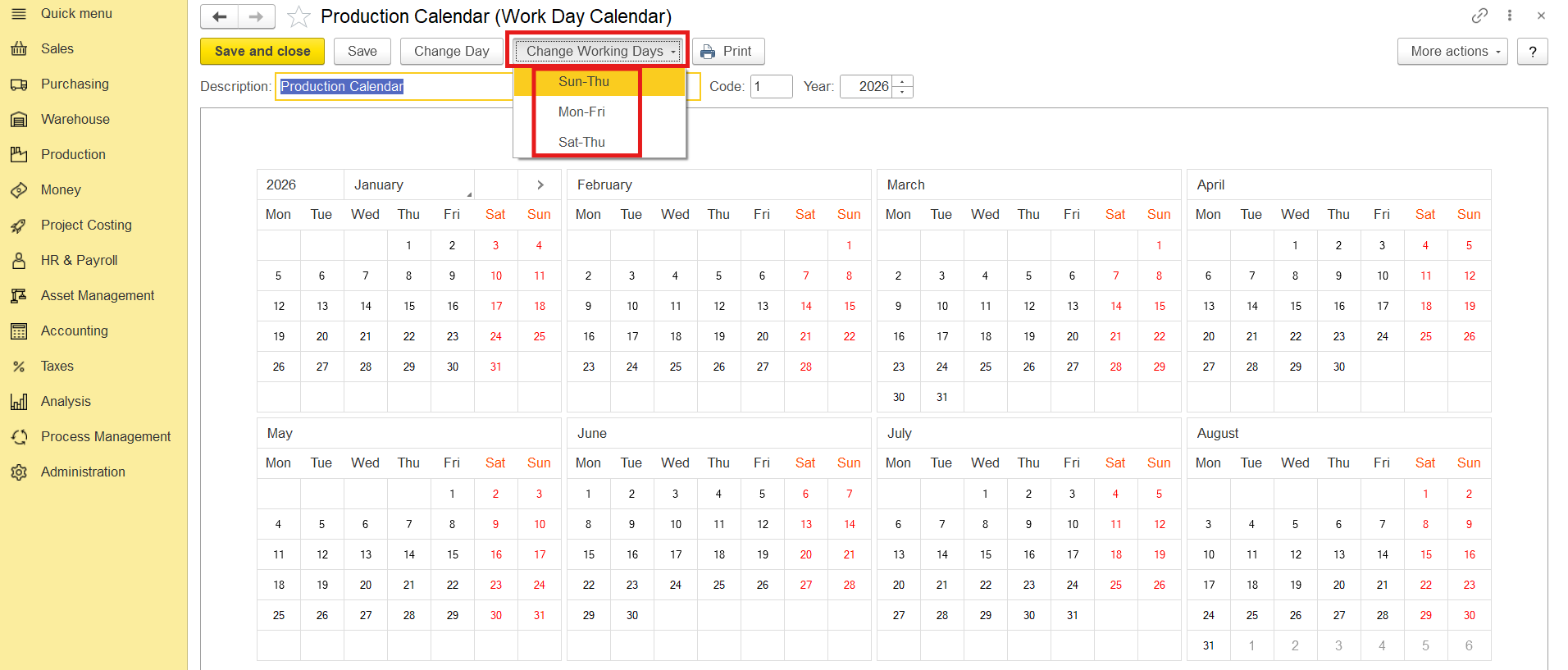
2. In your Entity Setting, select the correct work day calander (on the Main Parameters tab).
2.1.1. Adding an Entity. The Main parameters tab
(Accounting > Master Data > Entities)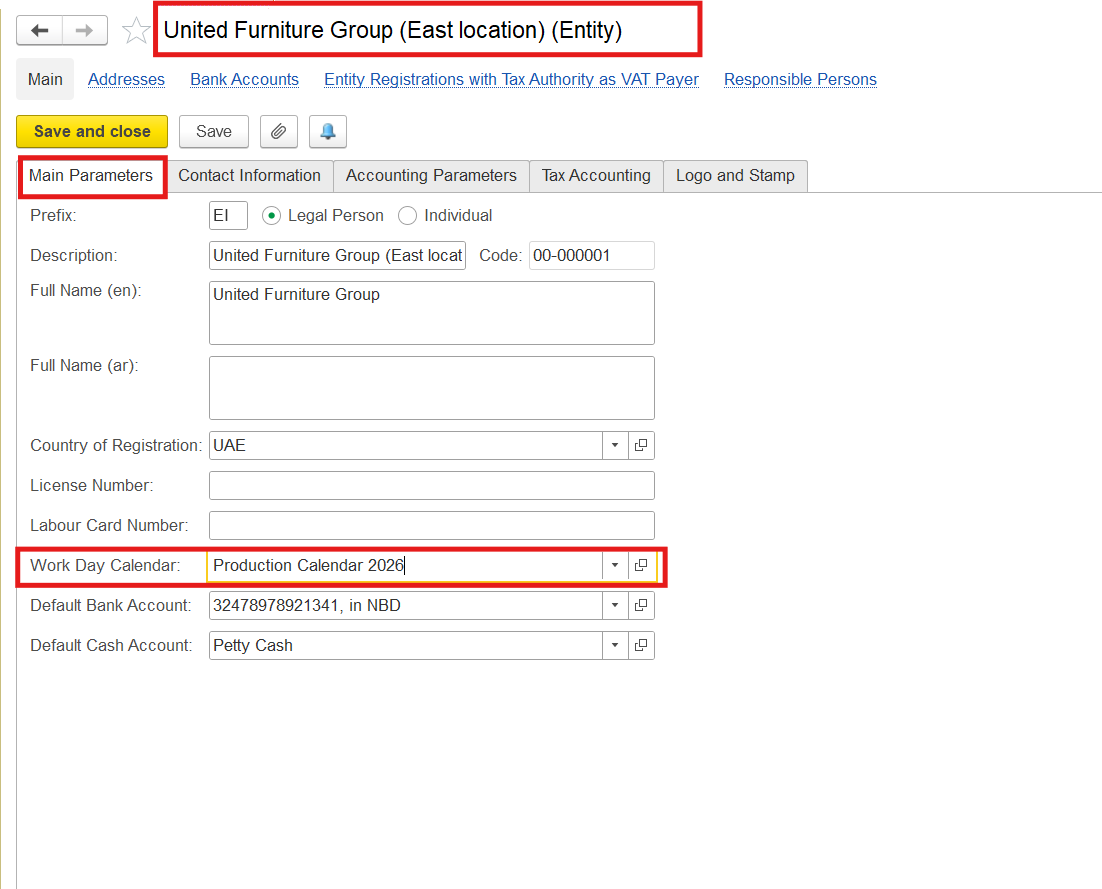
3.10.6.1. Work Schedules should be created and Filled by template:
10.6.1.1. Adding a Work Schedule
(HR & Payroll > Service Tools > Work Schedules)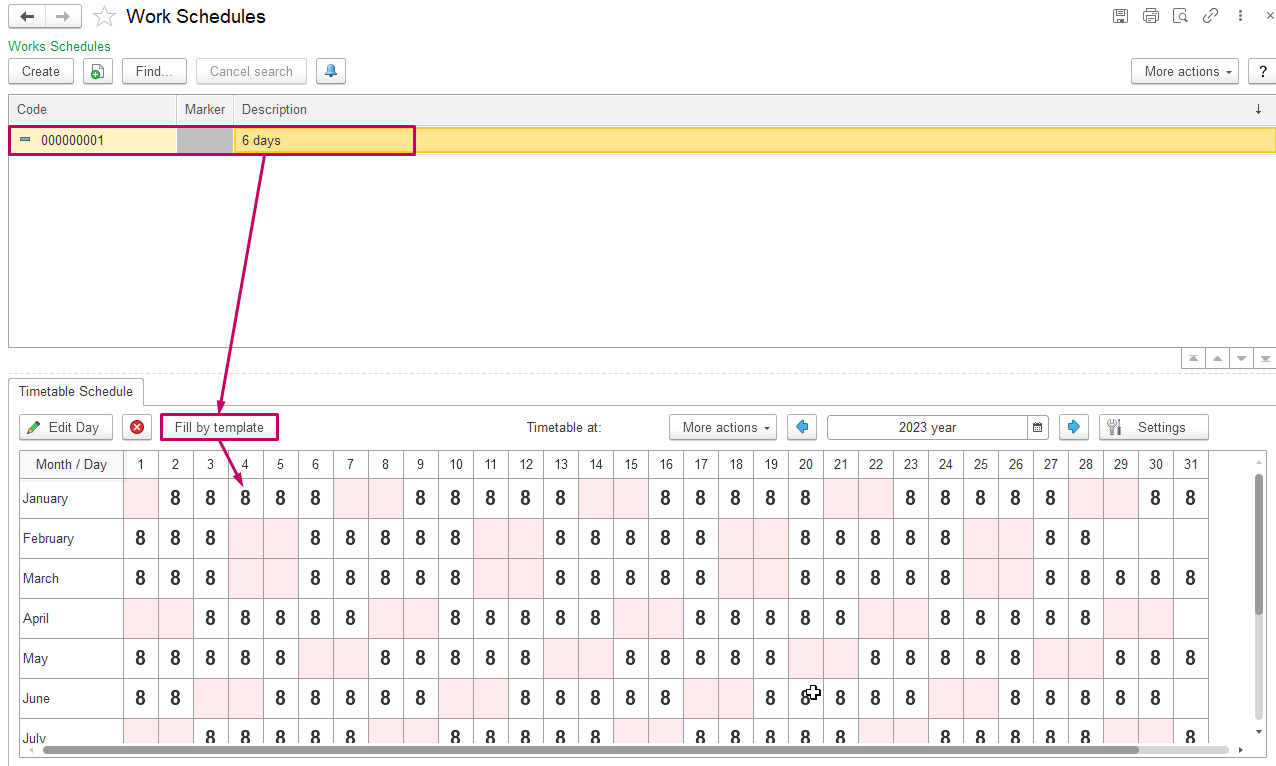
4. Create or Edit 10.1.4. Accrual and Deduction Types according to entity requirements (video):
See also: Creating Correct Calculation Formulas in FirstBIT Software
(HR & Payroll > Master Data > Accrual and Deduction Types)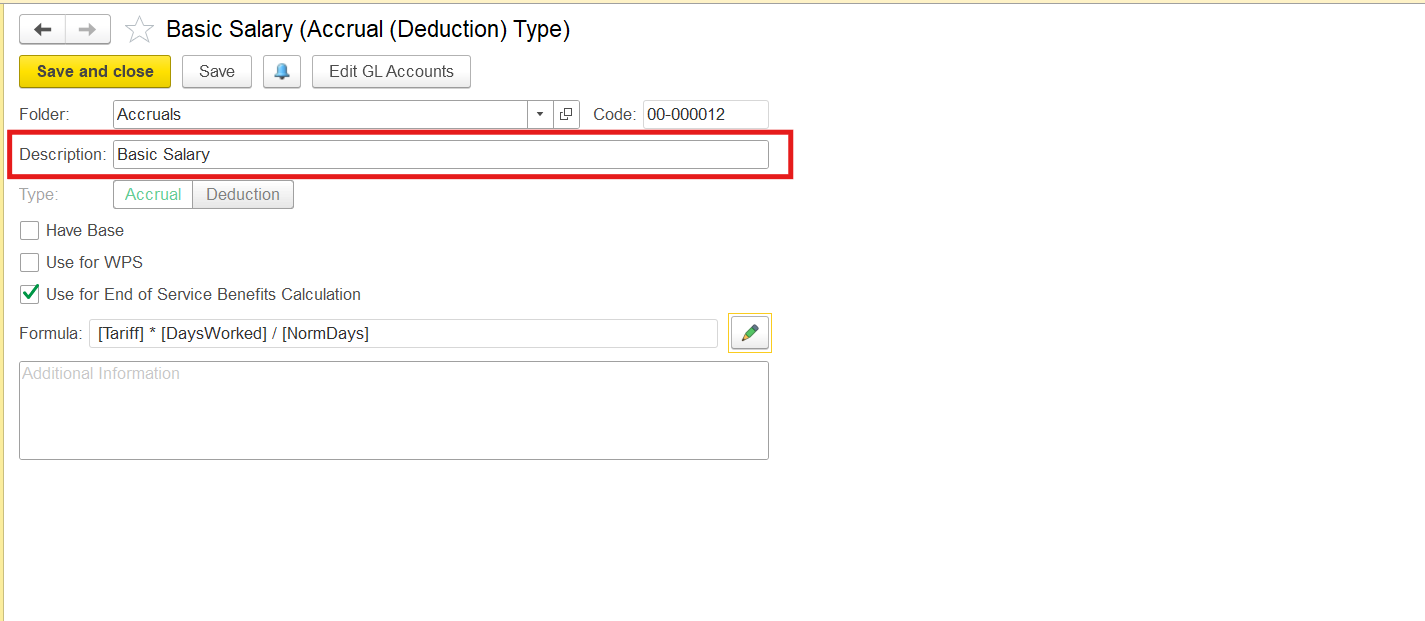
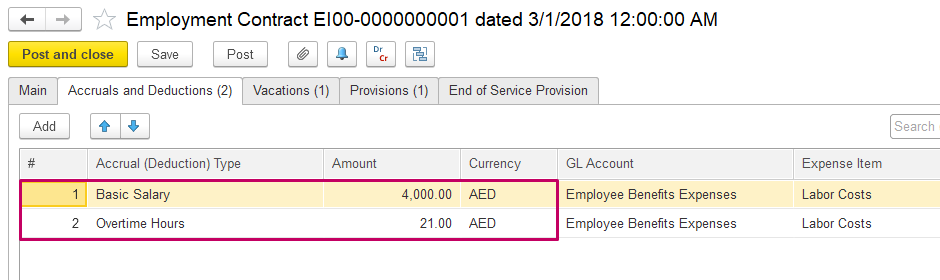
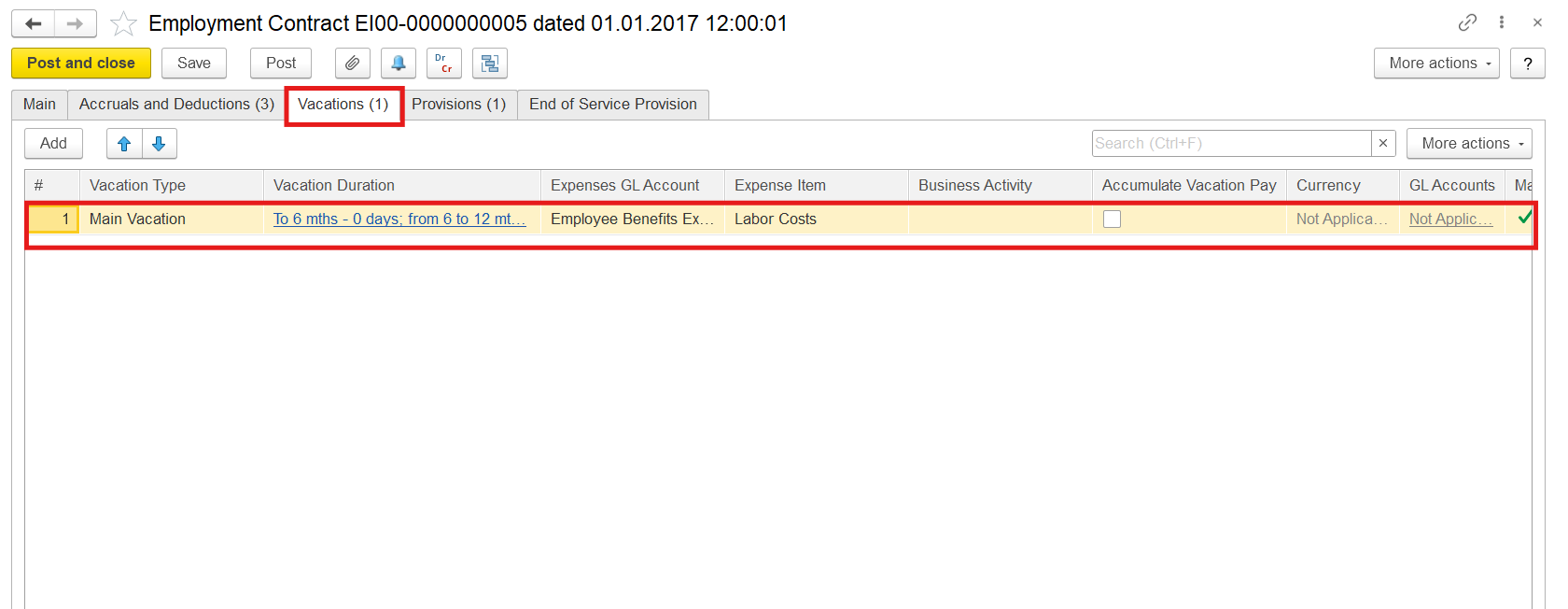
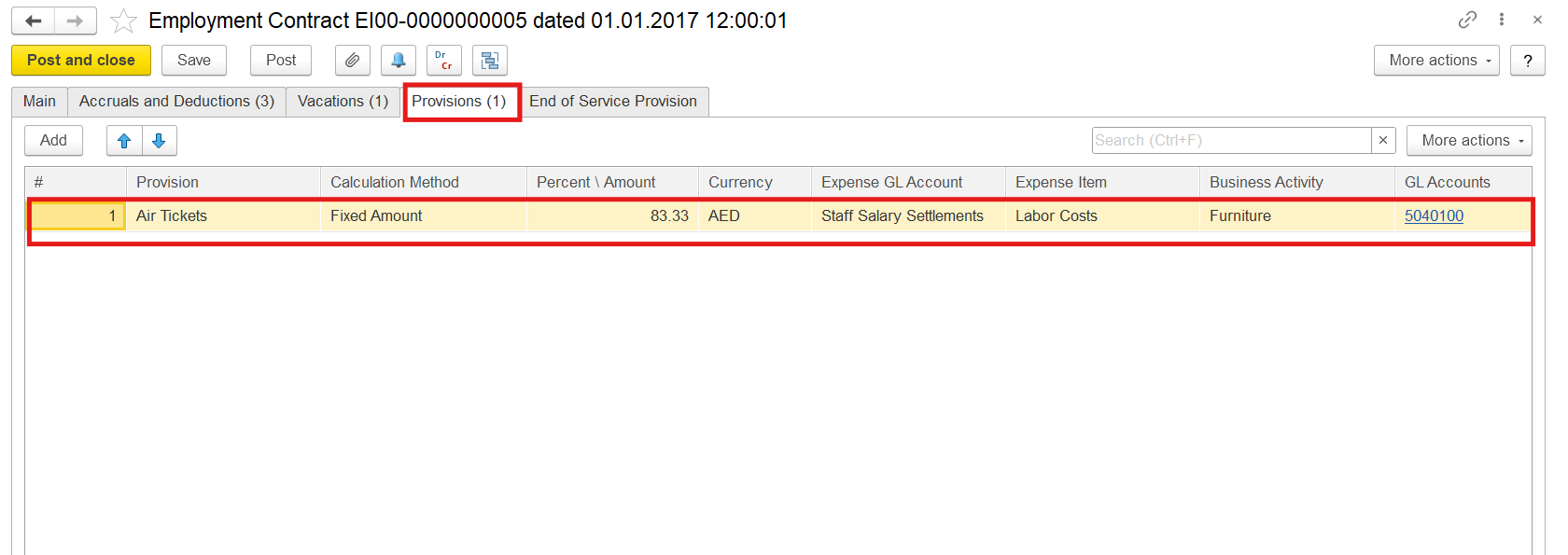
5. When creating the Employment contract 10.2.1. Employment Contracts the following information should be filled out:
- 10.6.1. Work Schedules
- 10.1.4. Accrual and Deduction Types
- 10.4.1. Vacations
- 10.1.5. Employee Benefit Provisions
- End-of-Service Benefits Overview of End-of-Service Benefit Processing
(HR & Payroll > Human Resources Documents > Employment Contract)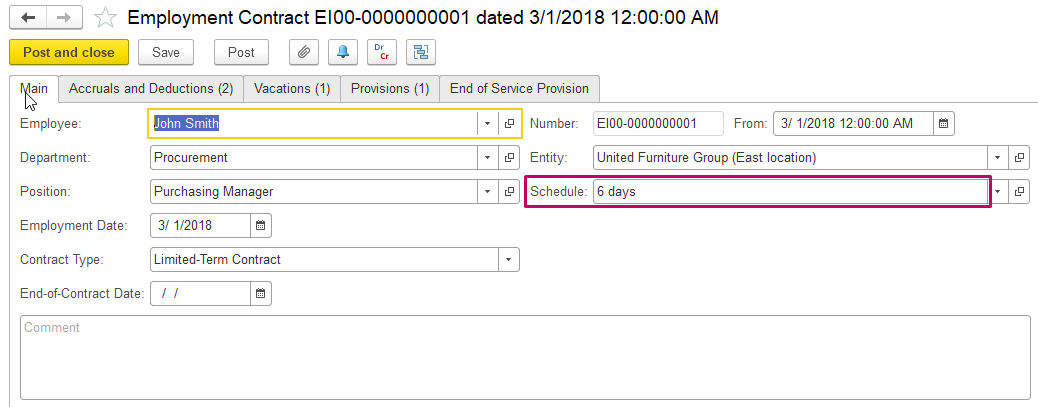
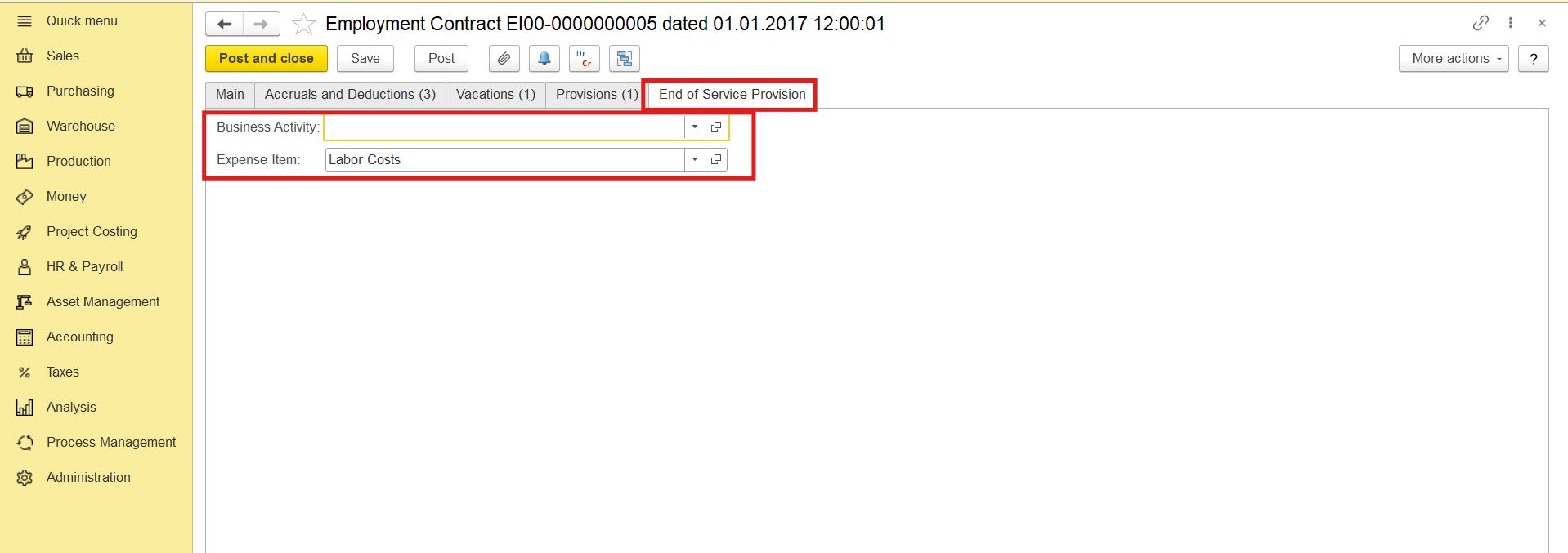
Create 10.2.2. Employment Contract Changes if required (video).
6.10.4.4. Time Sheets and Time Cards (if applicable) should be created, filled out and saved for exact Entity, Department and Period:
(HR & Payroll > Time Tracking Documents > Time Sheets)
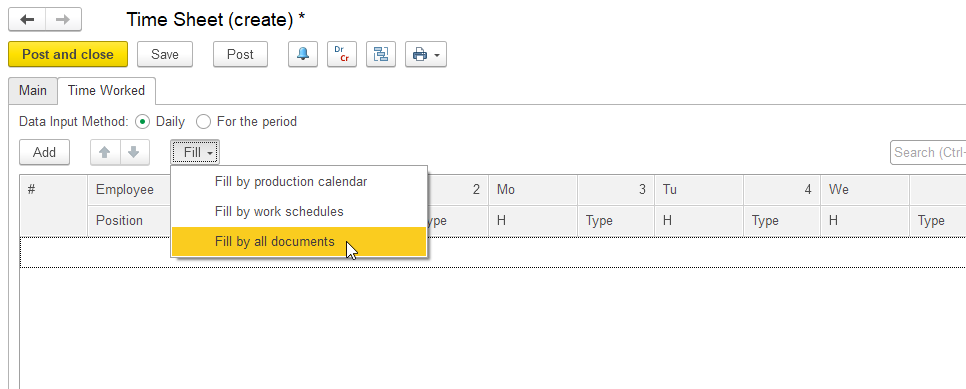
Click the Fill button (on the Time Worked tab) to fill the Time Sheet and then select one of the following sources:
Fill by production calendar:
Fill by Work Schedules:
Fill by all documents:
More information in the links below:
10.4.4.1. Creating a Time Sheet. The Main tab
10.4.4.2. Creating a Time Sheet. The Time Worked tab
7. After all points are checked, Fill and Calculate 10.3.1. Payroll Calculations correctly (video):
(HR & Payroll > Payroll Documents > Payroll Calculations)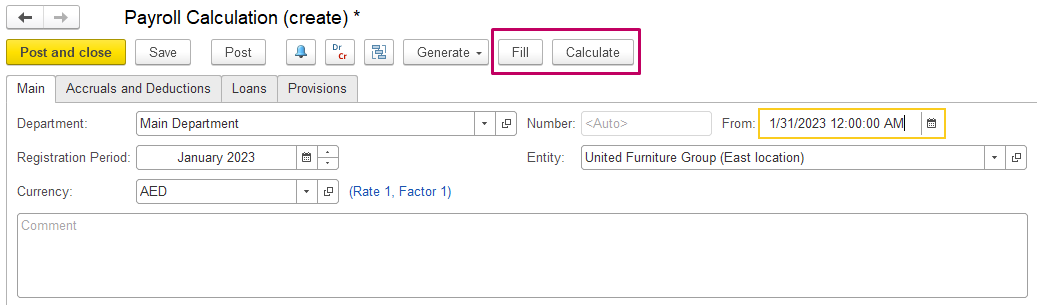
Thank you for being FirstBIT customer!