To view the remaining balance in the Invoice Received or Invoice document list, follow these steps:
- Enable the “Show Balances” option:
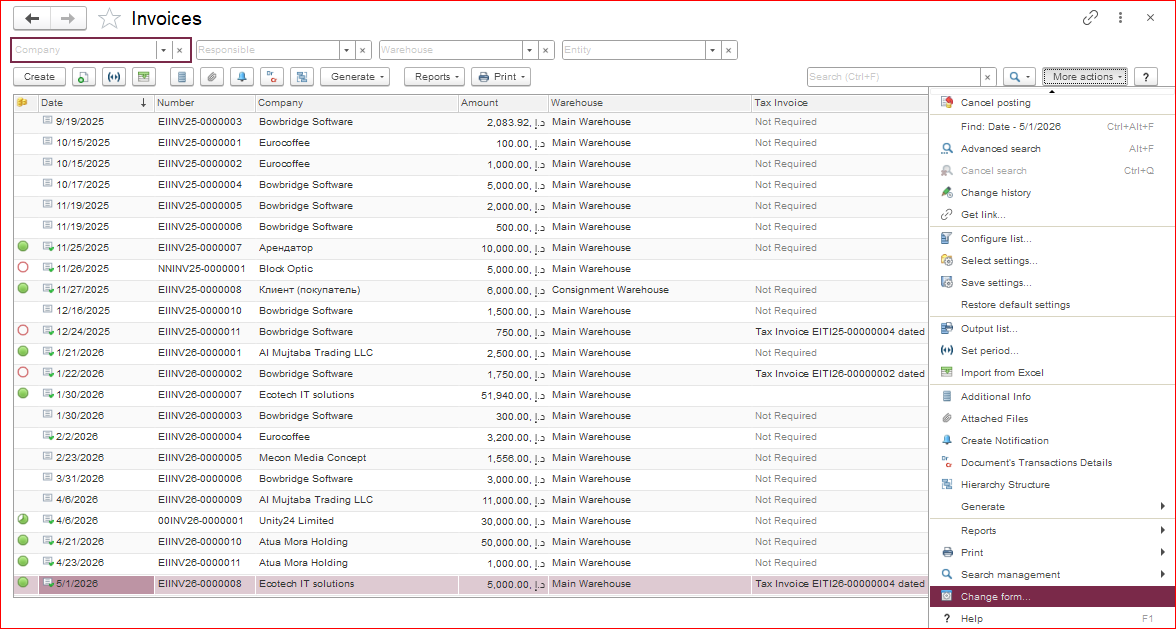
In the document list, open the “More actions” menu and select “Change Form.”
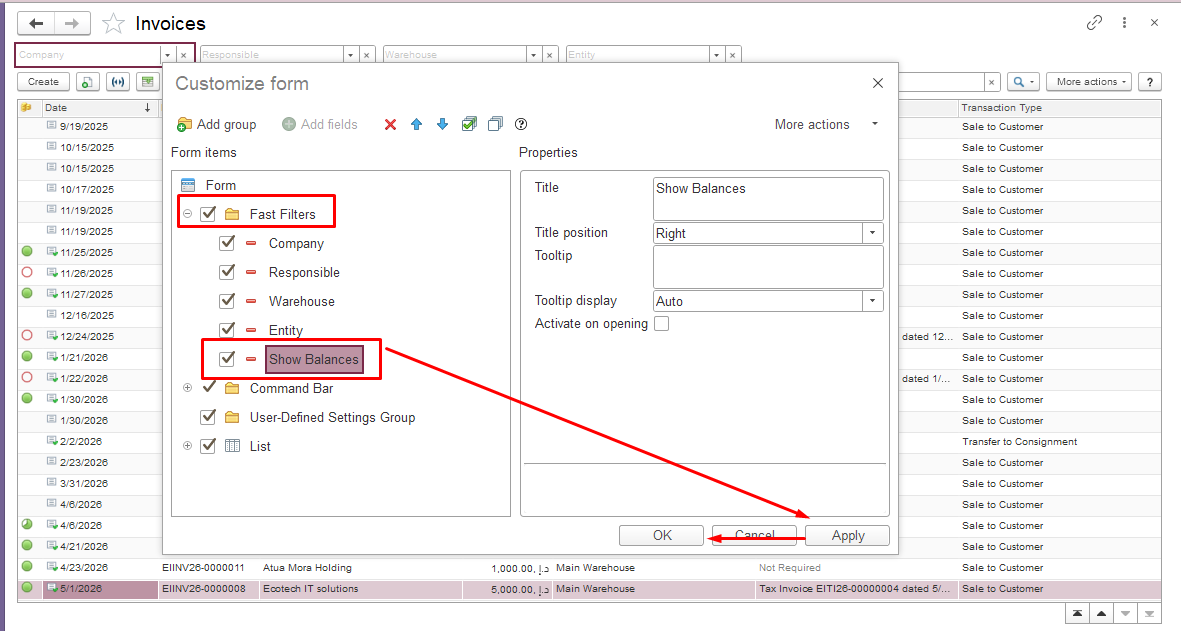
In the window that appears, go to the “Fast Filters” section, check the “Show Balances” box, then click “Apply” and “OK.”
vbnmvnbvmvmn