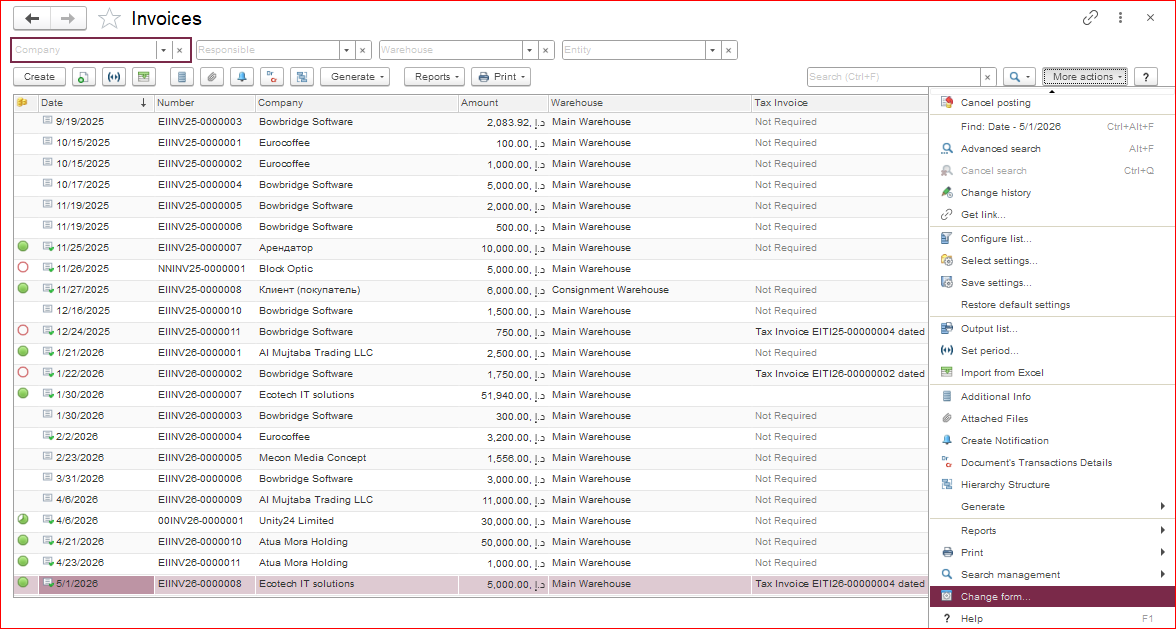
To view the remaining balance in the Invoice Received or Invoice document list, follow these steps:
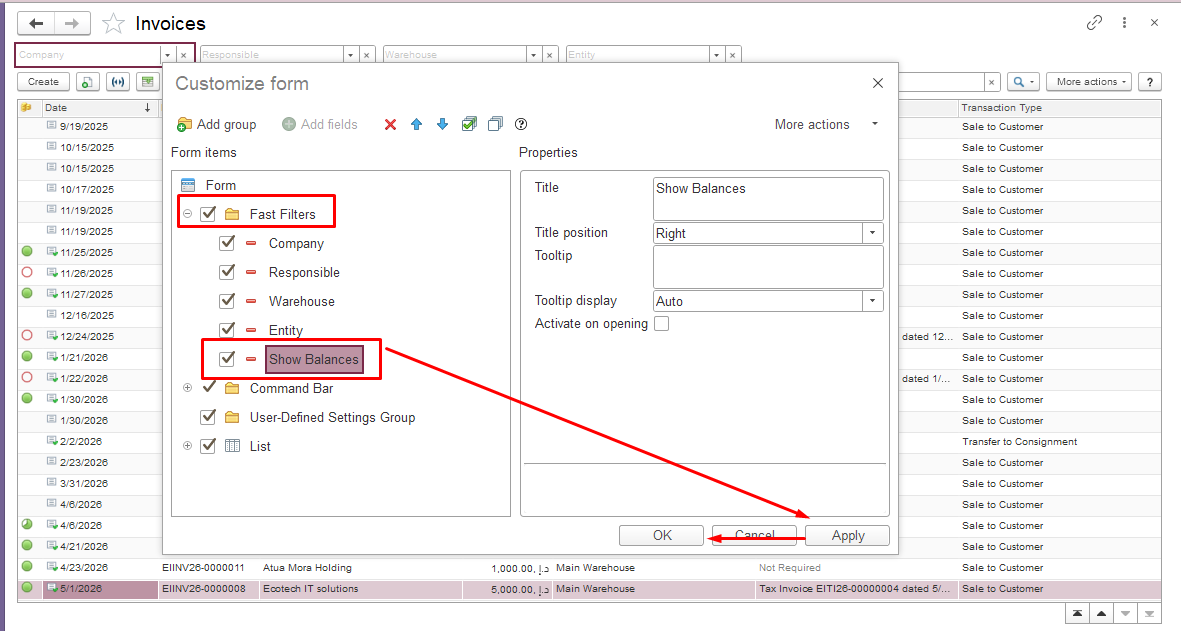
In the window that appears, go to the “Fast Filters” section, check the “Show Balances” box, then click “Apply” and “OK.”
vbnmvnbvmvmn