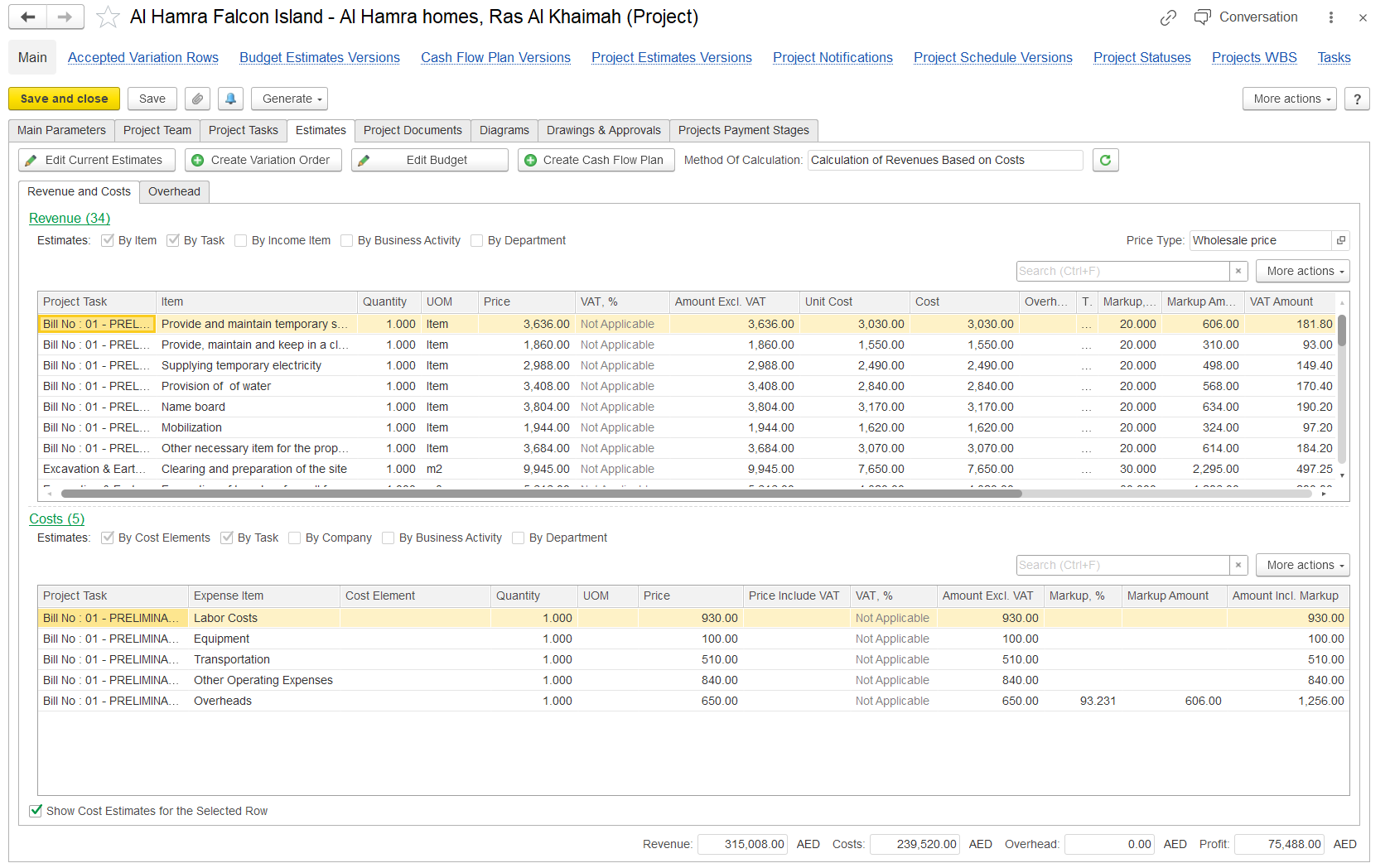
The Estimates tab shows planned revenue and cost details for a project. Estimates can be created directly from the project or by going to Project Costing > Project Costing Documents > Project Estimates.
In the Estimates tab of the project form:
Edit Current Estimates to update the existing budget.
Create New Estimates to start a new version of the budget.
Estimate Methods
There are two budgeting methods:
Independent Calculation of Costs and Revenues
Tabs: Revenue, Costs, Estimates by Period (if selected)
Calculation of Revenues Based on Costs
Tabs: Revenue and Costs, Overheads, Estimates by Period (if selected)
Estimate by Period
If used, this tab breaks down revenue, costs, and overheads by planning periods.
Additional Tools
Use the Estimate Versions link to view history and Project Statuses to track project progress.