Difference in Dr and Cr side in VAT GL accounts
User Question:
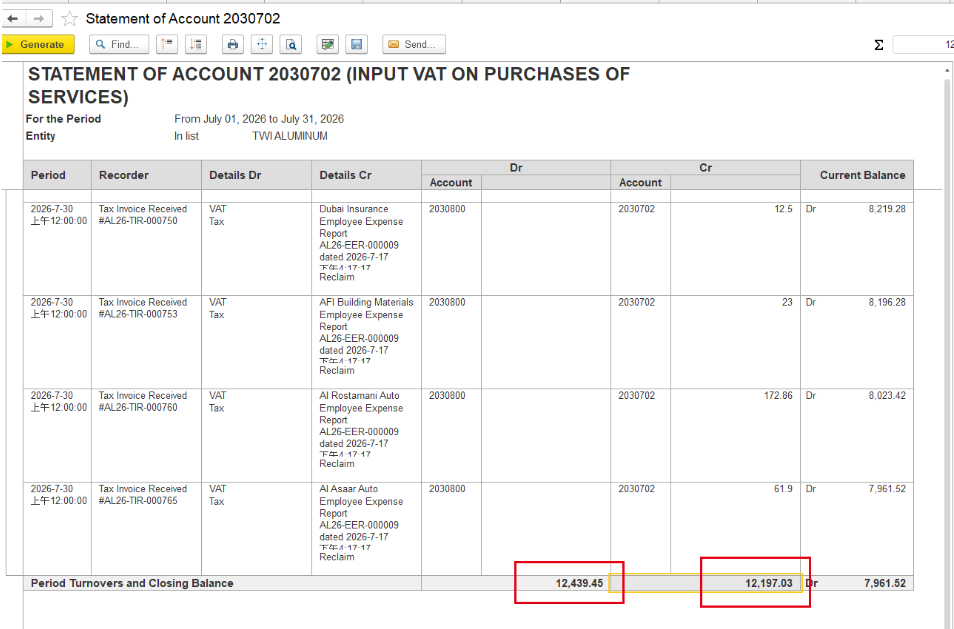
The debit turnover is AED 12439.45,but the vat reclaim credit is AED 12197.03, Leaving AED 242.42 unreclaimed.
Which transaction caused this difference?
and credit turnovers on the Input VAT account do not match, and part of the VAT remains unreclaimed. How can I identify which transaction is causing the difference?
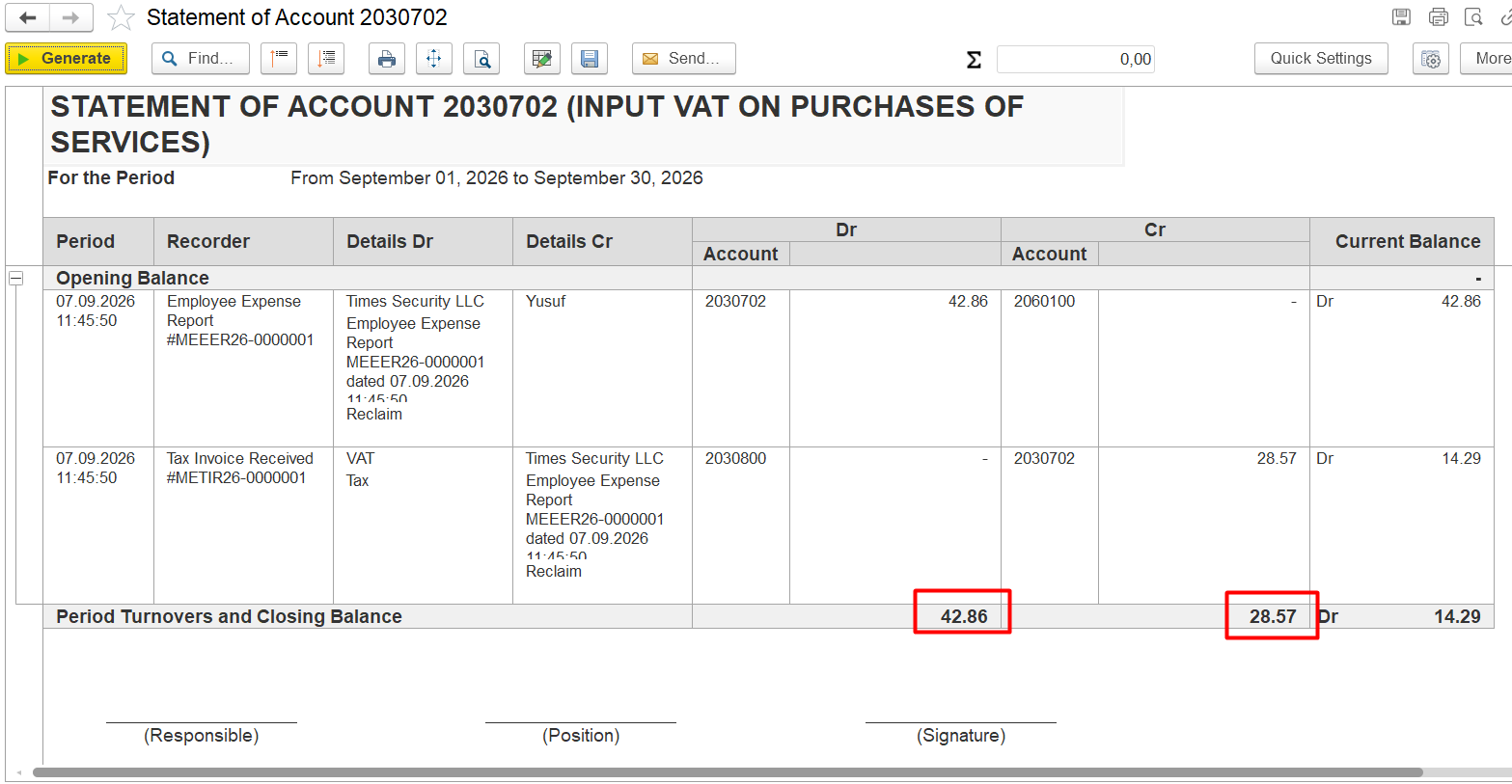
Problem / Symptom
The discrepancy in the amounts in the debit and credit columns.

Ответ Ассистента:
Ваша ситуация с разницей между дебетовым оборотом по счету 2030702 (12,439.45 AED) и суммой VAT reclaim (12,197.03 AED), то есть с нераскрытым VAT в размере 242.42 AED, типична для случаев, когда часть входящего VAT не подлежит возмещению. Причины могут быть следующими:
1. Апорционирование (apportionment) входящего VAT
Если услуги или товары используются для смешанных целей (облагаемых и необлагаемых операций), часть VAT не может быть возмещена. В конце периода компания рассчитывает долю невозмещаемого VAT и делает корректирующую операцию через документ Input VAT Transaction с типом "Decrease" (уменьшение). Эта сумма (242.42 AED) и есть невозмещаемый VAT, который отражается как расход, а не как VAT к возмещению.
2. Корректировка вручную или по политике компании
Иногда часть VAT не принимается к вычету из-за внутренних политик, ошибок в документах, неправильного VAT rate или других ограничений. В этом случае также создается Input VAT Transaction на сумму невозмещаемого VAT.
3. Проверка документов
Для точного определения, какая именно операция вызвала разницу, откройте все документы за период (в вашем случае — Tax Invoice Received) и проверьте, не был ли по какому-либо из них применён частичный вычет VAT или создана корректировка через Input VAT Transaction.
- Откройте документ и используйте иконку Dr/Cr для просмотра движений по регистрам (register movements).
- Проверьте, не был ли по какому-либо документу применён коэффициент апорционирования или вручную уменьшена сумма VAT к возмещению.
Рекомендация:
- Проверьте список Input VAT Transactions за июль 2026 года (Taxes > Tax Documents > Input VAT Transactions) — там должна быть запись на сумму 242.42 AED с типом "Decrease" или аналогичной пометкой.
- Также проверьте, не был ли по какому-либо из Tax Invoice Received указан частичный вычет VAT (например, если услуги использовались для необлагаемой деятельности).
Conditions
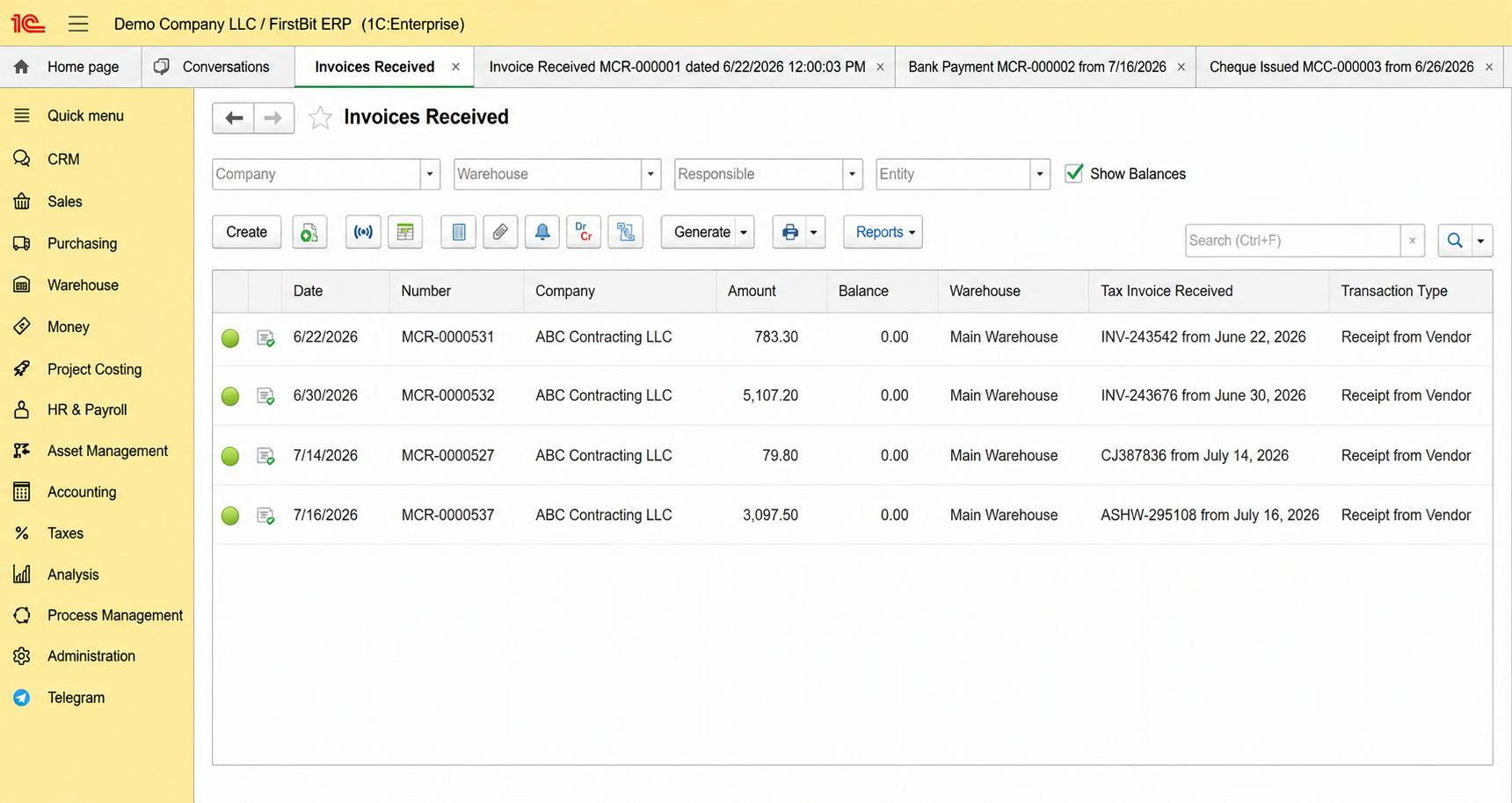
The Invoice received is posted.
The payment was processed using a Cheque Issued and Bank Payment.
The payment has been posted.
The Invoice received remains outstanding after the payment is posted.
Root Cause
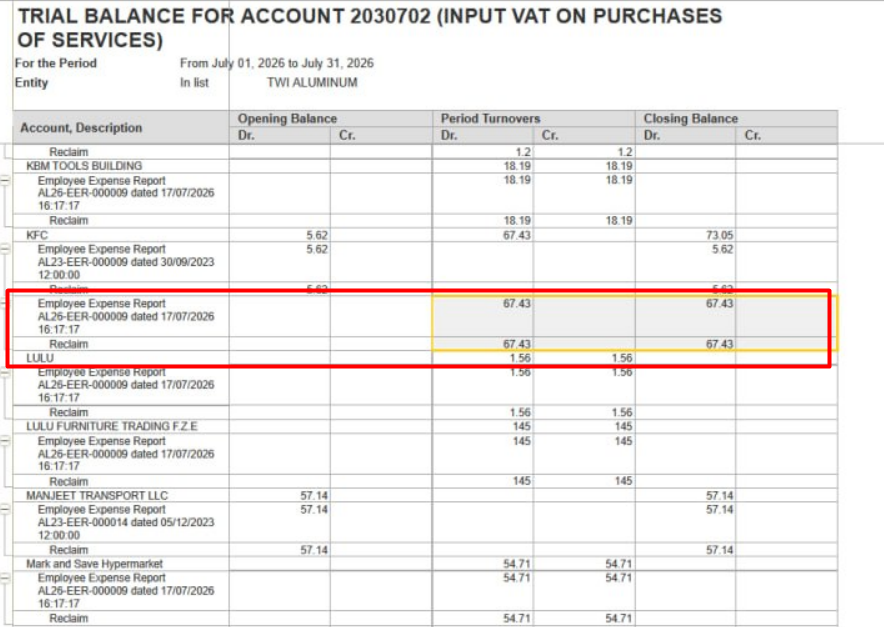
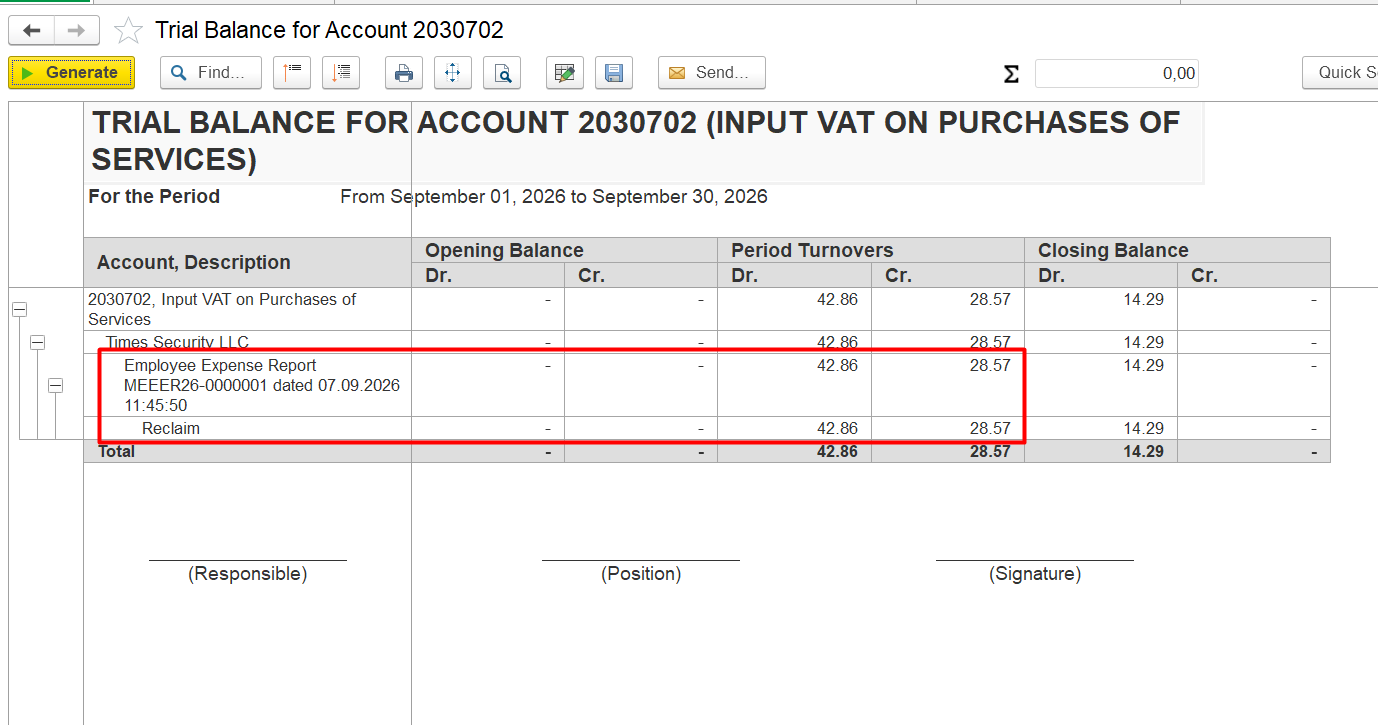
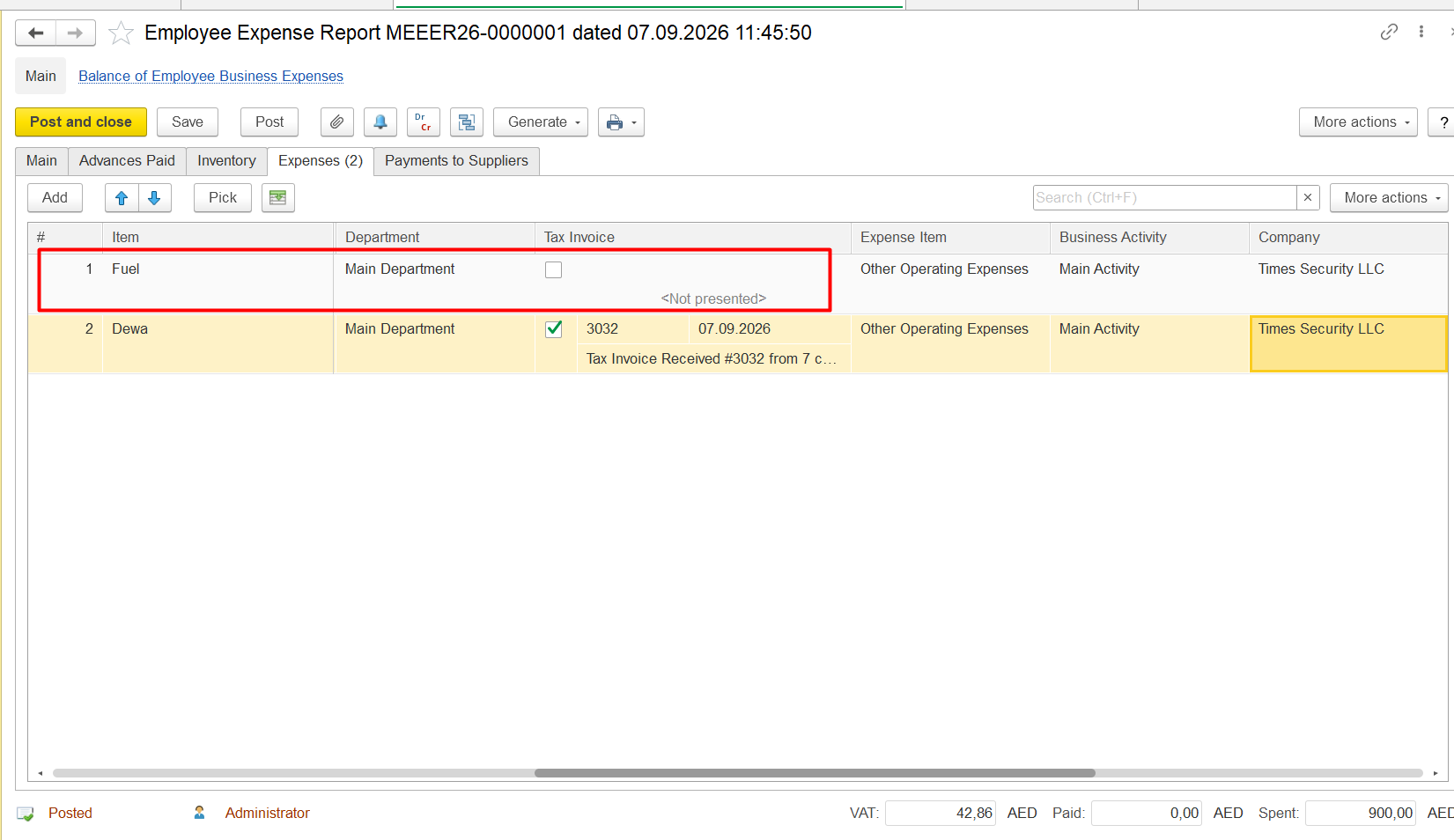
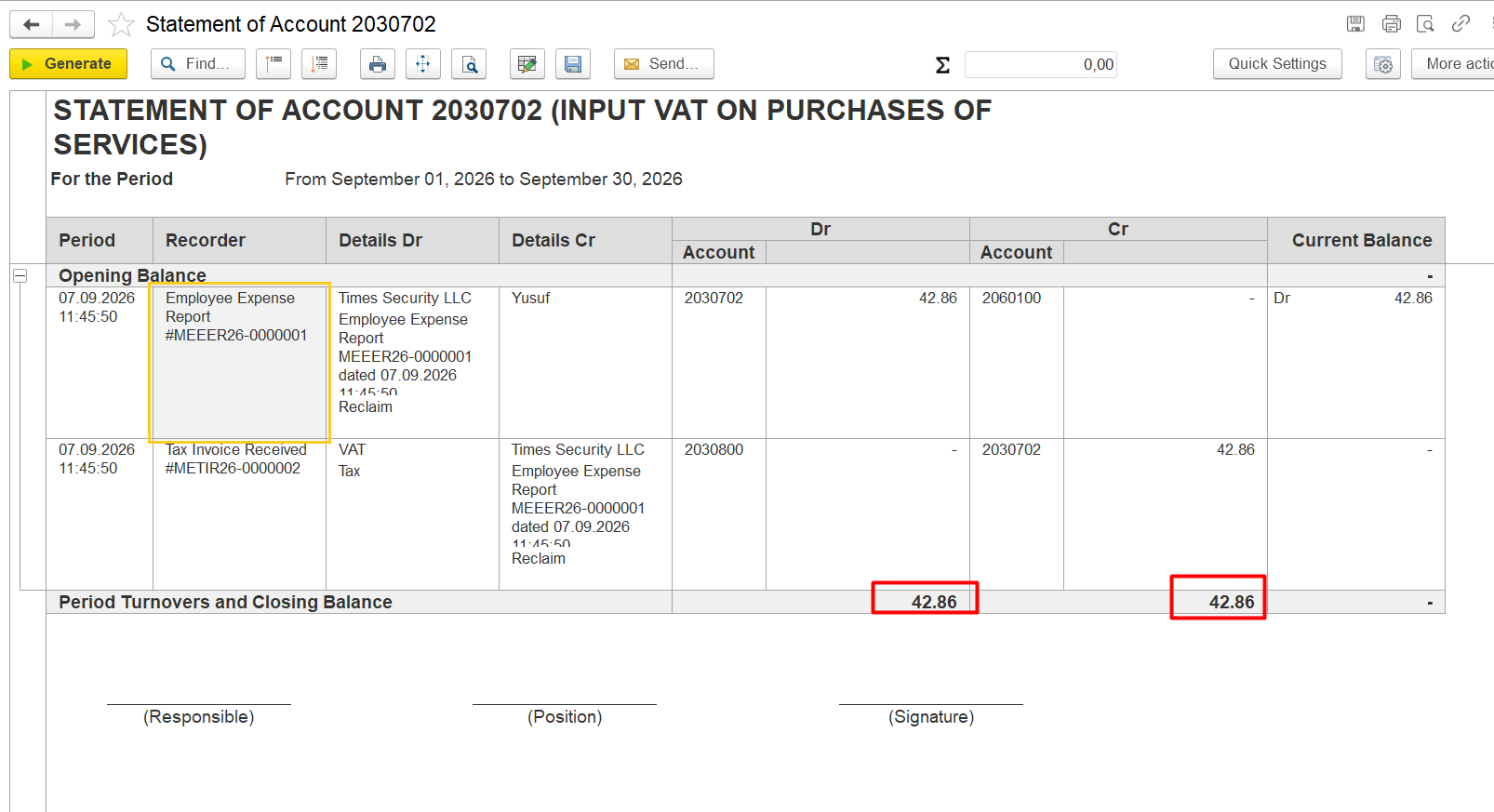
Employee expense reports are present, but not all items have a tax invoice received, so Cr column is empty:
Diagnostics
Open the Bank Payment related to the supplier payment.
Identify the corresponding Cheque Issued.
Open the Cheque Issued.
Go to the Payment Details tab.
Check whether the Advance option is selected.
Check whether the corresponding Invoice received is specified in the Document field.
If the Advance option is selected and the Document field is not filled in, the payment has been processed as an advance rather than allocated to the specific Invoice received.
Resolution
Unpost the Bank Payment.
Unpost the corresponding Cheque Issued.
Clear the Advance option in the Cheque Issued.
Specify the corresponding Invoice received in the Document field.
Repost the Cheque Issued.
Repost the Bank Payment.
Check the supplier balance. The supplier invoice should now be displayed as paid.
Related Materials
turnovers on the Input VAT account do not match, resulting in a remaining debit balance and unreclaimed VAT amount.
Conditions
- Transactions with Input VAT have been posted.
- The Input VAT account has a remaining debit balance.
- Debit and credit turnovers for the Input VAT account do not match.
- The discrepancy can be traced to one or more source documents.
Root Cause
The corresponding Tax Invoice Received is missing or has not been processed correctly for one or more transactions. As a result, the Input VAT is not fully reclaimed, leaving a balance on the Input VAT account.
Diagnostics
- Open the Trial Balance for the relevant Input VAT account and identify transactions with a remaining debit balance.
- For any discrepancy on the Input VAT account, always verify whether the corresponding Tax Invoice Received has been processed correctly.
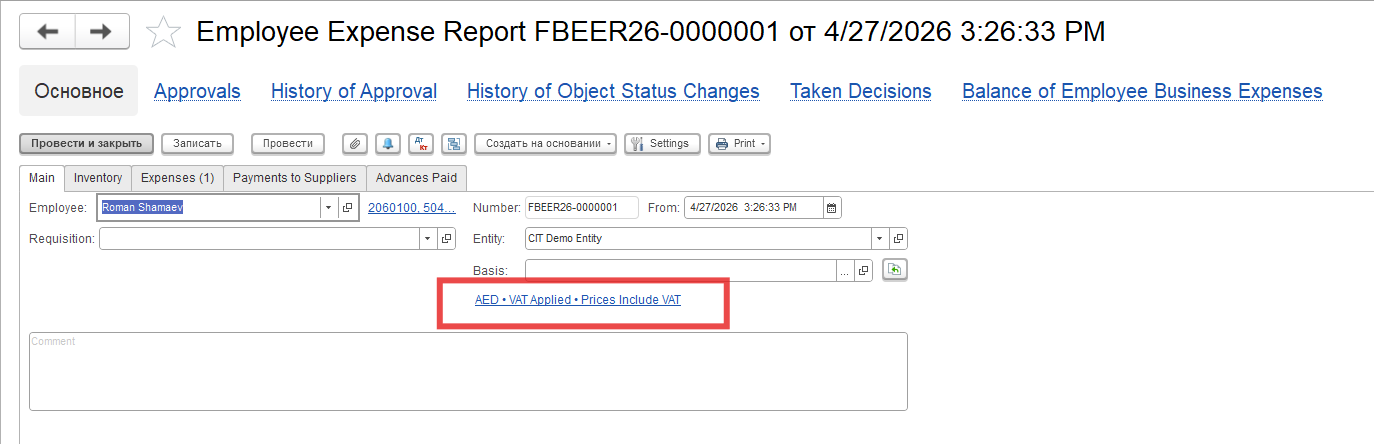
- Open the relevant source document, such as an Invoice Received or Employee Expense Report.
- Check whether the corresponding Tax Invoice Received is correctly specified and posted.
- Identify the transaction for which the Tax Invoice Received is missing or processed incorrectly.
Resolution
- Open the source document causing the discrepancy.
2. Specify the corresponding Tax Invoice Received in the Tax Invoice field.
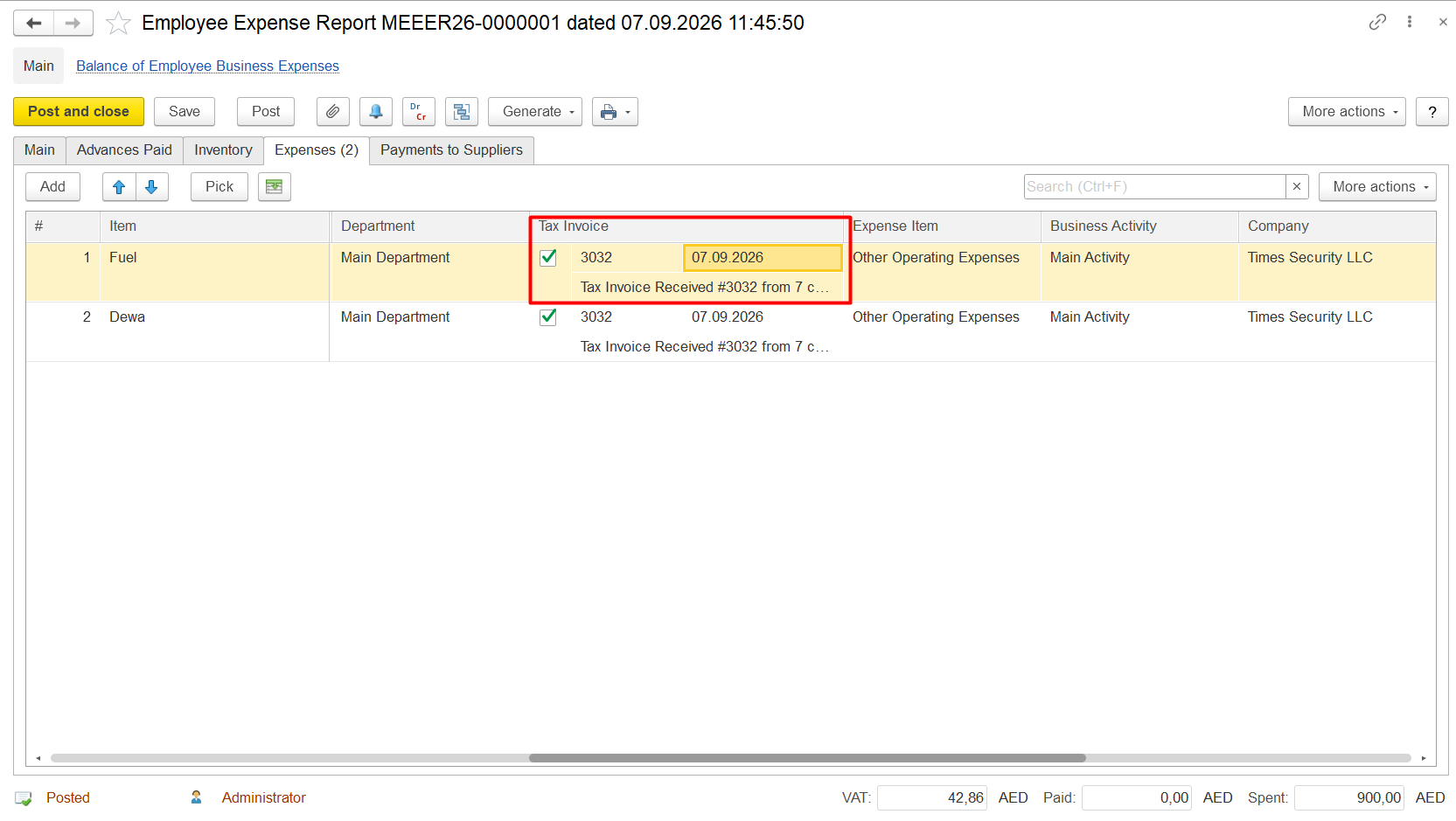
3. Repost the document if required.
4. Regenerate the relevant Input VAT report and verify that the remaining balance has been cleared.
Related Materials
6.3.3. Employee Expense Reports
7.7. Accounting: Reports6.4.2.1.2. Creating a Cheque Issued. The Payment Details tab
Product / Configuration
FirstBit ERP/FirstBit Accounting/FirstBit Contracting
Functional Area/Firstbit Software Section
MoneyAccounting
Thank you for being FirstBit customer!
Alternative User Questions / Keywords
#paid_supplier_invoice_is_still_outstanding #supplier_invoice_remains_outstanding_after_payment #invoice_is_paid_but_still_shown_in_balance #paid_invoice_is_still_showing_in_supplier_balance #payment_does_not_settle_supplier_invoice #supplier_payment_does_not_close_invoice #bank_payment_does_not_settle_invoice #cheque_issued_as_advance_payment#vat_reclaim_amount_does_not_match_debit_turnover, #vat_reclaim_is_less_than_debit_turnover, #vat_reclaim_difference, #vat_reclaim_difference_in_account, #vat_reclaim_amount_difference, #unreclaimed_vat_amount, #vat_amount_remains_unreclaimed, #vat_reclaim_is_not_fully_processed, #vat_reclaim_is_not_fully_claimed, #difference_between_debit_turnover_and_vat_reclaim, #vat_reclaim_difference_in_gl_account, #how_to_find_vat_reclaim_difference, #how_to_identify_unreclaimed_vat, #which_transaction_caused_vat_difference, #find_transaction_causing_vat_difference, #vat_reclaim_transaction_difference, #vat_reclaim_amount_is_different_from_debit_turnover, #debit_turnover_does_not_match_vat_reclaim, #vat_reclaim_does_not_match_account_balance, #vat_reclaim_is_not_fully_reclaimed, #why_is_vat_not_reclaimed, #why_is_vat_reclaim_amount_different