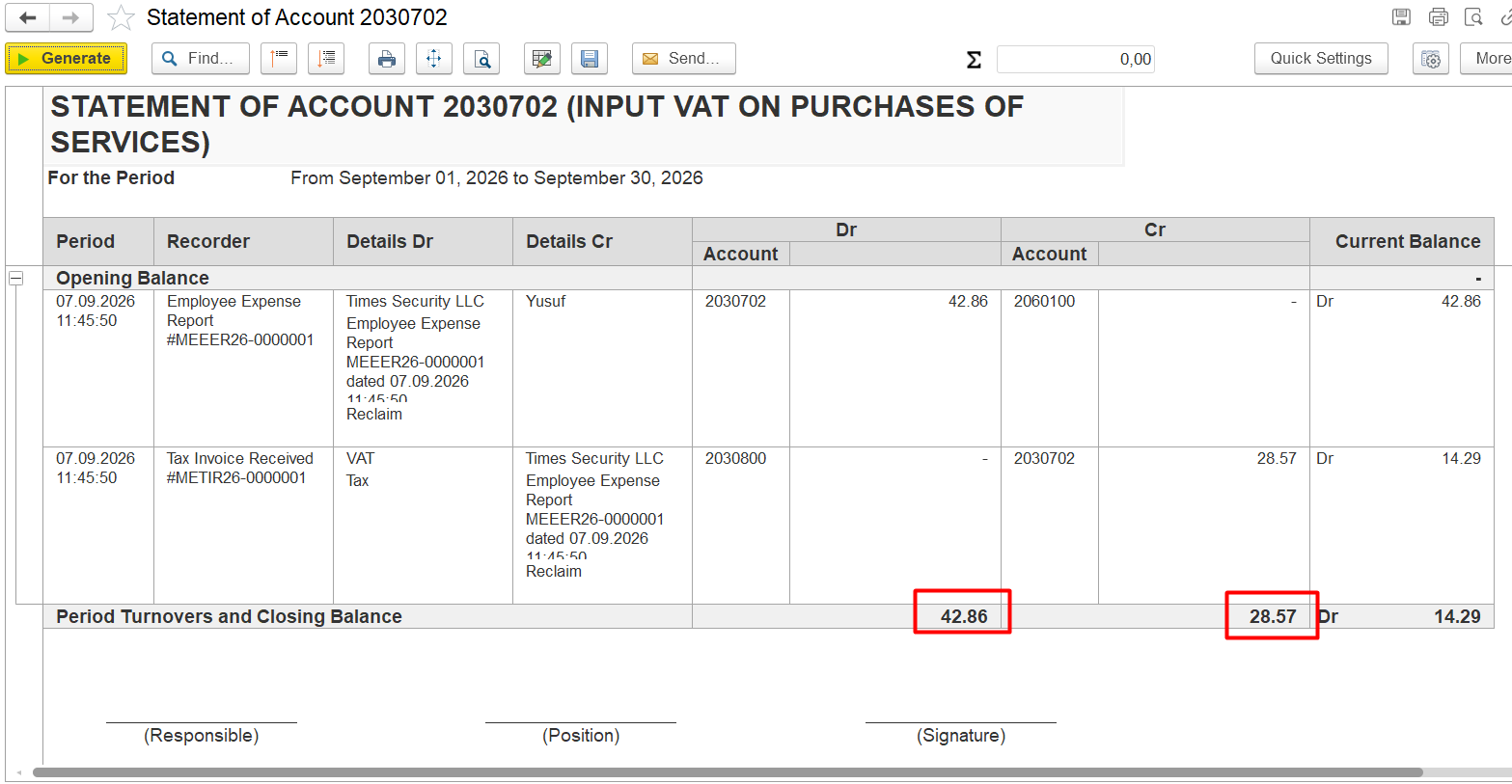
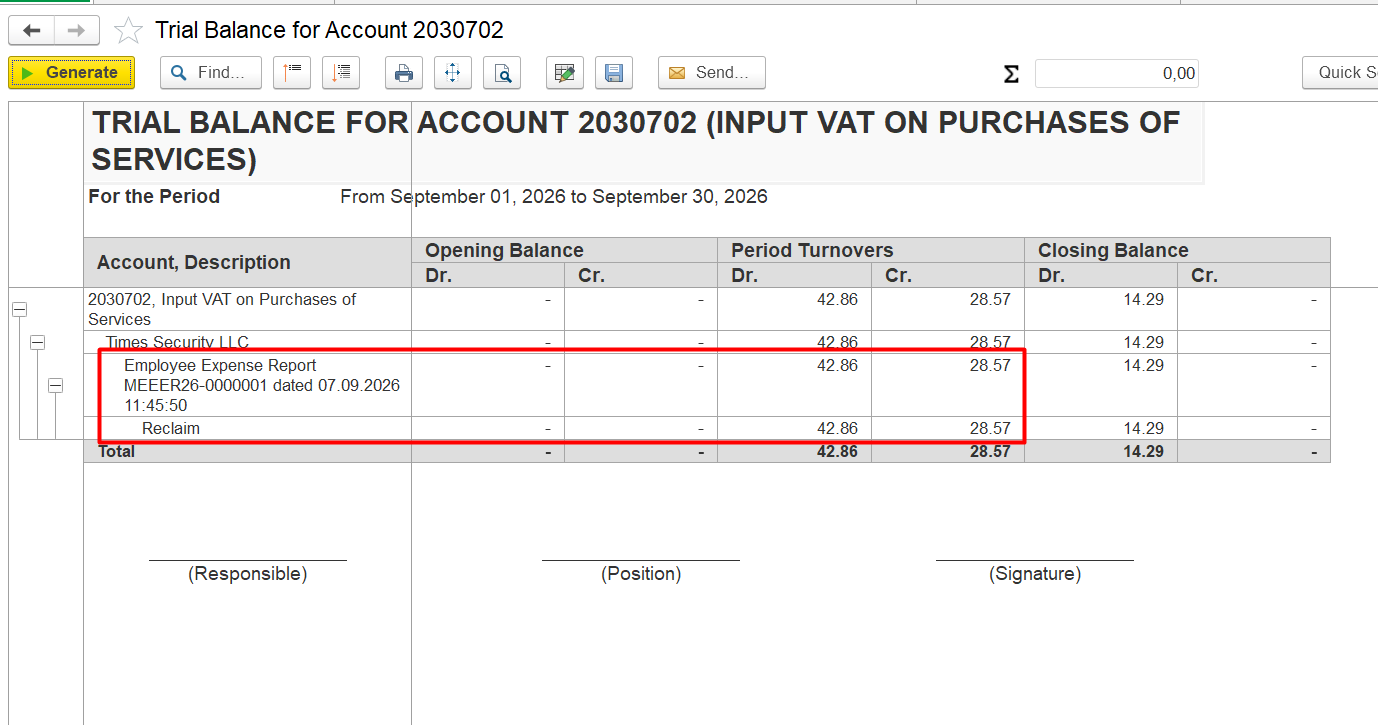
The debit and credit turnovers on the Input VAT account do not match, and part of the VAT remains unreclaimed. How can I identify which transaction is causing the difference?
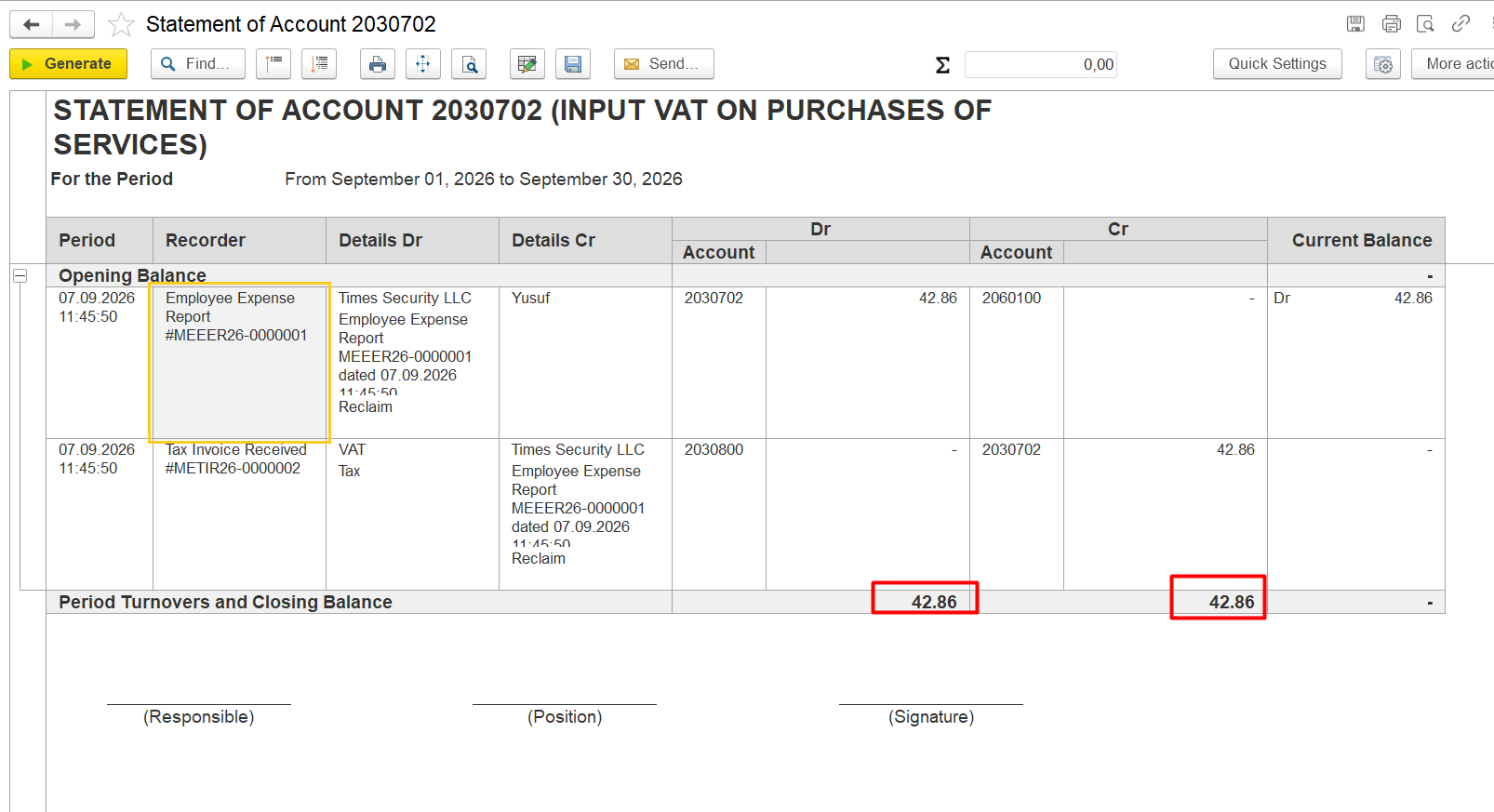
The debit and credit turnovers on the Input VAT account do not match, resulting in a remaining debit balance and unreclaimed VAT amount.
The corresponding Tax Invoice Received is missing or has not been processed correctly for one or more transactions. As a result, the Input VAT is not fully reclaimed, leaving a balance on the Input VAT account.
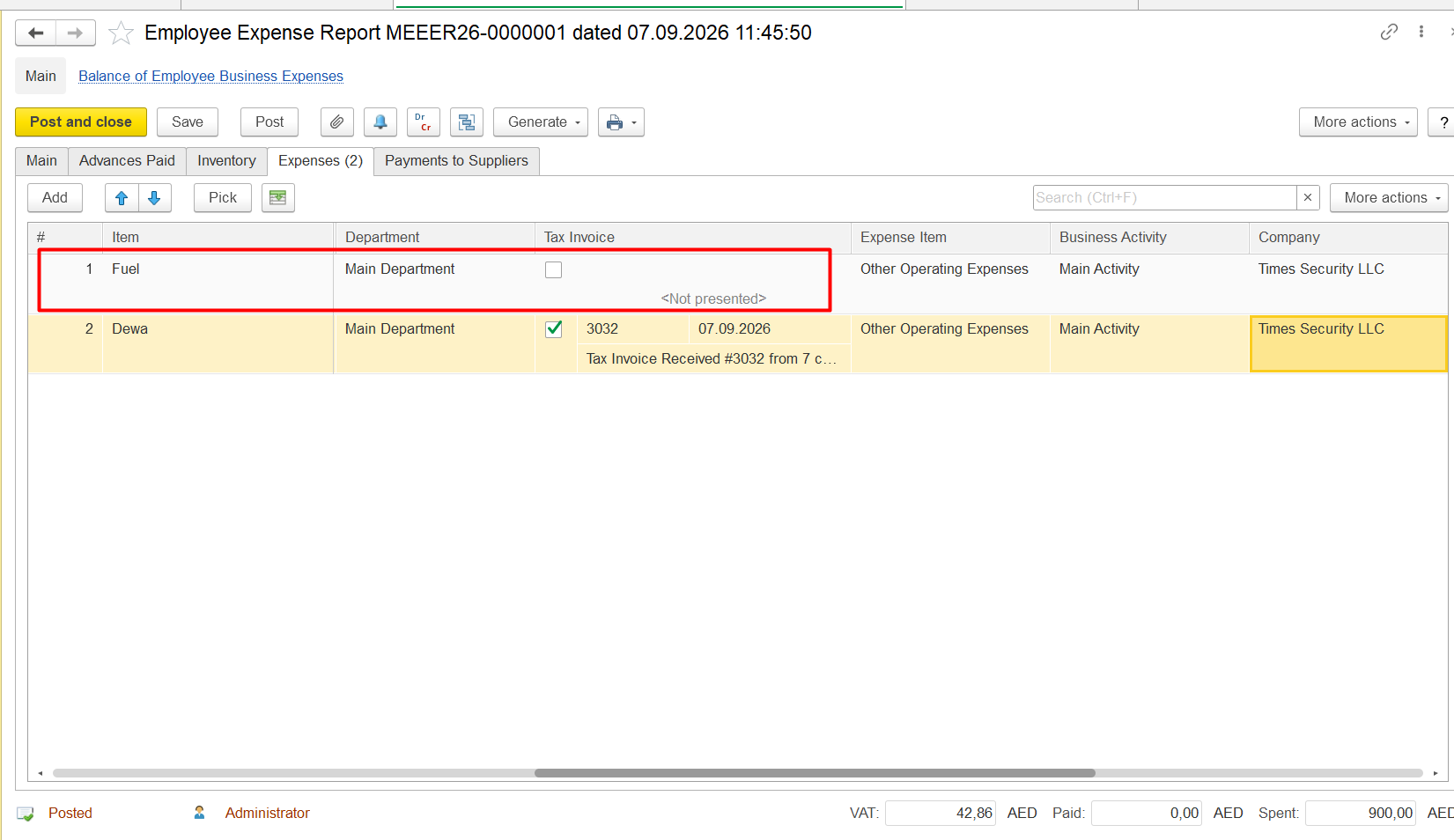
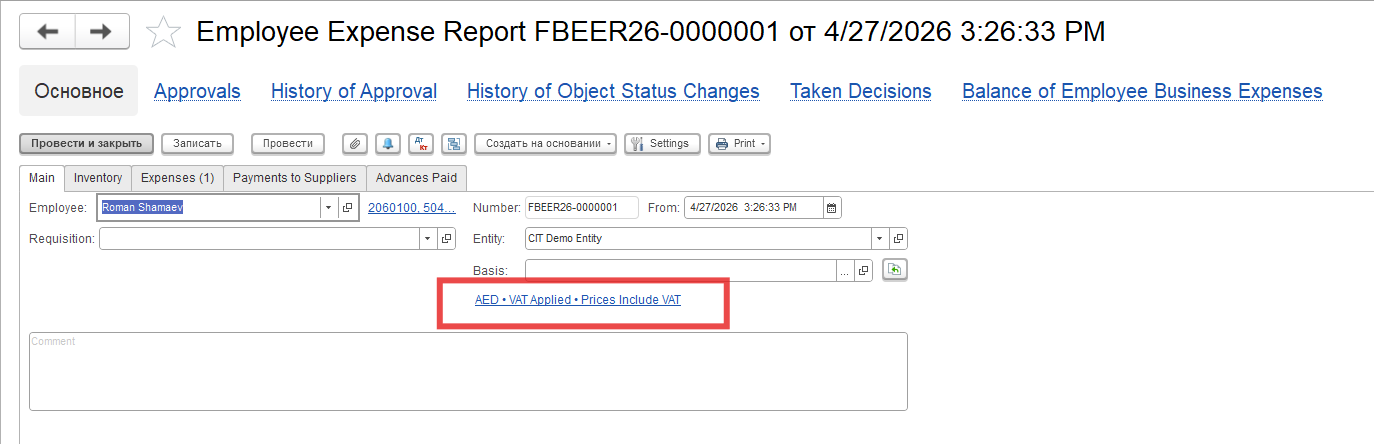
2. Specify the corresponding Tax Invoice Received in the Tax Invoice field.
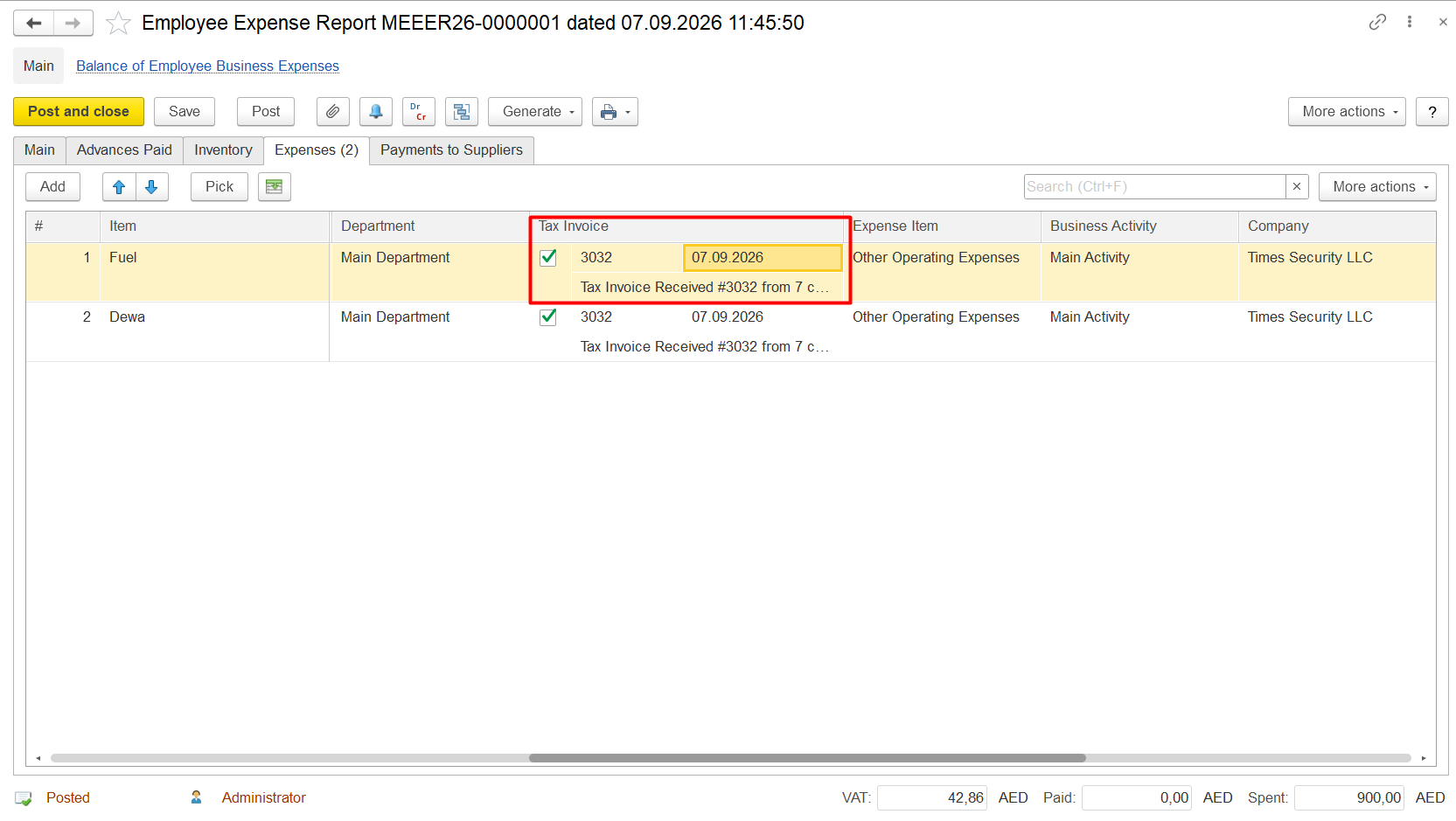
3. Repost the document if required.
4. Regenerate the relevant Input VAT report and verify that the remaining balance has been cleared.
6.3.3. Employee Expense Reports
FirstBit ERP/FirstBit Accounting/FirstBit Contracting
Accounting
Thank you for being FirstBit customer!
#vat_reclaim_amount_does_not_match_debit_turnover, #vat_reclaim_is_less_than_debit_turnover, #vat_reclaim_difference, #vat_reclaim_difference_in_account, #vat_reclaim_amount_difference, #unreclaimed_vat_amount, #vat_amount_remains_unreclaimed, #vat_reclaim_is_not_fully_processed, #vat_reclaim_is_not_fully_claimed, #difference_between_debit_turnover_and_vat_reclaim, #vat_reclaim_difference_in_gl_account, #how_to_find_vat_reclaim_difference, #how_to_identify_unreclaimed_vat, #which_transaction_caused_vat_difference, #find_transaction_causing_vat_difference, #vat_reclaim_transaction_difference, #vat_reclaim_amount_is_different_from_debit_turnover, #debit_turnover_does_not_match_vat_reclaim, #vat_reclaim_does_not_match_account_balance, #vat_reclaim_is_not_fully_reclaimed, #why_is_vat_not_reclaimed, #why_is_vat_reclaim_amount_different