The Project Progress Report allows tracking the actual progress of project tasks (WBS lines) during a selected reporting period. It is used to monitor performance, manage progress transfers (especially for variations), and support billing processes.
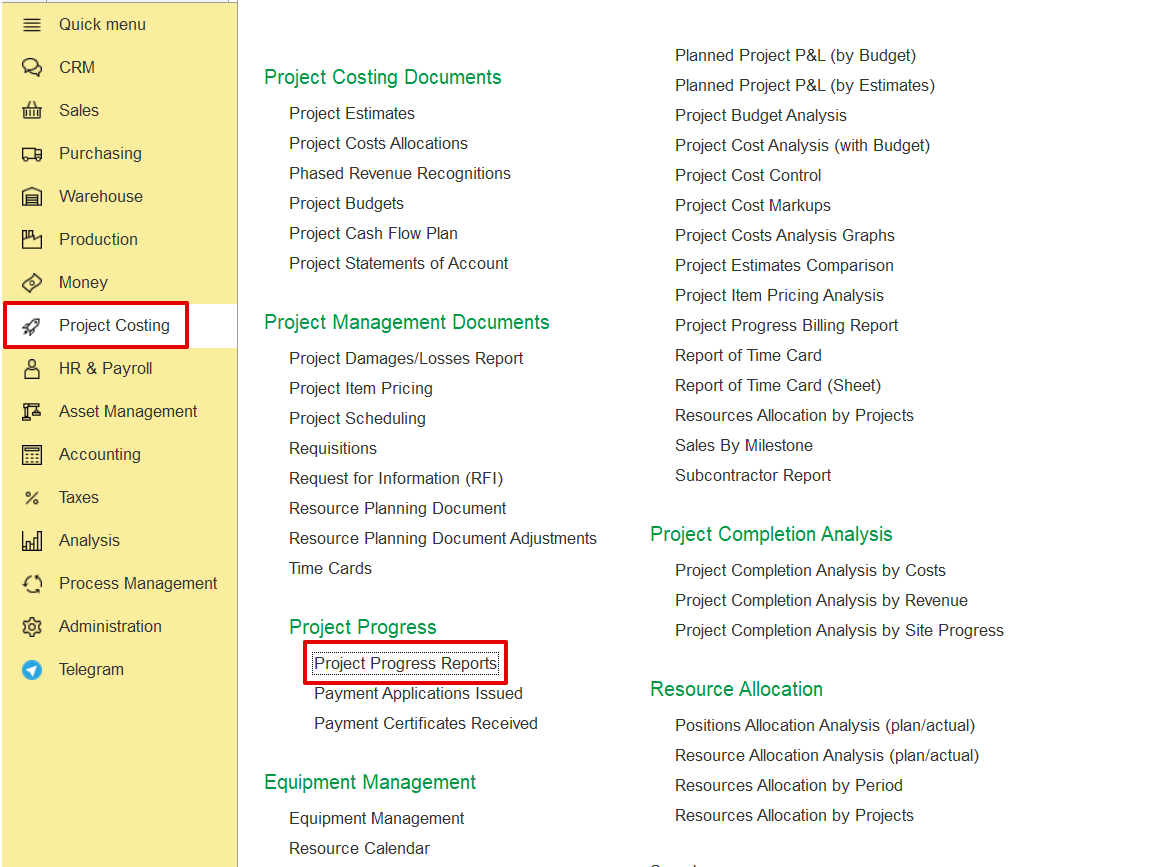
Project Costing → Project Progress → Project Progress Report.
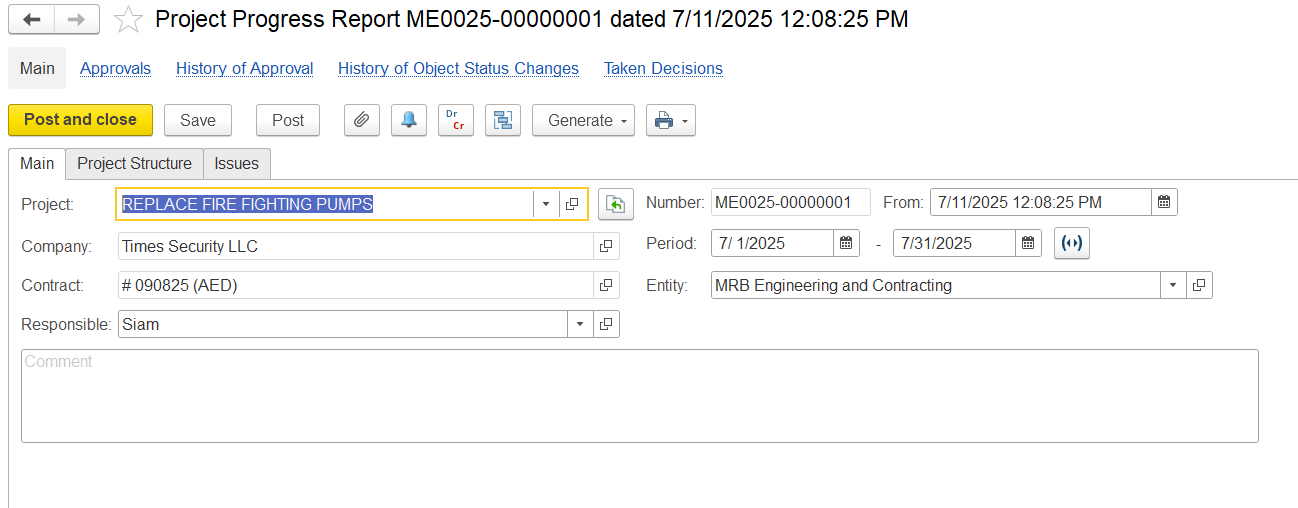
In the main Tab, fill in the details below as needed.
Project- Indicates the project for which the progress is being tracked.
Company- Refers to the client or project owner.
Contract- Specifies the contract number and currency under which the work is being executed.
Responsible- Identifies the person accountable for updating and submitting the progress report.
Period- Defines the timeframe for which the progress is being reported.
Entity- Specifies the Entity responsible for the physical work on site.
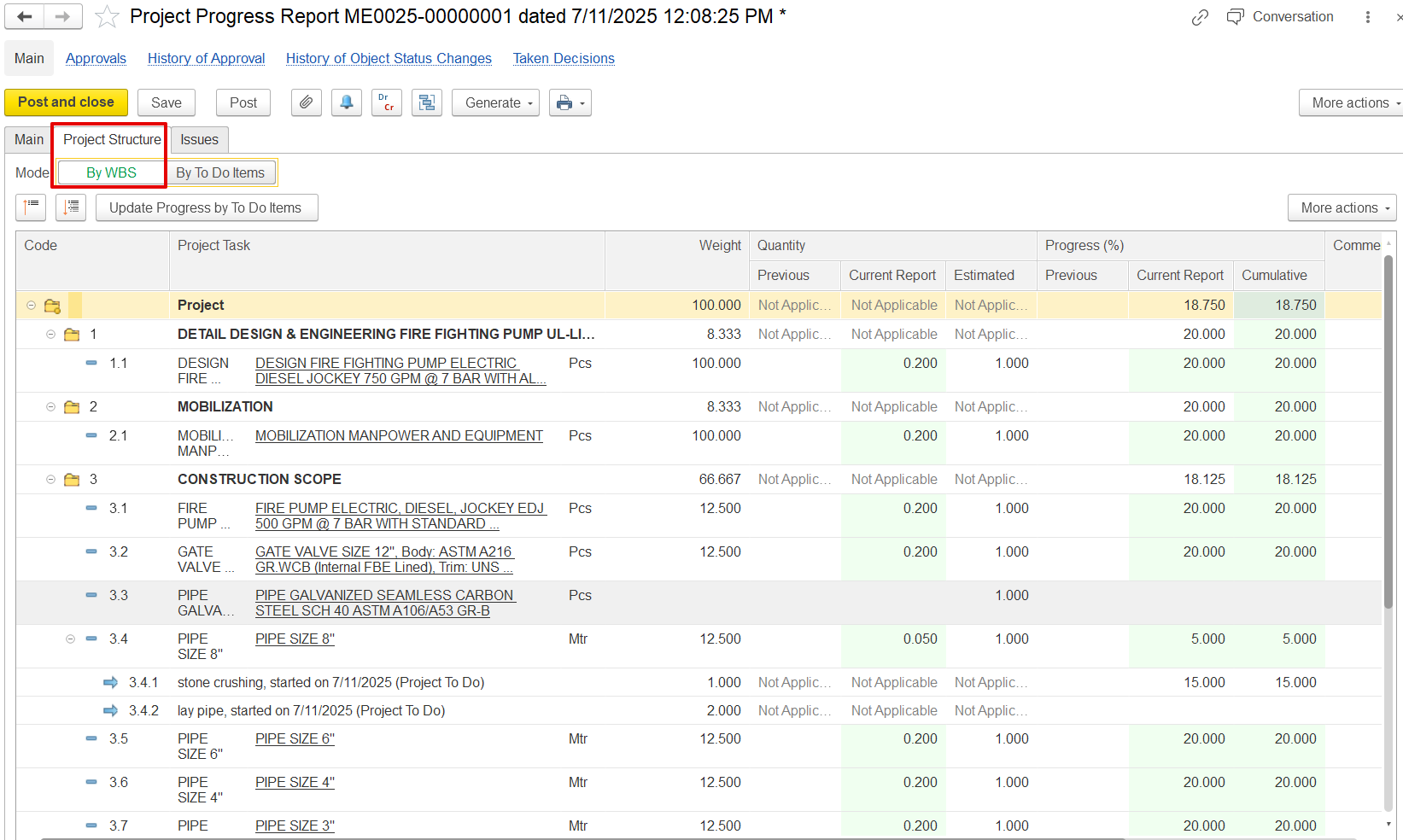
In the Project structure tab,
Code: Displays the structured WBS code for each task—helpful for hierarchy and organization.
Project Task: Lists each specific activity or deliverable tied to the WBS code.
Weight: Indicates each task’s contribution to the overall project progress, usually as a percentage. Higher weight means more impact on cumulative progress.
Quantity (broken into three parts):
- Previous: Total quantity completed before this report.
- Current Report: Quantity added during this update.
- Estimated: Total planned quantity for that task.
Progress (%) (also split into three views):
- Previous: Percentage completed up to the last report.
- Current Report: New percentage added in this update.
- Cumulative: Total completion to date, used for updating overall progress.