-
Created by
 Julia Denzhonkova, last updated by Olga Kaya on 29 Oct, 2026
3 minute read
Julia Denzhonkova, last updated by Olga Kaya on 29 Oct, 2026
3 minute read
User Question
Why Depreciation is not calculated during month-end-closing?
Problem / Symptom
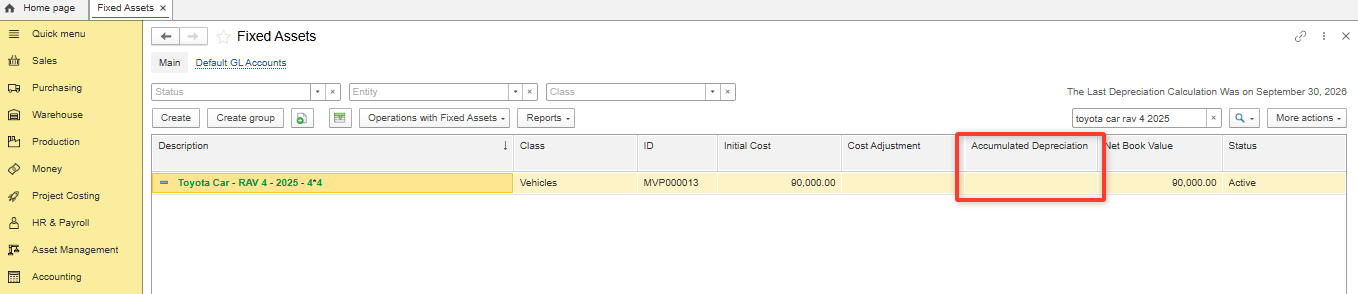
The Depreciation is not calculated during month-end-closing.
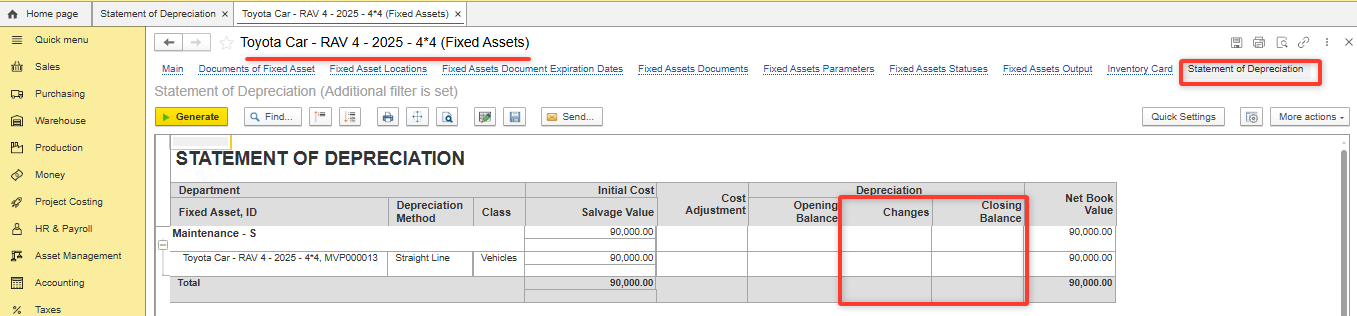
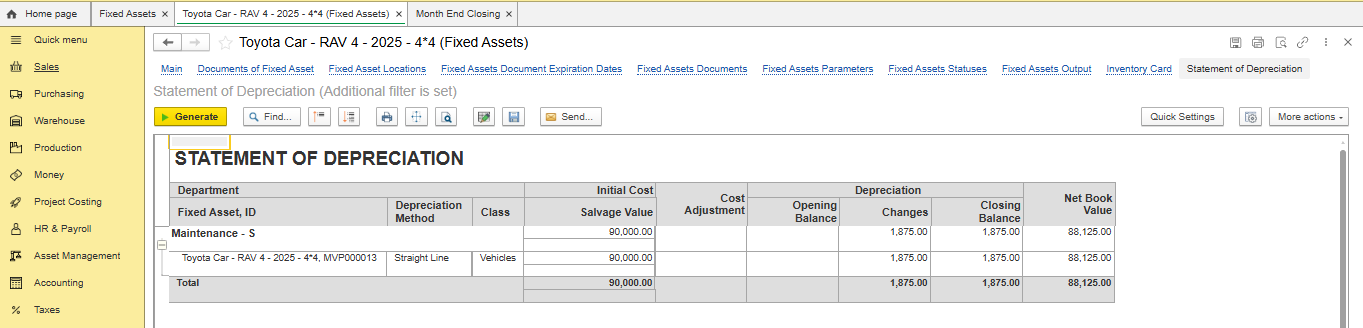
The Statement of Depreciation report has been generated without changes in Depreciation (Asset Management - Reports - Statement of Depreciation) , or it may be generated directly from Fixed Asset.
Conditions
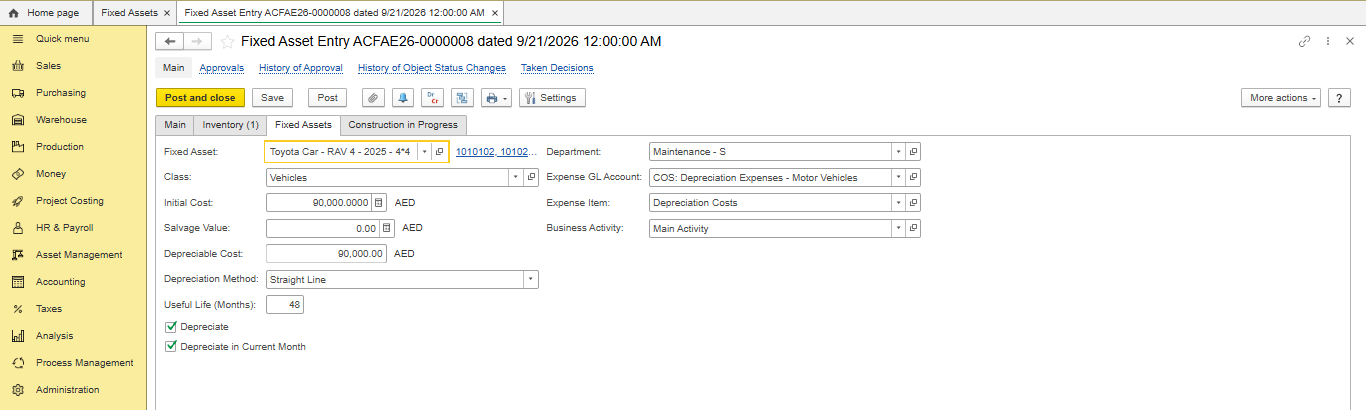
A new fixed asset Toyota RAV4 – 2025 (MVP000013) has been registered on 21/09/2026
- Initial Cost: AED 90,000
- Depreciation Method: Straight Line
- Useful Life: 48 months
Depreciate in Current Month is enabled in Fixed Asset Entry.
- The setting Enable Depreciation of Non-Current Assets is enabled
- 12.1.4. Fixed Asset Statuses changing were created several times after Fixed Asset entering.
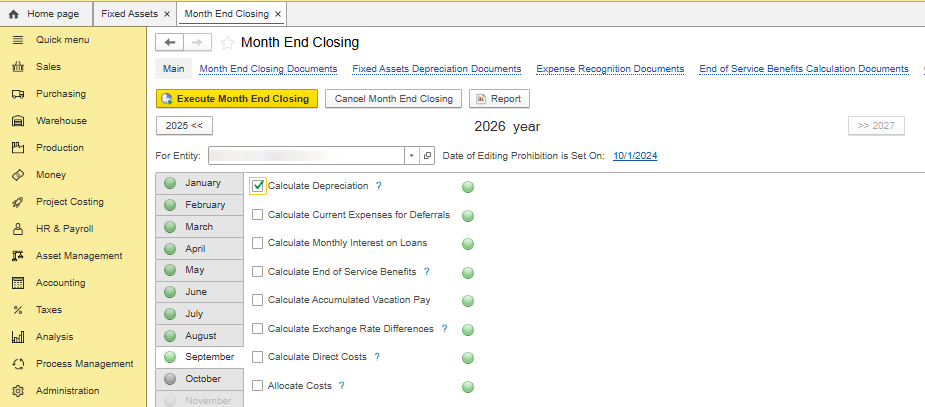
- Month-end-closing has been executed in chronological order
Root Cause
Fixed Asset Statuses have been changed but "Depreciate" and "Depreciate in current month" were not enabled in new Fixed Asset Statuses .
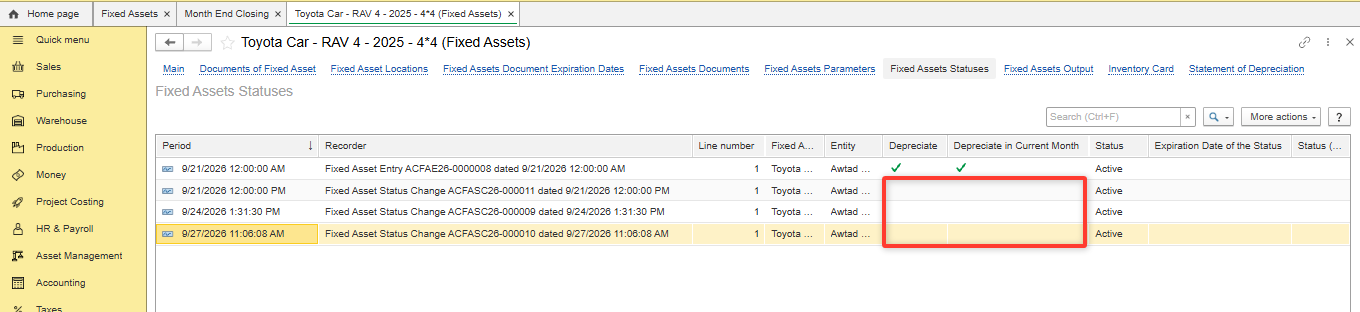
Diagnostics
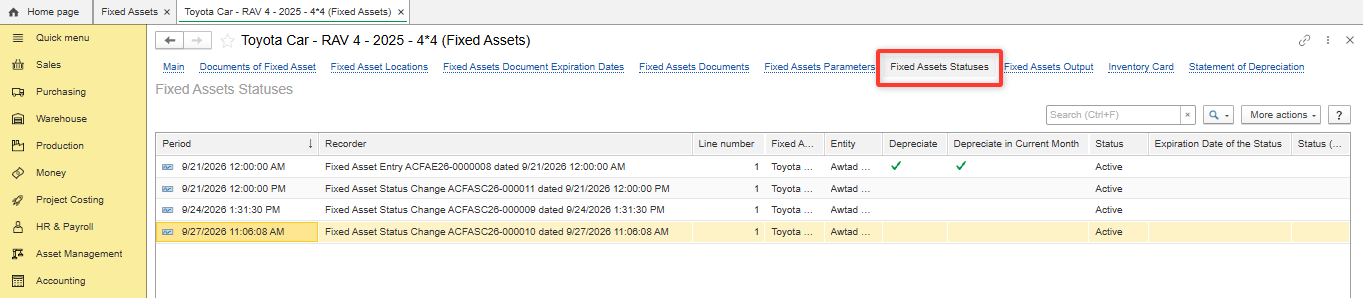
- Open Fixed Asset Statuses tab in Fixed Asset.
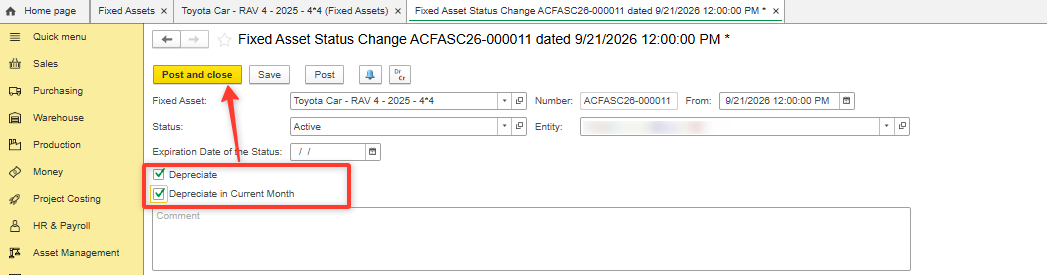
- Enable "Depreciate" and "Depreciate in current month" in each new Fixed Asset Status. Post.
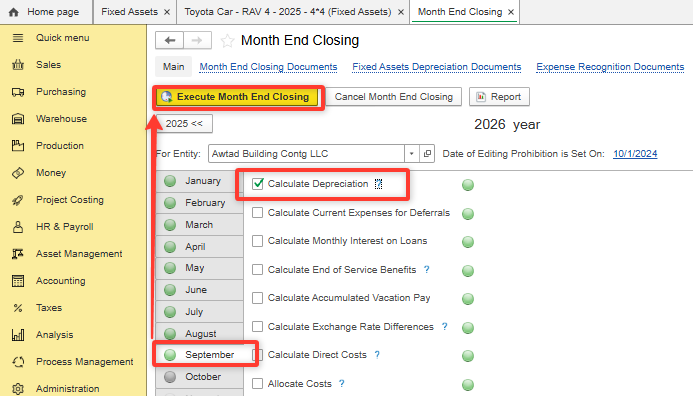
- Re-execute month-end-closing

Resolution
The Depreciation is not calculated during month end closing if "Depreciate" and "Depreciate in current month" were not enabled in Fixed Asset Statuses.
After posting Fixed Asset Statuses month-end-closing should be re-executed.
Related Materials
12.1.1. Fixed Assets
12.1.4. Fixed Asset Statuses
Product / Configuration
FirstBit ERP/FirstBit Accounting/FirstBit Contracting
Functional Area / FirstBit Software Section
Asset Management/ Accounting
Thank you for being FirstBit customer!
Alternative User Questions / Keywords
#Depreciation is not calculated #Fixed Asset Statuses #Depreciation method #Depreciate in current month