
Tax Invoice
Commercial Invoice*
Tax Credit Note
Commercial Credit Note*
Tax Credit Note Received (Invoice Received)
Debit Note*
Commercial documents are issued for transactions where a Tax Invoice is not required under the UAE VAT legislation.
To avoid configuring unnecessary filters, and because each Tax document always has a corresponding Invoice, Invoice Received, Credit Note, and Debit Note, we will count these documents based on their quantity:
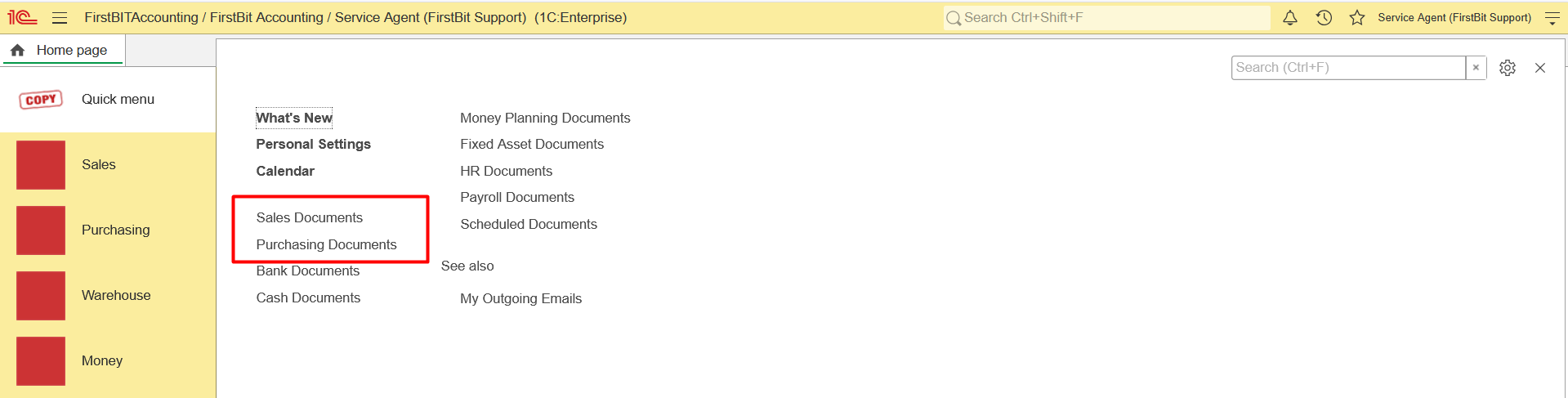
Open Quick Menu.
2. Navigate to Sales Documents.
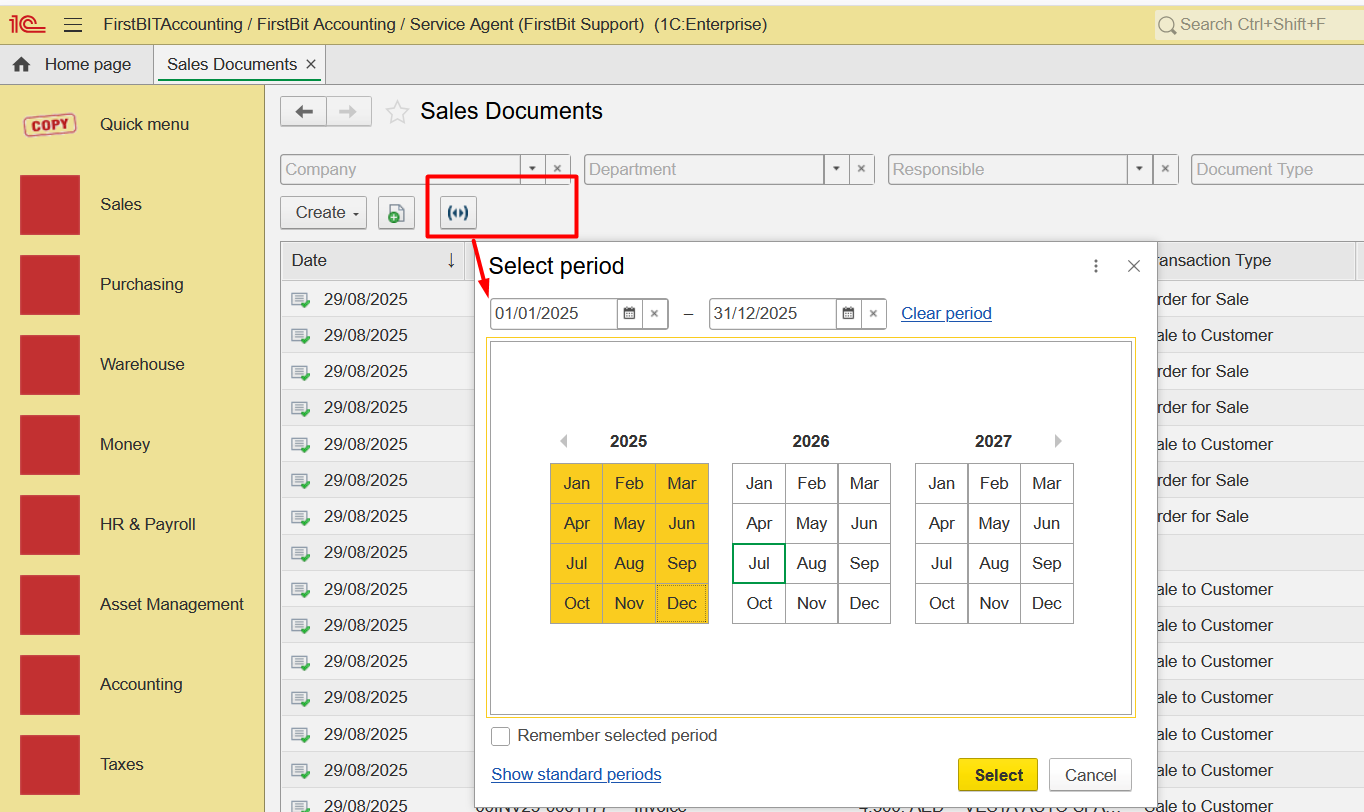
3. Set the Period filter (for example, from 01/01/2025 to 31/12/2025).
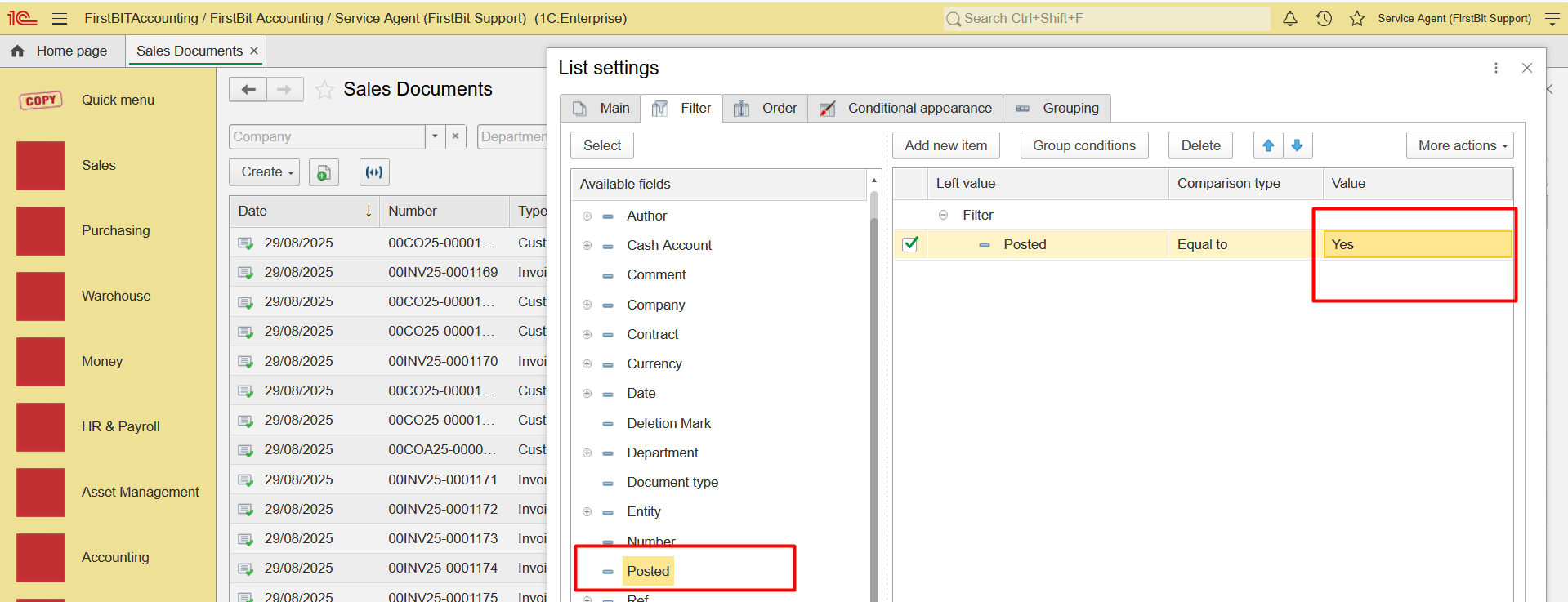
4. Configure list, set the Posted filter to display only posted documents.
5. Set the Document Type filter to display
Invoice
Credit Note

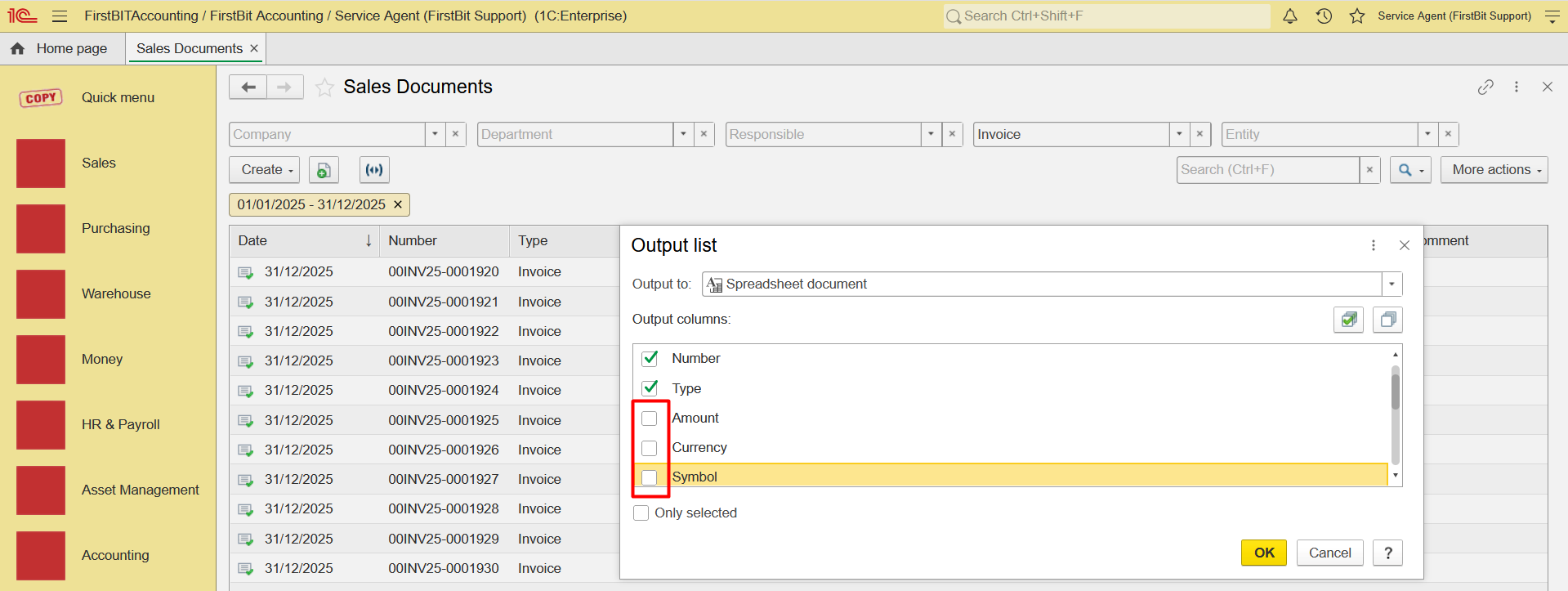
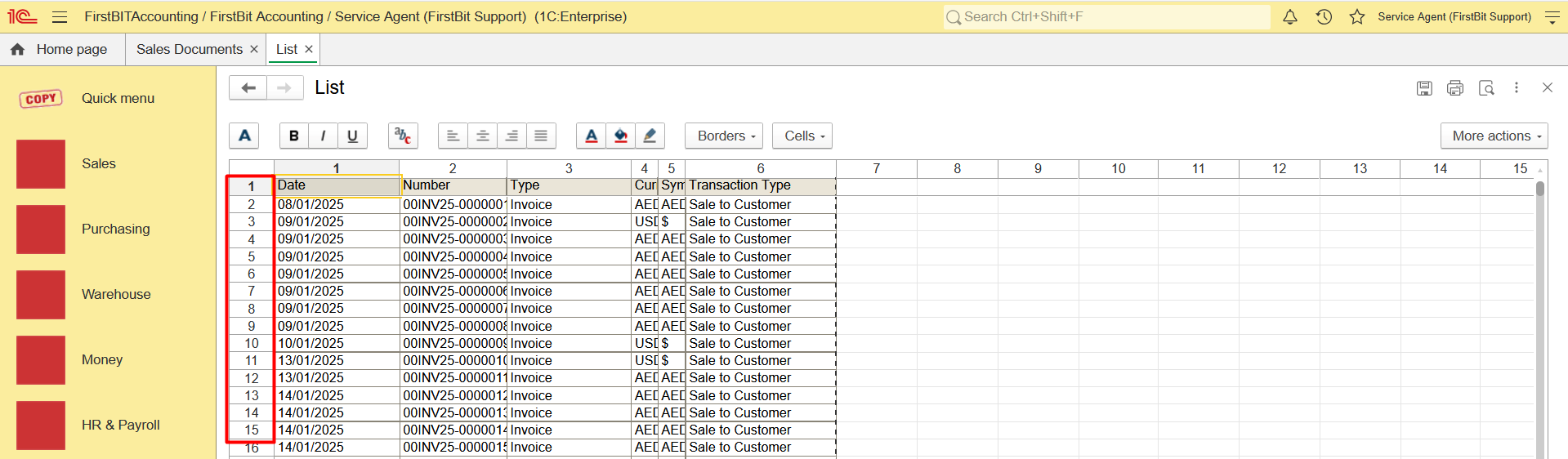
6. Click Output List and export the list to Excel. To simplify the exported list, uncheck the fields that are not required.
7. In Excel, determine the total number of documents (excluding the header row).
Repeat the same steps for Purchase Documents:
Open Purchase Documents.
Set the same reporting period.
Count the following document types one by one:
Invoice Received
Debit Note
Apply the Posted filter.
Export the list using Output List.
Determine the total number of documents in Excel.
Add together the number of documents for the following document types:
Invoice
Credit Note
Invoice Received
Debit Note
The resulting total represents the annual document volume and can be used to estimate the expected E-Invoicing service costs.
Thank you for being a FirstBIT customer!