-
Created by
 Daria Tikhova, last updated on 07 Aug, 2026
5 minute read
Daria Tikhova, last updated on 07 Aug, 2026
5 minute read
Scope
This functionality applies to FirstBIT Contracting configuration starting from release 2.1.1.35.
Overview
Starting from release 2.1.1.35, the Stock GL Transaction checkbox is available in purchasing documents within the procurement chain, starting from the Purchase Order document.
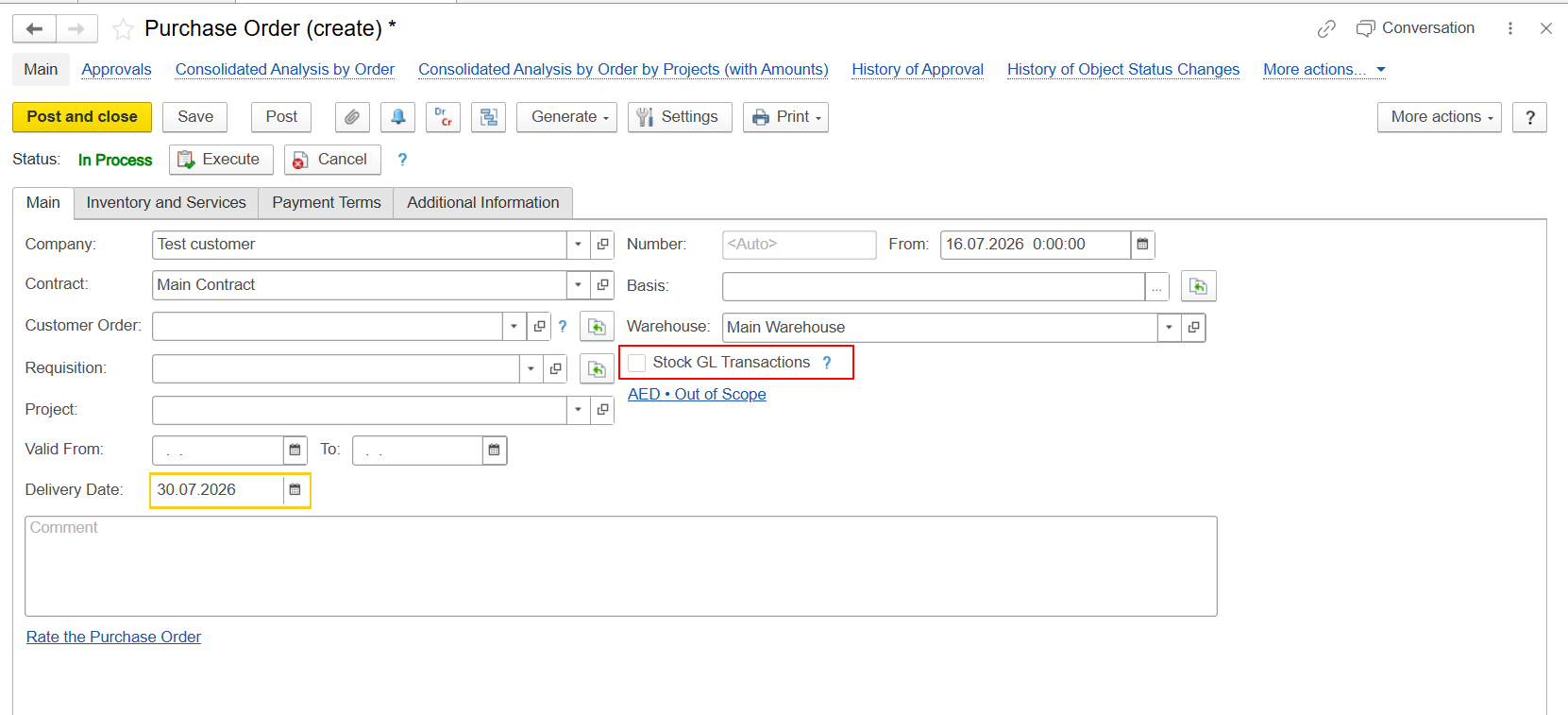
The checkbox determines whether inventory transactions are generated automatically during the purchasing process.
When the checkbox is enabled, the system automatically generates the required inventory movements when the related Invoice Received document created from the Purchase Order is posted. This eliminates the need to create a separate document for the financial inventory transaction.
The Stock GL Transaction checkbox is determined automatically based on the settings of the selected Warehouse.
Automatic Determination of the Stock GL Transaction Checkbox
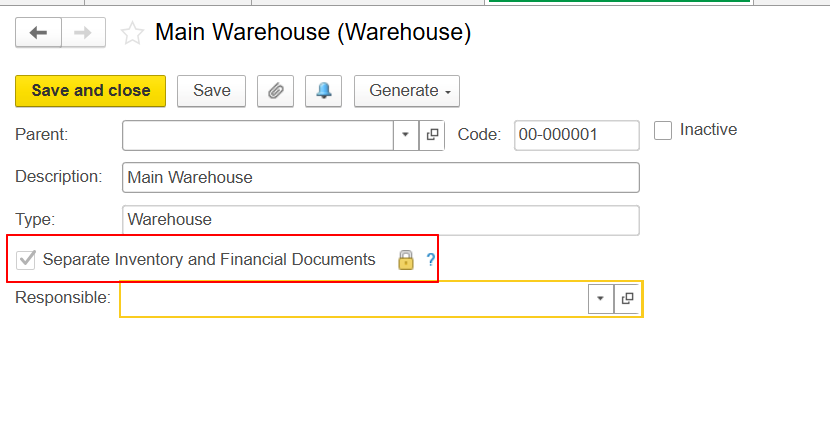
If the Separate Inventory and Financial Documents option is enabled for the selected Warehouse, the system automatically enables the Stock GL Transaction checkbox in purchasing documents.
Warehouse setting:
Separate Inventory and Financial Documents = Enabled
Document setting:
Stock GL Transaction = Enabled
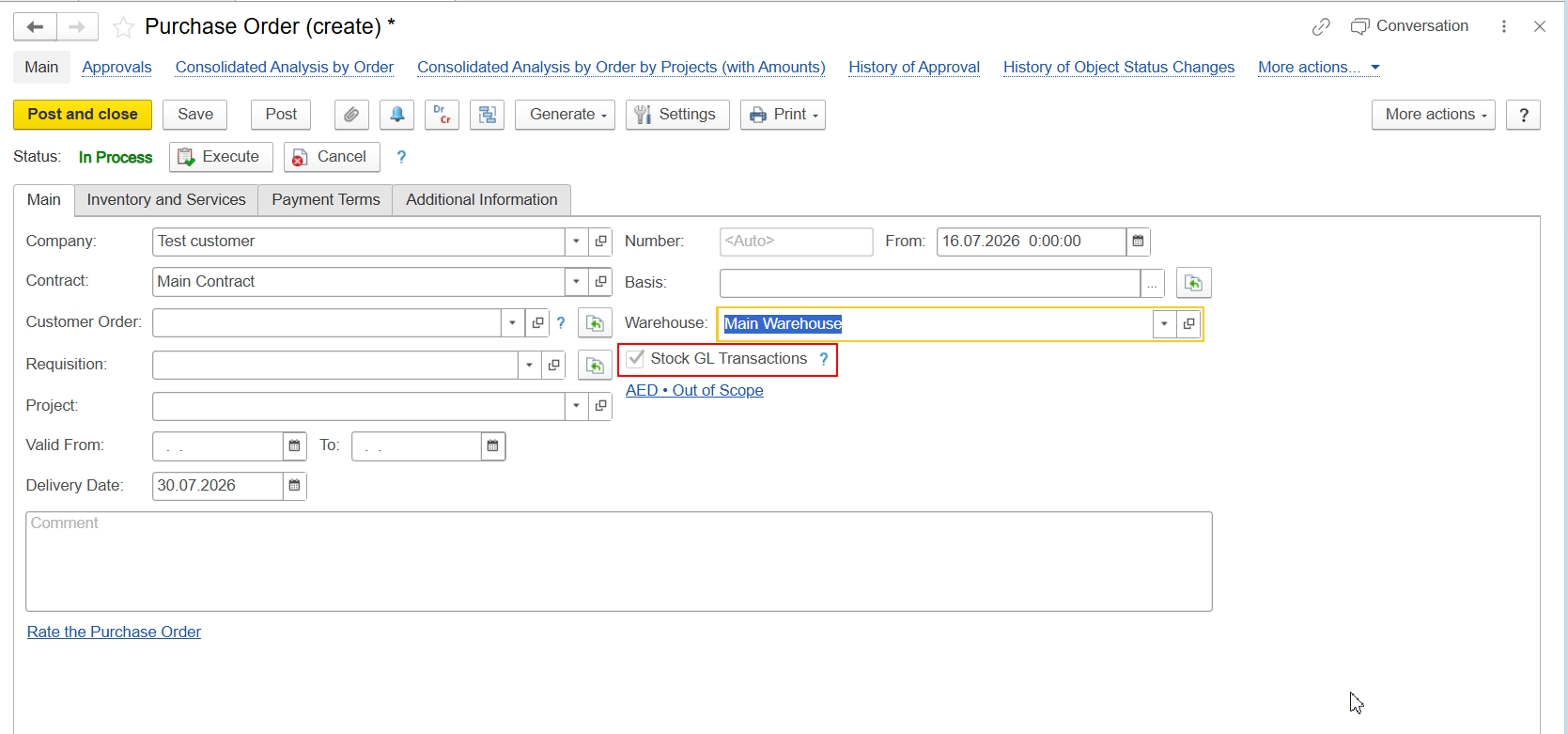
This behavior applies to all documents within the purchasing chain starting from the Purchase Order.
When a new purchasing document is created, the system checks the Warehouse settings, including when the Warehouse is automatically populated from Personal Settings.
Warehouse Configuration
To enable automatic determination of the Stock GL Transaction checkbox, the following option must be enabled in the Warehouse settings:
Separate Inventory and Financial Documents
When this option is enabled, financial and inventory transactions are processed separately during the purchasing process.
Result of Enabling Stock GL Transaction
When Stock GL Transaction is enabled:
- corresponding entries are generated in the Inventory and Expenses register;
- when the Invoice Received document created from the Purchase Order is posted, the required inventory movement is generated automatically;
- the corresponding Material Receipt Note (MRN) must be posted to reflect the actual receipt of the goods.
Therefore, the financial recognition of the purchase and the actual receipt of goods can be processed using separate documents.
Inventory Movements in Inventory on Hand
When Stock GL Transaction is enabled, additional movements are generated in the Inventory on Hand accumulation register when the documents are posted.
Invoice Received
When the Invoice Received document created from the Purchase Order is posted, the system generates an additional consumption movement in the Inventory on Hand register.
At this stage, the goods have not yet been recorded as physically received into the Warehouse.
If the corresponding Material Receipt Note has not yet been posted, the reporting may show the goods as invoiced but not received.
[Screenshot 3 — Report/form showing the invoiced but not received status after Invoice Received is posted and before MRN is posted]
Material Receipt Note
When the Material Receipt Note is posted, the system generates the corresponding receipt movement in the Inventory on Hand register.
[Screenshot 4 — Inventory on Hand movements after Material Receipt Note is posted]
After both documents are posted:
- Invoice Received;
- Material Receipt Note;
the movements generated in the Inventory on Hand register offset each other, and the resulting balance becomes zero.
This behavior is standard and supports scenarios where the financial recognition of the purchase and the actual receipt of goods are processed separately.
Reporting with Stock GL Transaction
When using Stock GL Transaction, consider the sequence in which the purchasing documents are posted.
Invoice Received Posted, Material Receipt Note Not Yet Posted
If the Invoice Received has already been posted but the corresponding MRN has not yet been posted, the financial part of the purchase has already been recognized, while the actual receipt of the goods has not yet been recorded.
In this situation, the purchasing analysis may show the goods as invoiced but not received.
This is an intermediate state. After the corresponding Material Receipt Note is posted, the actual receipt of the goods is recorded in the system.
Invoice Received and Material Receipt Note Posted
After the Material Receipt Note is posted, the actual receipt of the goods is recorded in the system.
As a result, the movements generated by Invoice Received and Material Receipt Note offset each other in the Inventory on Hand register, and the resulting balance becomes zero.
How to Identify Purchases Requiring a Material Receipt Note
To identify purchases where the goods have already been recorded in Invoice Received but the actual receipt has not yet been recorded, use the Consolidated Analysis by Purchase Orders report.
In the report, pay attention to situations where the goods are shown as invoiced but not received.
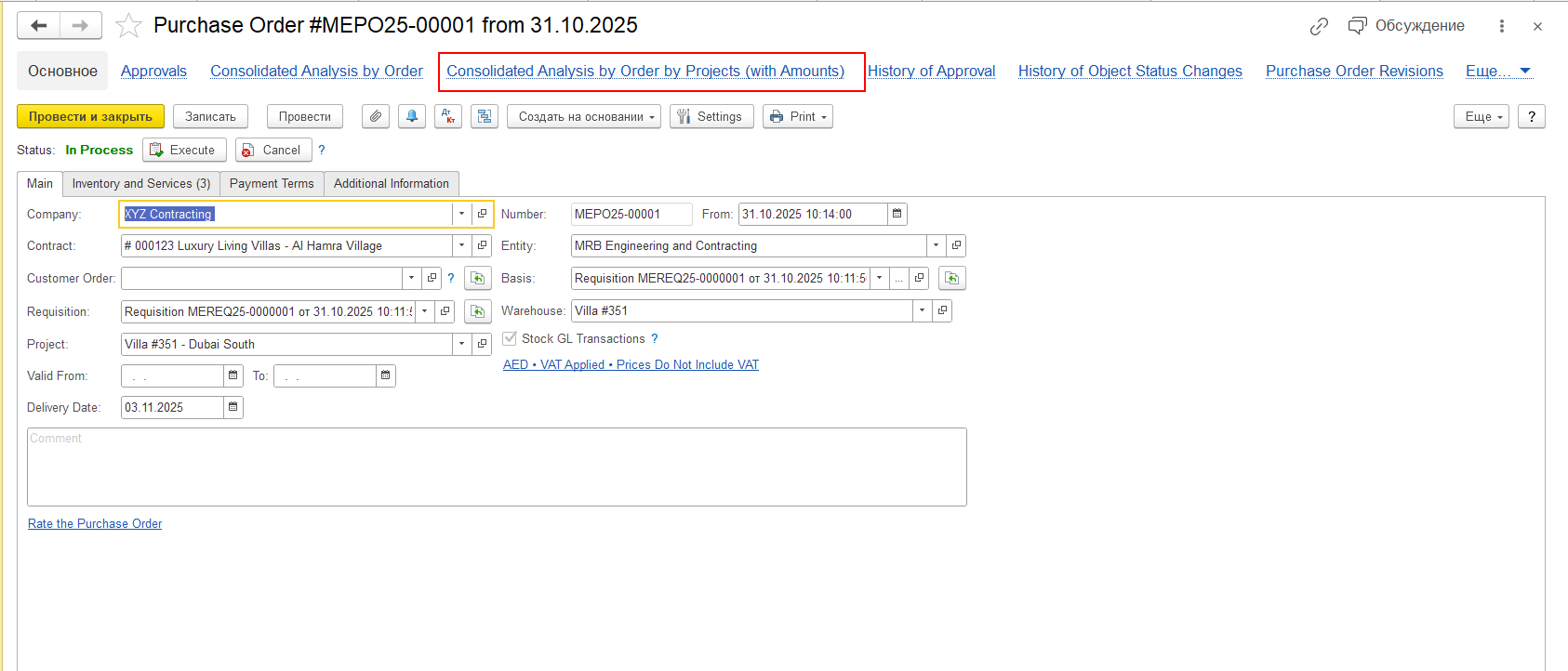
The report can be opened directly from a selected Purchase Order. In this case, the analysis is generated for that particular Purchase Order.
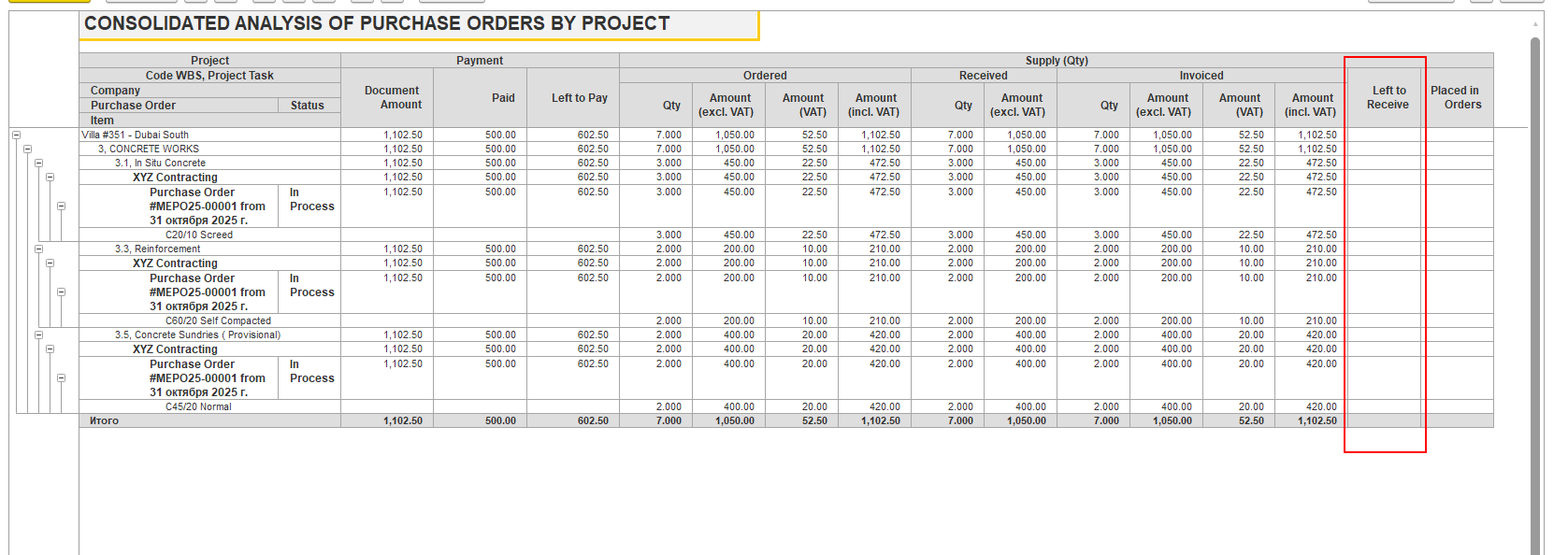
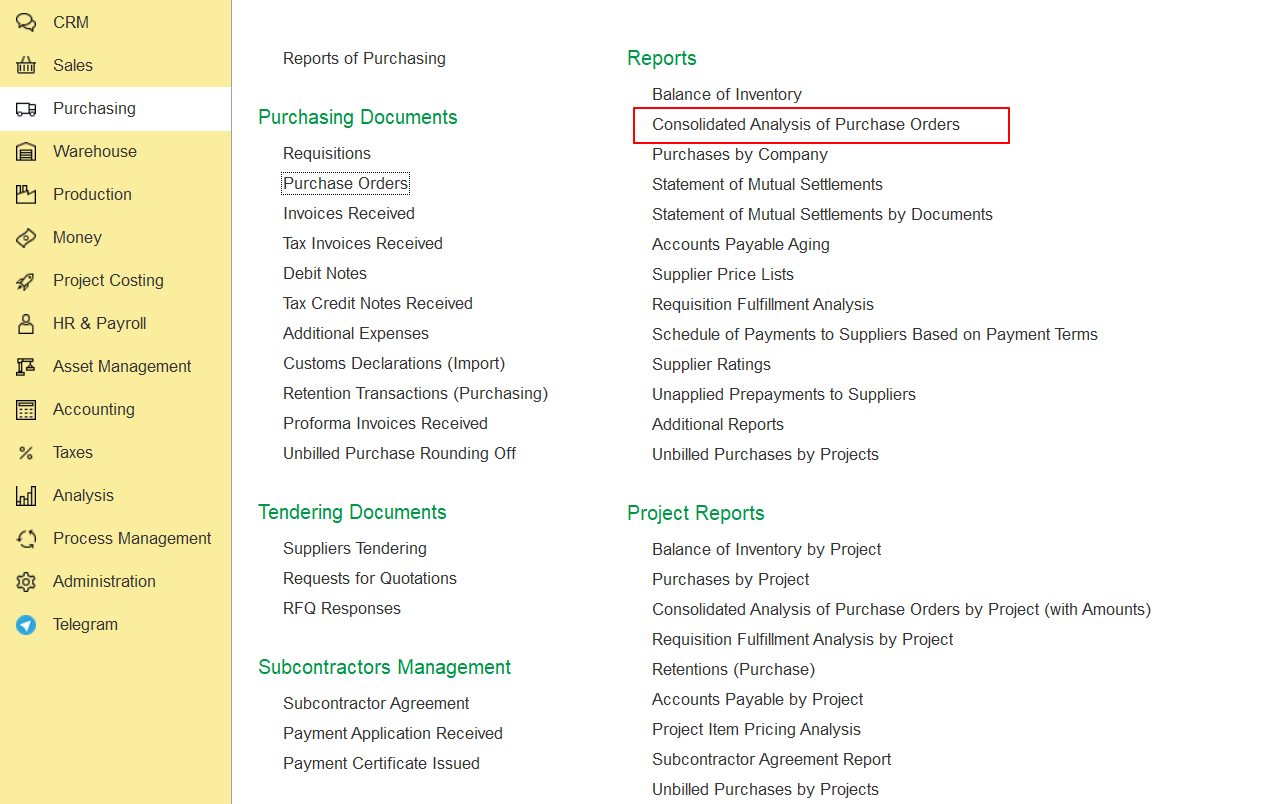
The report is also available via:
Purchasing → Reports → Consolidated Analysis by Purchase Orders
This option allows you to review the information for multiple Purchase Orders.
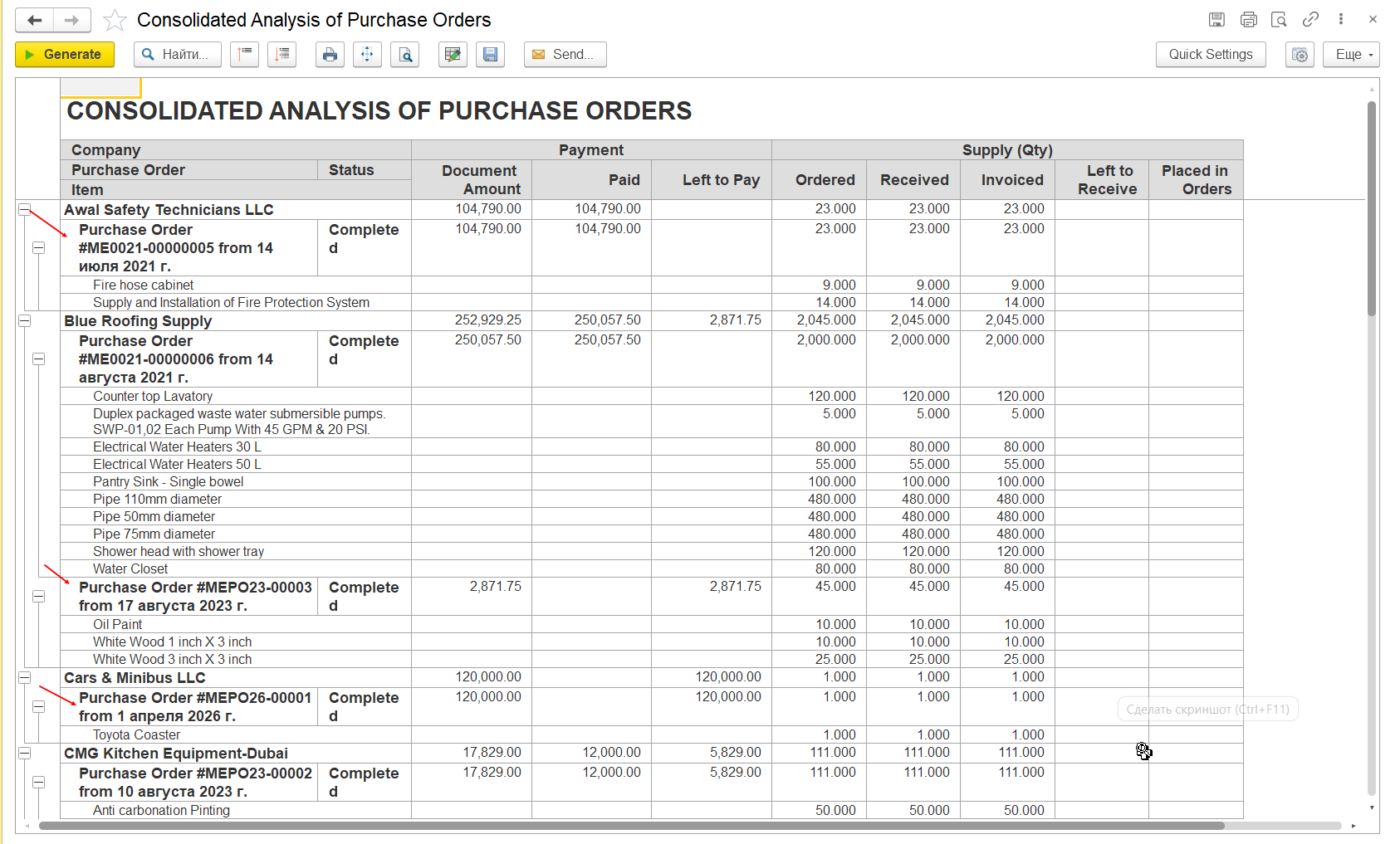
If the report shows an invoiced but not received situation, check the corresponding Material Receipt Note and post it, if required, to record the actual receipt of the goods.
Summary
Starting from release 2.1.1.35:
- the Stock GL Transaction checkbox is available in purchasing documents starting from Purchase Order;
- the checkbox is automatically enabled when Separate Inventory and Financial Documents is enabled for the selected Warehouse;
- the Warehouse settings are checked automatically, including when the Warehouse is populated from Personal Settings;
- posting Invoice Received generates an additional consumption movement in the Inventory on Hand register;
- if the Material Receipt Note has not yet been posted, the purchase may appear as invoiced but not received;
- posting the Material Receipt Note generates the corresponding receipt movement;
- after both documents are posted, the resulting balance in Inventory on Hand becomes zero;
- the Consolidated Analysis by Purchase Orders report can be used to identify purchases where the goods are invoiced but not yet received.
This behavior is standard for FirstBIT Contracting starting from release 2.1.1.35.
Thank you for being FirstBIT Customer!