-
Created by
 Karina Gilmanova, last updated on 13 Jul, 2026
2 minute read
Karina Gilmanova, last updated on 13 Jul, 2026
2 minute read
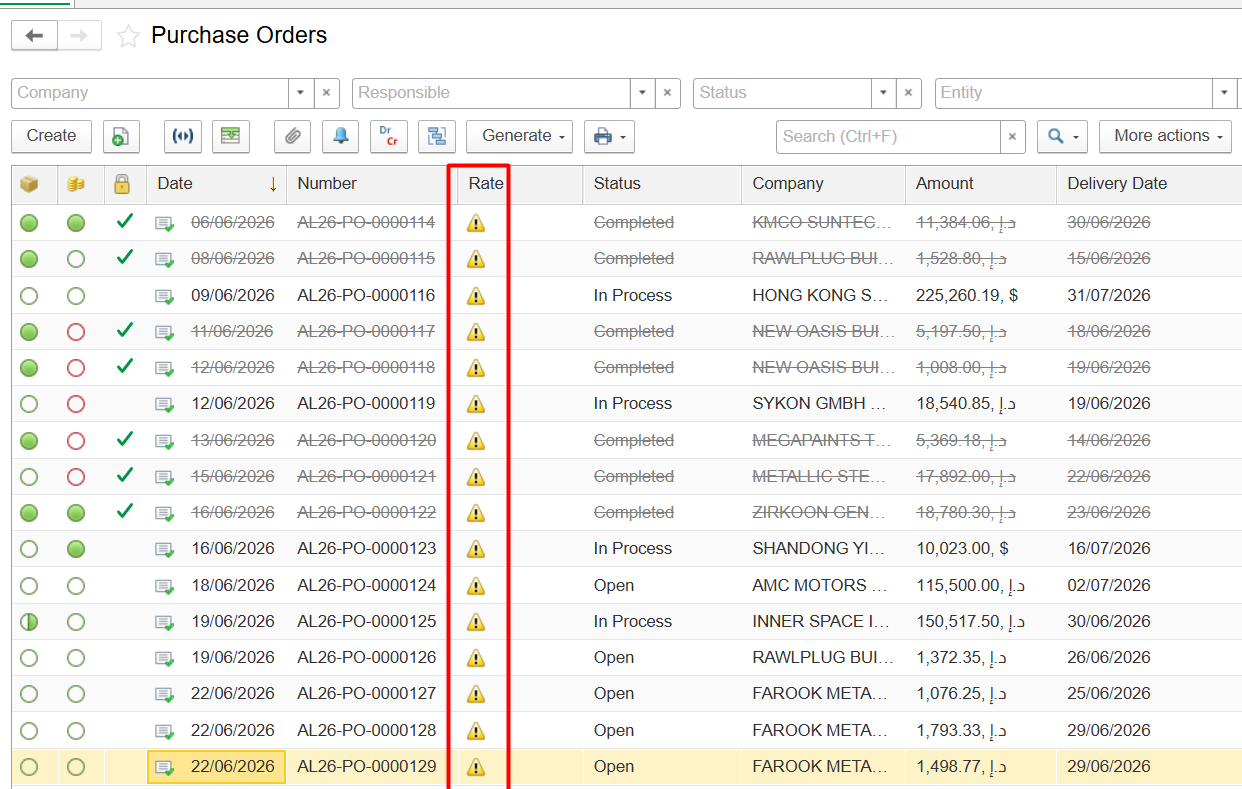
Question: What does the yellow triangle in the rate column in the purchase orders list mean?
Answer:
The Rate column in the Purchase Orders list refers to a rating/evaluation score and the yellow triangle indicates that document has not yet been rated.
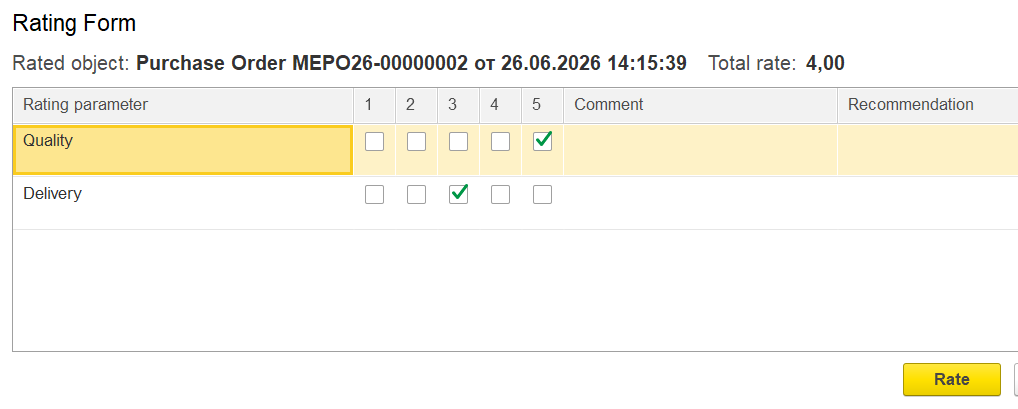
Based on the Rating Form, it appears that the system has a supplier evaluation feature enabled, allowing Purchase Orders or suppliers to be assessed according to predefined criteria, such as:
- Quality
- Delivery
Users can assign a rating from 1 to 5, and the system calculates the Total Rate.
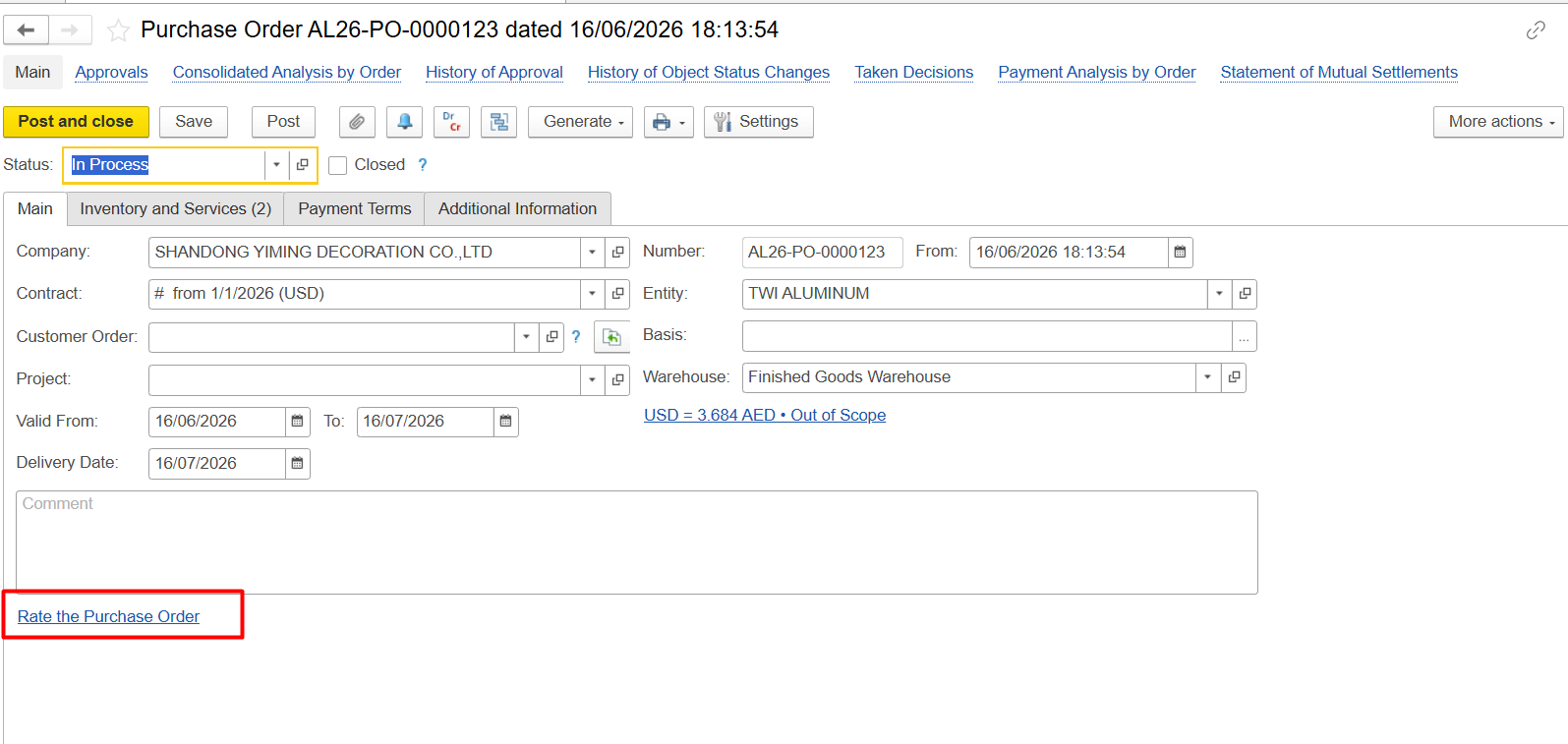
Purpose of this functionality
This feature is typically used for:
- Evaluating supplier quality
- Monitoring delivery performance and lead times
- Selecting the best suppliers for future purchases
- Building Supplier Rating / Vendor Performance metrics
For example:
| Supplier | Quality | Delivery | Average Rating |
|---|---|---|---|
| Supplier A | 5 | 5 | 5.0 |
| Supplier B | 4 | 2 | 3.0 |
This helps identify suppliers with quality issues or delivery delays.
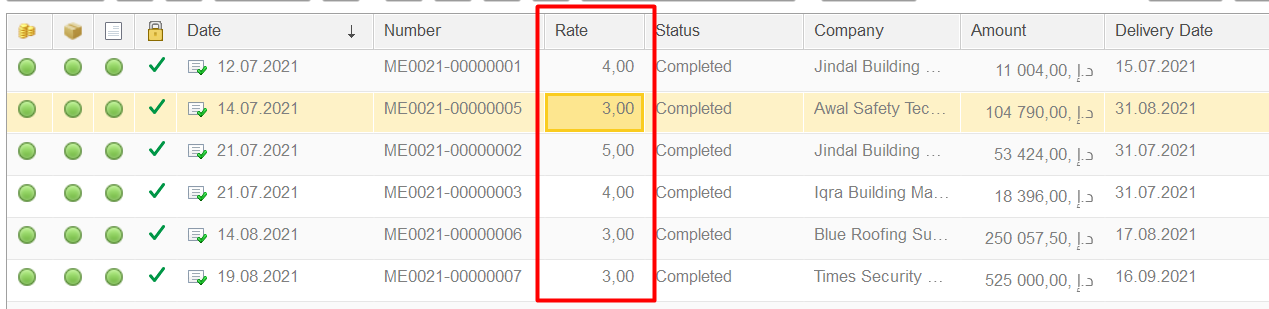
Rates will be shown in the purchase order's list:
Thank you for being FirstBIT customer!