Transfer Fee field in the Money Transfer
When you make a Money transfer (especially between currencies), there are additional costs:
Bank fees
Losses due to exchange rates (the bank uses its own rate, not the official one)
The system records all of this in the Transfer Fee field. In simple terms - Transfer Fee is everything that gets “lost” or added on top during a transfer.
Types of Transfer Fees:
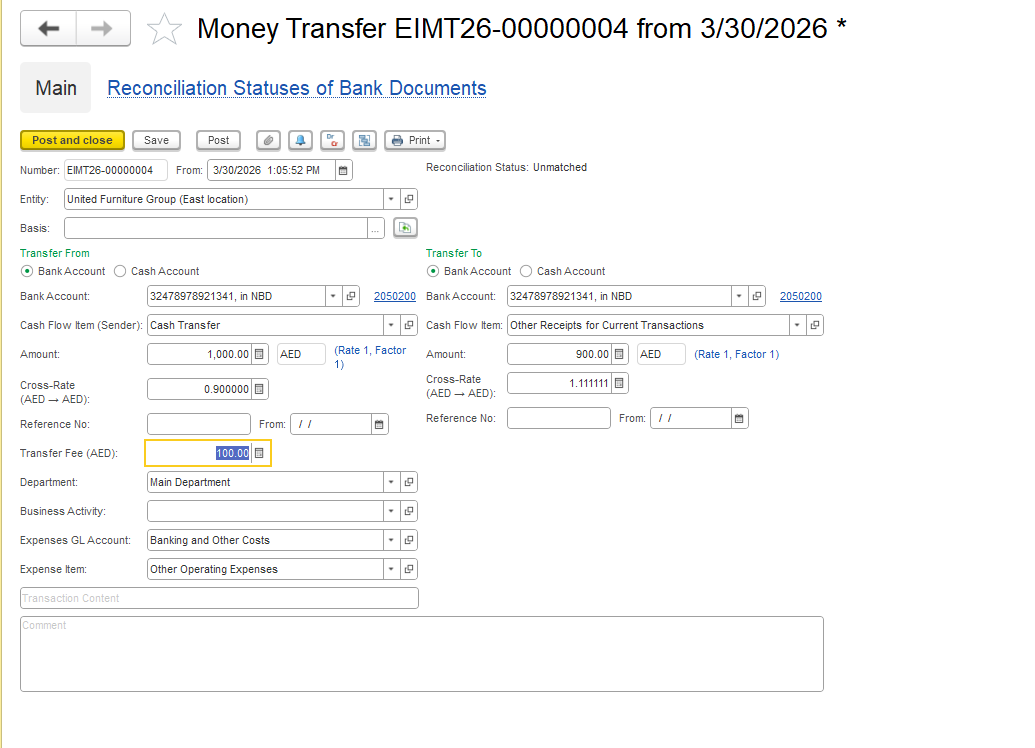
1.The fee can:
Be added on top
(sent 1000 → 1010 deducted)Be subtracted from the amount
(sent 1000 → 990 received)
2. If It’s a Currency Exchange
Here’s the important part:
The system calculates the amount using the official exchange rate
But the bank actually uses its own (commercial) rate
This creates a difference.
For example - exchange rate difference due to the bank's commercial rate:
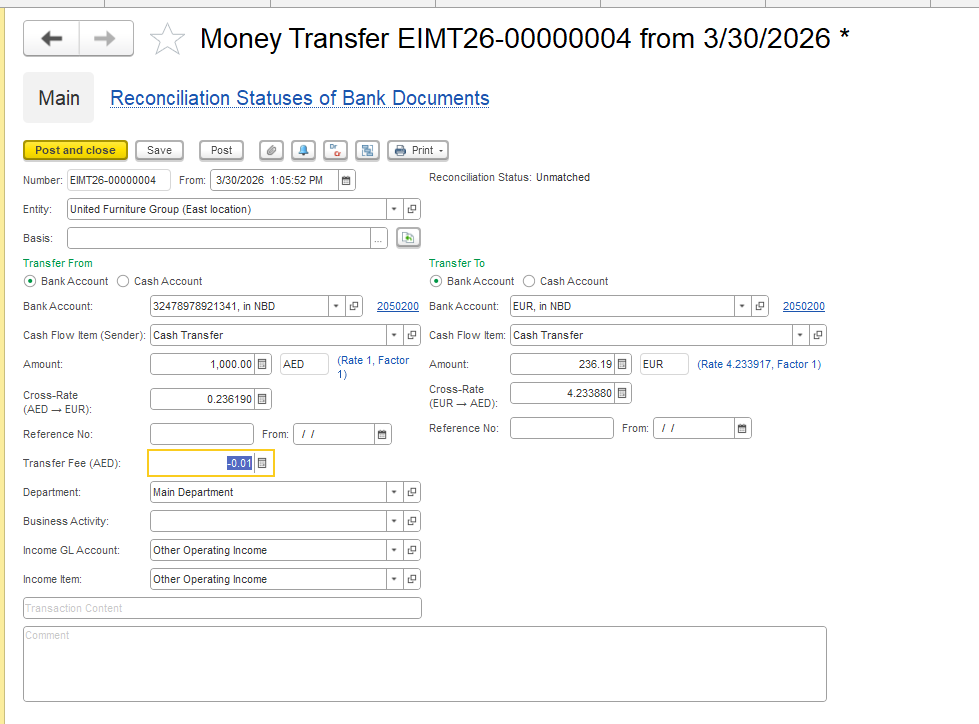
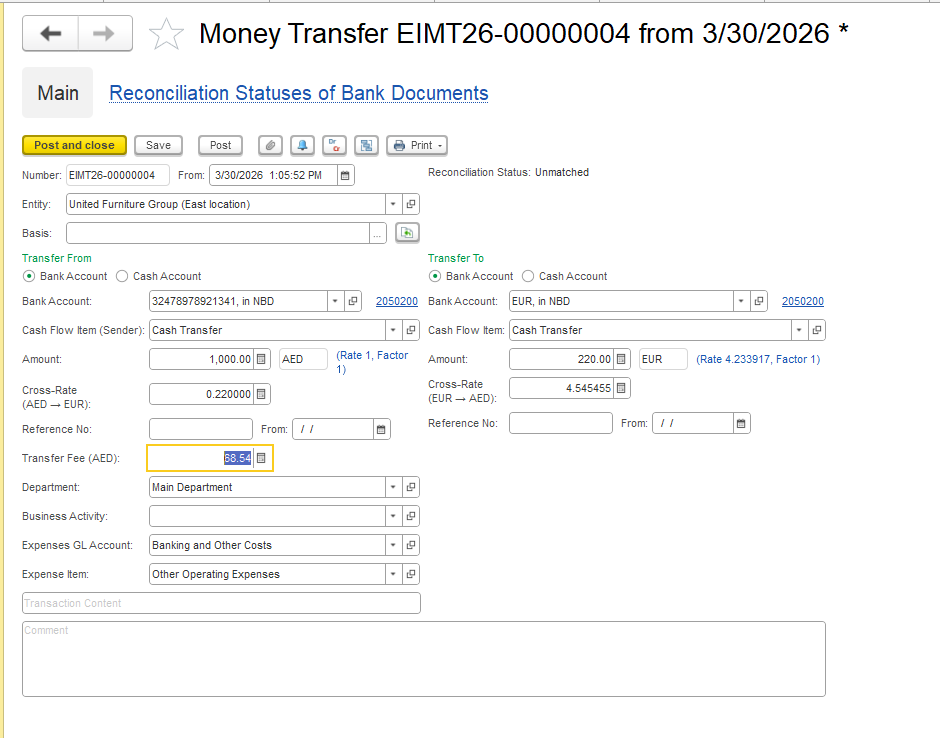
You want to transfer 1000 USD
The system calculates at rate 0.236 → one amount
The bank applies rate 0.22 → another amount
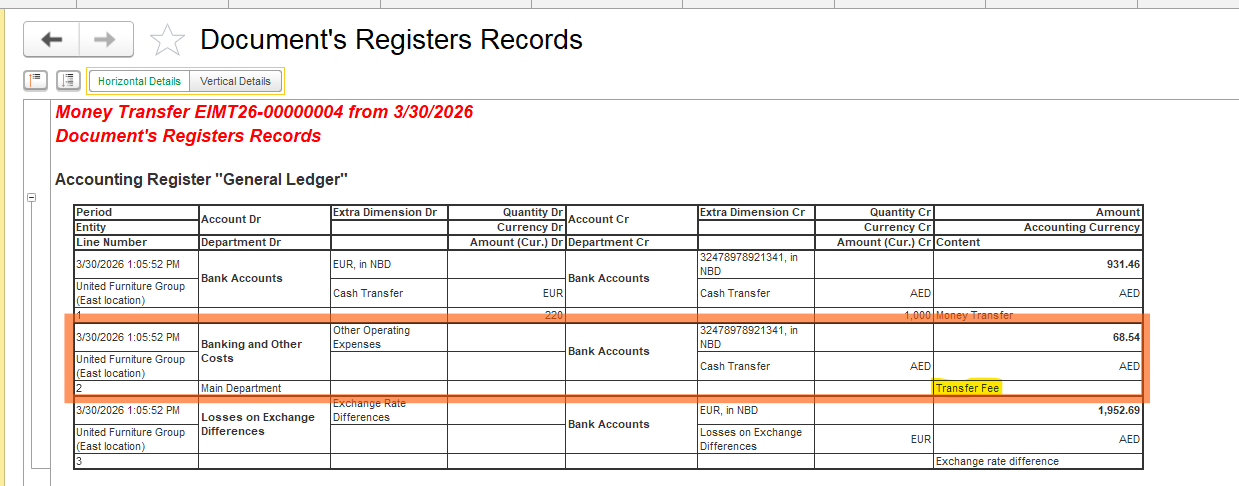
The difference = Transfer Fee (hidden bank fee)
Formula (Basically):
Fee = (amount recalculated at new rate) − (amount at old rate)
Another Thing — Exchange Difference
This is a separate issue:
Today’s rate ≠ yesterday’s rate
This changes the value of money in the account
This is called exchange difference, and it can be:
Profit
Or loss
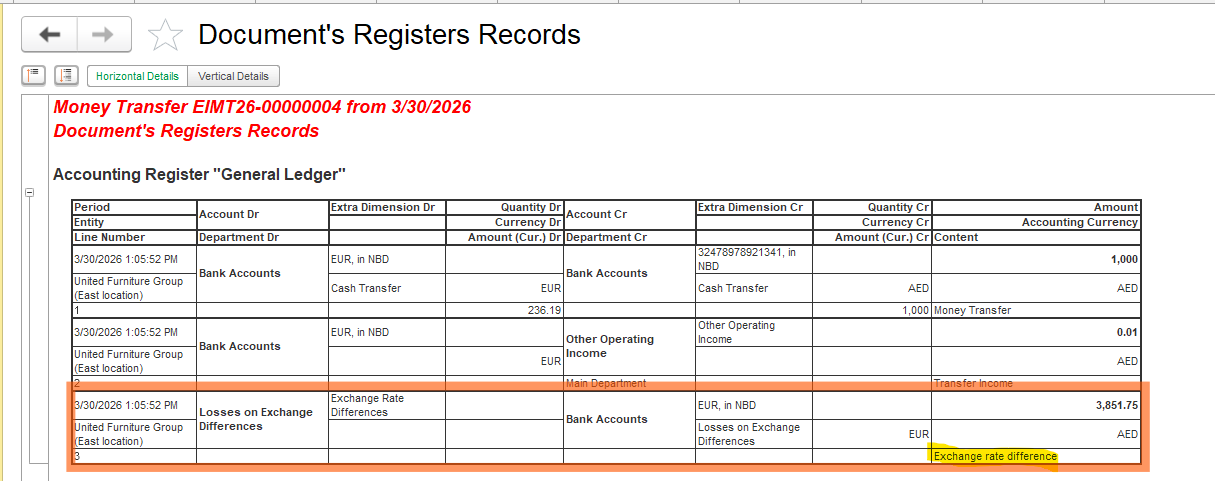
Example of Exchange Difference
Previous Entry
Account Balance: 50,000 USD
Rate at recognition date: 4.310952
In accounting: 50,000 × 4.310952 = 215,547.6
Current Money Transfer
Transfer Amount: 50,000 USD
Rate at document date: 4.233917
In accounting: 50,000 × 4.233917 = 211,695.85
Difference: 215,547.6 − 211,695.85 = 3,851.75 → this is the Exchange Difference
The system automatically compares the current amount with the previous balance, and the resulting difference is recorded as Exchange Difference.
Summary
Transfer Fee = everything you lose during the transfer
Especially important for currency operations
Includes:
Bank commission
Difference due to an “unfavorable” rate
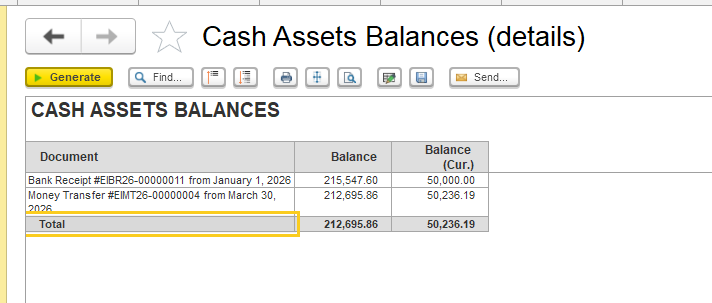
To verify balances in both the foreign currency and the accounting currency, as well as to ensure the correctness of exchange rate difference calculation, please use the Cash Assets Balances report (Money → Reports of money → Cash Assets Balances).
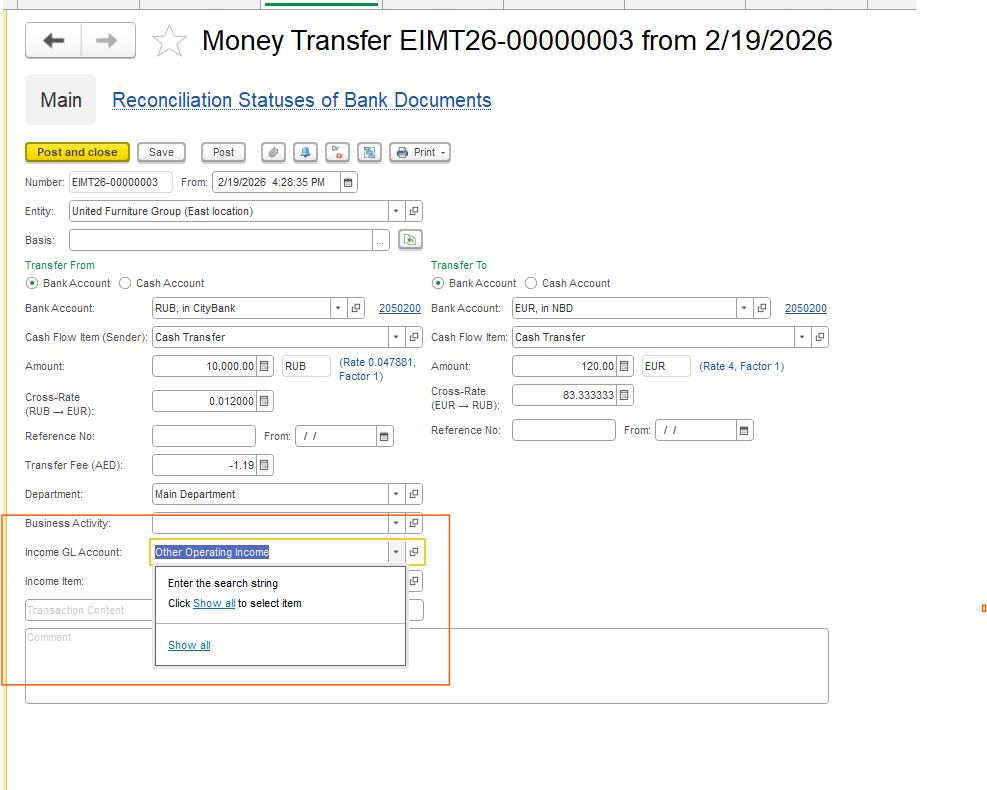
Please note that, depending on your accounting policy, you may independently select the expense GL account used to record costs related to transfers. The system does not impose any restrictions on GL account selection — you are free to use the GL account defined in your accounting methodology. Fr om the program’s side, there are no limitations regarding the choice of account.
Thank you for being a FirstBIT customer!
#MoneyTransfer #BankTransfer #TransferFee #CurrencyConversion #ExchangeRate