This tab allows entry of optional payment and delivery details, as well as the validity period of the quotation. No fields are mandatory.
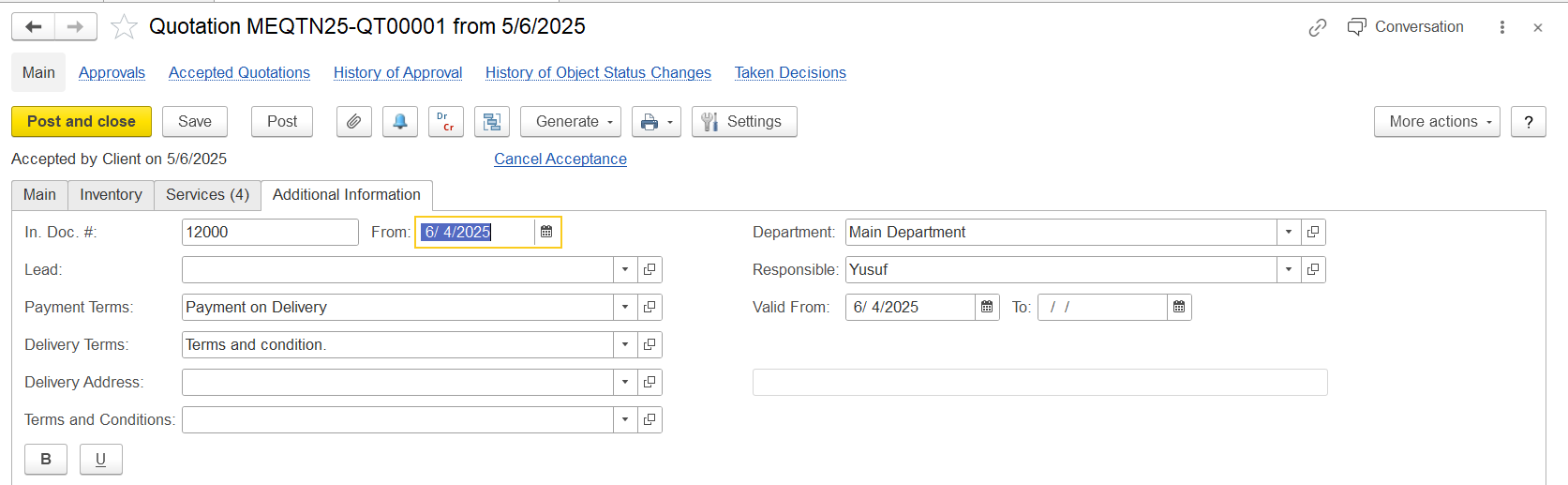
In. Doc.#: Select a related internal document (e.g., lead or project).
Payment Terms: This field defaults to the payment terms specified in the customer master record. To select different terms, click the field and then use the Show all link in the dropdown.
Delivery Terms: Specify or select from available delivery conditions. New terms can also be created.
Delivery Address: Auto-filled based on company data; can be modified as needed.
Department: Identify the department handling the quotation.
Responsible: Assign the employee responsible for this quotation.
Valid From / To: Define the validity period of the offer.
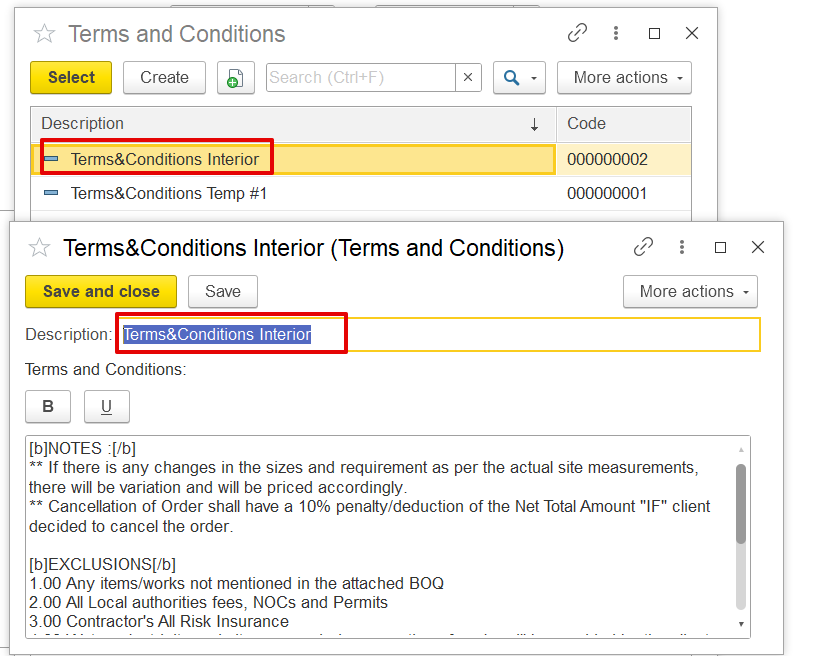
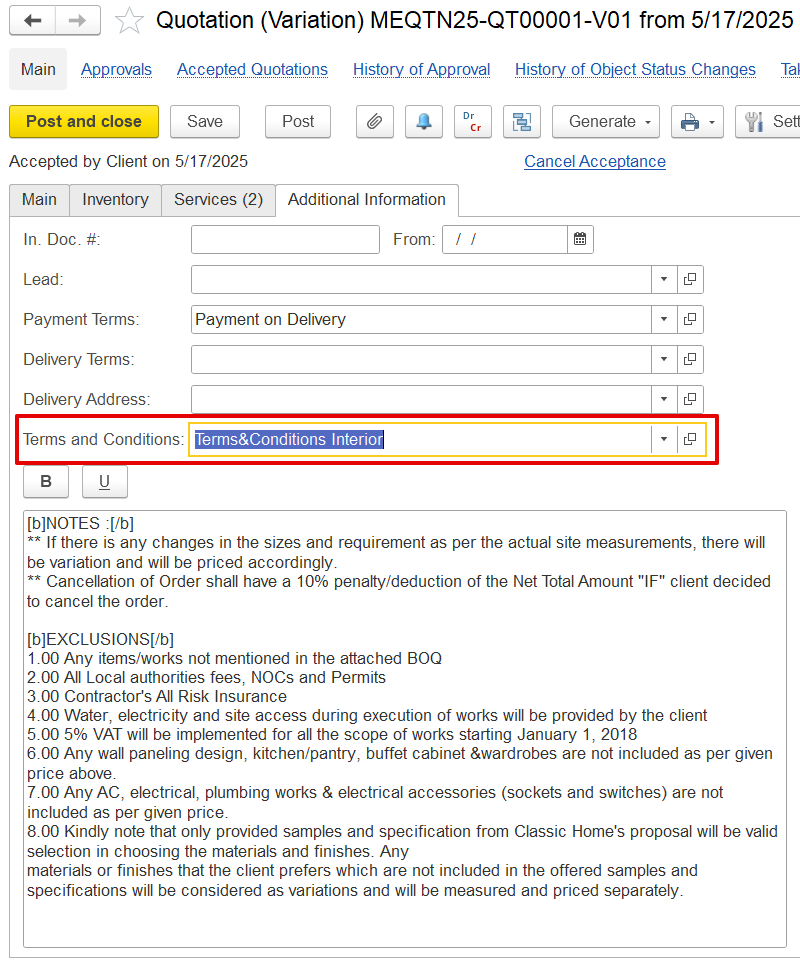
Terms and Conditions: This field is used to enter the full terms and conditions of the quotation, which will be shown in the print form (optional).
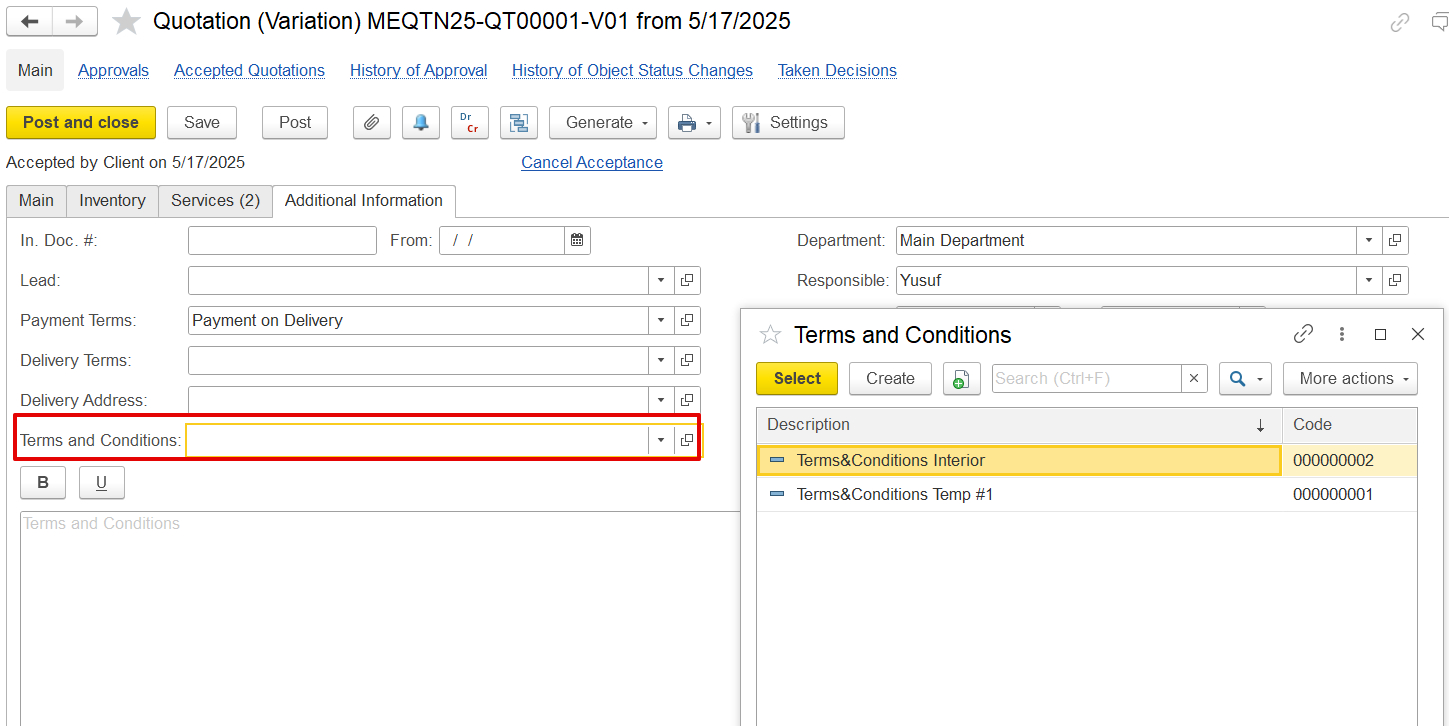
Templates are available, and based on the selected template, the content will be auto-filled in the Terms and Conditions box and reflected in the print form. This option allows the user to quickly populate the terms and conditions without manually typing them for each quotation document.