Revenue (BOQ) refers to the Bill of Quantities (BOQ). It is a detailed document used in construction and project management to outline the estimated quantities of materials, labor, and overhead costs needed for a project. It serves as a key reference for calculating a project's revenue, particularly for projects priced based on work quantities.
structure and estimation mode;
Markup Functionality
The system automatically calculates markup based on the total cost of each line in an estimation. The markup determines the revenue amount by applying a percentage or fixed margin to the total cost.
How It Works:
If an estimation line has a cost value entered, the system calculates:
Total cost
Markup
Revenue amount (based on cost + markup)
For example, if a cost is entered and a markup percentage is applied, the system will automatically update the revenue to reflect the new total.
Recalculation Behavior:
If the cost value is changed and the user clicks Apply, the system will automatically recalculate the revenue based on the updated cost and existing markup rules.
However, in real business scenarios, once the revenue amount is agreed with a client, any internal changes to cost (e.g., due to new purchase prices or resource updates) should not change the revenue.
Freeze the Revenue amount
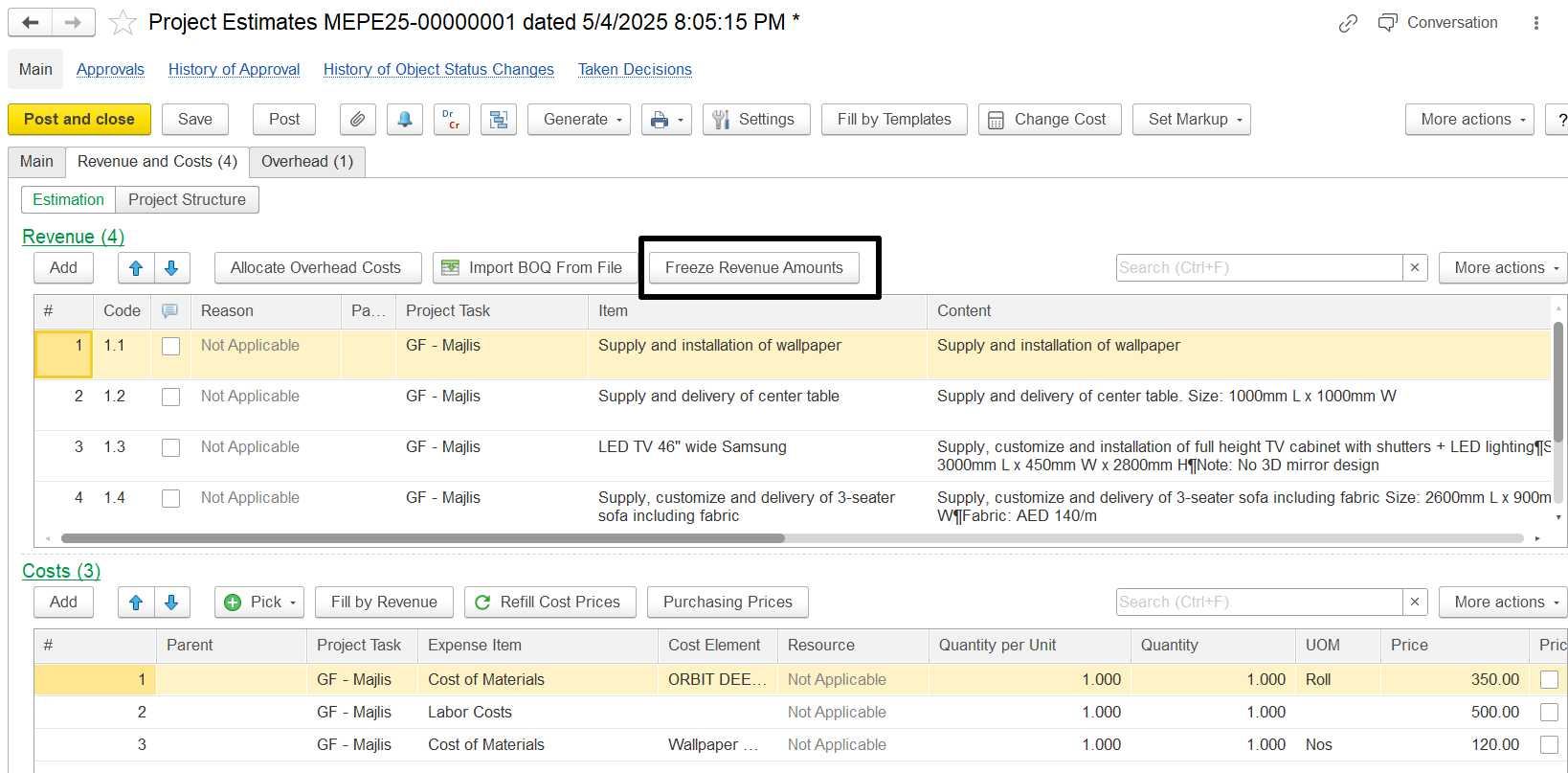
The Estimation Document has a button, "Freeze Revenue Amounts." When this button is activated, it changes the recalculation logic during cost updates.
If the Freeze Revenue Amounts button is pressed:
Revenue values in parent lines remain fixed.
Only the associated costs and markups are recalculated.
This applies both to direct cost modifications and to overhead allocations performed through the allocation functionality.
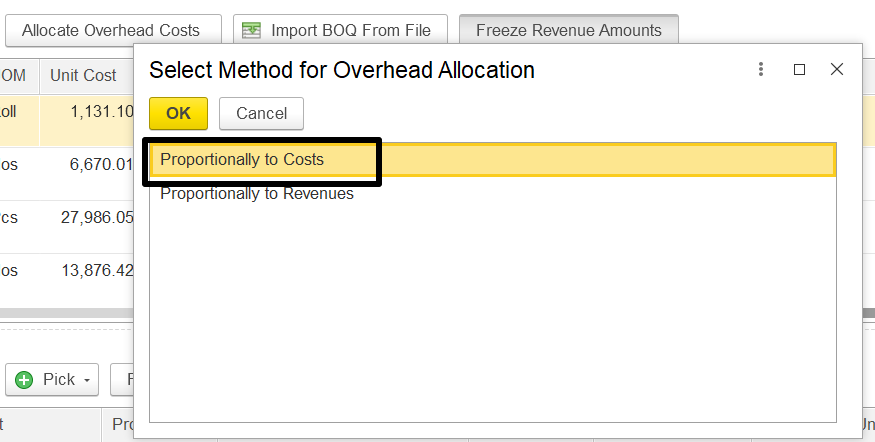
Suppose an estimation line shows a revenue amount of 1450.15. If the overhead amount is changed, and the "Allocate Overhead Costs" option is used to reallocate those costs, this revenue figure would normally be recalculated to reflect the updated overheads as 1,470.43
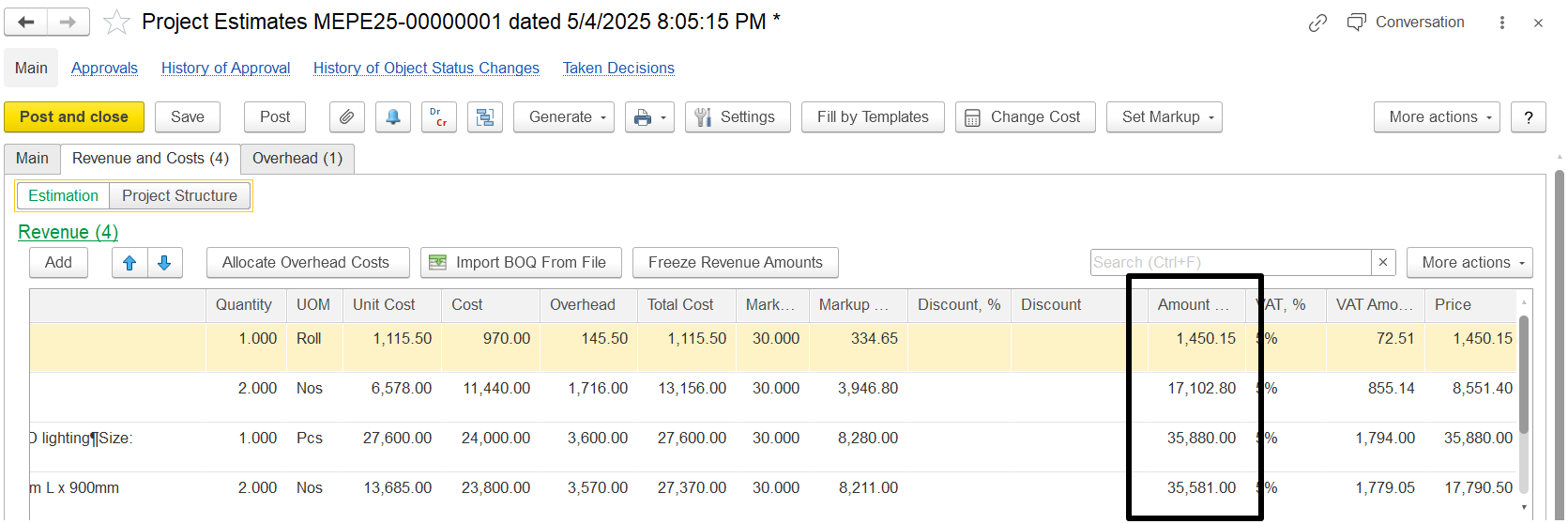
But if the Freeze Revenue Amounts button is pressed before making changes, then even after changing the overhead and allocating it again, the revenue stays the same at AED 1,450.15.
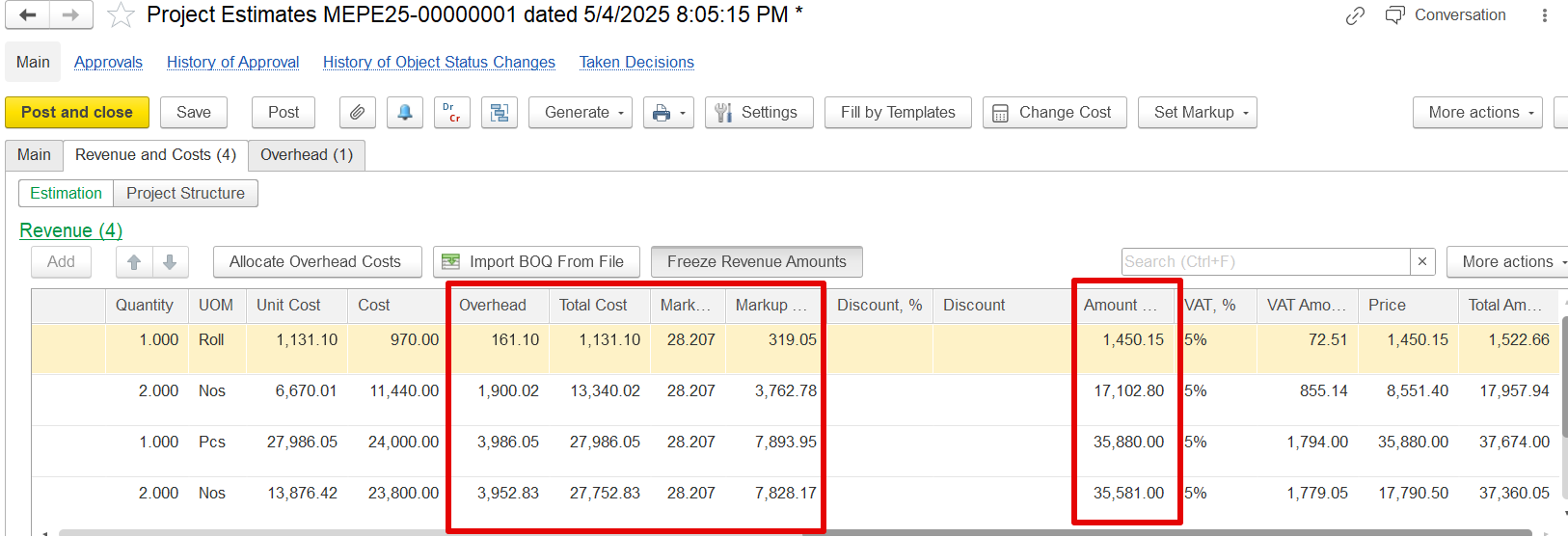
Only the overhead cost, total cost, and markup will change. This helps keep the revenue fixed, even when the costs are updated.
The revenue will remain same, but the overhead, Total cost and markup will be changed. For example previously the revenue was 1450.15 and changed in overhead it remain the same.
Import BOQ from file
This feature simplifies the process of entering BOQ data by importing it from an Excel file instead of manually typing each line.
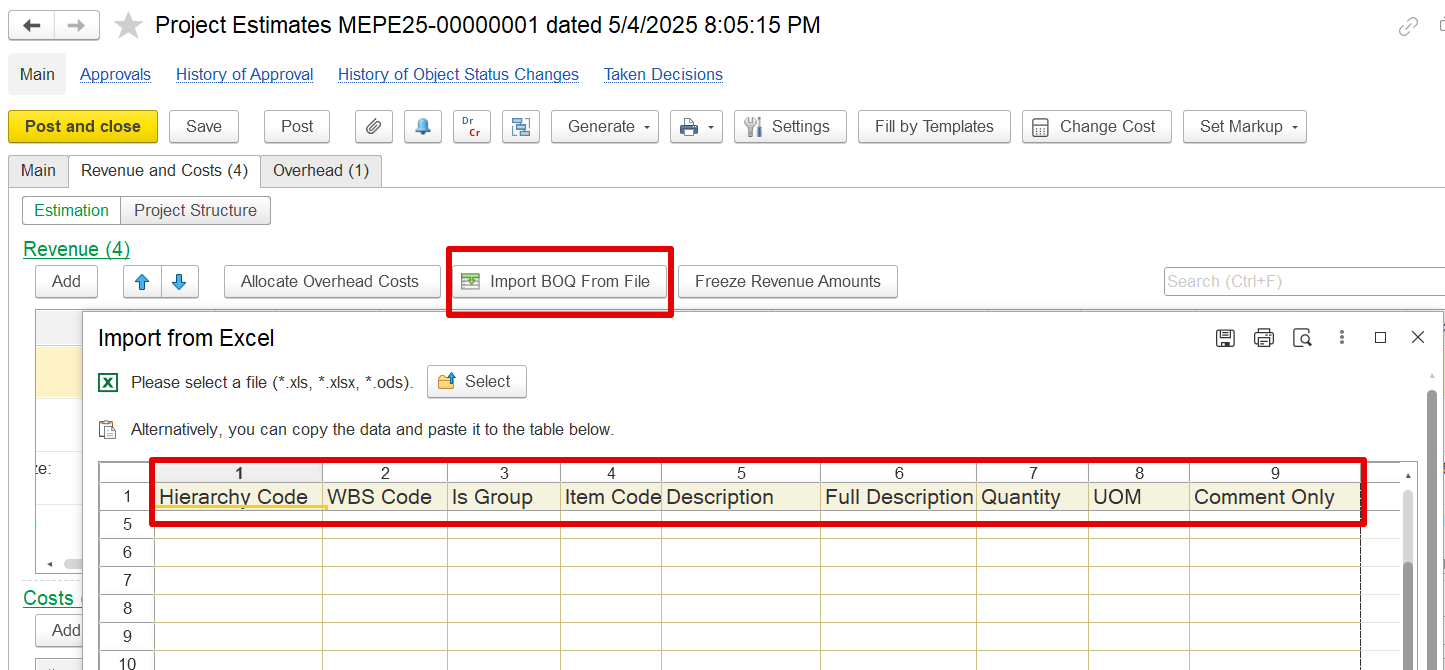
The imported Excel file (or pasted data) must match these columns:
Hierarchy Code – Code indicating the level or structure of the BOQ item in the project hierarchy.
WBS Code – Work Breakdown Structure code for organizing work packages.
Is Group – Boolean (yes/no or 1/0) to indicate if the item is a group header.
Item Code – Unique code for the BOQ item.
Description – Short description of the item.
Full Description – Detailed description of the item (optional).
Quantity – Number of units required.
UOM – Unit of Measure (e.g., m², kg, hr).
Comment Only – Optional notes for reference only (not used in calculation).