The Projects Payment Stages tab is used to plan, organize, and track project payments based on progress.
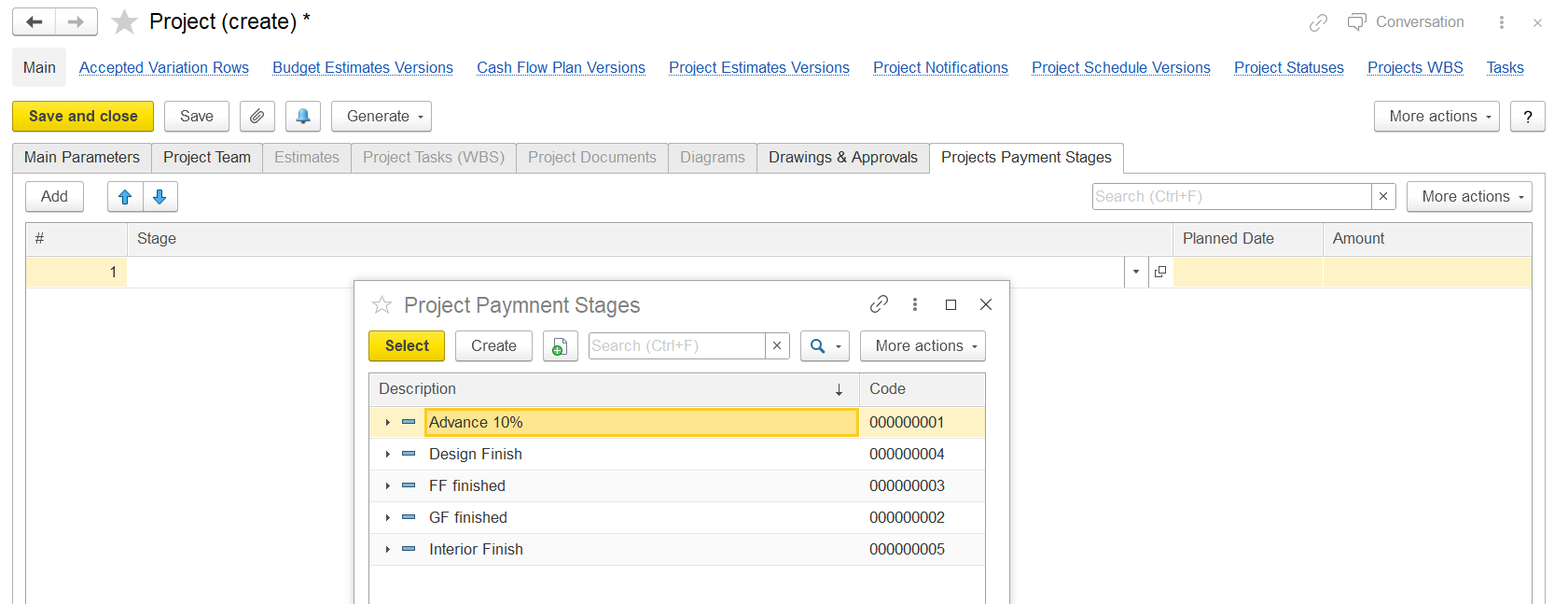
Each payment stage corresponds to a project deliverable, a progress checkpoint, or a scheduled milestone.
The columns shown:
# - Sequence number.
Stage Name or description of the payment stage (e.g., "Advance Payment", "Completion of Phase 1", etc.).
This Project Payment Stages window allows selecting predefined payment stages, such as:
- Advance 10%
- Design Finish
- FF finished (probably Final Finish)
- GF finished (Ground Floor finished)
- Interior Finish
- The Planned Date (expected payment date) and Amount (linked payment amount) can then be manually entered.