The Project Estimates Comparison Report is used to compare the original project estimate with one or more variations or revisions made over time. This is particularly useful for monitoring cost changes, scope adjustments, and ensuring transparent project financial control.
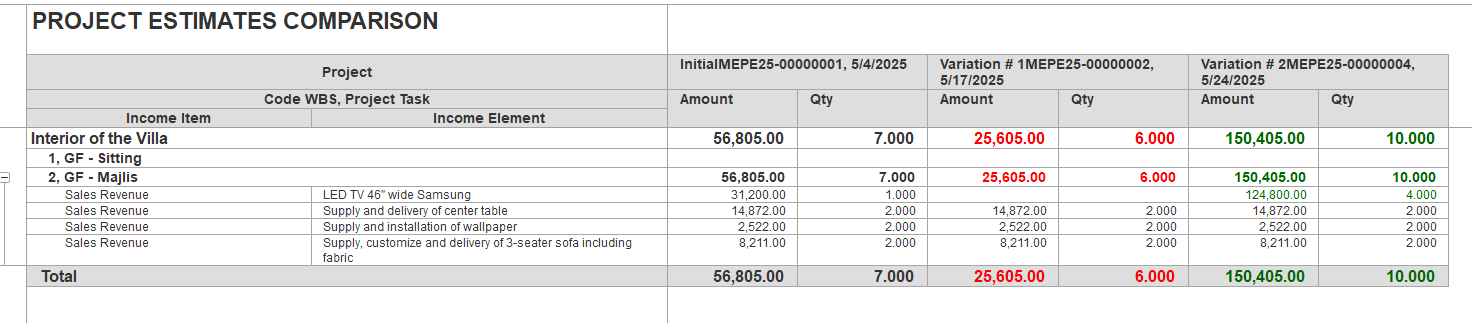
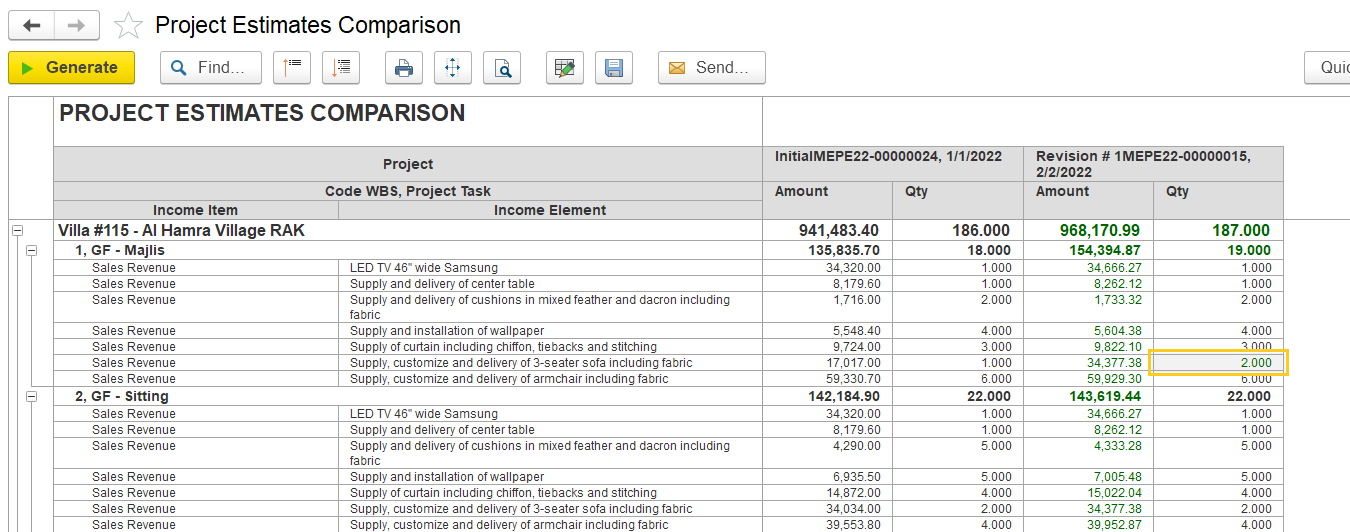
Report structure
Project- Description of the project
Code WBS, Project Task: Project tasks broken down by Work Breakdown Structure (WBS). For example:
1, GF - Majlis
2, GF - Sitting
- Income Item: The category of income, here mainly "Sales Revenue."
Income Element: Specific deliverables or services within each task, such as "LED TV 46" wide Samsung, "Supply and delivery of center table," or "Supply and installation of wallpaper."
Amount: The monetary value of each item/task for the estimate or revision.
Qty: Quantity associated with each item for the estimate or revision.
- Each estimated version appears in its column to simplify side-by-side comparison.
What the Data Shows
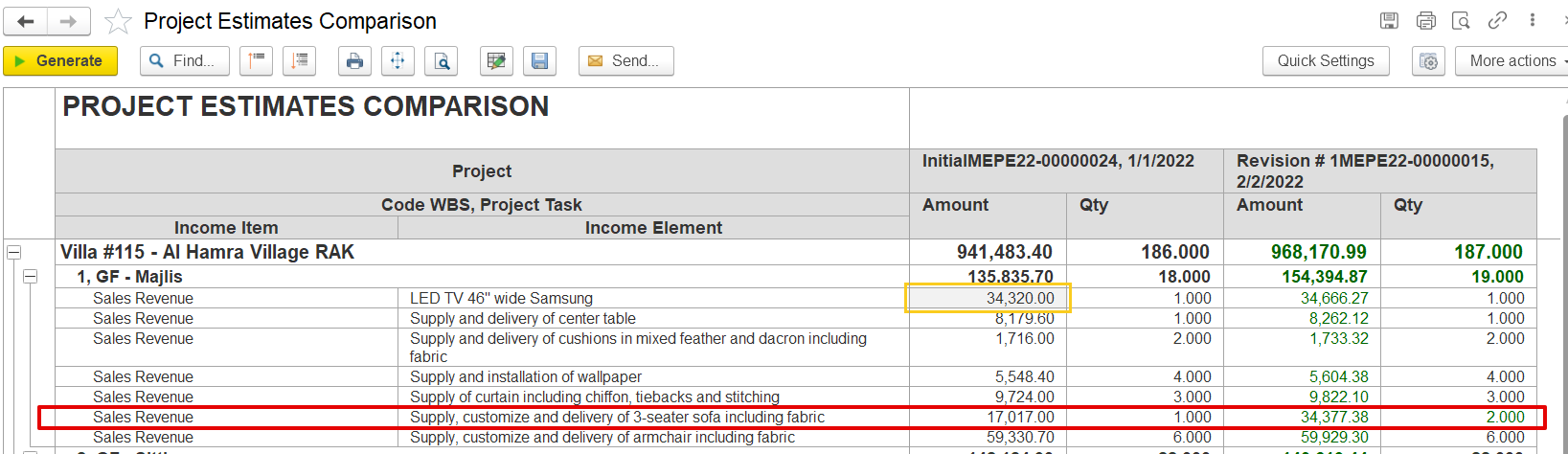
The initial estimate (dated 01/01/2022) outlines the expected revenue and item quantities for each task.
Revision #1 (dated 02/02/2022) includes adjustments based on updates to the project scope or pricing.
Green values in the revision columns indicate increases from the original estimate.
Red values also reflect decreases in quantity or value compared to the initial estimate.
Example – Majlis section:
The quantity of the "3-seater sofa including fabric" increased from 1 to 2.
The amount rose from AED 17,017.00 to AED 34,377.38.
Items such as the LED TV and center table show no change in quantity but include slight price adjustments.
Filters
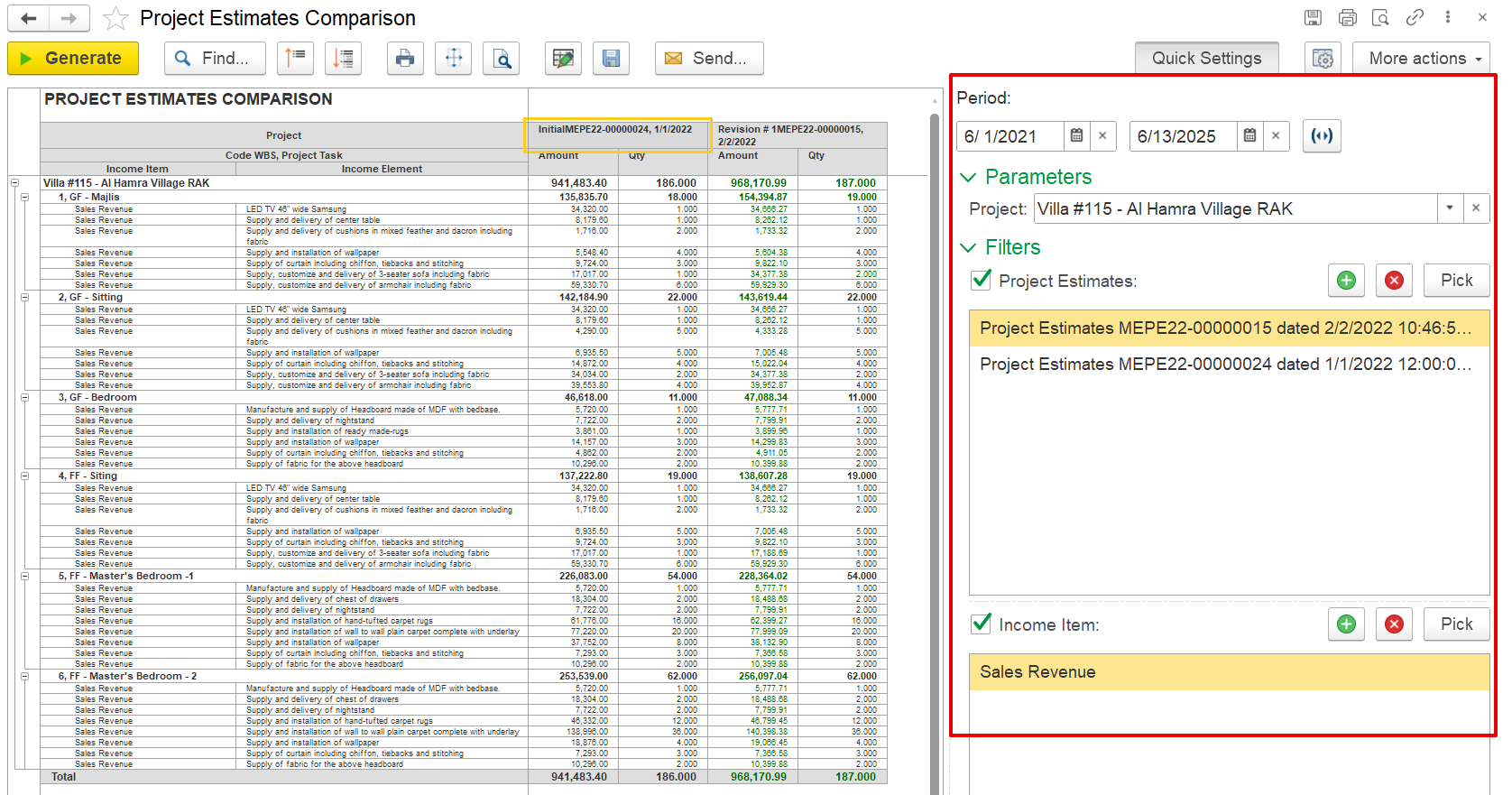
These filters control the data displayed in the comparison report:
Period: Defines the date range for estimates, showing only those created between 01/06/2021 and 13/06/2025.
Project: Specifies the project to be analyzed (e.g., Villa #115 – Al Hamra Village RAK).
Project Estimates: Allows selection of multiple estimate versions for version-specific comparison.
Income Item: Filters the report to show only selected income items, such as Sales Revenue.