If the user encounters notifications or errors when posting a Fixed Asset Entry document, they should verify the following settings:
- Error message: "The fixed asset has been accepted for accounting."
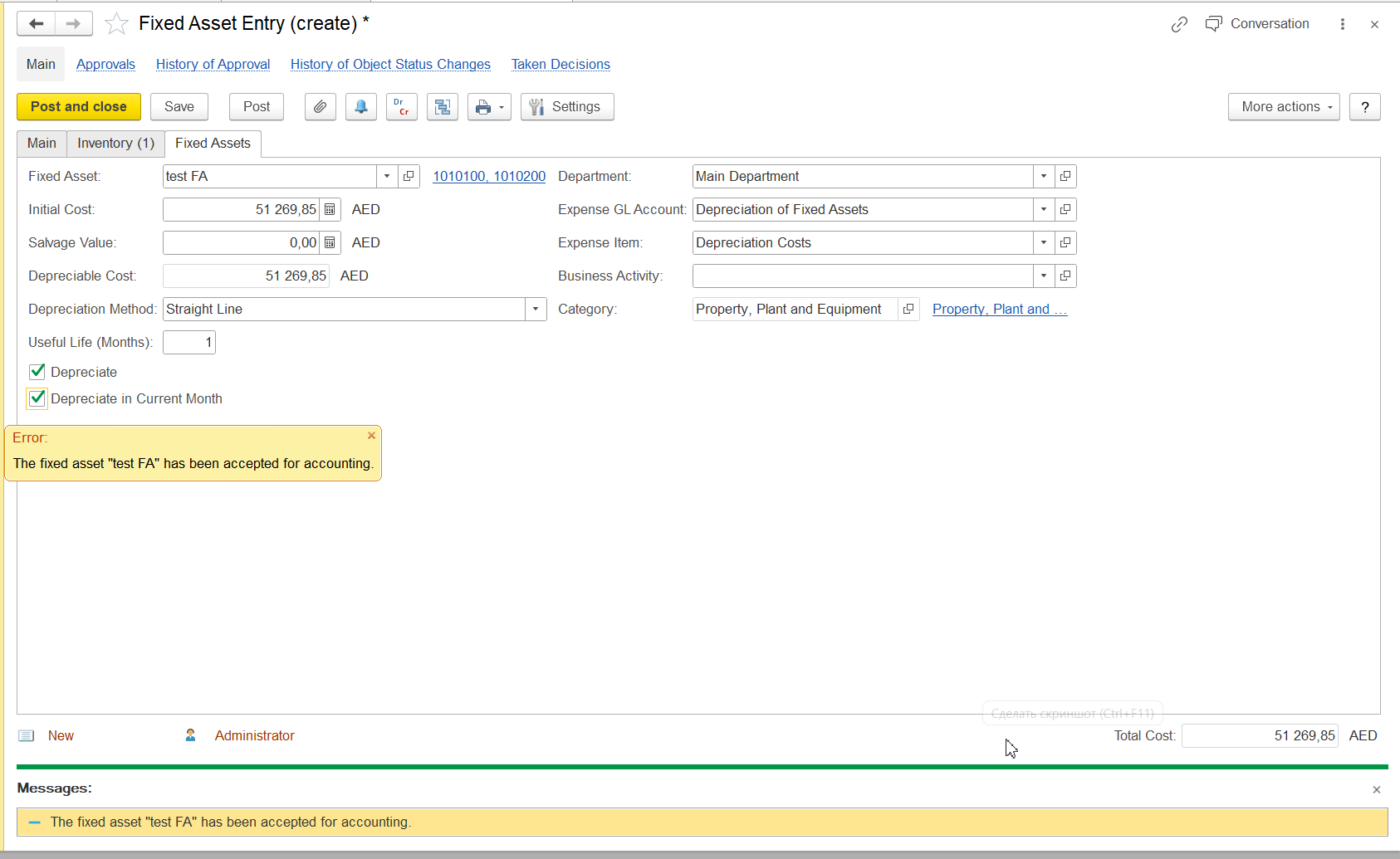
To avoid this error, the user should check the status of the Fixed Asset in the Fixed Asset Master Data:
...
In the Fixed Asset card, the user should open the Fixed Asset Statuses tab and unpost un-post the Fixed Asset Status Change document. This document is automatically created and posted when the user manually changes the status of the Fixed Asset.
...
After making these corrections, the Fixed Asset Entry document can be posted without any errors.2. Error with
- Error message while Fixed Assets entry "Not enough stock balance"
...
- :
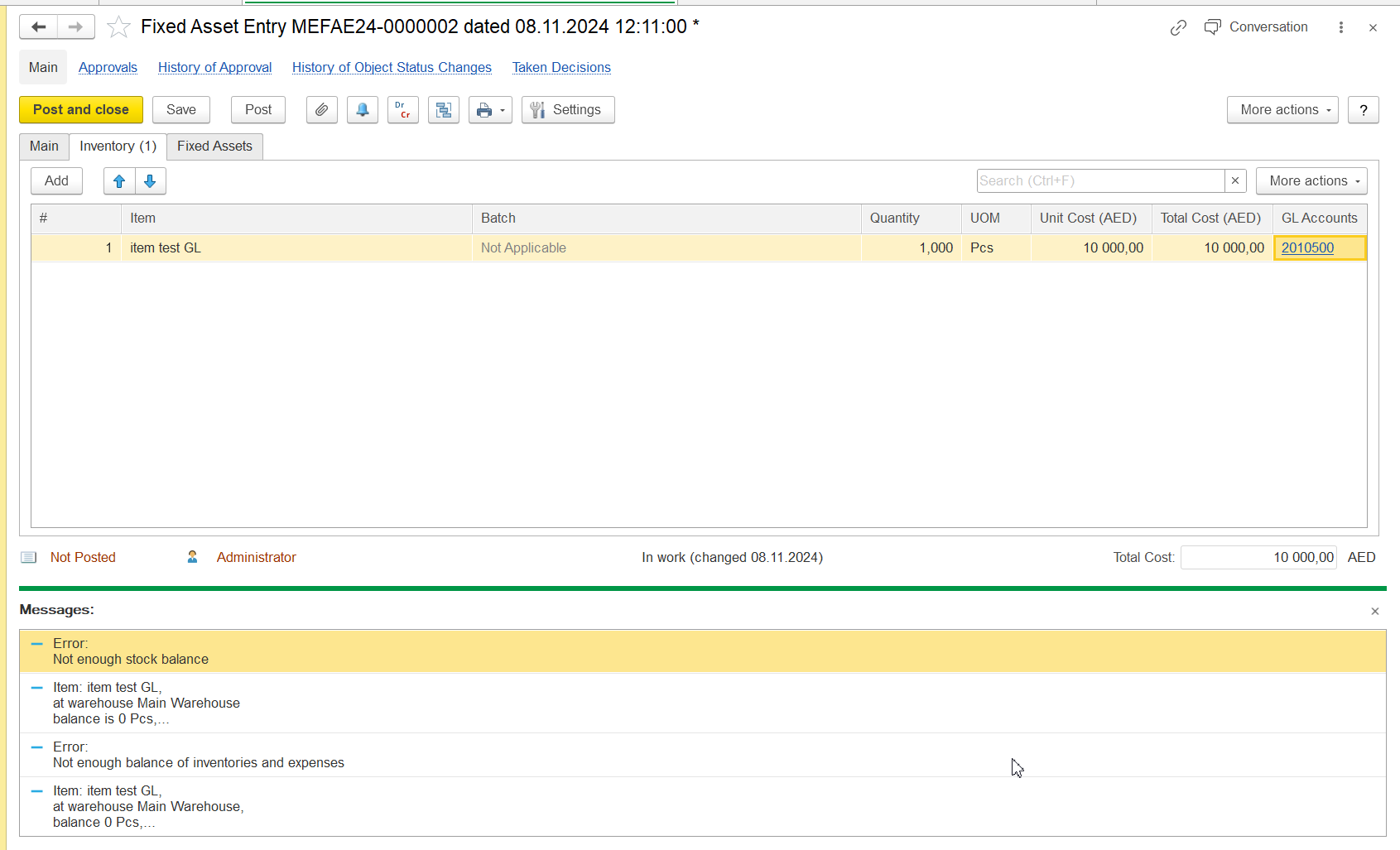
Reason of The reason for this type of errors connected error is related to items which that were purchased before taking into accounting being accounted for as Fixed assestAssets.
Hence To resolve this, the user should check the following:
Invoice Received document for
thisthe item(
Itemss)
-: The date of
itthe invoice should be earlier than the date of the Fixed Asset
entryEntry document. (
CheckingIt is recommended to check the stock balance report for
thisthe required item).
- Check
GL Account consistency: Ensure that the GL account in the Invoice Received document
/ In, in the Item GL Accounts in the Inventory Card of the item, and
inthe tabular
partsection of the Fixed Asset Entry document
. GL Account should be same:are all the same.
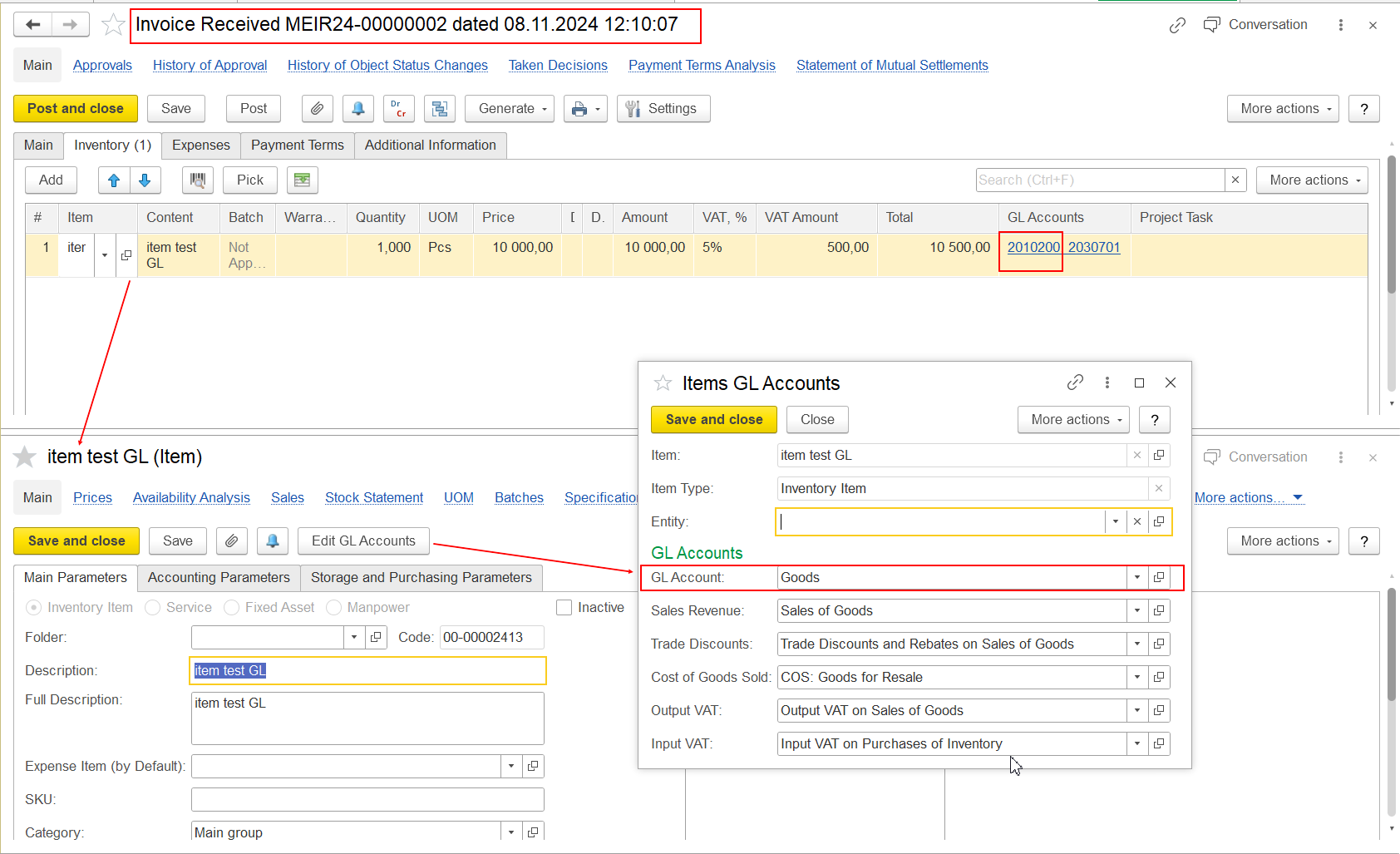
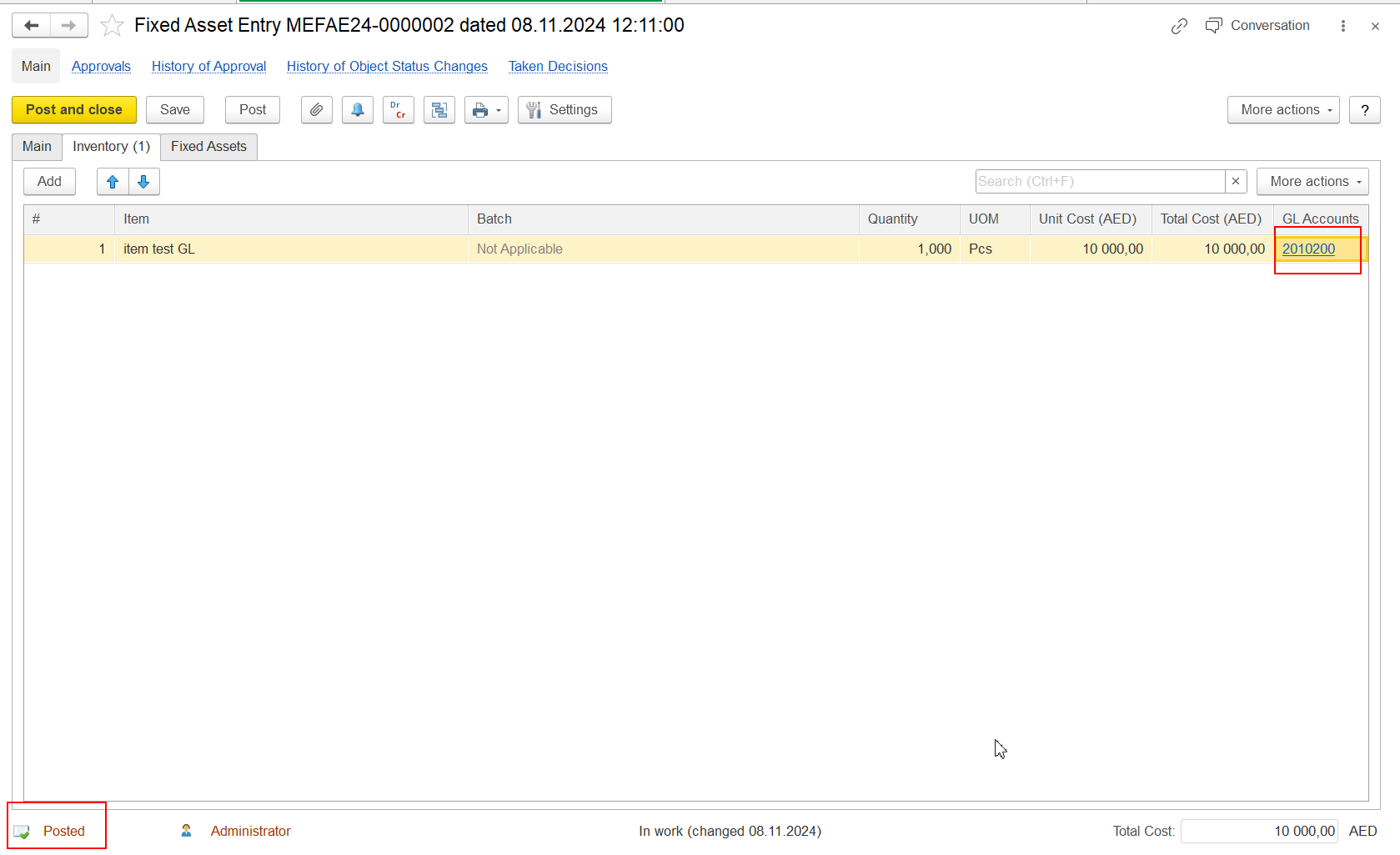
In the Fixed Asset Entry document, the GL Account must be same as in Inventory card of Item (in other case - system would not find stock balance on another GL Account and will not allow to post document).
3. In case of issue with Fixed Asset Depreciation (document whick generates automatically with Month End Closing Executing)- user should check depreciation parameters which were set in Fixed Asset Entry document:
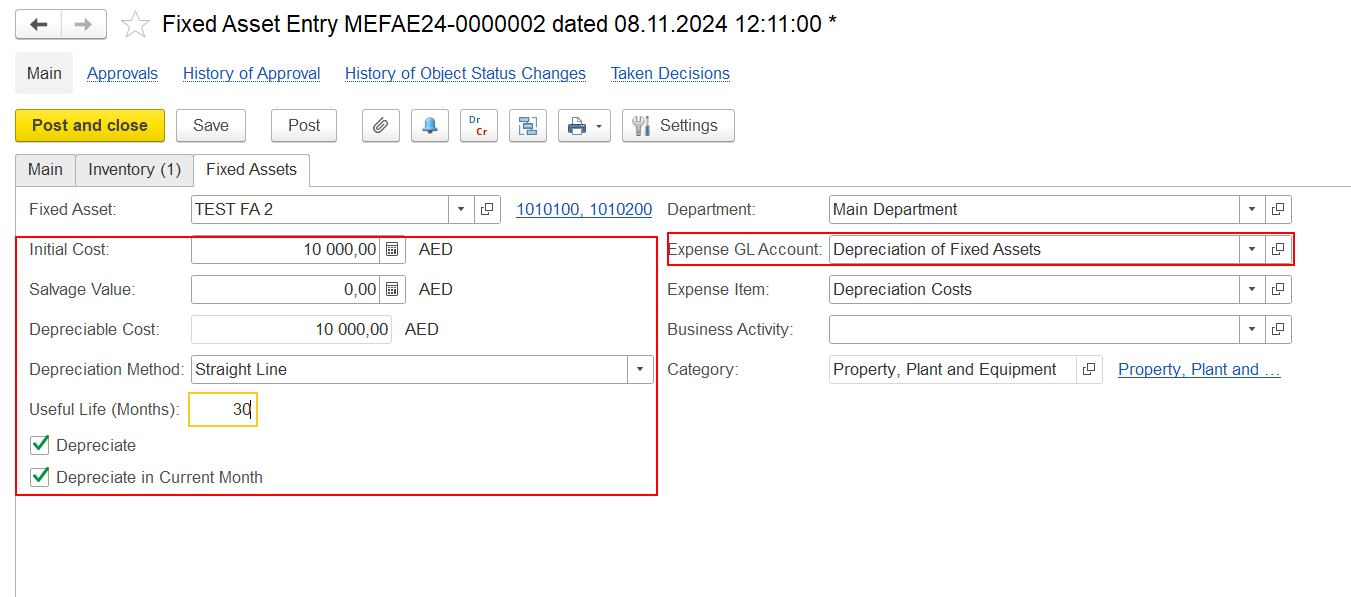
All parameters should be filled correct:
Expense GL Account;
Initial Cost, Depreciable cost;
Useful Life (in months);
and Depreciate, Depreciate in current month check boxes.
All these parameters affect the correct calculation of depreciation when starting the month-end closing procedure.
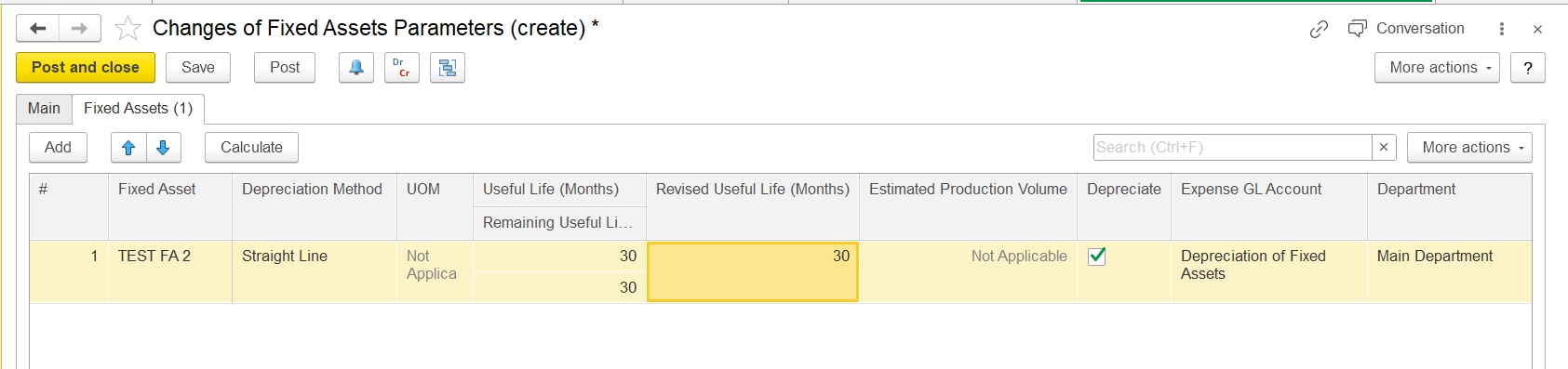
If user find something wrong in these parameters of depreciation - it would be more correct to adjust it with Changes of Fixed Asset parameters document (Asset Management - Fixed Asset Documents - Changes of Fixed Asset parameters):
match the one in the Inventory Card of the item. If the GL accounts do not match, the system will not be able to find the stock balance on the other GL account and this will prevent the document from being posted.
Thank you for being FirstBit customer! #Fixed asset error #Difference in GL #Changes of Fixed assets parameters