...
Commercial documents are issued for transactions where a Tax Invoice is not required under the UAE VAT legislation.
Tax Invoice/Tax invoice received/Tax Credit Note/Tax Credit Note
...
Received
1. Navigate to documents list
...
5. In Excel, determine the total number of documents (excluding the header row).
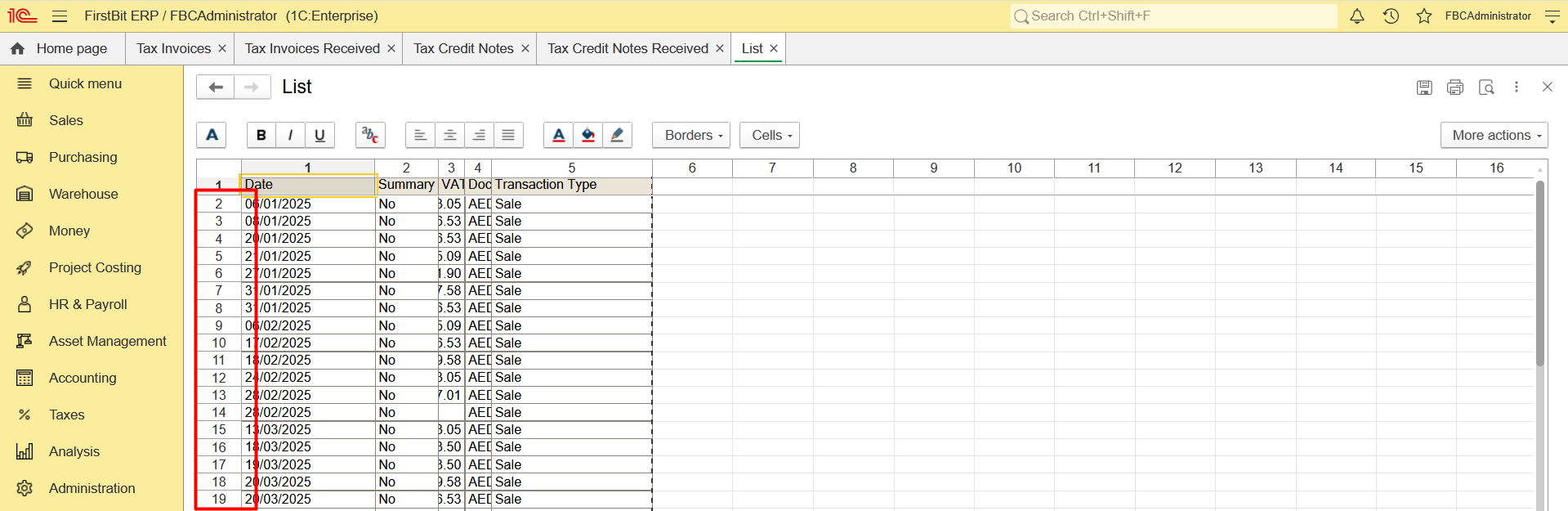
6. Repeat these steps for each document type
Commercial Invoice/Invoice received/Credit Note/Debit
...
Note
- Navigate to Quick menu > Sales and Purchase documents list (or count each document list separately - Invoice, Invoice Received, etc) and set the Period filter
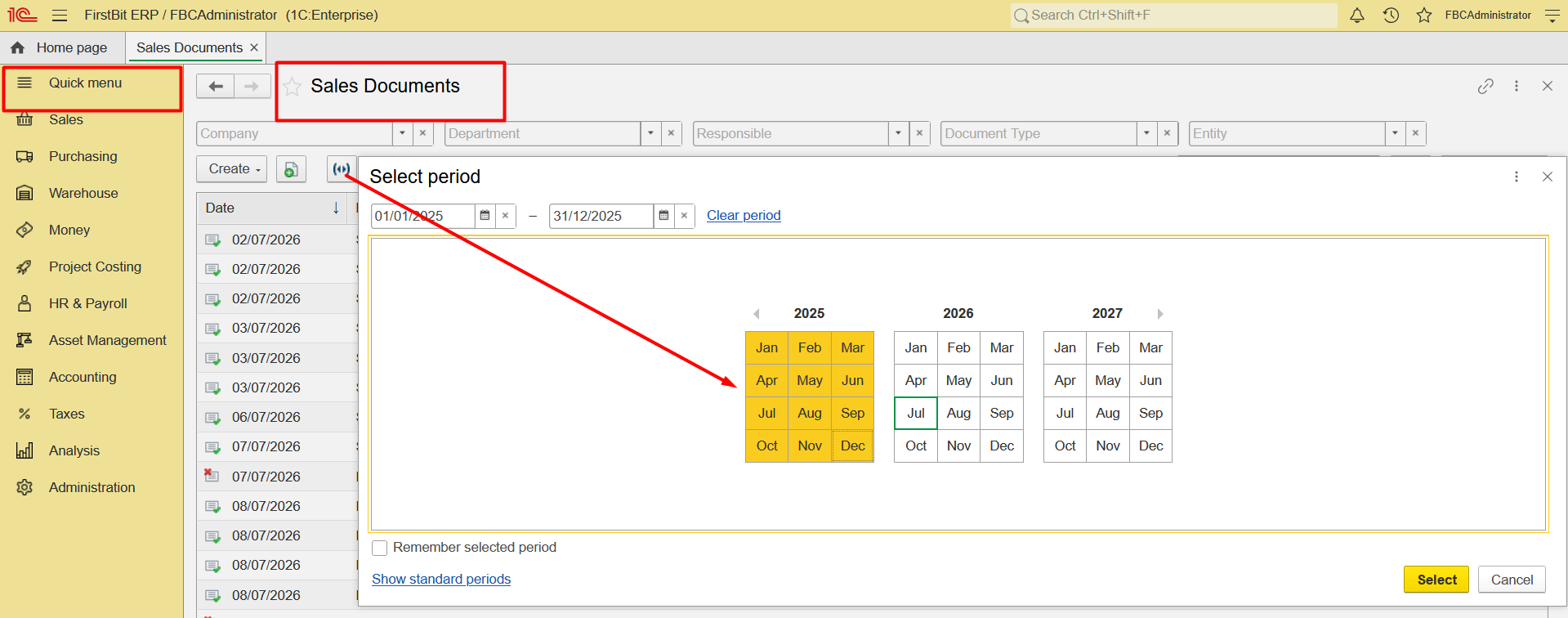
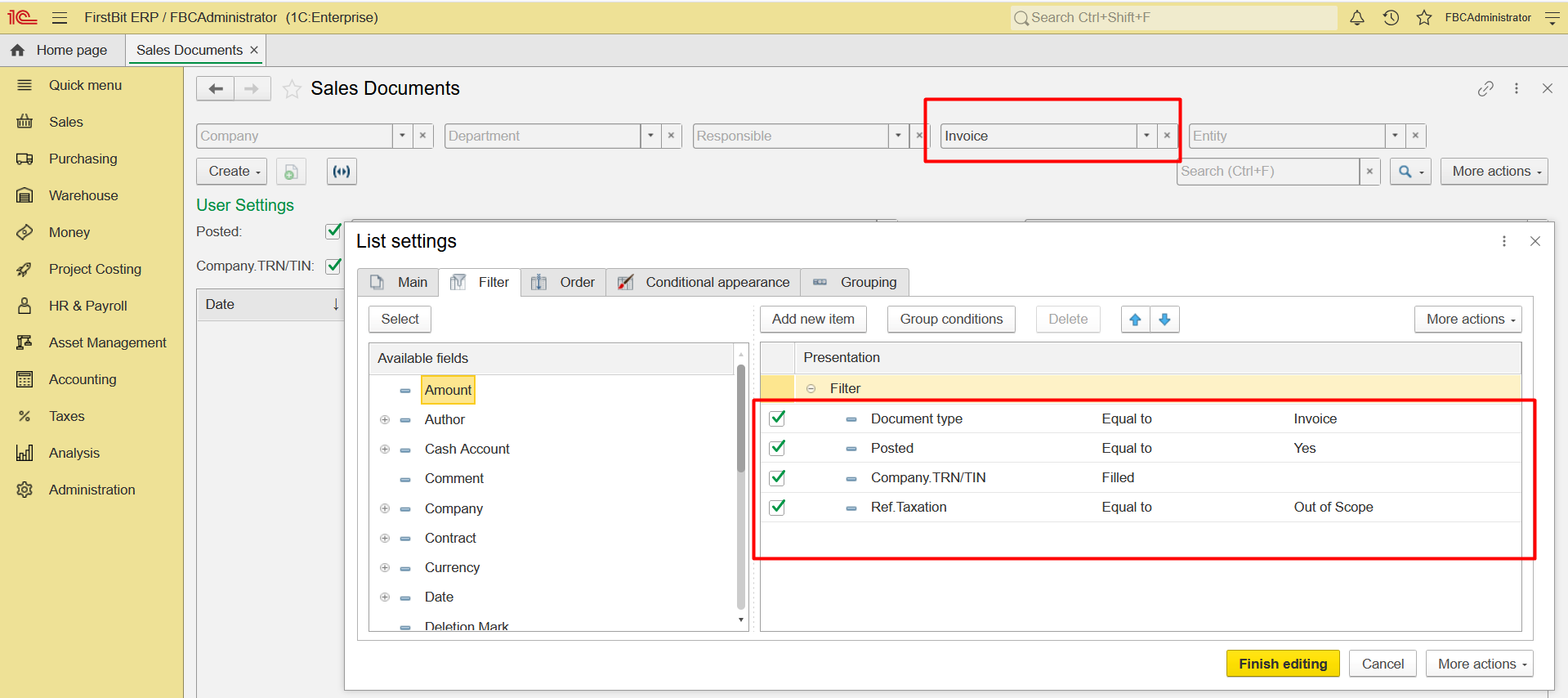
2. Configure list, set the Posted filter to display only posted documents, TRN/TIN filter - to identify B2B customers only, Taxation filter - to identify Non-tax documents (Out of scope & Export),
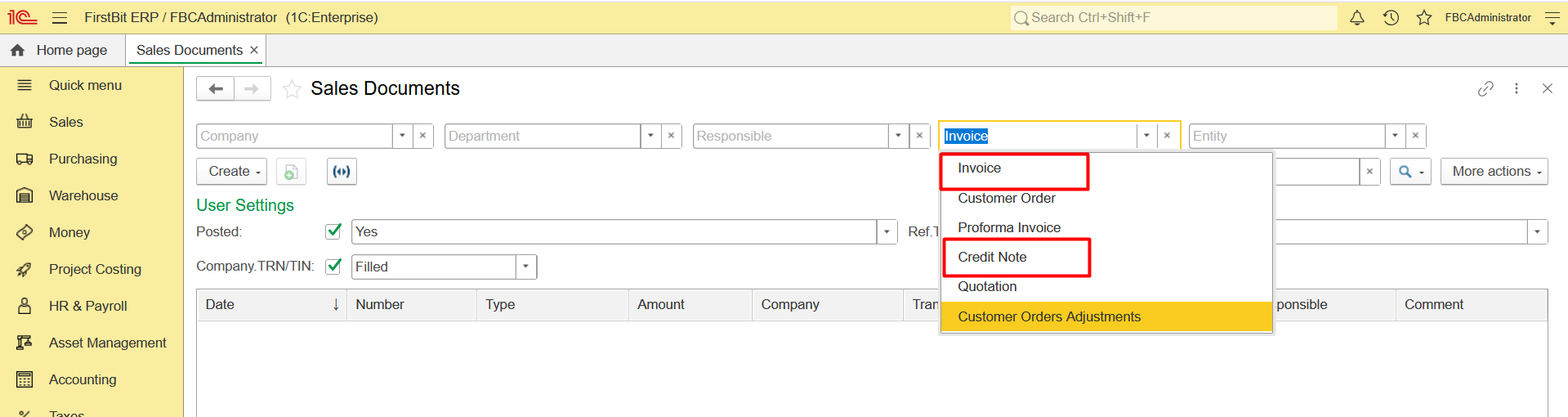
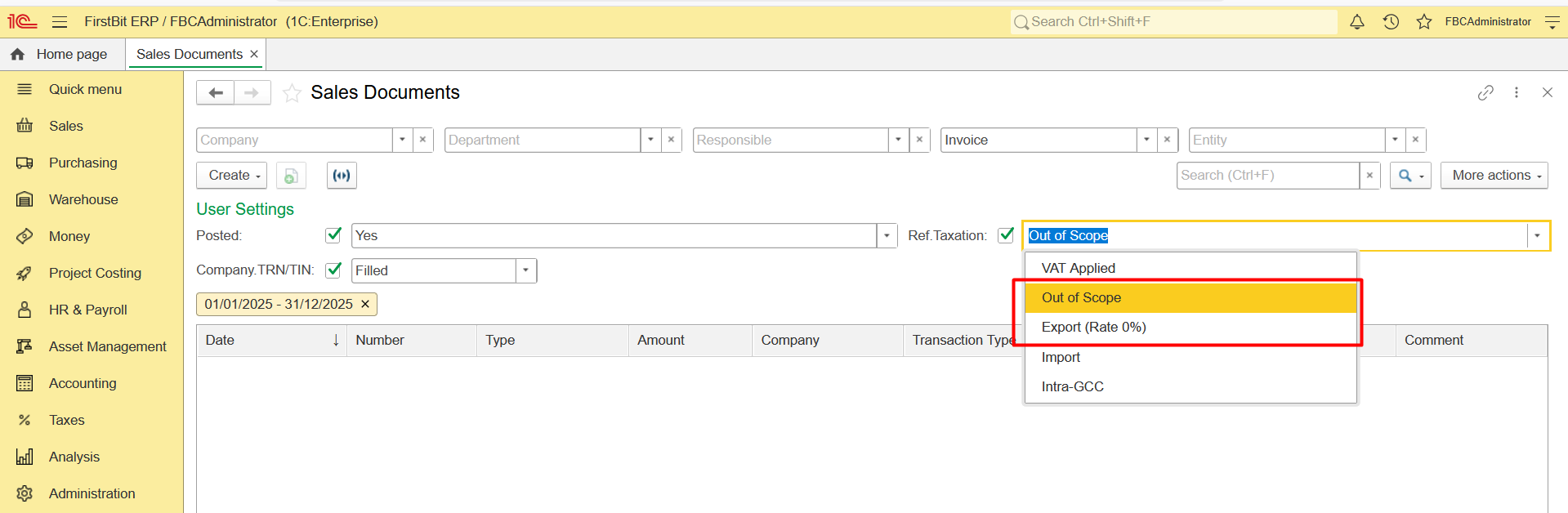
3. Click Output List and export the list to Excel. To simplify the exported list, uncheck the fields that are not required. In Excel, determine the total number of documents (excluding the header row).
...
The calculated document count is intended for estimation purposes only an estimate and does not guarantee 100% accuracy. The actual number of documents depends Actual results depend on the specific data and document setup in each database (e.g. B2B customers are identified by the TRN field, so records without a TRN may not be included).
Thank you for being a FirstBIT customer!