Problem: How to identify and allocate unallocated costs
Solution: Use the Income and Expenses report to identify unallocated costs and allocate them either in source documents or via allocation tools.
1. Identify Unallocated Costs
Enable Records (Documents) in the Report
- Open the Income and Expenses report.
...
- Go to the Fields tab
Find Recorder └── .Projects
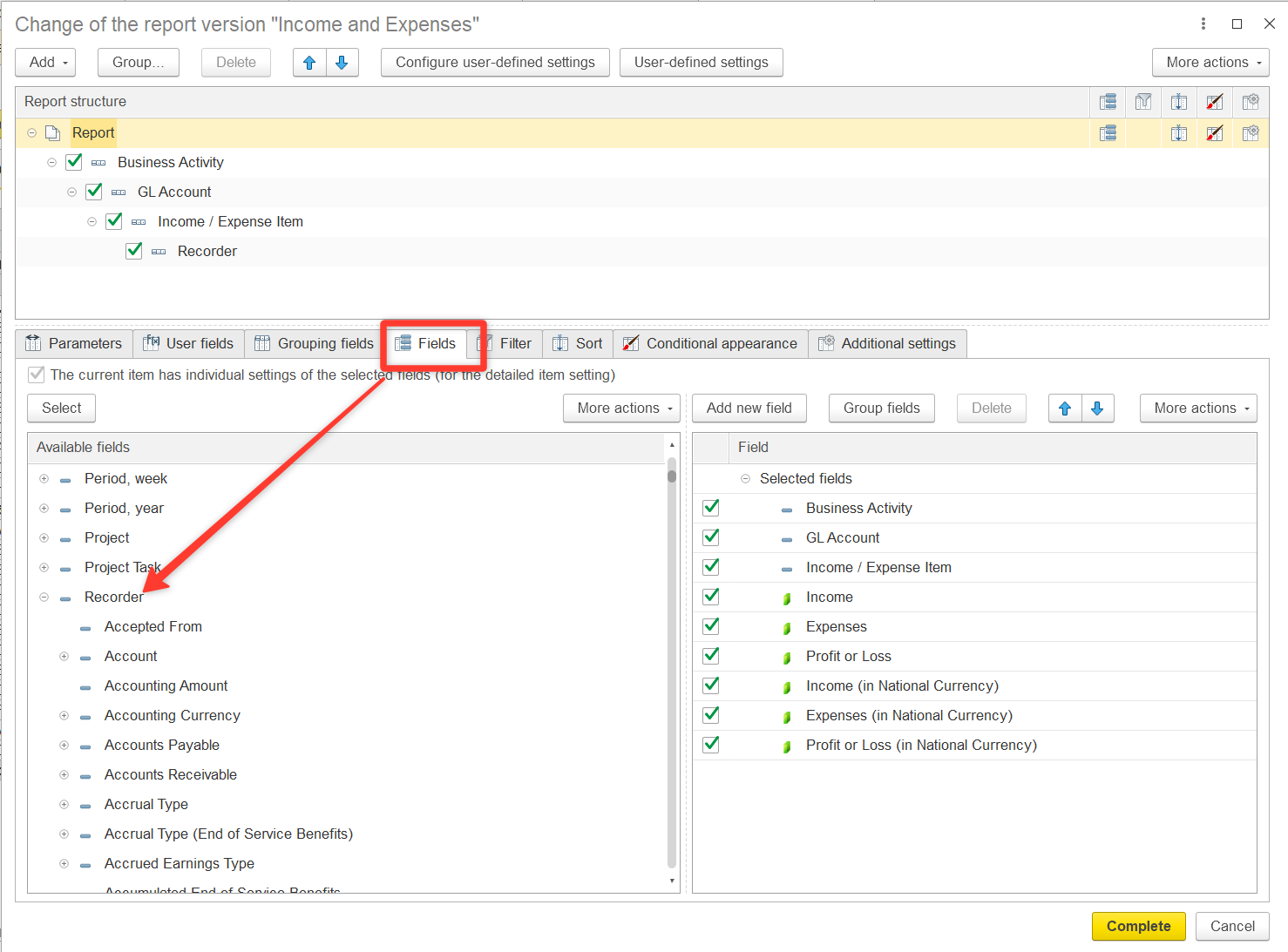
Expand the Recorder section and locate the Project field. Double-click to move Recorder.Project to the right section of the window
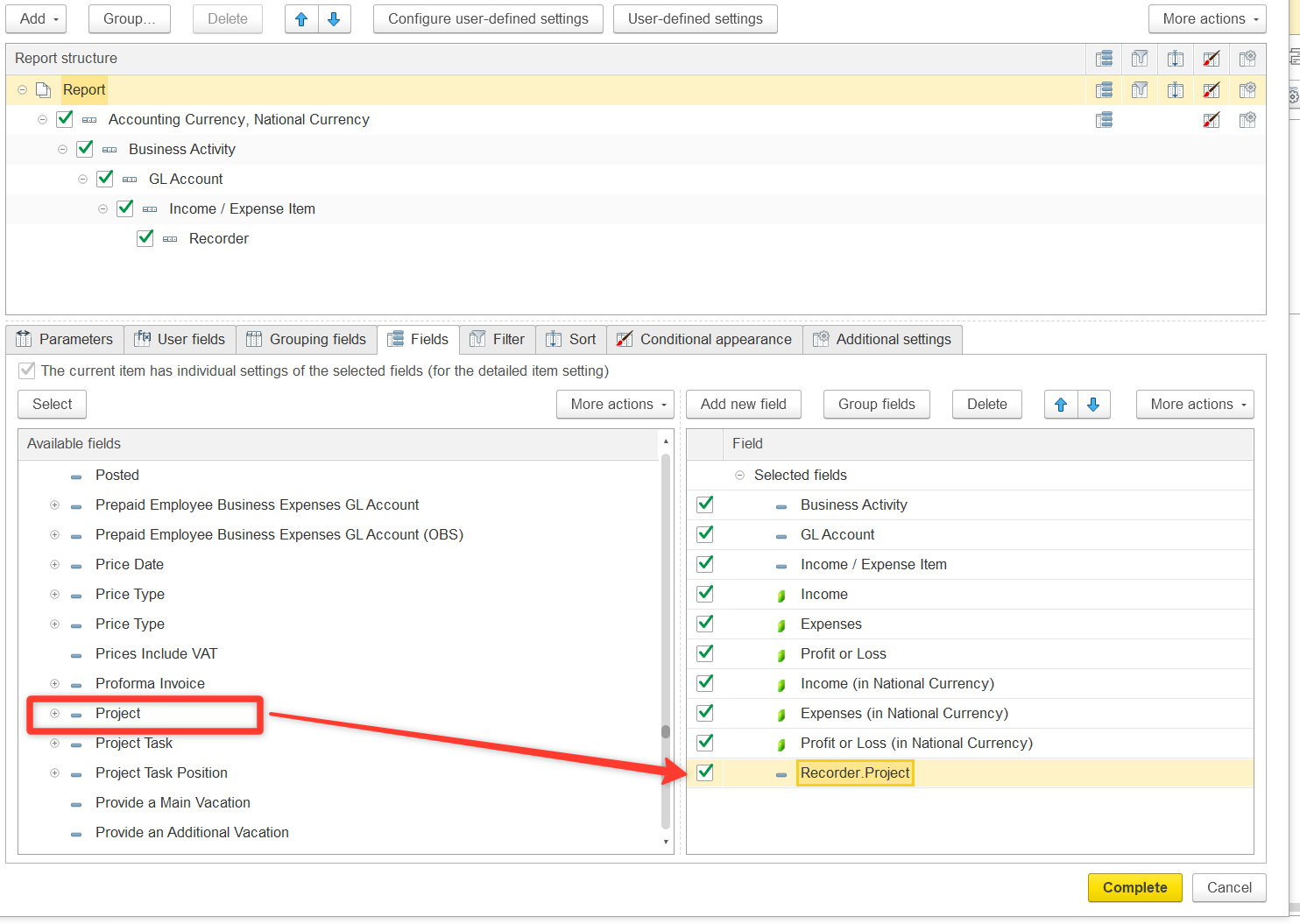
Configure column display:
- Go to Additional settings
- Set Attribute placement = Separately
- Click Complete
...
If the Recorder.Project field is empty or shows “Not related to projects”, it means the costs are not allocated to any project.
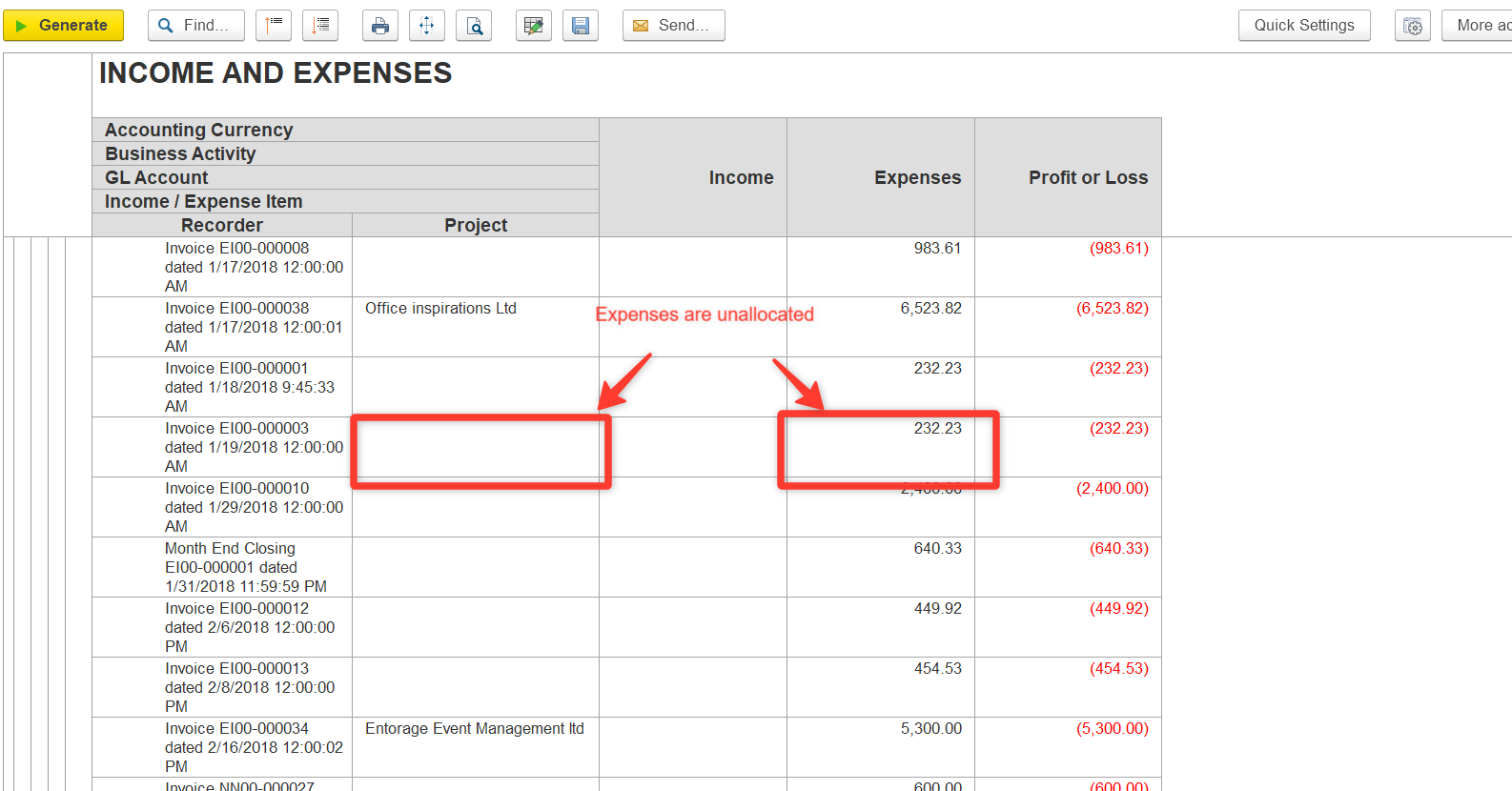
2. Allocate the Costs
Option A: Direct Allocation in Documents
- Open the document where Recorder.Project is empty.
- Specify the correct Project.
- Save and post the document.
Option B: Allocation via Special Documents
- Use:
- Go to the Allocation tab.
- Click Fill and Allocate to retrieve unallocated costs.
- Assign costs to the required projects.
...