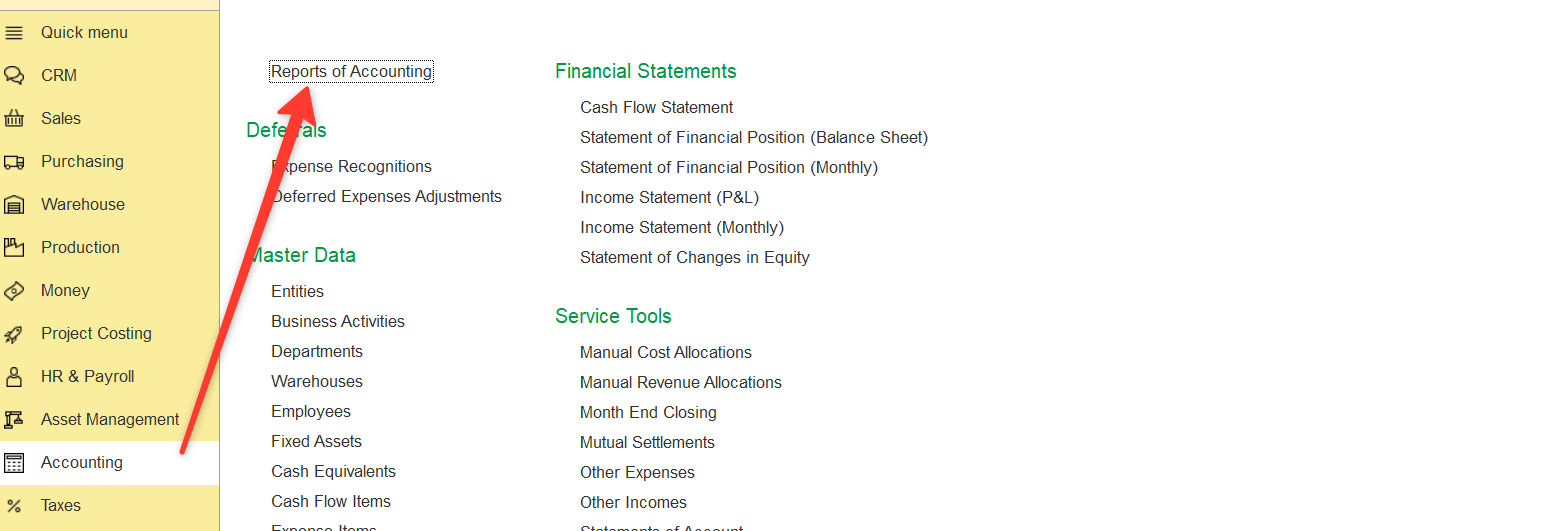
Path: Accounting > Reports of Accounting> Income and Expenses
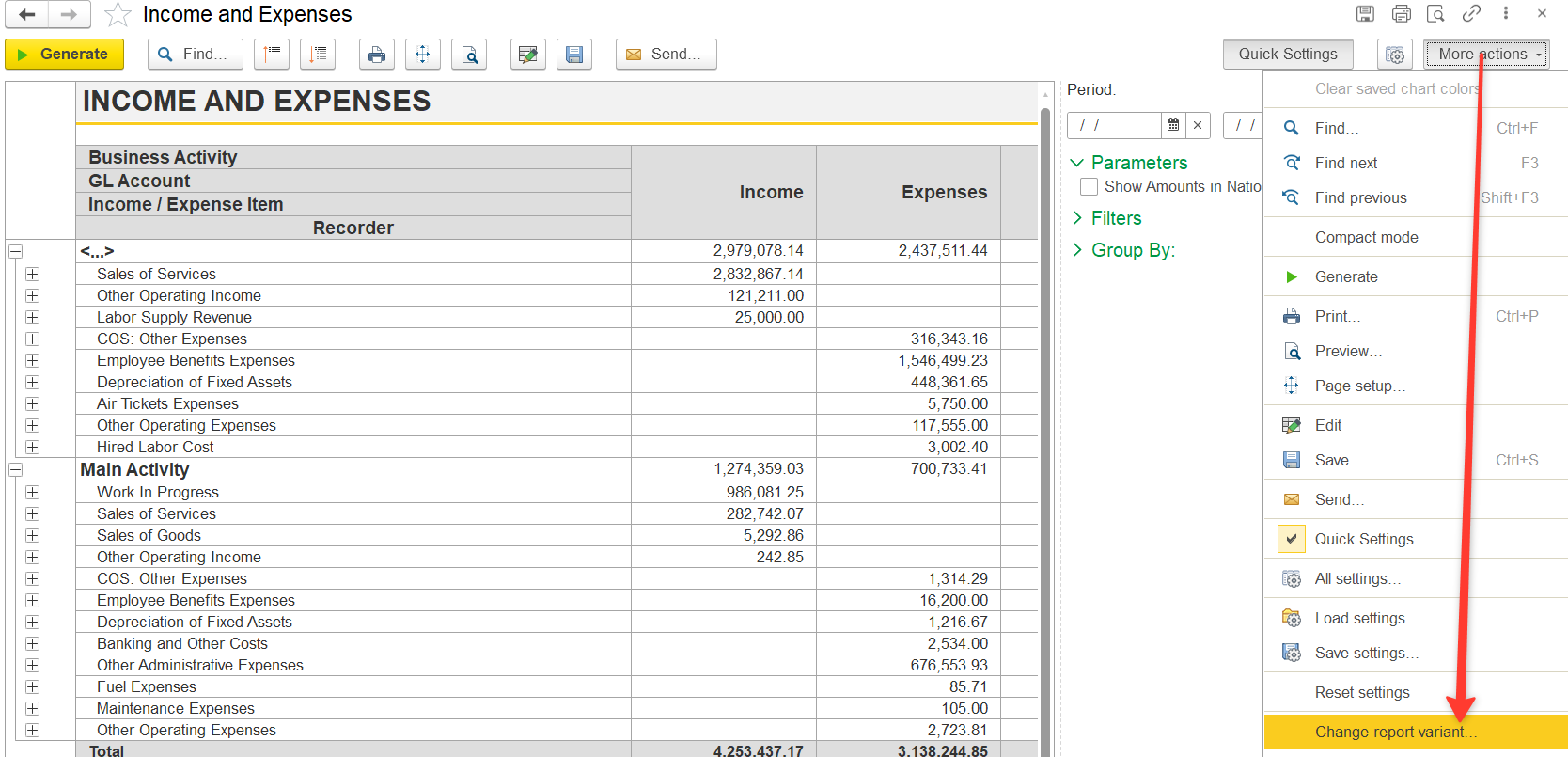
2. Click More actions → Change Report Variant (further - Change report variant)
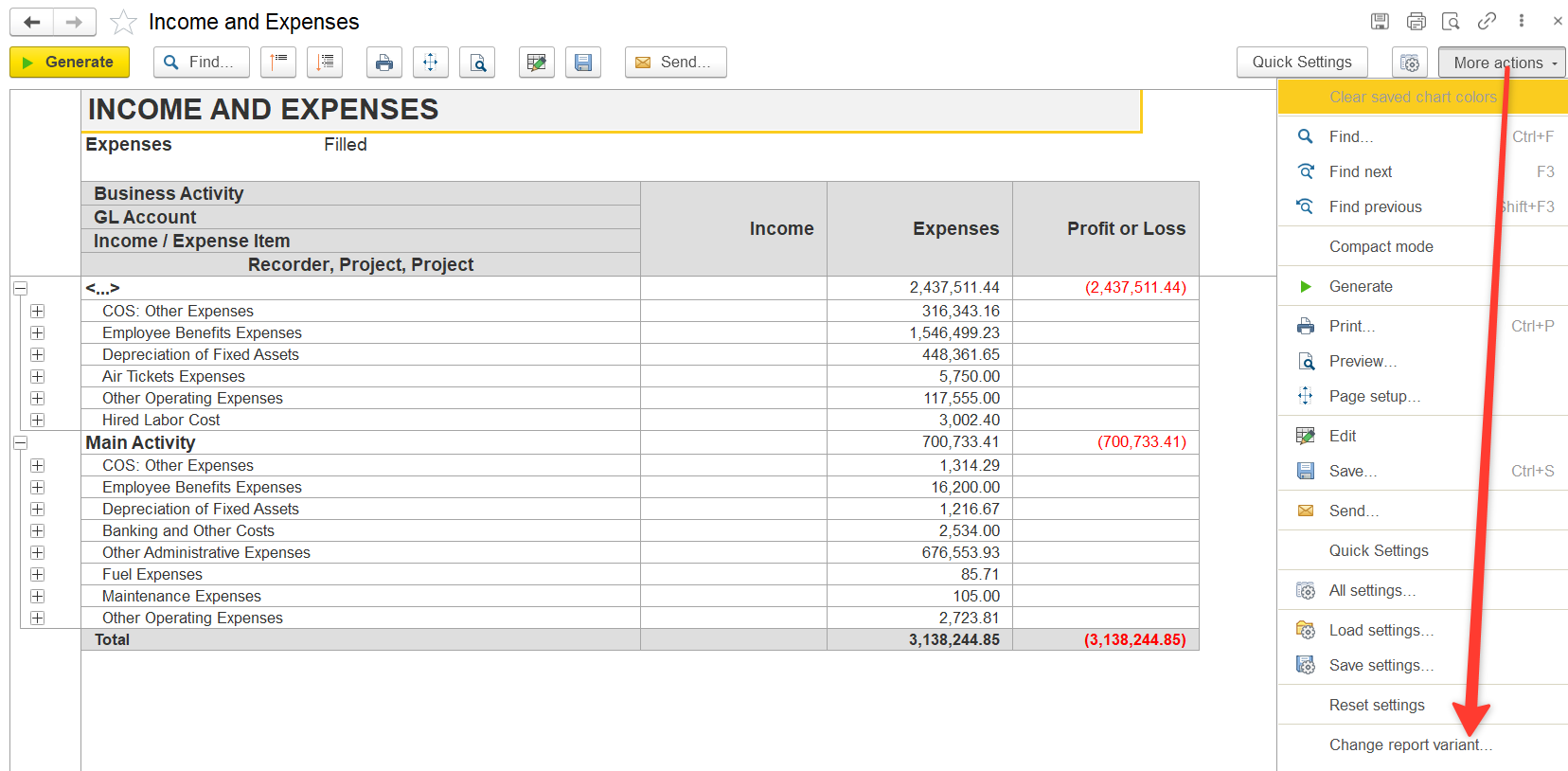
3. Modify the report:
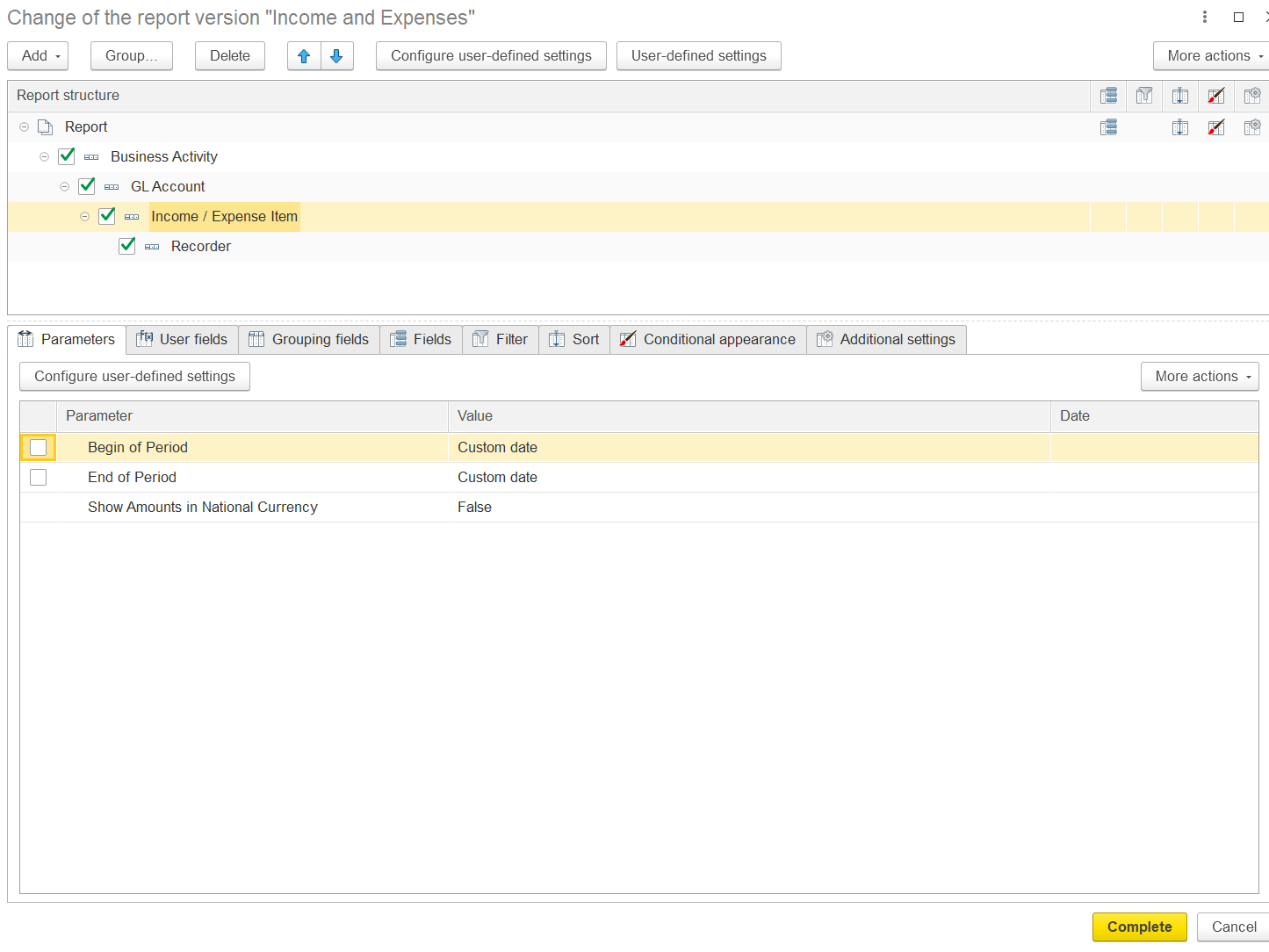
3.1 Add Documents (Recorders)
This allows you to see which documents contain allocated and unallocated costs.
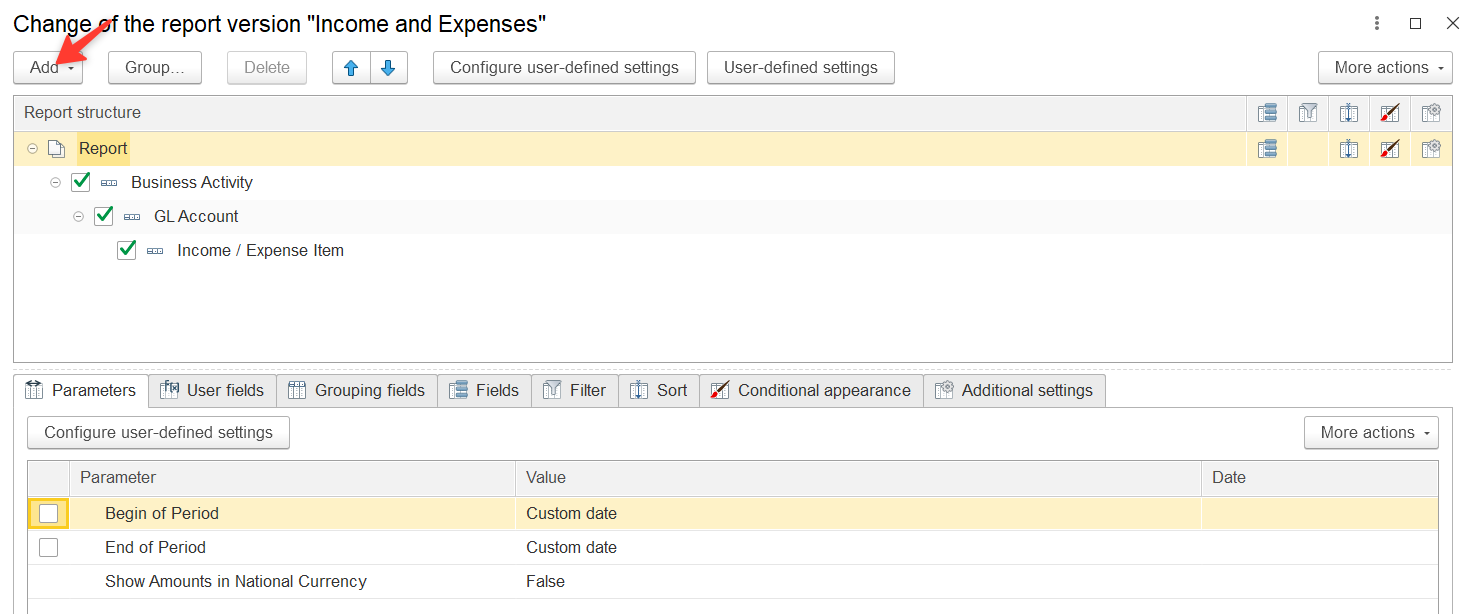
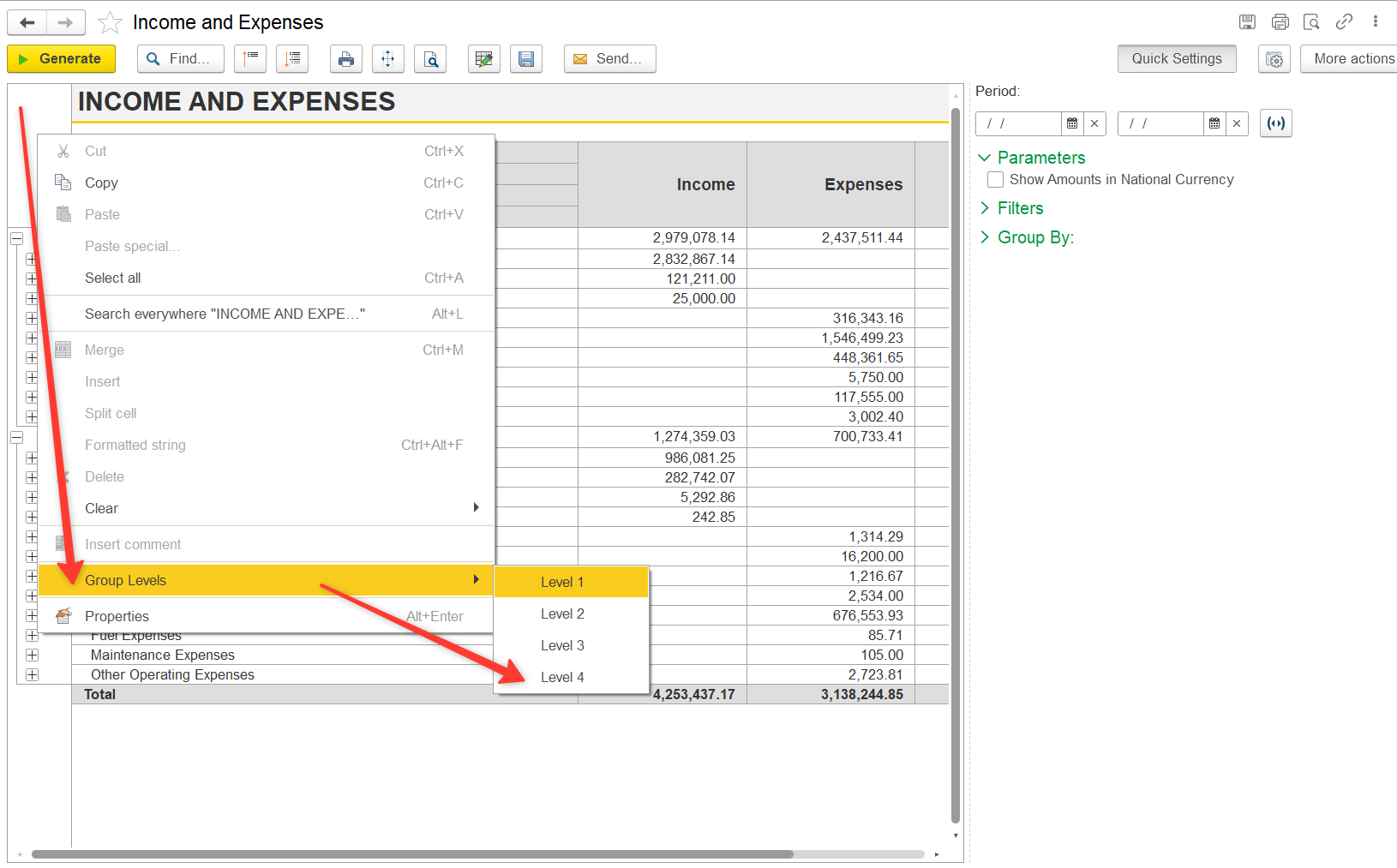
If documents are not visible:
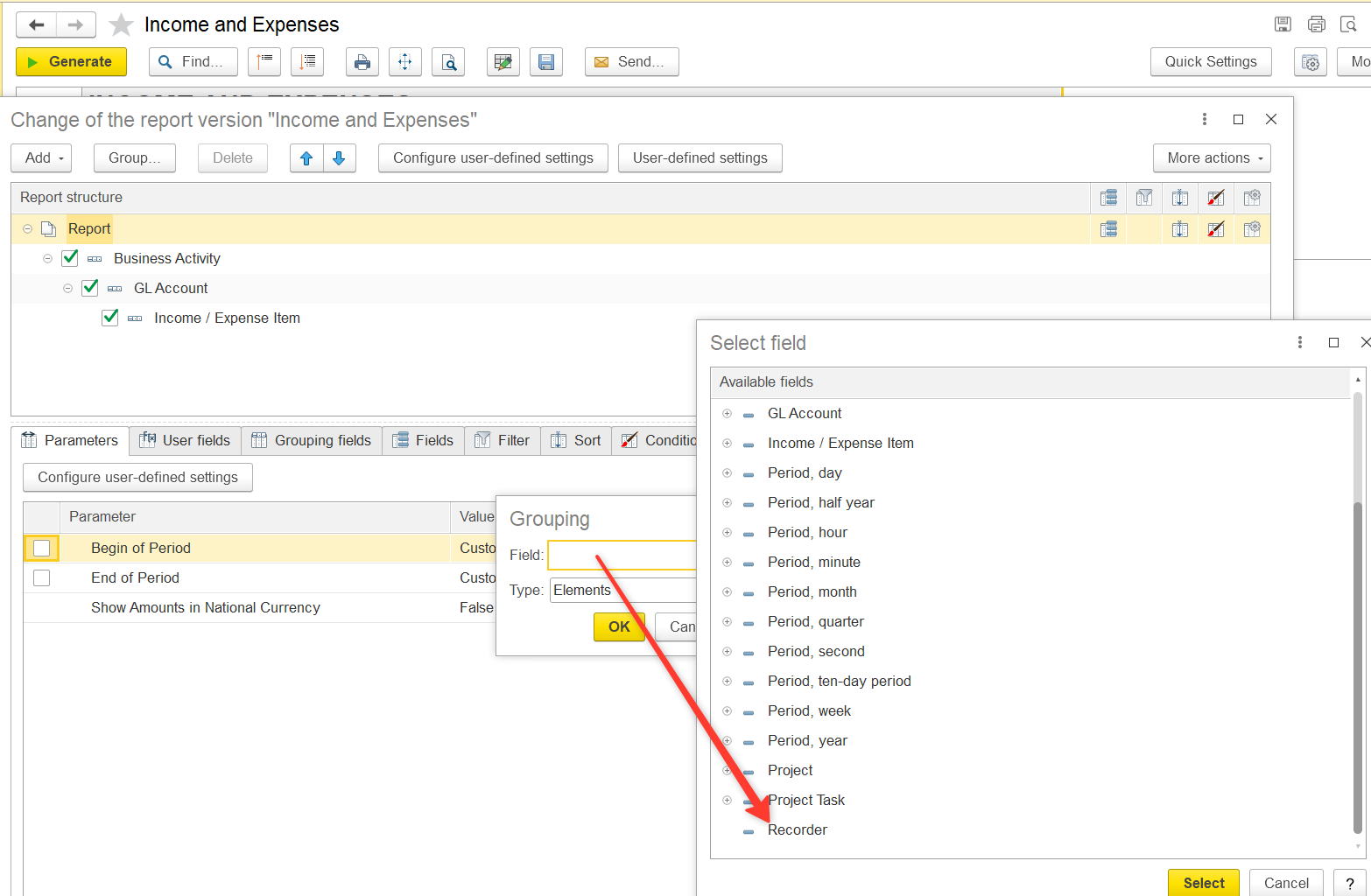
3.2. Add Project Information (Recorder.Project).
Find Recorder.Projects
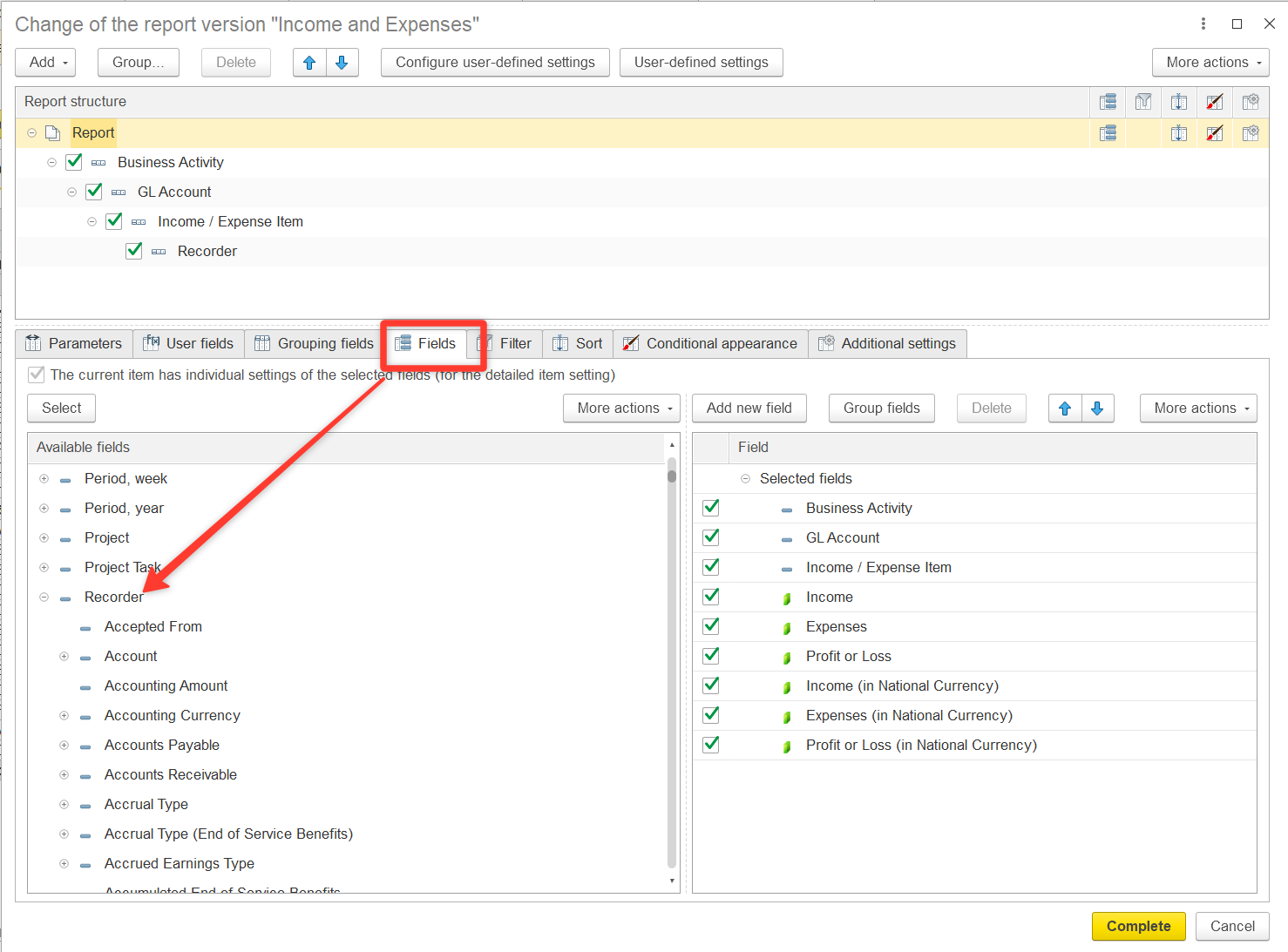
Expand the Recorder section and locate the Project field. Double-click to move Recorder.Project to the right section of the window
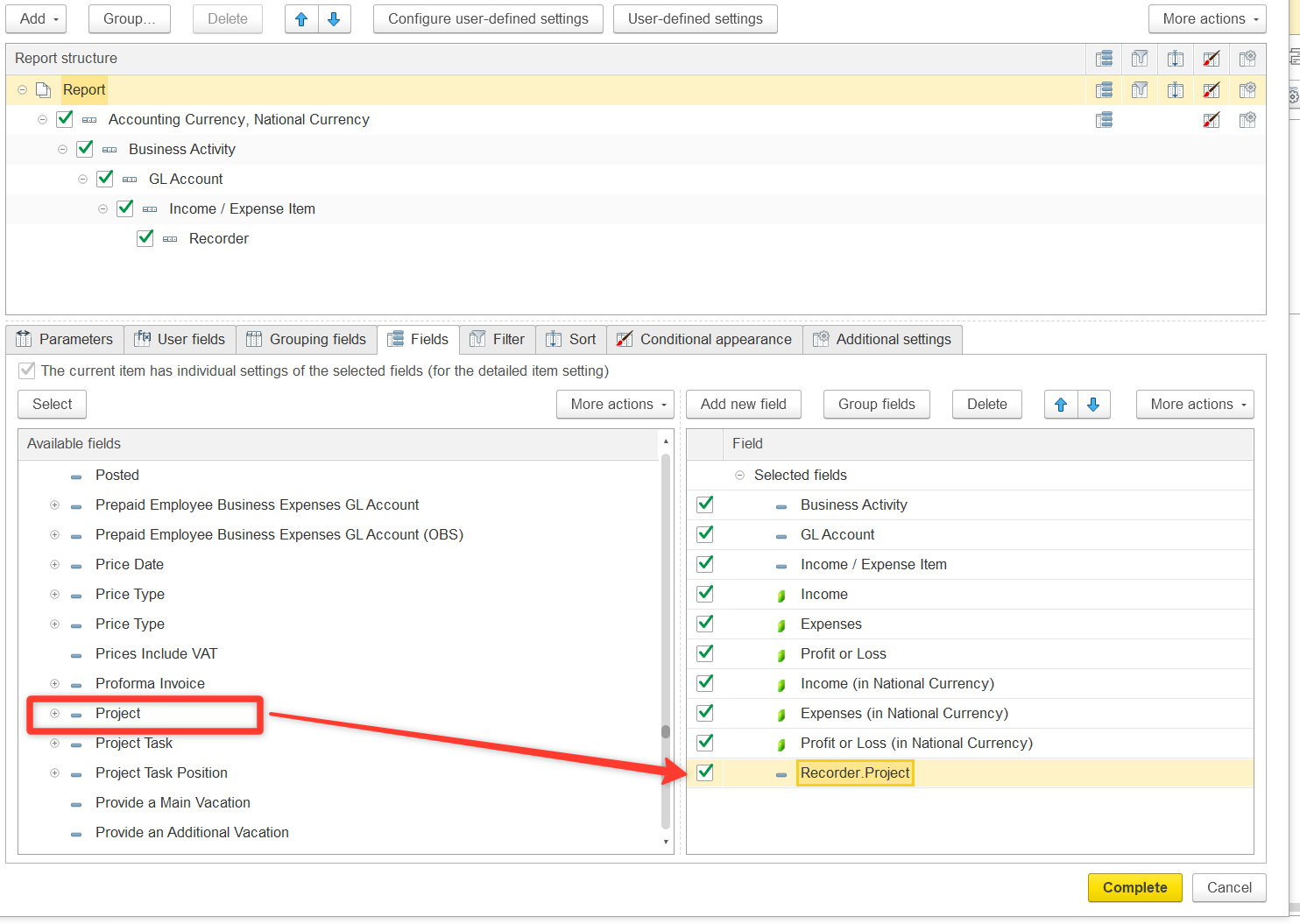
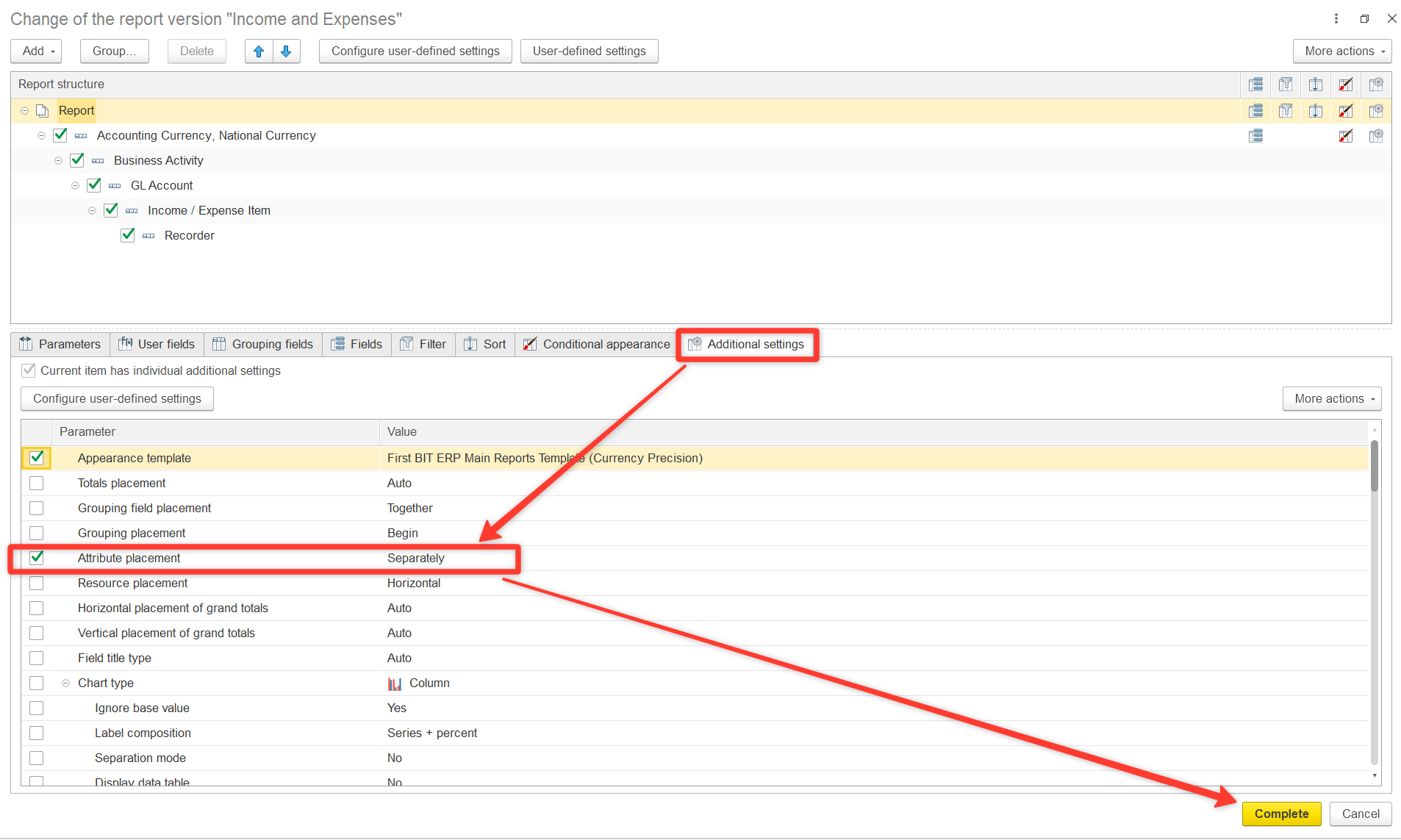
The new column Recorder.Project will now appear in your report. You can also adjust the order, title, and formatting of columns as needed. This will show which project each document is linked to.
If the Recorder.Project field is empty or shows “Not related to projects”, it means the costs are not allocated to any project.
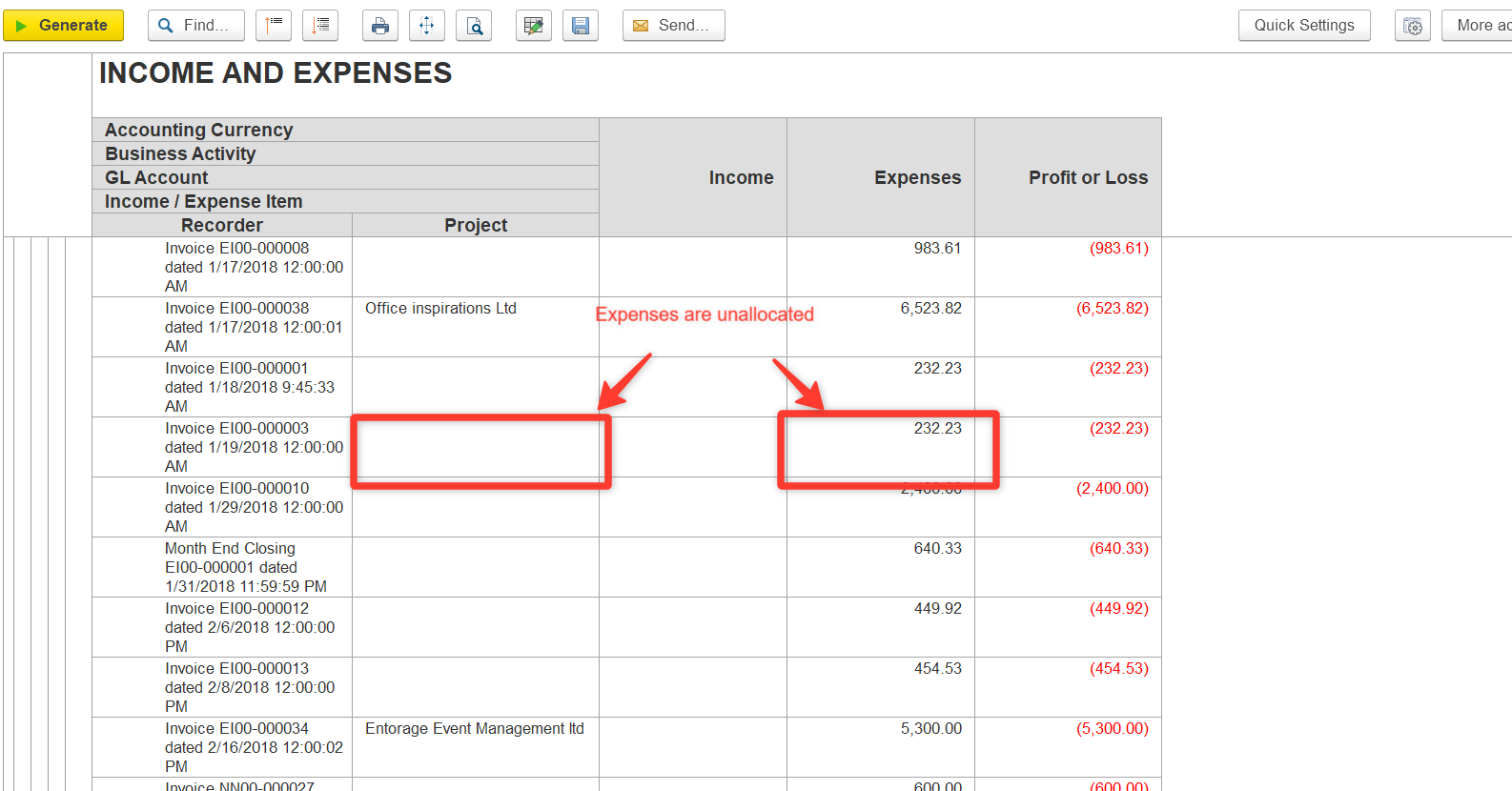
Use Split Row if you need to distribute costs across multiple projects.
Thanks for being a Firstbit Customer!
#CostAllocation #UnallocatedCosts #IncomeAndExpensesReport #ProjectCosts