User Question:
The debit turnover is AED 42.86, but the vat reclaim credit is AED 28.57, Leaving AED 14.29 unreclaimed. Which transaction caused this and credit turnovers on the Input VAT account do not match, and part of the VAT remains unreclaimed. How can I identify which transaction is causing the difference?
Problem / Symptom
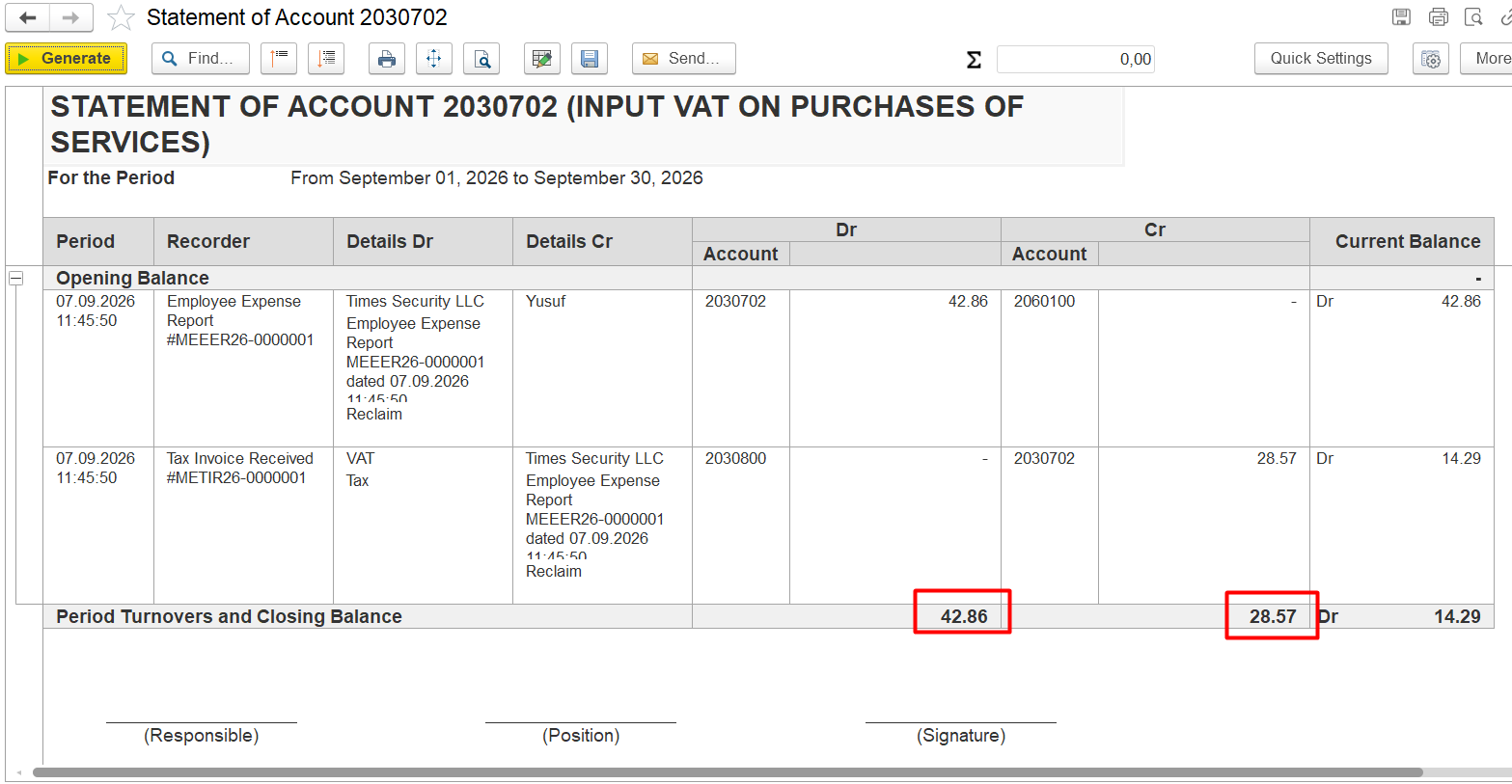
The discrepancy in the amounts in the debit and credit columns.
Conditions
Source Report: Statement of Account 2030702 (INPUT VAT ON PURCHASES OF SERVICES)
Filter Parameters:
Period: September 01, 2026 to September 31, 2026
Evidence: The attached report clearly shows that the Period Turnovers are out of balance:
Total Debit Turnover: 42.86 AED
Total Credit Turnover: 28.57 AED
Resulting Discrepancy: 14.29 AED (unreclaimed balance)
Root Cause
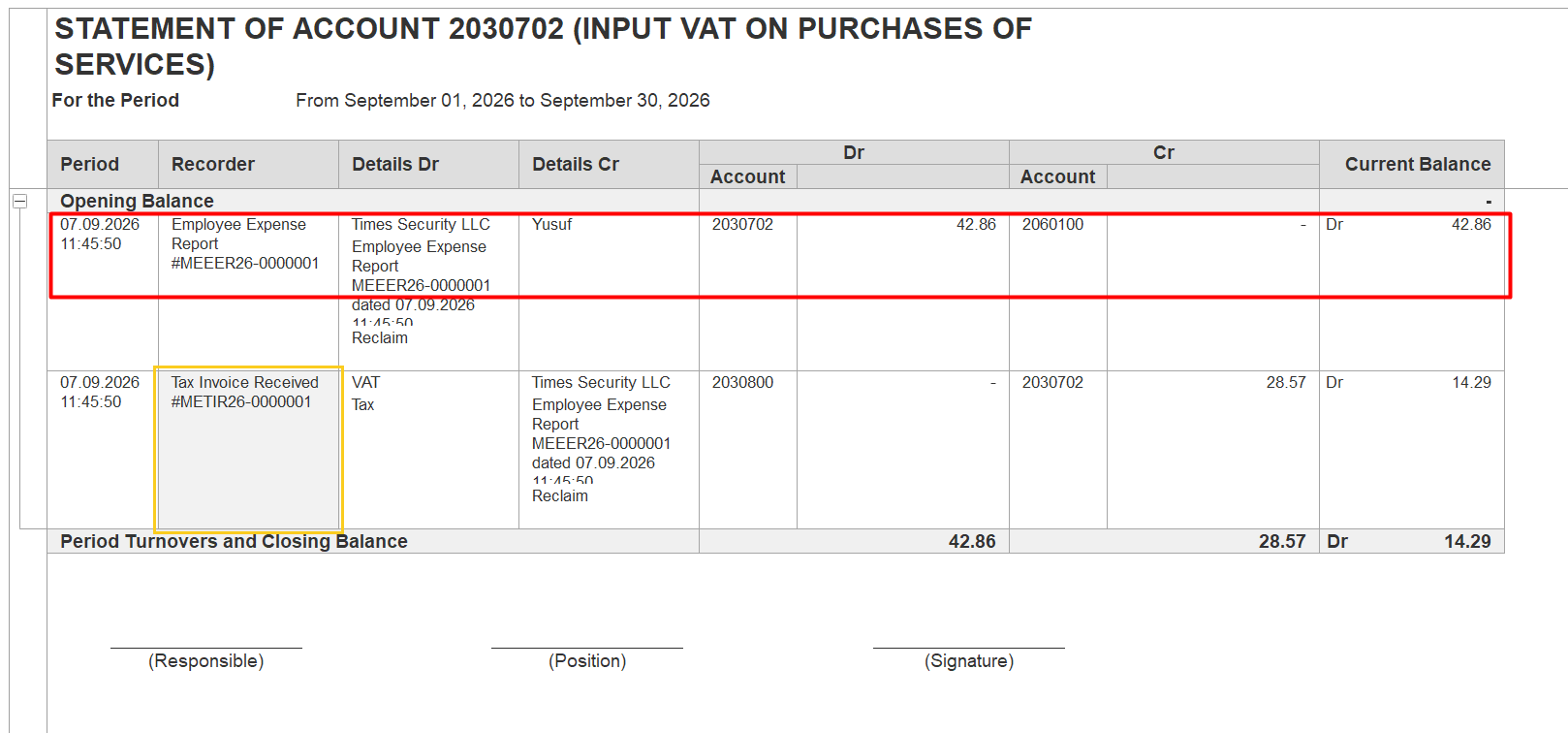
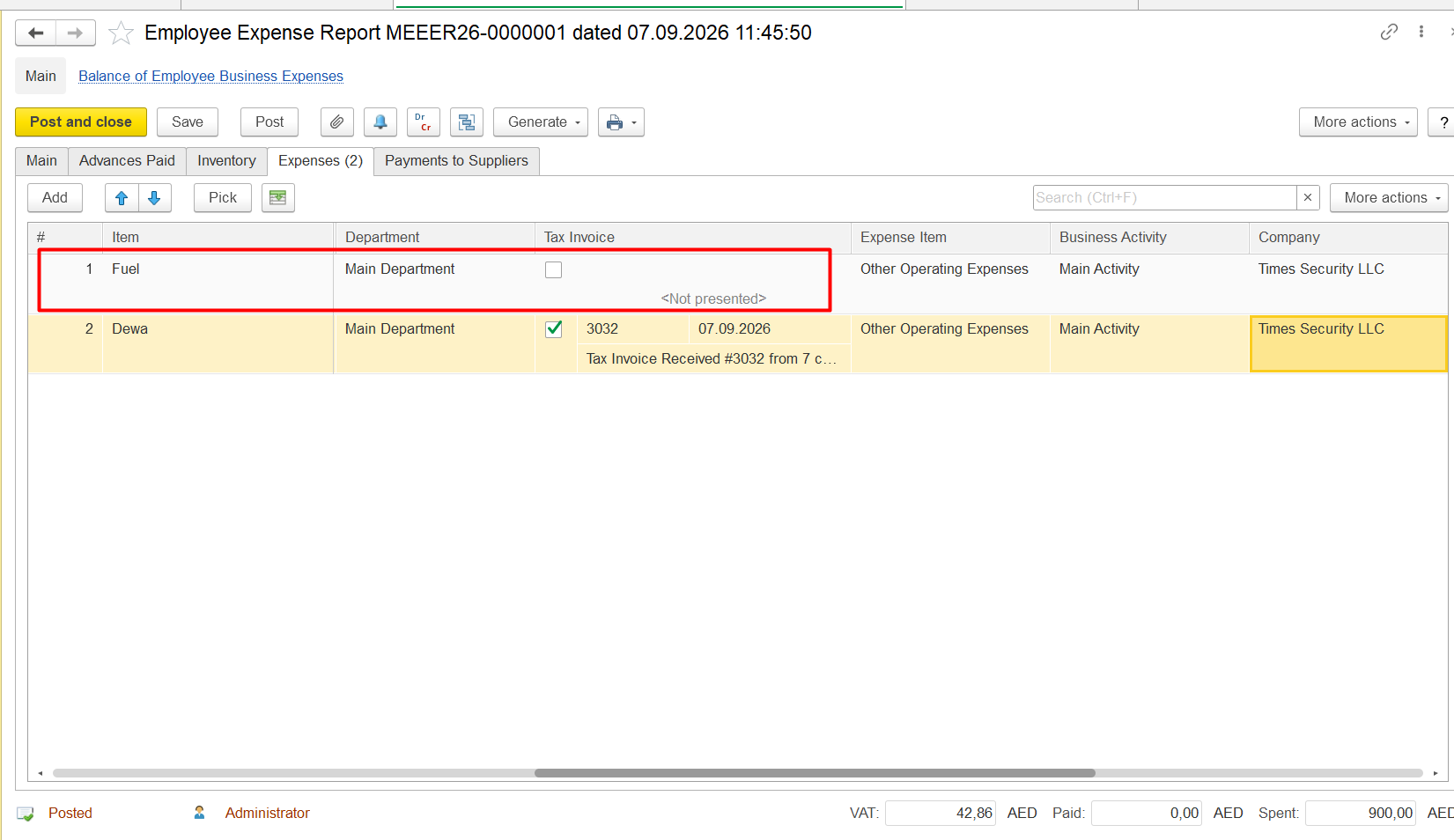
Employee expense reports are present, but not all items have a tax invoice received:
Diagnostics
debit and credit turnovers on the Input VAT account do not match, resulting in a remaining debit balance and unreclaimed VAT amount.
Conditions
- Transactions with Input VAT have been posted.
- The Input VAT account has a remaining debit balance.
- Debit and credit turnovers for the Input VAT account do not match.
- The discrepancy can be traced to one or more source documents.
Root Cause
The corresponding Tax Invoice Received is missing or has not been processed correctly for one or more transactions. As a result, the Input VAT is not fully reclaimed, leaving a balance on the Input VAT account.
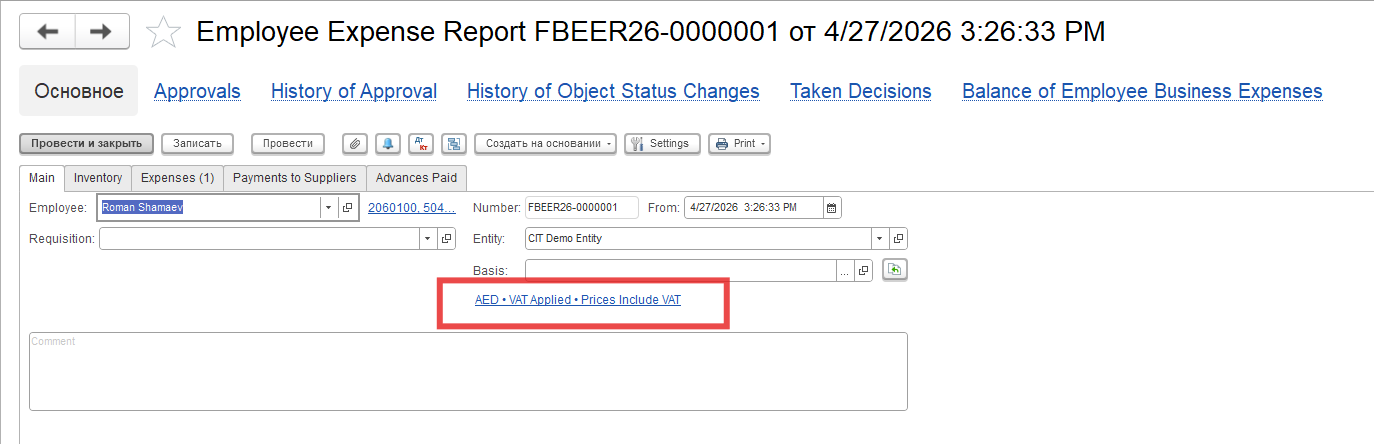
Diagnostics
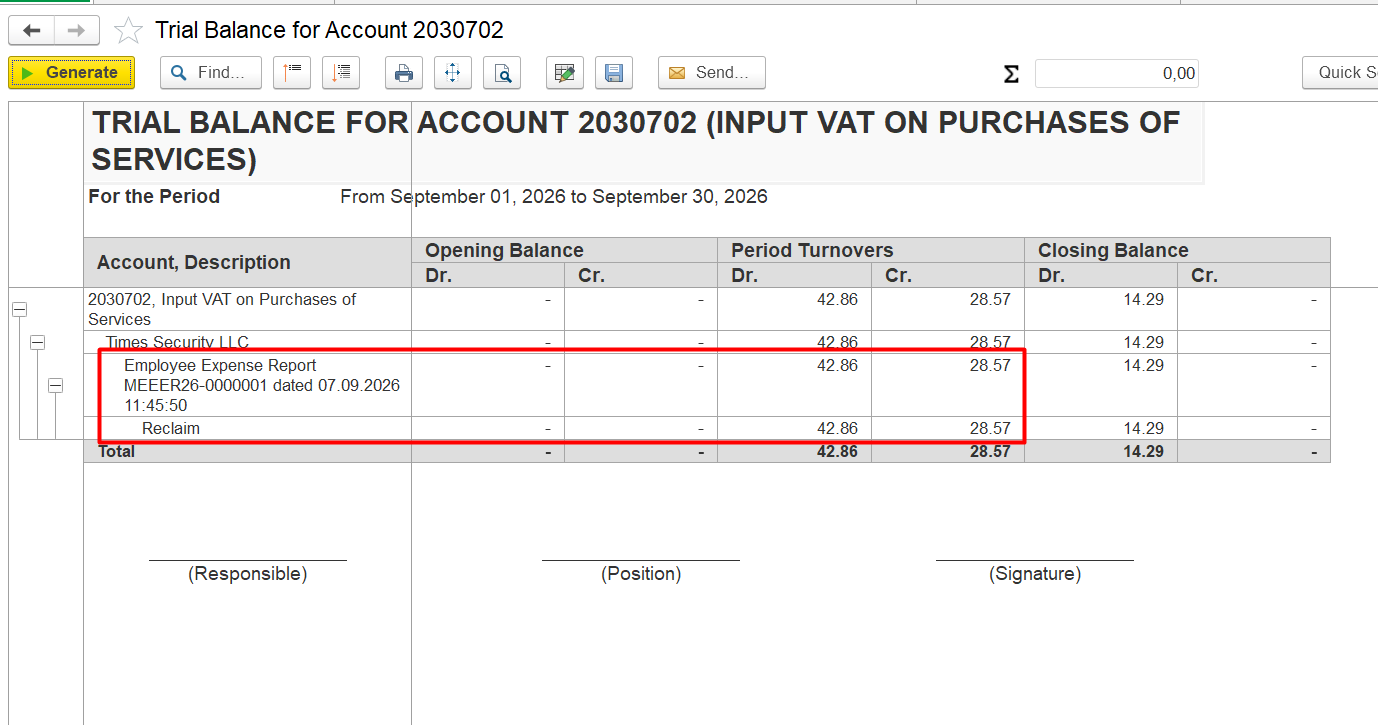
- Open the Trial Balance for the relevant Input VAT account and identify transactions with a remaining debit balance.
- For any discrepancy on the Input VAT account, always verify whether the corresponding Tax Invoice Received has been processed correctly.
- Open the relevant source document, such as an Invoice Received or Employee Expense Report
Open the Statement of Gl account.
- Review all documents where there is no amount in the credits column. Open document, Review Inventory and Expenses tabs item by item
- .
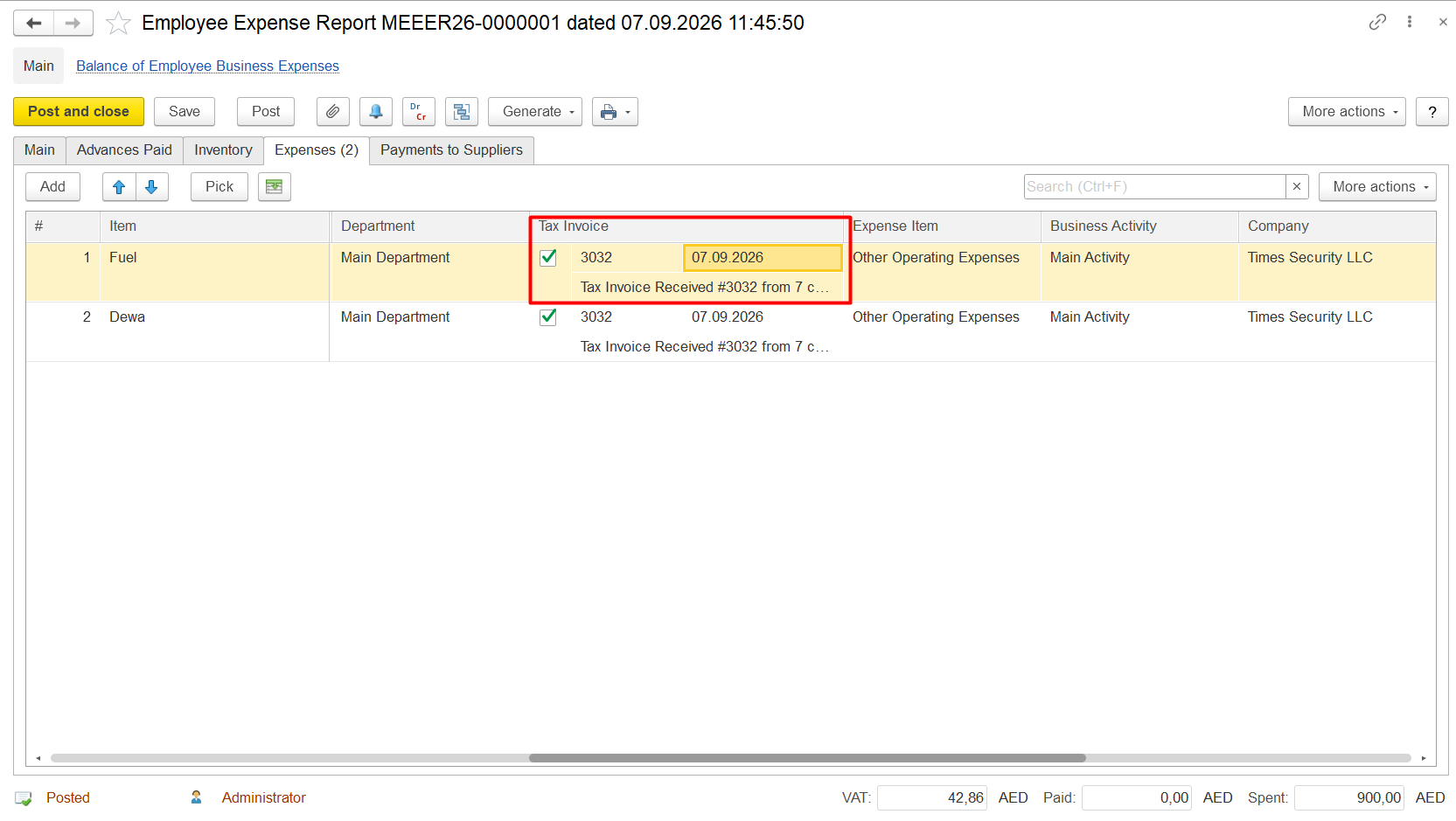
- Check whether the corresponding Tax Invoice received
- Received is specified in the Tax Invoice field.
Resolution
- correctly specified and posted.
- Identify the transaction for which the Tax Invoice Received is missing or processed incorrectly.
Resolution
- Open the source document causing the discrepancy.
21. Specify the corresponding Tax Invoice receivedReceived in the the Tax Invoice field:.
 2
2
3. Repost the document if required.
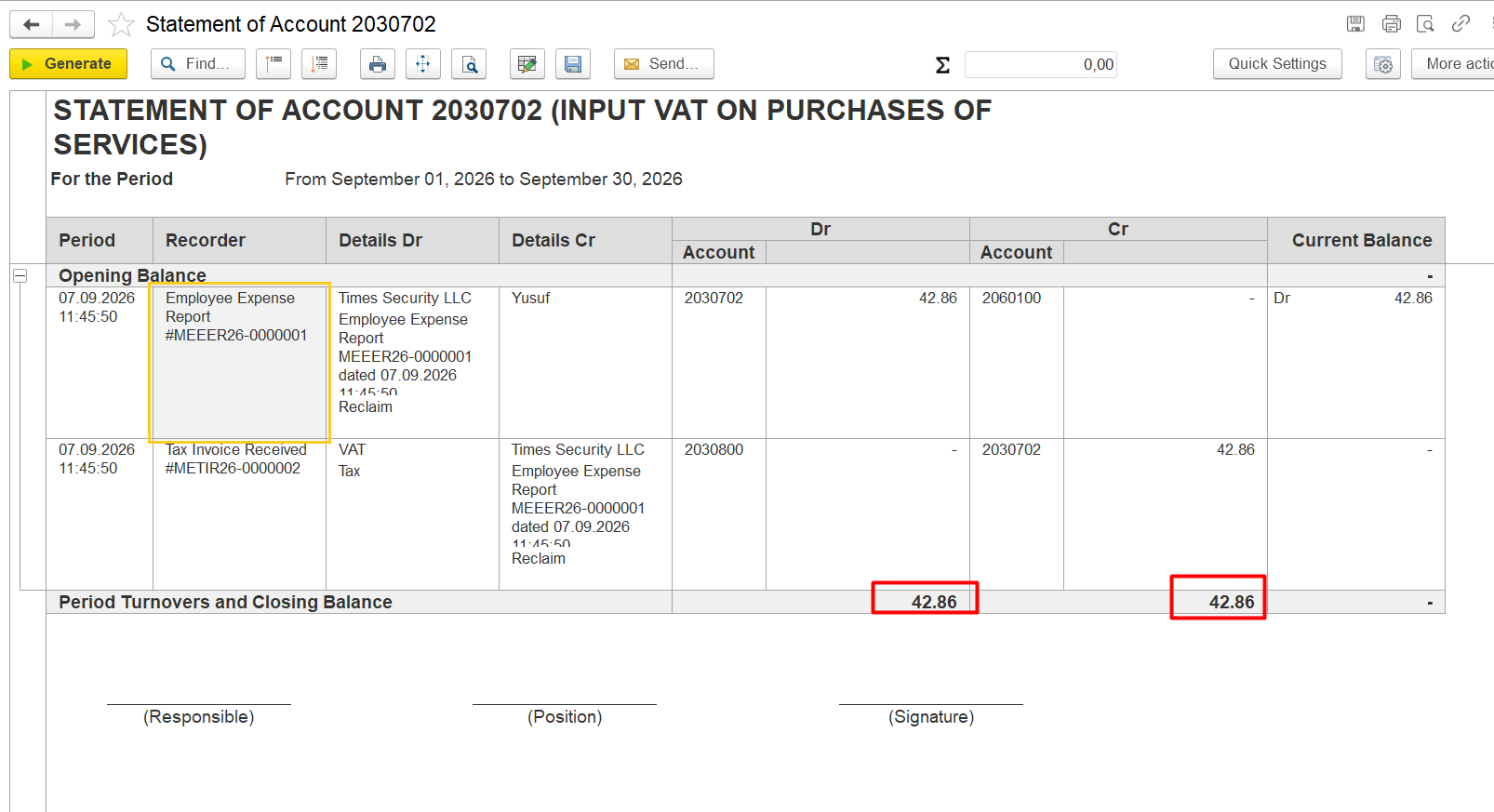
4. Regenerate the relevant Input VAT report and verify that the remaining balance has been cleared.. The balance will converge:
Related Materials
6.3.3. Employee Expense Reports
Product / Configuration
FirstBit ERP/FirstBit Accounting/FirstBit Contracting
Functional Area/Firstbit Software Section
Accounting
Thank you for being FirstBit customer!
Alternative User Questions / Keywords
##vat_reclaim_amount_does_not_match_debit_turnover, #vat_reclaim_is_less_than_debit_turnover, #vat_reclaim_difference, #vat_reclaim_difference_in_account, #vat_reclaim_amount_difference, #unreclaimed_vat_amount, #vat_amount_remains_unreclaimed, #vat_reclaim_is_not_fully_processed, #vat_reclaim_is_not_fully_claimed, #difference_between_debit_turnover_and_vat_reclaim, #vat_reclaim_difference_in_gl_account, #how_to_find_vat_reclaim_difference, #how_to_identify_unreclaimed_vat, #which_transaction_caused_vat_difference, #find_transaction_causing_vat_difference, #vat_reclaim_transaction_difference, #vat_reclaim_amount_is_different_from_debit_turnover, #debit_turnover_does_not_match_vat_reclaim, #vat_reclaim_does_not_match_account_balance, #vat_reclaim_is_not_fully_reclaimed, #why_is_vat_not_reclaimed, #why_is_vat_reclaim_amount_different