The standard configuration of FirstBit Software does not include dedicated functionality for processing and recording cryptocurrency transactions. Standard documents for recording cryptocurrency purchases, sales, transfers, or payments are not available. As a result, cryptocurrency transactions cannot be processed directly within the system. Instead, such transactions are reflected in the accounting records using the standard documents and functionality provided by FirstBit Software. The specific accounting procedure depends on the business scenario being applied.ропроплорлTherefore, standard accounting documents and available system functionality are used as a workaround to reflect cryptocurrency-related operations in the accounting records.
The following sections describe the main scenarios for processing cryptocurrency-related payments and the corresponding approach for recording these operations in FirstBit Software. Each scenario represents a different business process and explains how standard system functionality can be used to reflect the related accounting events.
Scenario 1. Sell Cryptocurrency → Receive Fiat Funds → Pay the Supplier
Business Scenario
The company purchases cryptocurrency and records it as an asset.. The cryptocurrency is subsequently sold to a customer. The proceeds from the sale are used to settle the supplier's liability.
Process Flow
Cryptocurrency Purchase
        ↓
Cryptocurrency Sale
        ↓
Fiat Currency Received
        ↓
Supplier Payment
Processing Steps
- Create an Invoice Received document to record the purchase of cryptocurrency. Select the appropriate asset account for recording the cryptocurrency according to your company's accounting policy.
For detailed instructions on how to create an Invoice Received document, refer to Invoices Received guide.
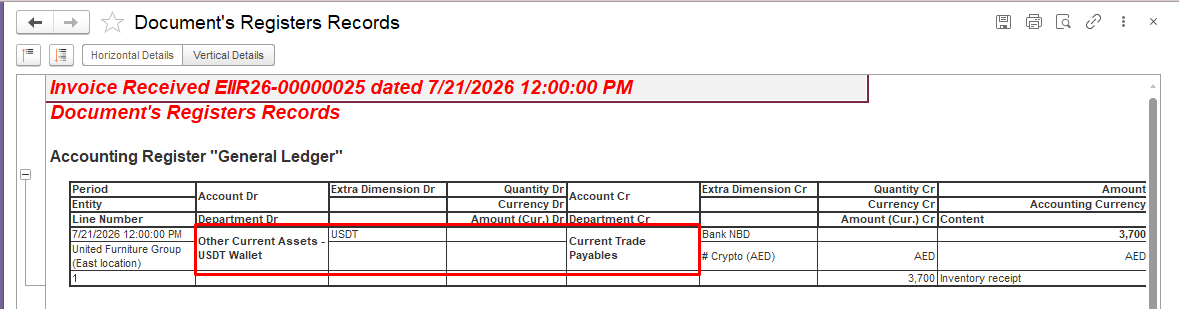
2. Create a Sales Invoice document to record the sale of cryptocurrency.
For detailed instructions on how to create a Sales Invoice document, refer to: Invoices guide.
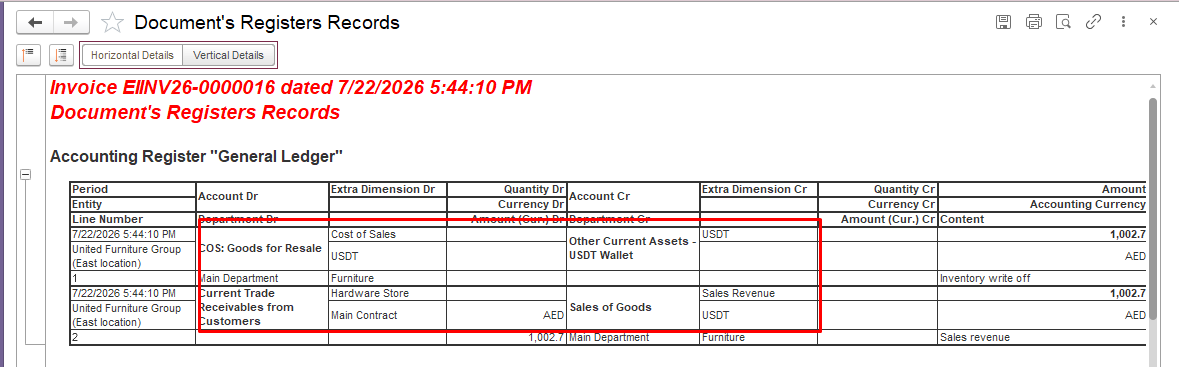
3. Record the customer's payment using a Bank Receipt document.
For detailed instructions on how to create a Bank Receipt document, refer to: Bank Receipts guide.
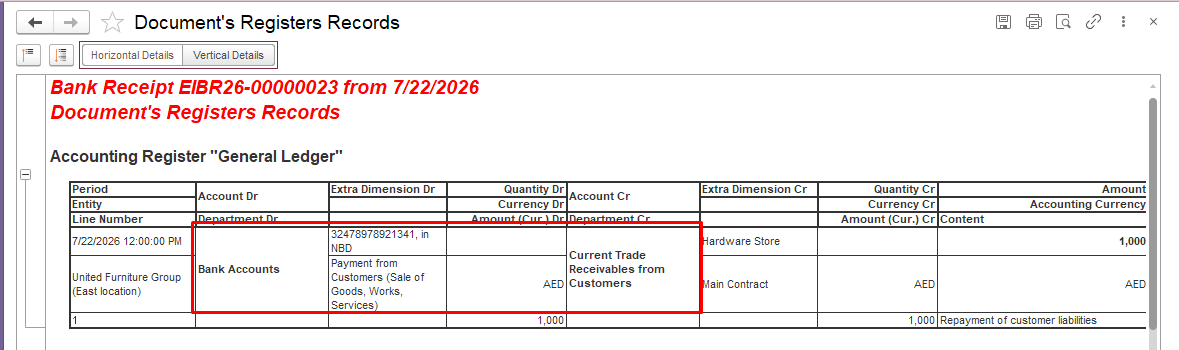
4. Create a Bank Payment document to settle the supplier's liability.
For detailed instructions on how to create a Bank Payment document, refer to: Bank Payments guide.
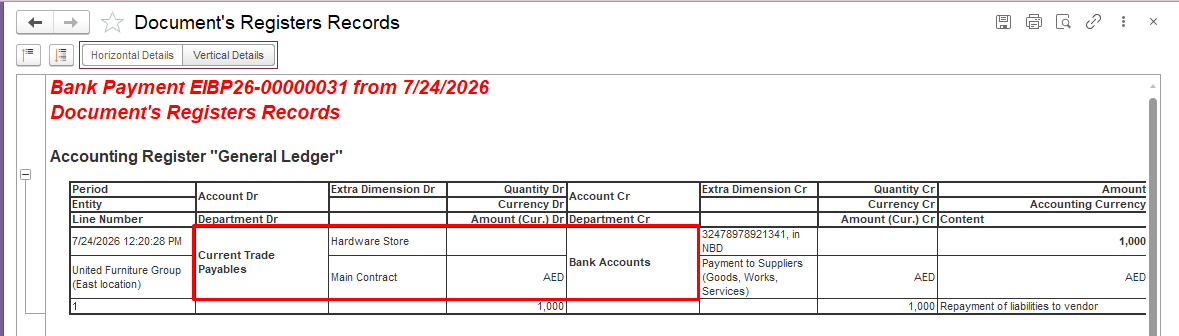
Scenario 2. Settle Supplier Payable with Cryptocurrency (Mutual Settlement)Business Scenario
Business Scenario
The company has cryptocurrency recorded as an asset. A supplier provides goods or services, and the company records a payable to the supplier. The company and the supplier agree to settle the outstanding liability by using cryptocurrency. To reflect this arrangement in FirstBit Software, the company records the sale of cryptocurrency to the supplier and performs a mutual settlement between the payable and receivable balances.
Process Flow:
Goods Received from Supplier
        ↓
Supplier Payable Created
        ↓
Cryptocurrency Sold to Supplier
        ↓
Supplier Receivable Created
        ↓
Mutual Settlement
        ↓
Payable and Receivable Cleared
Processing Steps
- Create an Invoice Received document to record the goods or services received from the supplier. The document creates a payable to the supplier.
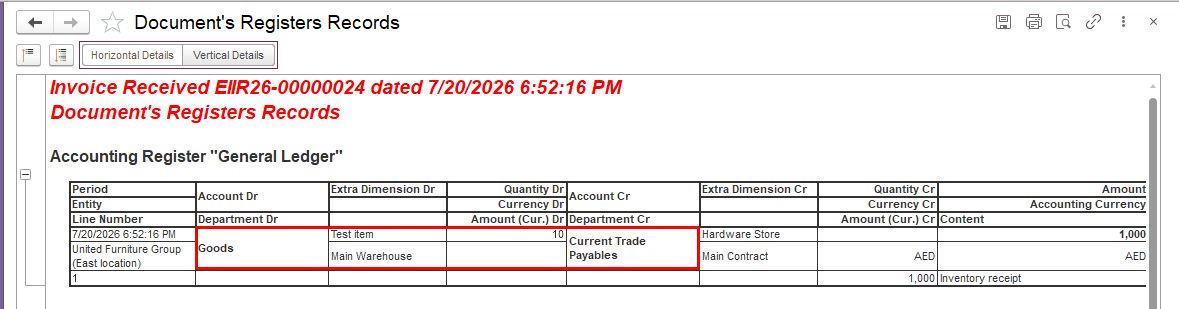
2. Create a Sales Invoice document for the same supplier to record the sale of cryptocurrency. Select the appropriate asset account for recording the cryptocurrency according to your company's accounting policy.
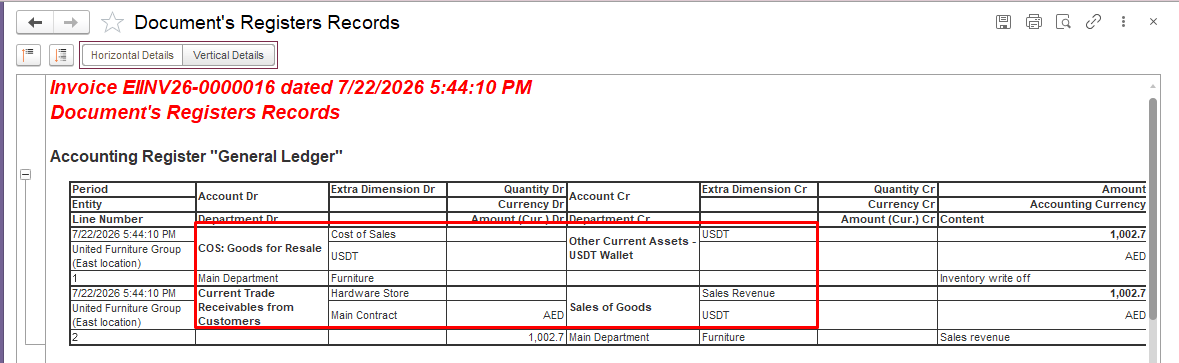
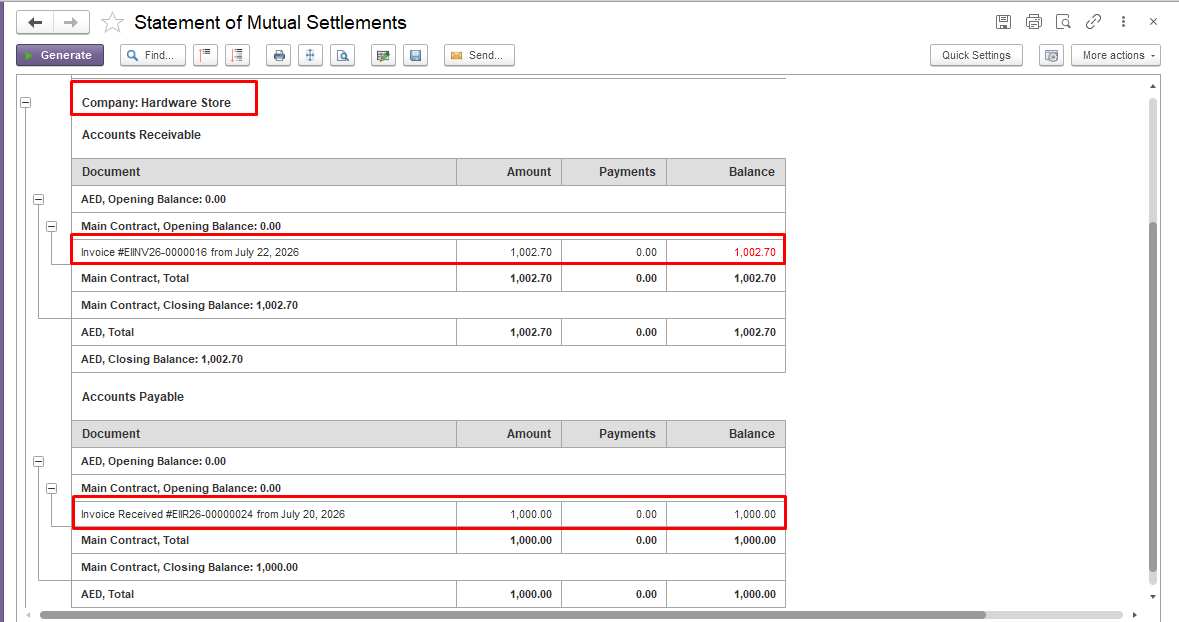
3. After creating both documents, the company has two outstanding balances with the same supplier:
- a payable balance resulting from the goods or services received from the supplier;
- a receivable balance resulting from the cryptocurrency sale.
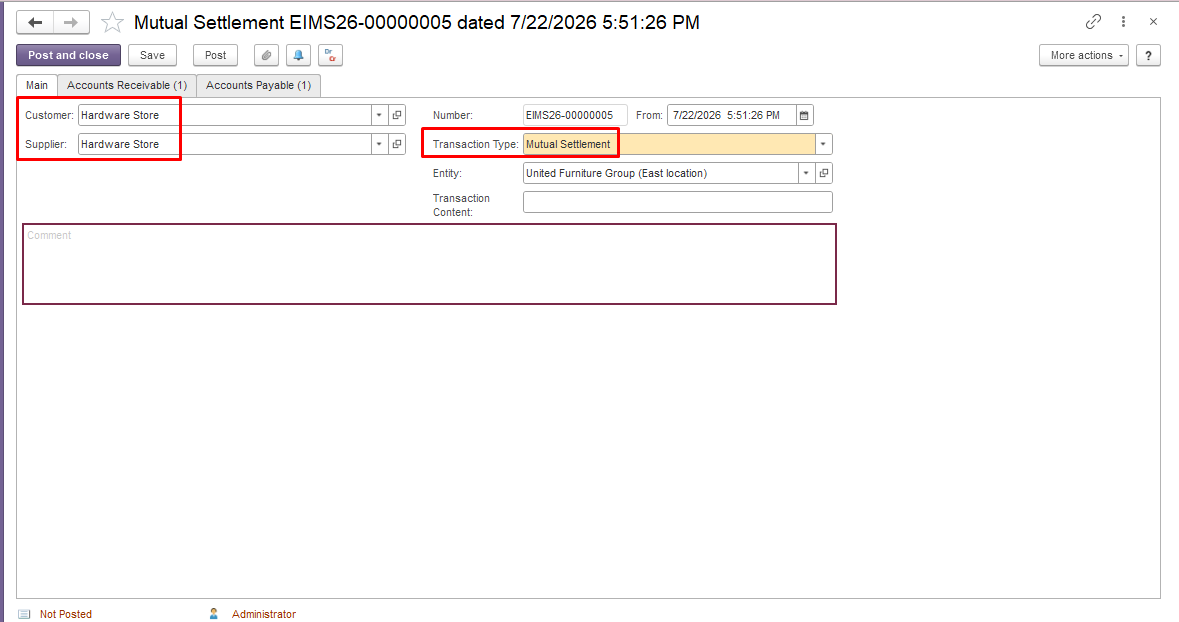
4. Create a Mutual Settlement document to offset the payable and receivable balances with the supplier. Select the Transaction Type Mutual Settlements. In the Customer and Supplier fields, select the same supplier company to match the receivable and payable balances.
For detailed instructions on how to perform a Mutual Settlement, refer to: Mutual Settlements guide.
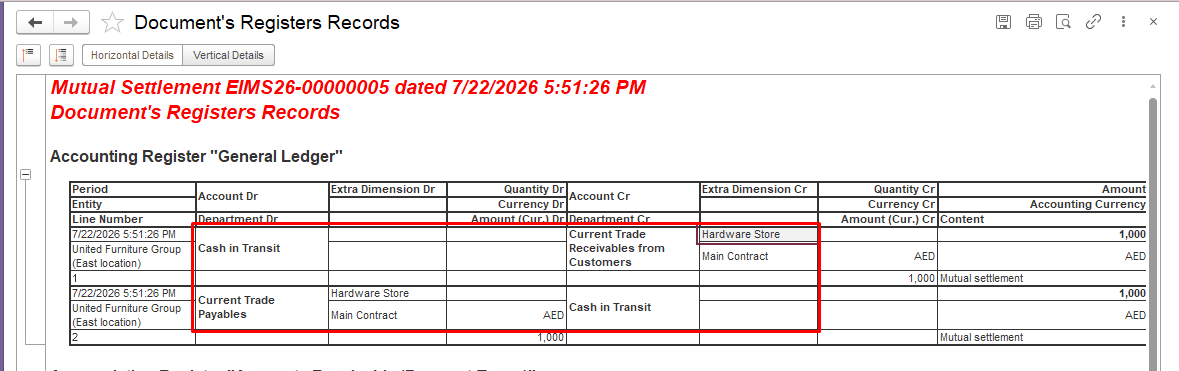
Important Notes: The actual transfer of cryptocurrency to the supplier is performed outside FirstBit Software, for example through a transfer between cryptocurrency wallets agreed by both parties.
In FirstBit Software, the transaction is recorded using standard accounting documents. The Sales Invoice and Mutual Settlement documents are used to reflect the settlement between the company and the supplier.
No bank transaction or cryptocurrency transfer document is created in FirstBit Software for this scenario.
Thank you for being FirstBIT Customer!