...
Problem: How to
...
return previously processed outgoing bank payments?
Solution: Create a Bank Receipt document as shown.
1. To record payment, create a Bank Receipt document.
At the main tab add Amount, select Transaction Type as From Supplier and pick original Bank Payment document as Basis. Put Comment if required.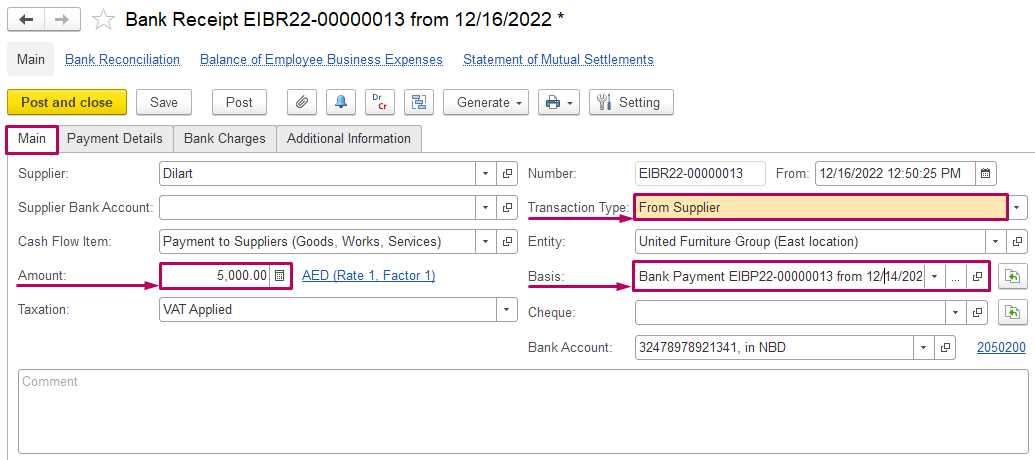
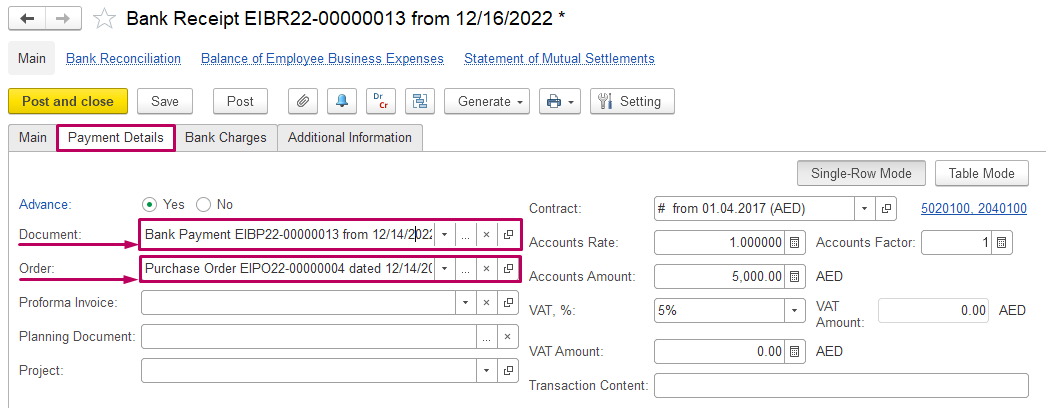
2. Add original Bank Payment as Document at Payment Details Tab and Purchase Order if applicable:
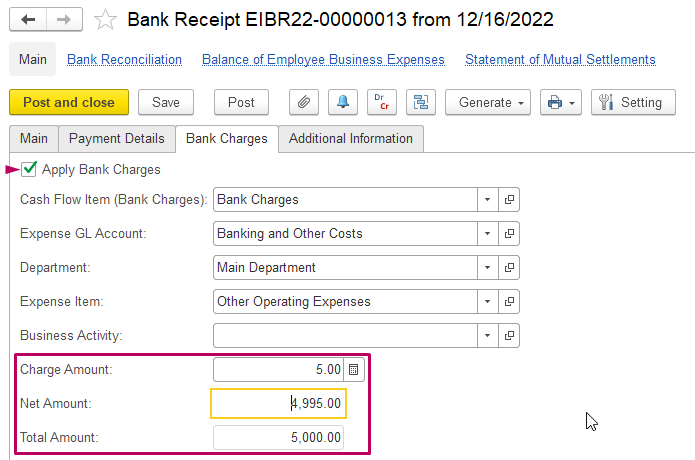
3. Apply Bank Charge at Bank Charge Tab:
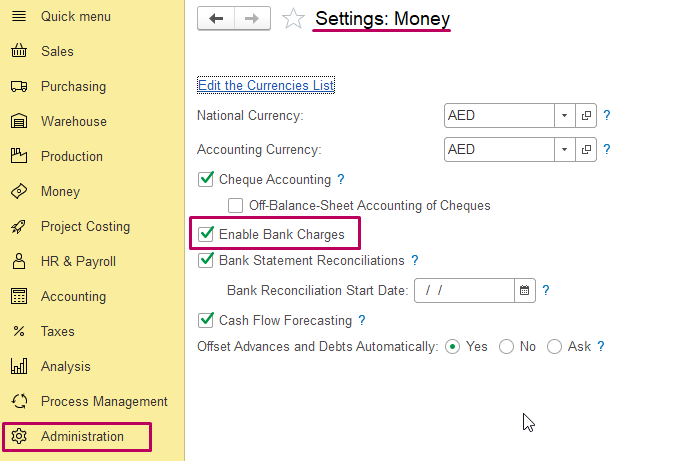
In case, if this tab is not available, enable this option in settings: Administration > Settings > Money
(Returned Bank Payment) document from "Generate" button of the original Bank Payment:
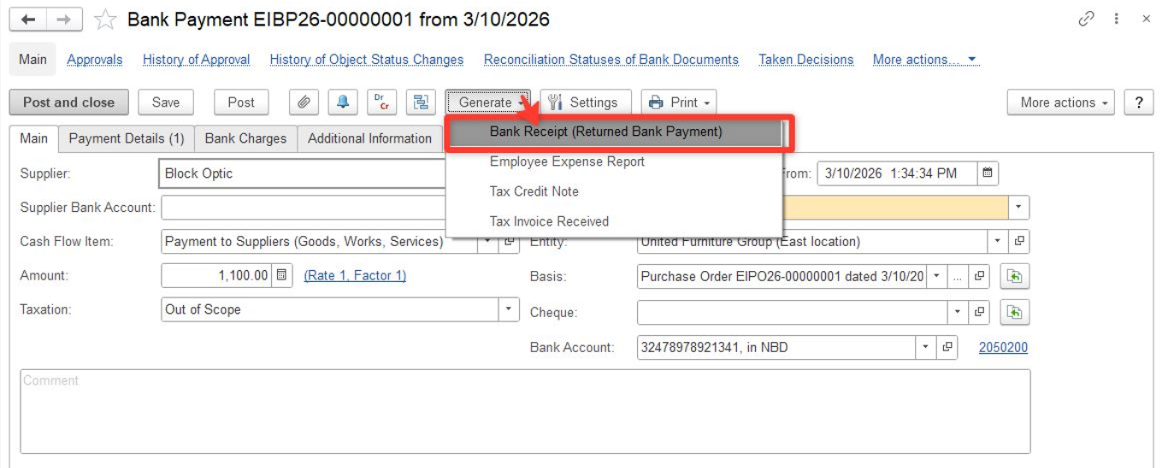
2. The original Bank Payment will be automatically reflected in the Original Payment field:
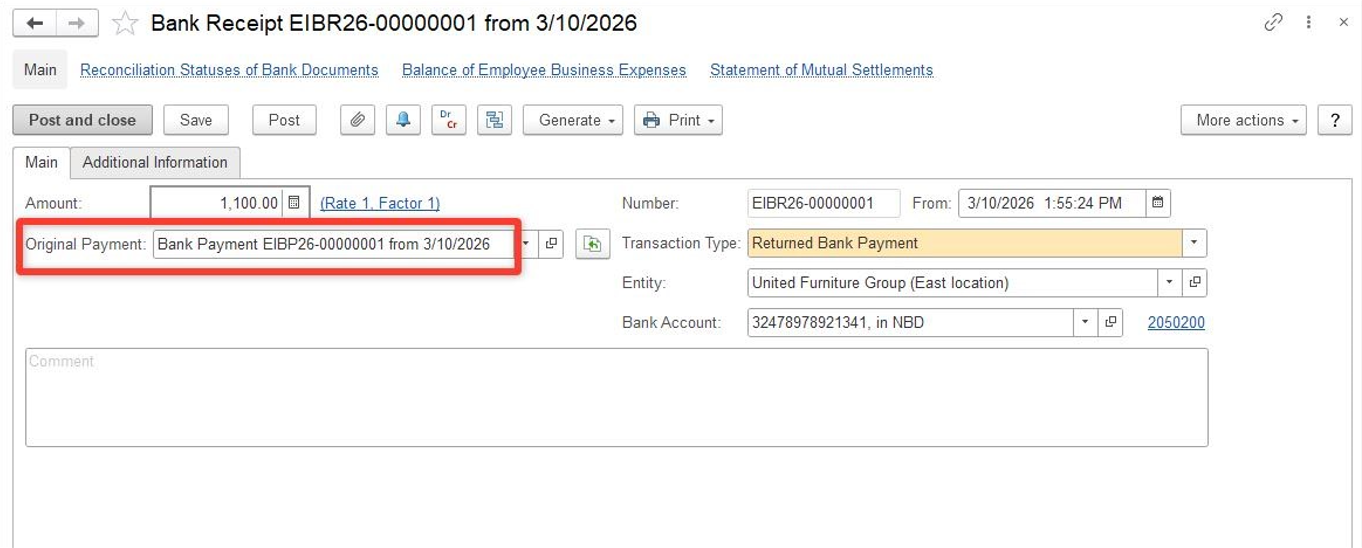
3. Then the system creates a booking record for the operation:
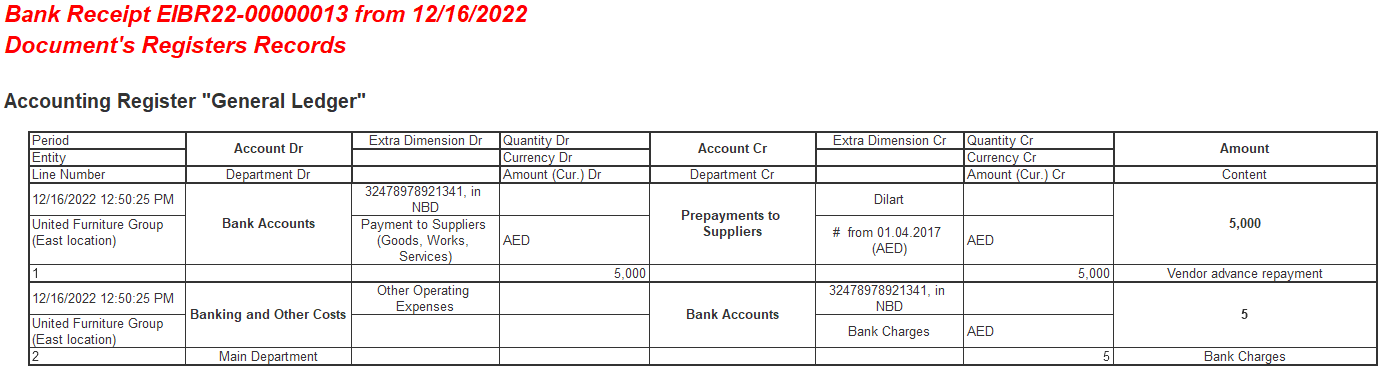
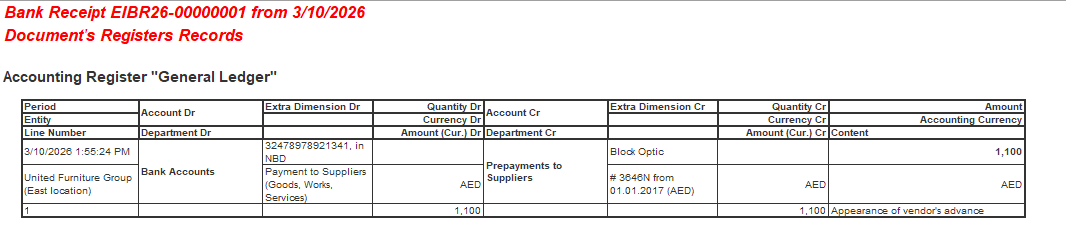
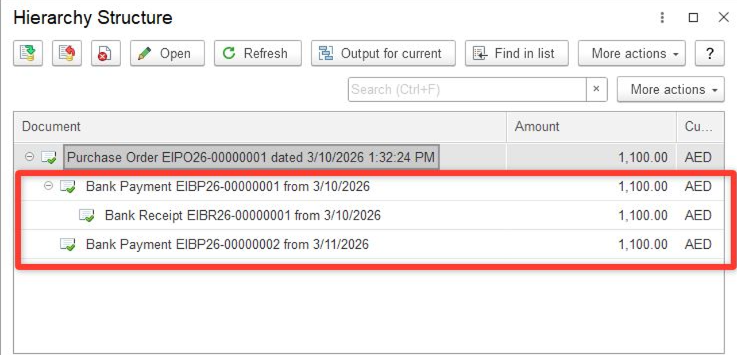
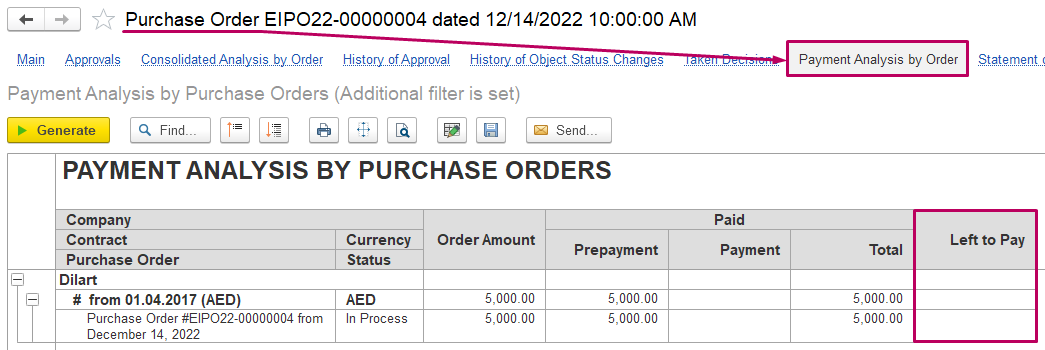
4. As Bank Payment is recorded, the basis document (there is a Purchase Order in our example) is paid:
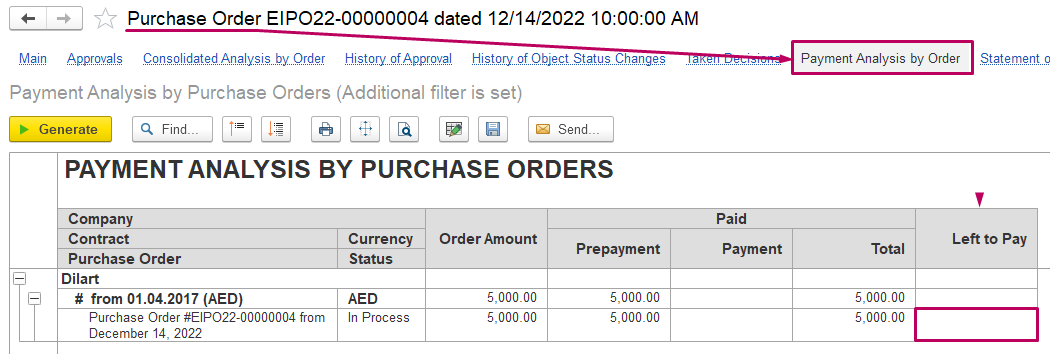
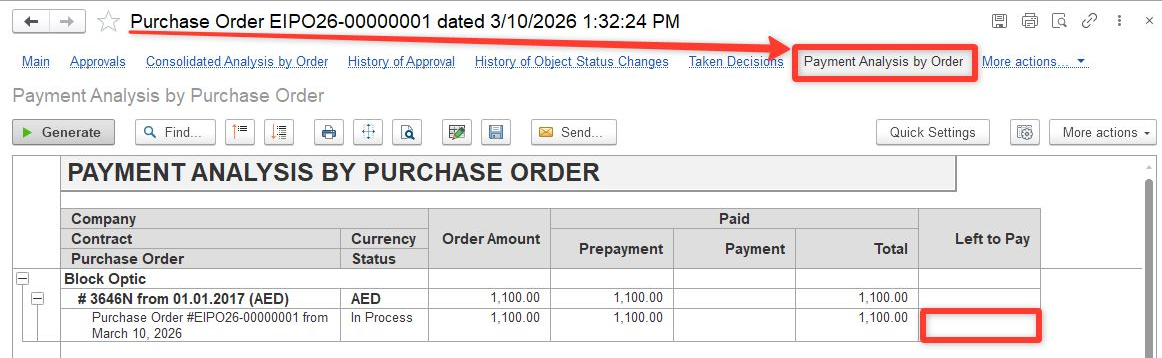
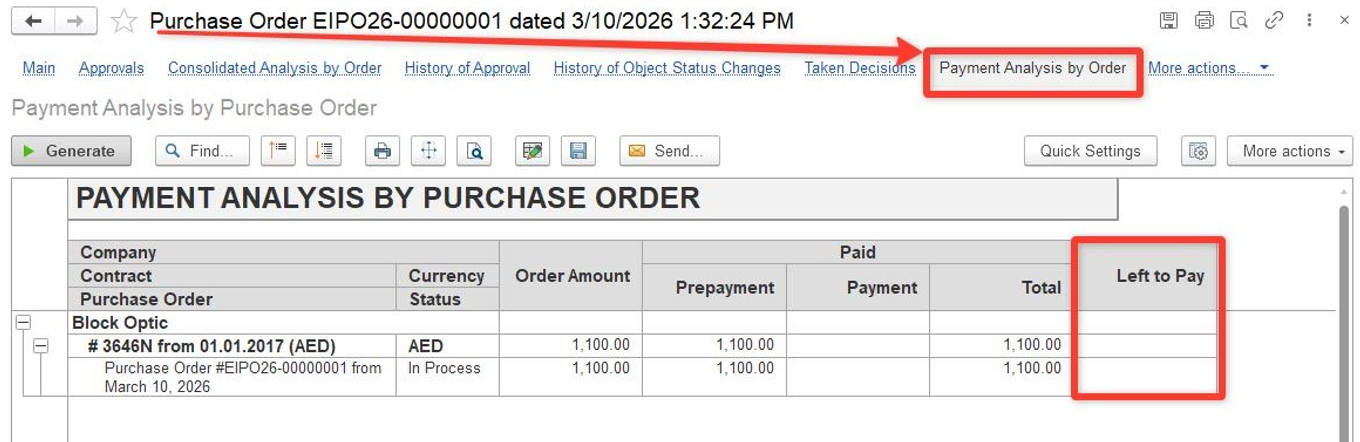
5. As Bank Payment is returned, the receipt will be reversed and the Purchase Order basis document will show the balance as left to pay:
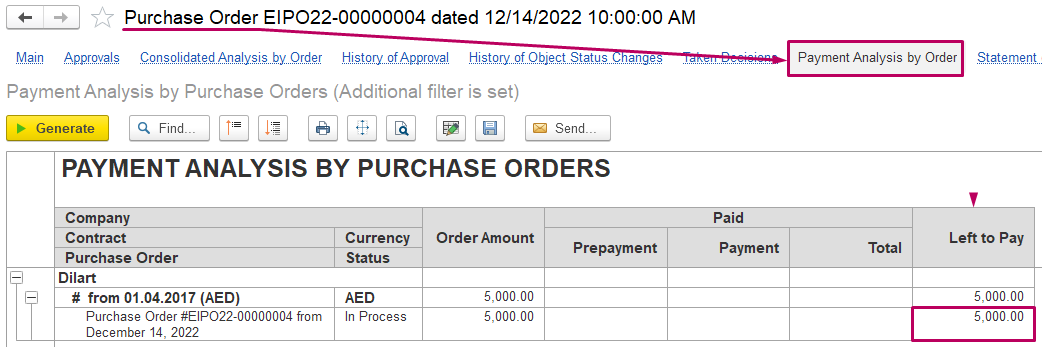
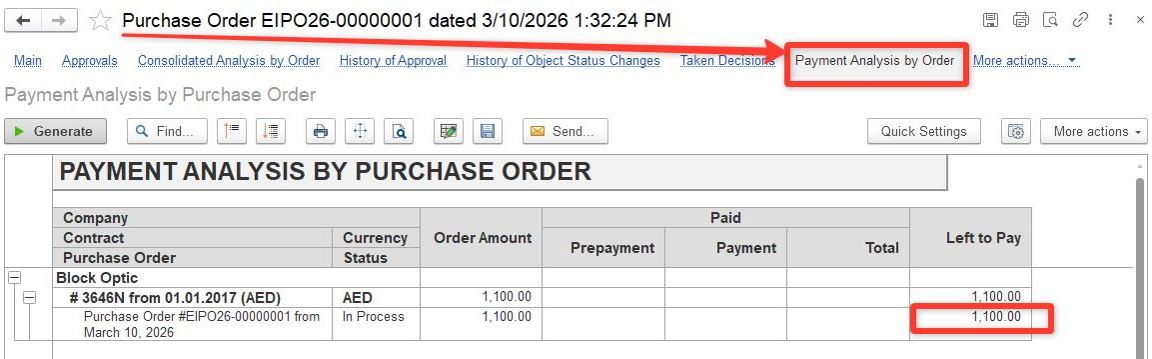
6. Then create a newBank Payment to Supplier for corresponding Purchase Order basis document if applicable to pay it again:
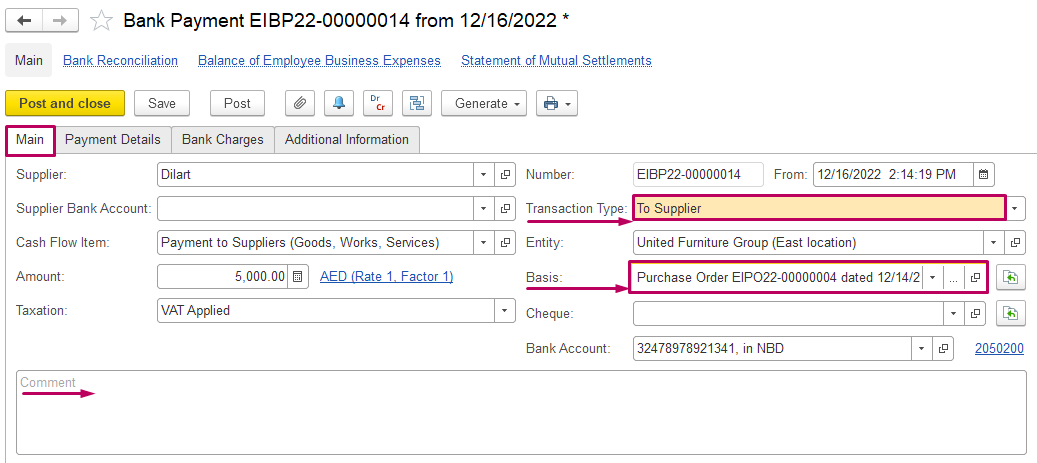
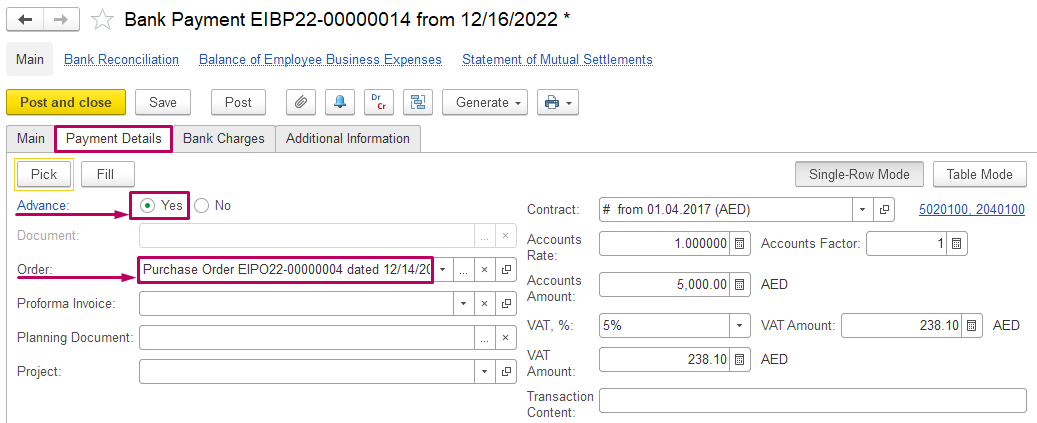
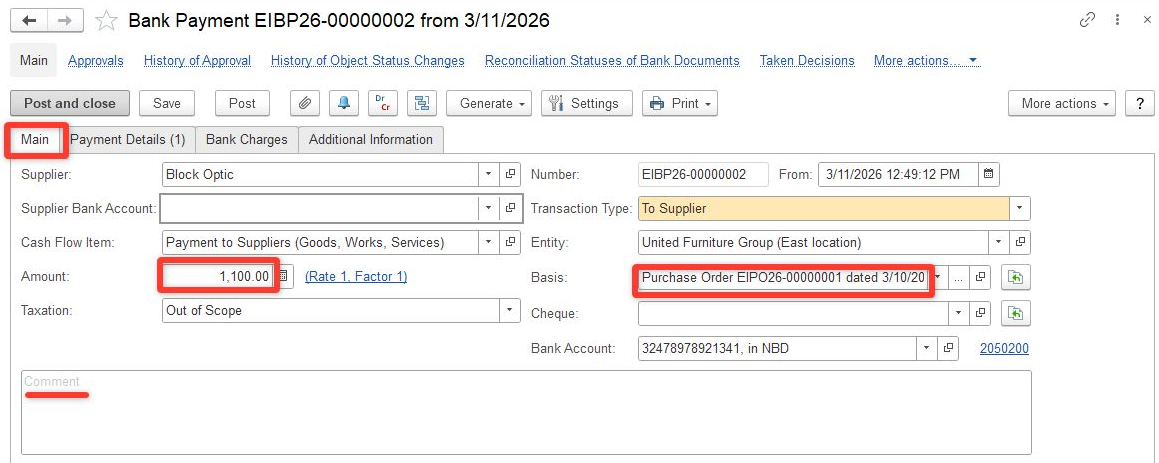
The Purchase Order basis document is paid:
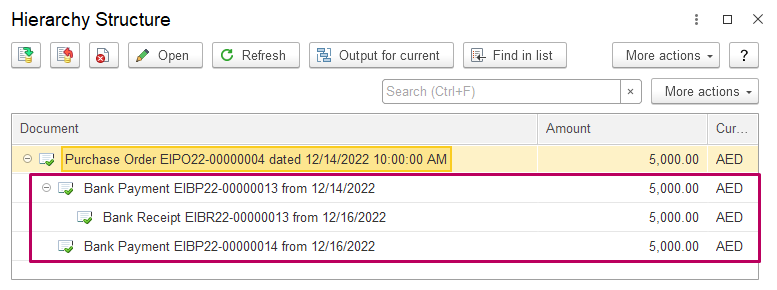
...
This process ensures that bank refunds are correctly processed in cases of returns of outgoing payments, and that cash flows correctly reflect them for subsequent reconciliation with bank statements.
Thank you for being a FirstBIT customer!
...