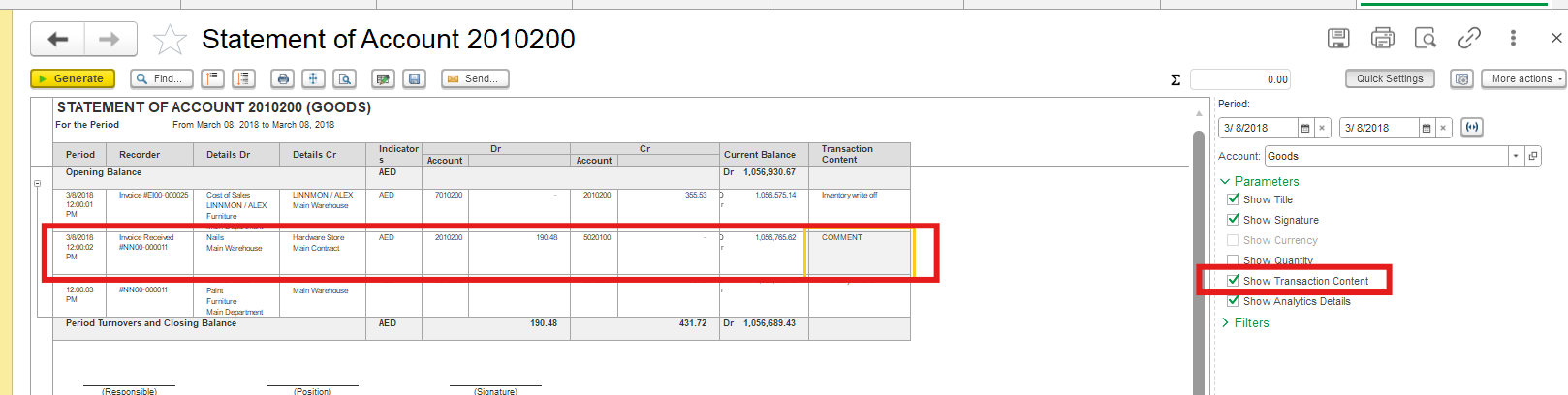
Problem: How to display the Comment entered in a document in the Statement of GL Account report?
Solution:
The Comment and Transaction Content fields have different purposes in FirstBit Software.
Comment
The Comment field is intended for internal notes related to the document as a whole. It can be used to record additional information for other users, document processing notes, or other internal remarks.
The location and availability of this field depend on the document type. For example, in Bank Payment, the Comment field is available on the Main tab and is not available for individual rows of the document.
Since Comment is a document-level field and is not associated with individual accounting entries, it is not intended for displaying transaction descriptions in the Statement of GL Account.
Transaction Content
If information needs to be displayed in accounting entries and reports, use the Transaction Content field.
Transaction Content is used to enter a short description or explanation of a transaction. It is associated with the corresponding accounting entry and helps users understand the purpose and nature of the transaction when reviewing journal entries and accounting reports.
For example, in payment documents, Transaction Content can contain a short description of what a particular payment amount relates to.
Unlike Comment, Transaction Content is available for transactions across documents and can be associated with individual accounting entries. Therefore, it is the appropriate field for information that needs to be visible in the Statement of GL Account.
In summary:
Comment — internal notes about the document as a whole. It is not intended for accounting entries and reports.
Transaction Content — a description of the transaction associated with accounting entries and used to clarify their purpose when reviewing journal entries and reports.
If your company does not use internal document comments, the Comment field can be hidden from the document form using Change Form or moved via document settings to the Main tab as a general comment for the entire document, to avoid confusion between these two fields.
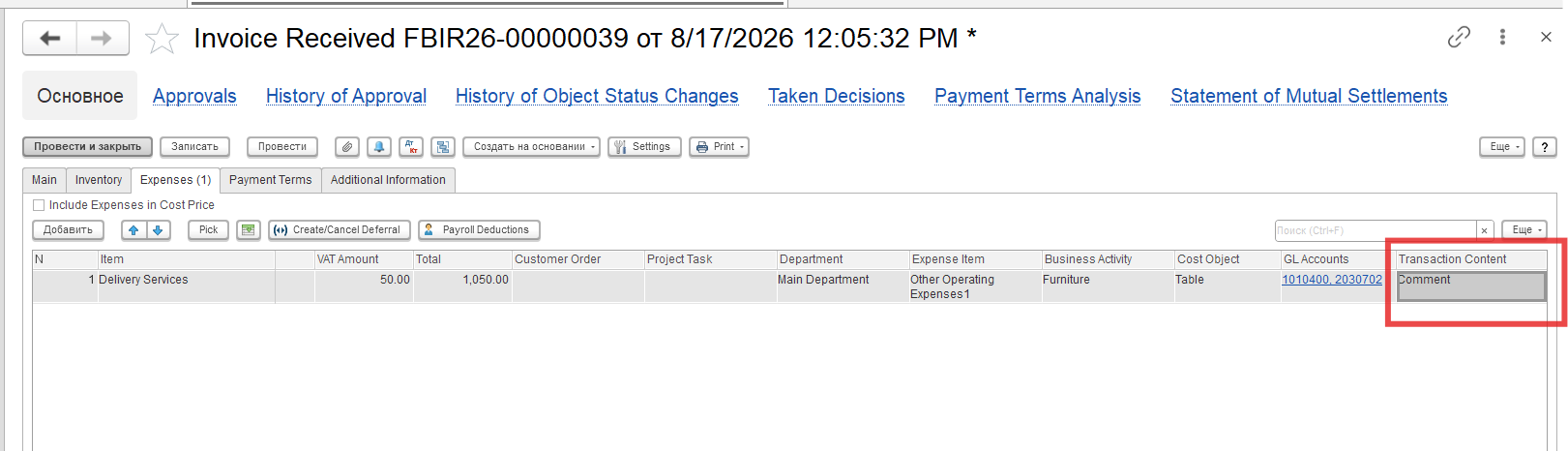
Standard accounting reports (Trial Balance, Statement of GL account) are generated based on accounting registers and their settings are predetermined by the developers. Unfortunately, the ability to make changes (including the addition of a Comment tab) to these reports by users is limited - they are given to us by the developers with the minimal ability to change the settings.
In order to generate the Statement of GL Account report with additional information, kindly use Transaction Content field, which is available in every document in user mode