...
Note: This is a system-controlled setting and is not amendable by users.
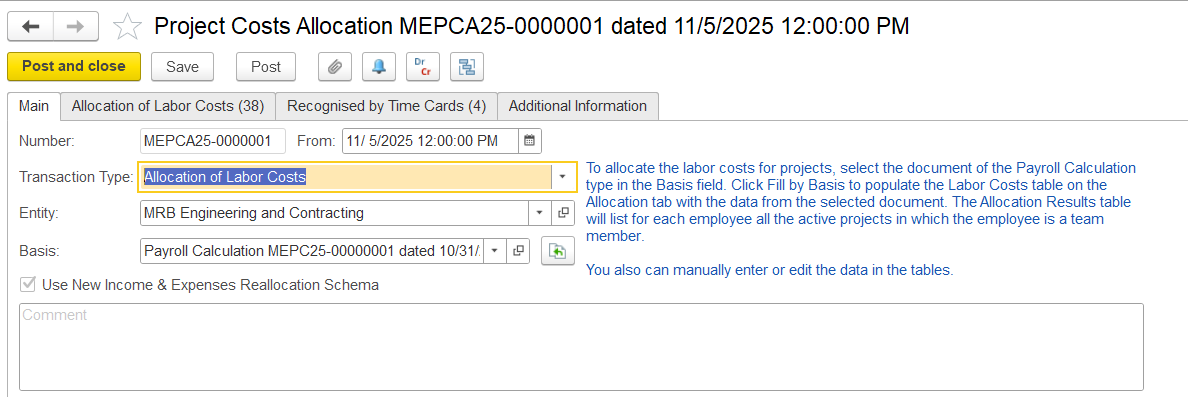
Allocation of Labor Cost
This tab is available for documents with the Labor Cost Allocation transaction type. The tab contains two tables: Labor Costs and Allocation Results.
The Labor Costs table is automatically filled based on the payroll calculation document chosen selected on the Main tab. Each employee may appear in one or more rows, depending on the number of accrual types included in the payroll document. Users can remove unnecessary rows and adjust the amounts to be allocated.
Deductions from payroll calculations are generally excluded from project cost allocation to avoid double-counting project costs. However, if a deduction is marked as manually adjusted during payroll calculation, it is included in the allocation as a negative amount and distributed across projects, thereby reducing the corresponding project costs.
- Cost Item - The cost category being allocated.
- Employee - The name of the employee whose labor costs are being allocated.
- Accrual Type - Type of accrual per row.
- Expense Item - The GL expense type to which this cost belongs.
- Business Activity - The type of business activity linked to the cost.
- Department - Shows the department associated with the employee or cost.
- Amount - Total cost for this employee/accrual type that will be allocated to projects or non-project work.
- Amount (National Currency) - The value of this cost in the company’s base currency.
...
Once the basis is chosen and “Fill by Basis” is clicked, the system checks whether the employee is assigned to any active projects. If the employee is working on multiple projects, their salary is evenly distributed across them. Alternatively, when using the Time Card option is selected, allocation is based on submitted time cards for the selected period, which reflect how working hours are split among projects, and salary costs are then distributed accordingly.
...
Project costs are allocated based on the time card date. The document date must match the time card date, and only hours within the project’s proposed period are applied. If the dates don’t align, no allocation occurs.
...
The Recognized by Time Cards table tab reverses entries in the Income and Expense by Projects register that were created by timecardstime cards. This tab manages project cost allocation using employee timecards, allowing the system to reverse previous cost assignments with negative amounts and reallocate payroll costs based on actual hours worked. Only timecards from the same accounting period are considered, so costs are applied in the correct period, while any unassigned hours remain as non-project costs.
...