...
2. Create Inventory Transfer to move item from one warehouse to another.
Go to Warehouse > Warehouse Documents > Inventory Transfer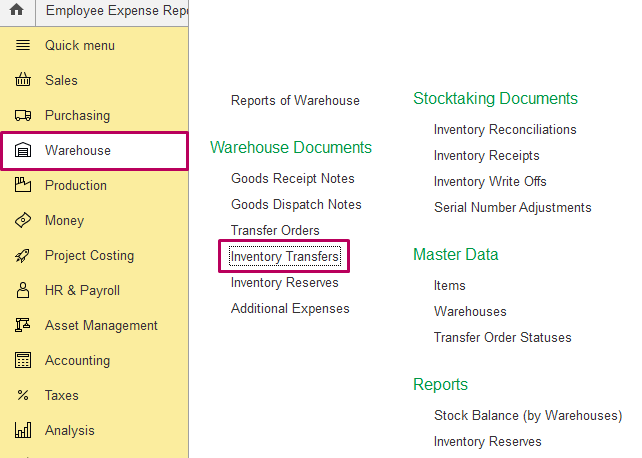
3. Create document Inventory Transfer as required: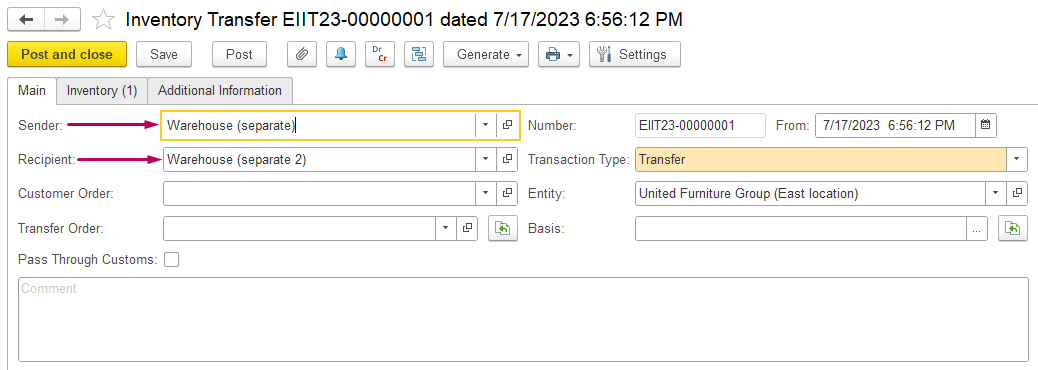
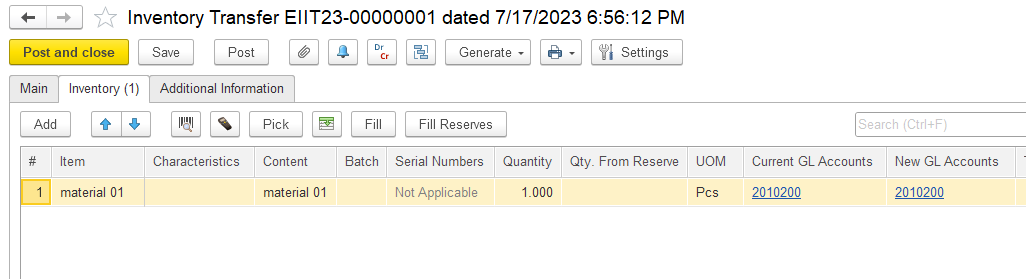
See also 5.2.4. Inventory Transfers
...
4. As Inventory Transfer is posted, in case with warehouses with Separate Inventory and Financial Documents, then Stock Balance (by Warehouse) report show this item in transit: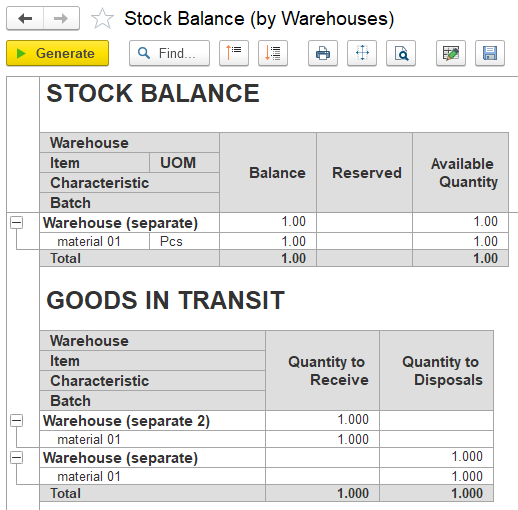
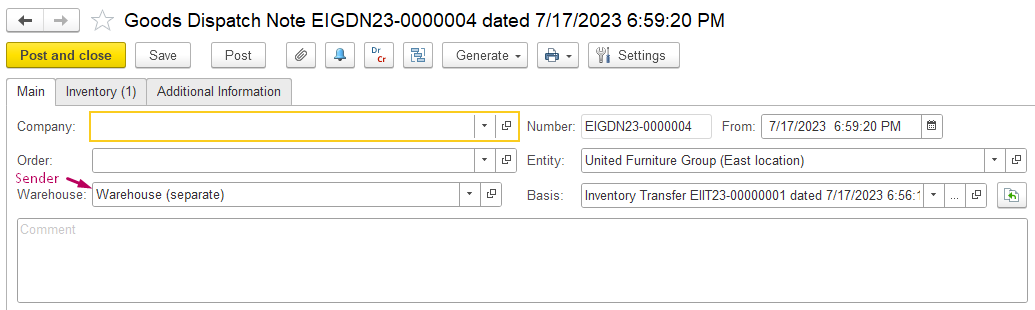
5. To complete this transaction, create Goods Dispatch Note for Warehouse Sender - generate it on the basis of Inventory Transfer: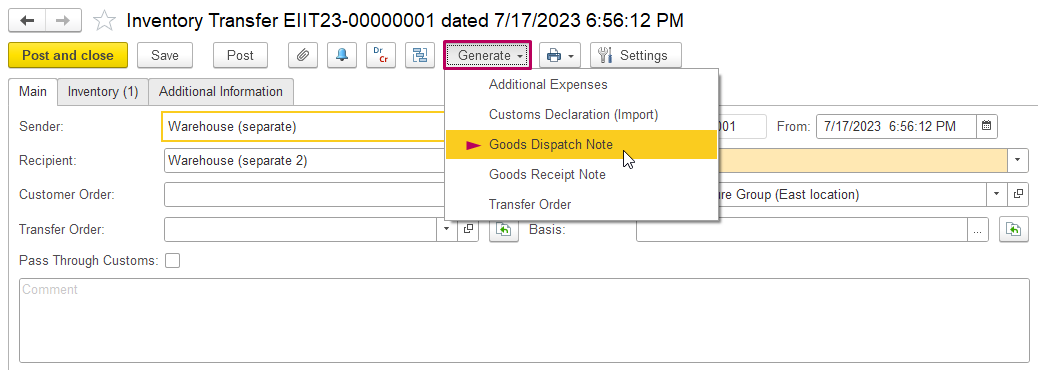
See more information here 5.2.2. Goods Dispatch Notes
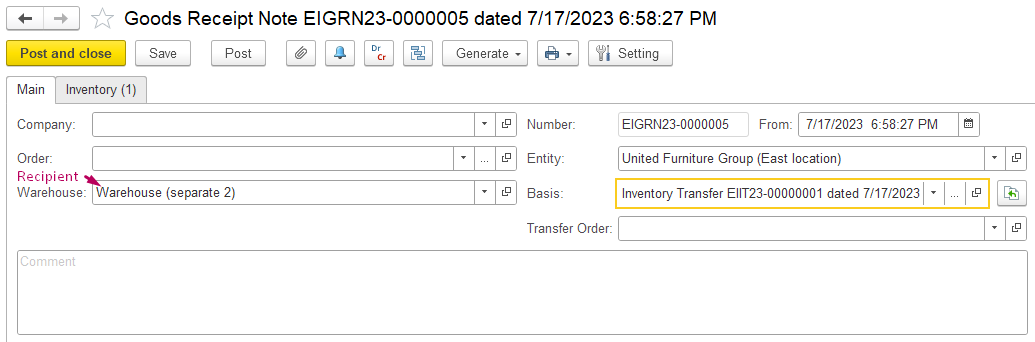
6. Generate also Goods Receipt Note for Warehouse Recipient on the basis of Inventory Transfer: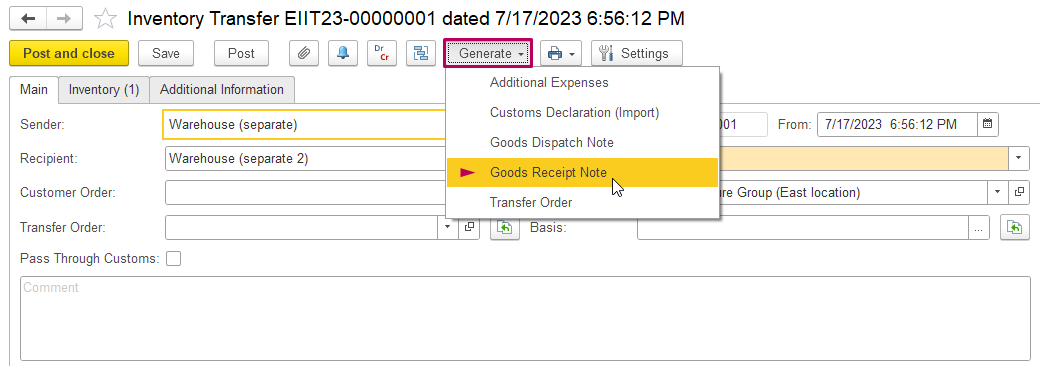
See more information here 5.2.1. Goods Receipt Notes
7. Generate Stock Balance (by Warehouse) report and check that transfer is complete: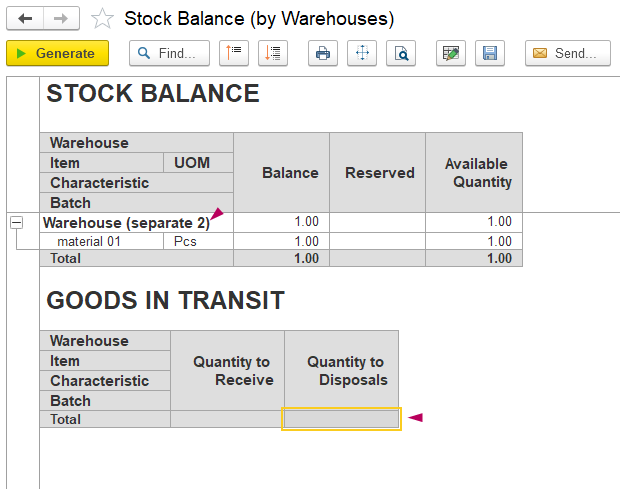
NOTE:For contracting configuration,
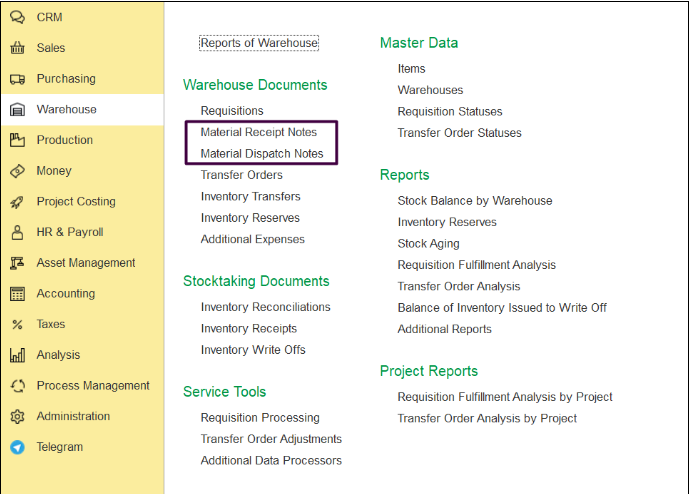
In FirstBit ERP and FirstBit ERP Contracting, these are the same documents but with different names:
- Goods Receipt Note (GRN)
...
- in FirstBit ERP is called Material Receipt Note (MRN) in FirstBit ERP Contracting.
- Goods Dispatch Note (GDN)
...
- in FirstBit ERP is called Material Dispatch Note (MDN)
...
- in FirstBit ERP Contracting.
Thank you for being a FirstBIT customer!
...