...
- Enable the “Show Balances” option if it`s not enabled:
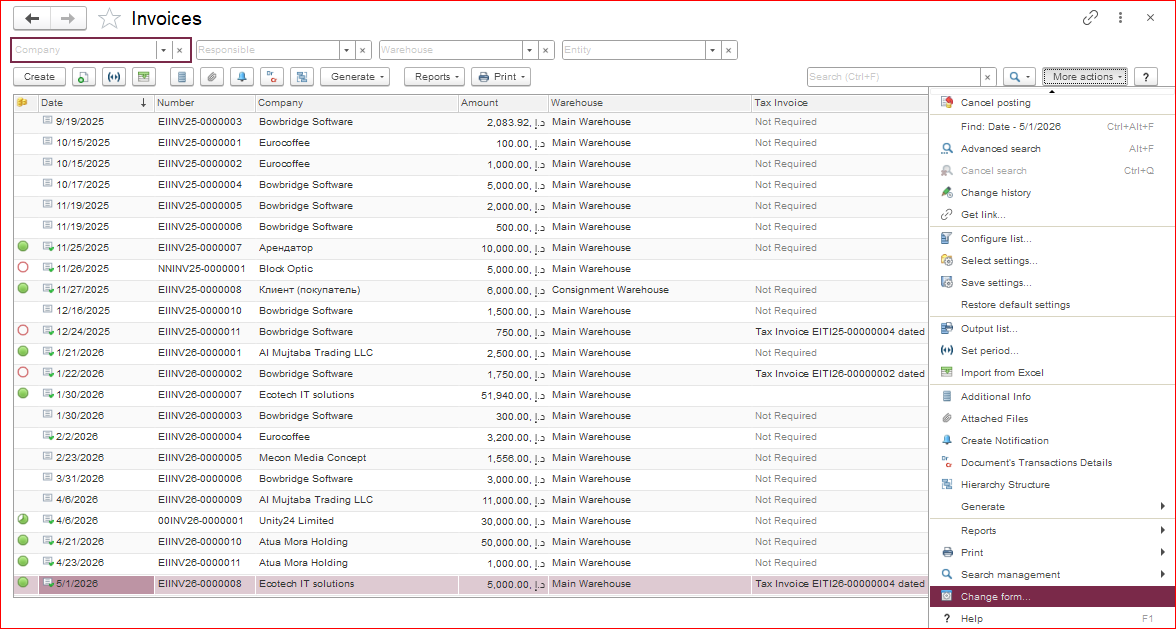
In the document list, open the “More actions” menu and select “Change Form.”
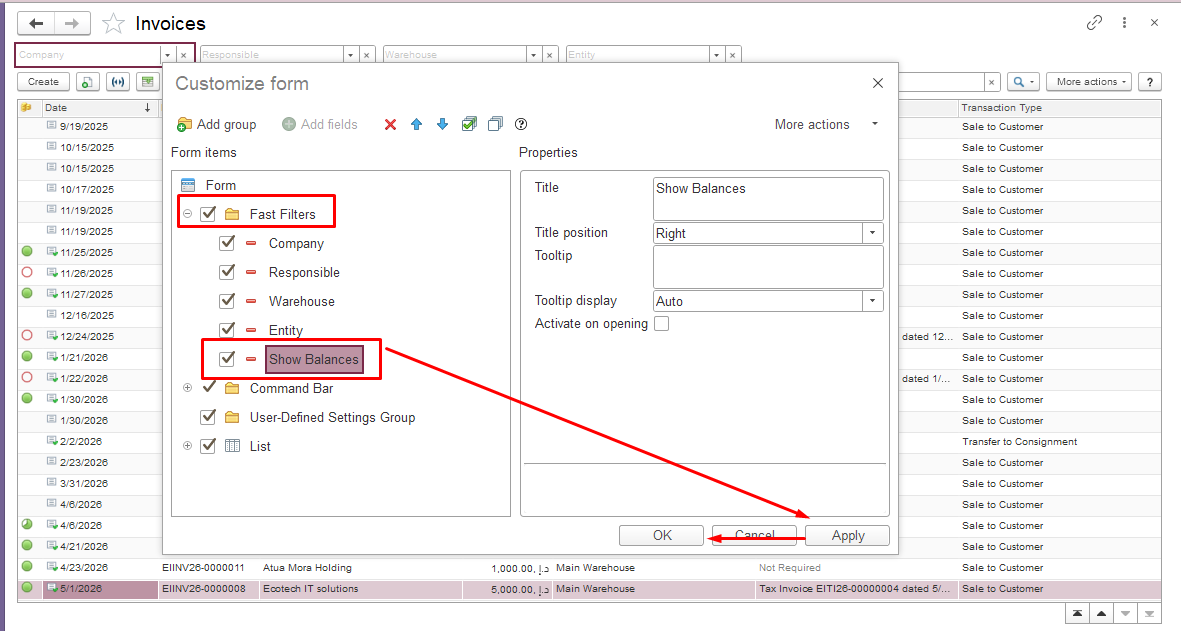
In the window that appears, go to the “Fast Filters” section, check the “Show Balances” box, then click “Apply” and “OK.”
 vbnmvnbvmvmn
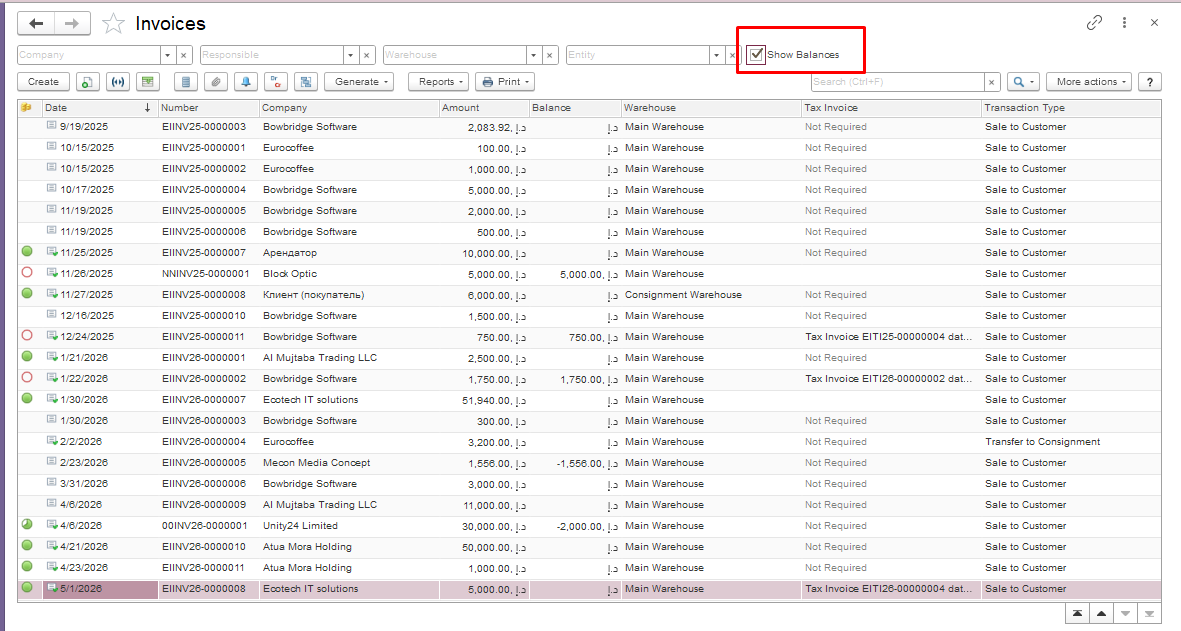
After adding this option, a new “Show Balances” field will appear in the document list. To display the balances, simply tick the box.
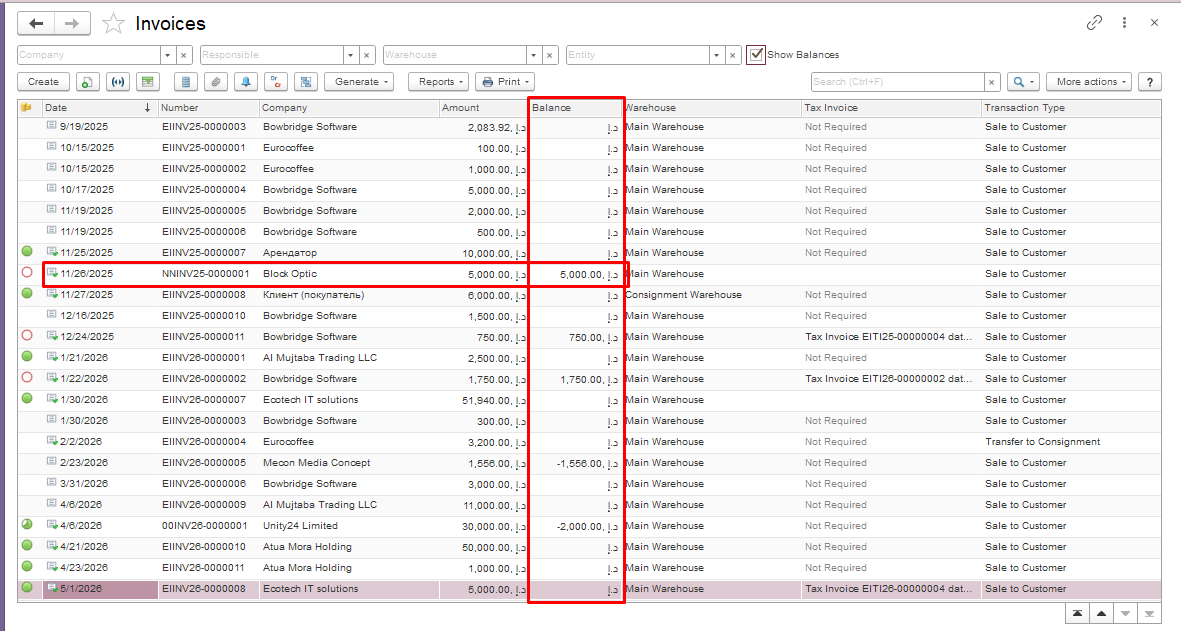
Once the function is enabled, an additional column will appear in the document list. This column displays the balance for each individual document.
Thank you for being a FirstBIT customer!
#showbalances#invoiceshowbalances#invoicereceivedshowbalances