...
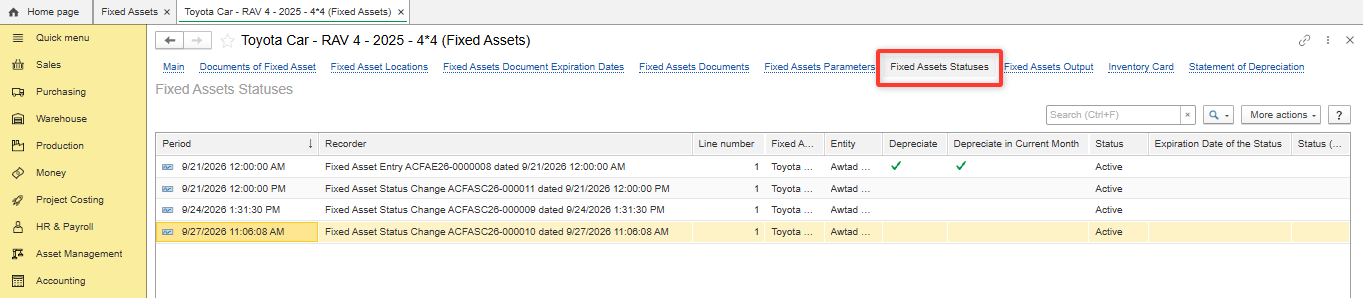
- Open Fixed Asset Statuses tab in Fixed Asset.
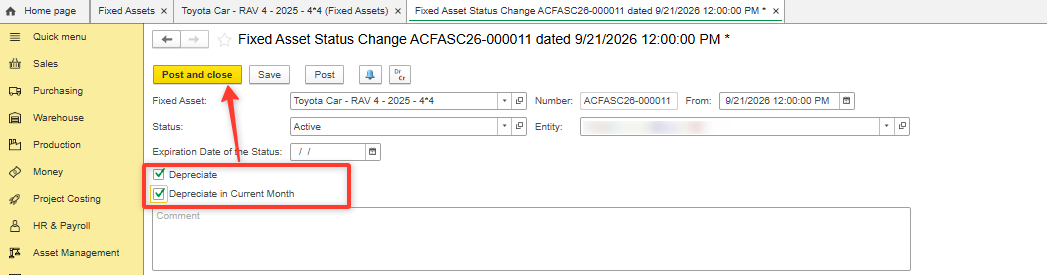
- Enable "Depreciate" and "Depreciate in current month" in each new Fixed Asset Status. Post.
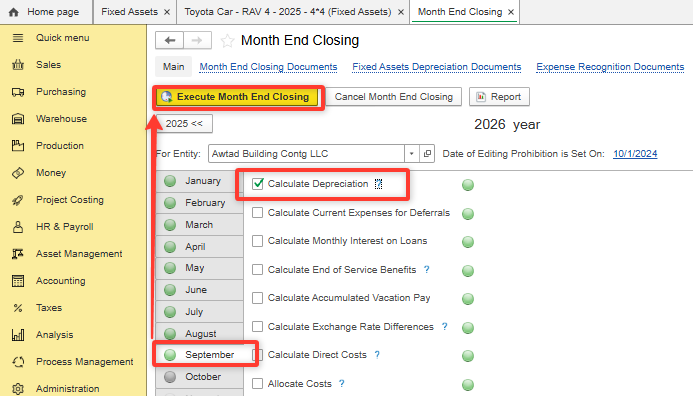
- Re-execute month end closing

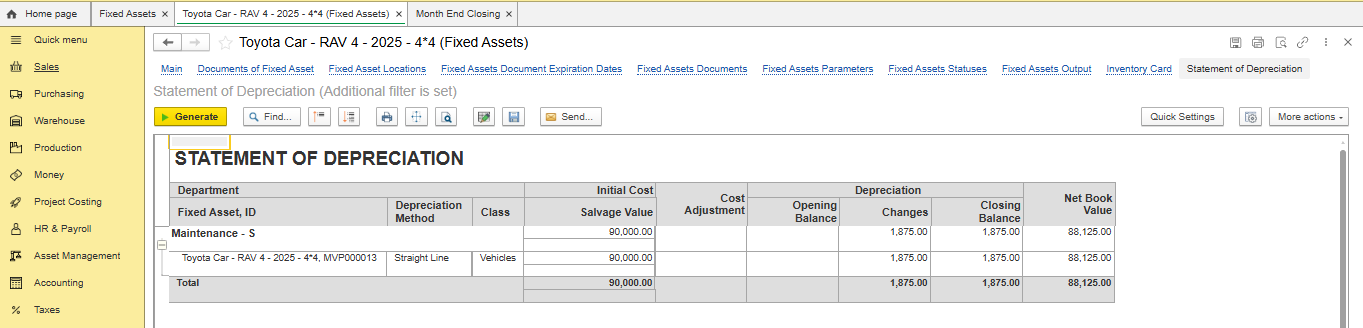
Resolution
The Depreciation is not calculated during month end closing if "Depreciate" and "Depreciate in current month" were not enabled in Fixed Asset Statuses. After posting
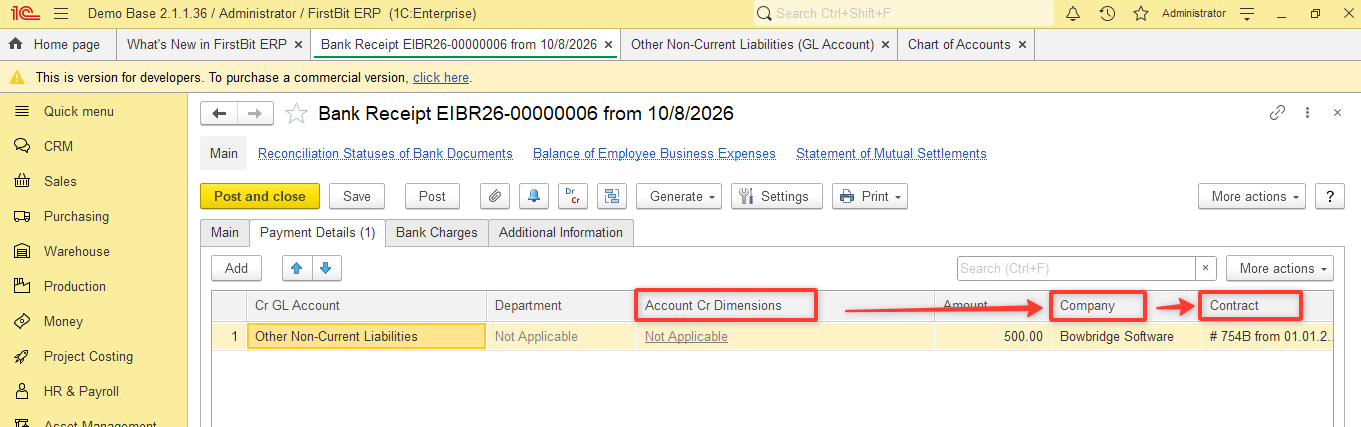
Fixed Asset Statuses month end closing should be re-executedThe “Account Cr Dimensions” field in the Bank Receipt is not Applicable because the analytics defined for the “Other Non-Current Liabilities” GL account (4060000) already correspond to the document analytics (Company and Contract). Therefore, there is no need to enter the same information twice, which helps prevent inconsistencies and reduces the risk of errors.
Related Materials
...
12.1.1. Fixed Assets
12.1.
...
4. Fixed Asset Statuses
Product / Configuration
...
Functional Area / FirstBit Software Section
MoneyAsset Management/ Accounting
Thank you for being FirstBit customer!
...
Alternative User Questions / Keywords
#Account Cr Dimensions, #Account Cr Dimensions field in Bank Receipt, #Account Cr Dimensions filed, #Account Cr Dimensions Column#Depreciation is not calculated, #Fixed Asset Statuses, #Depreciation method, #Depreciate in current month