...
Important: user cannot add a role directly to a user's Access rights. To give a user an additional role, add the role to an Access Group Profile and assign that profile to the user.
Add a Role to an Existing Custom Profile
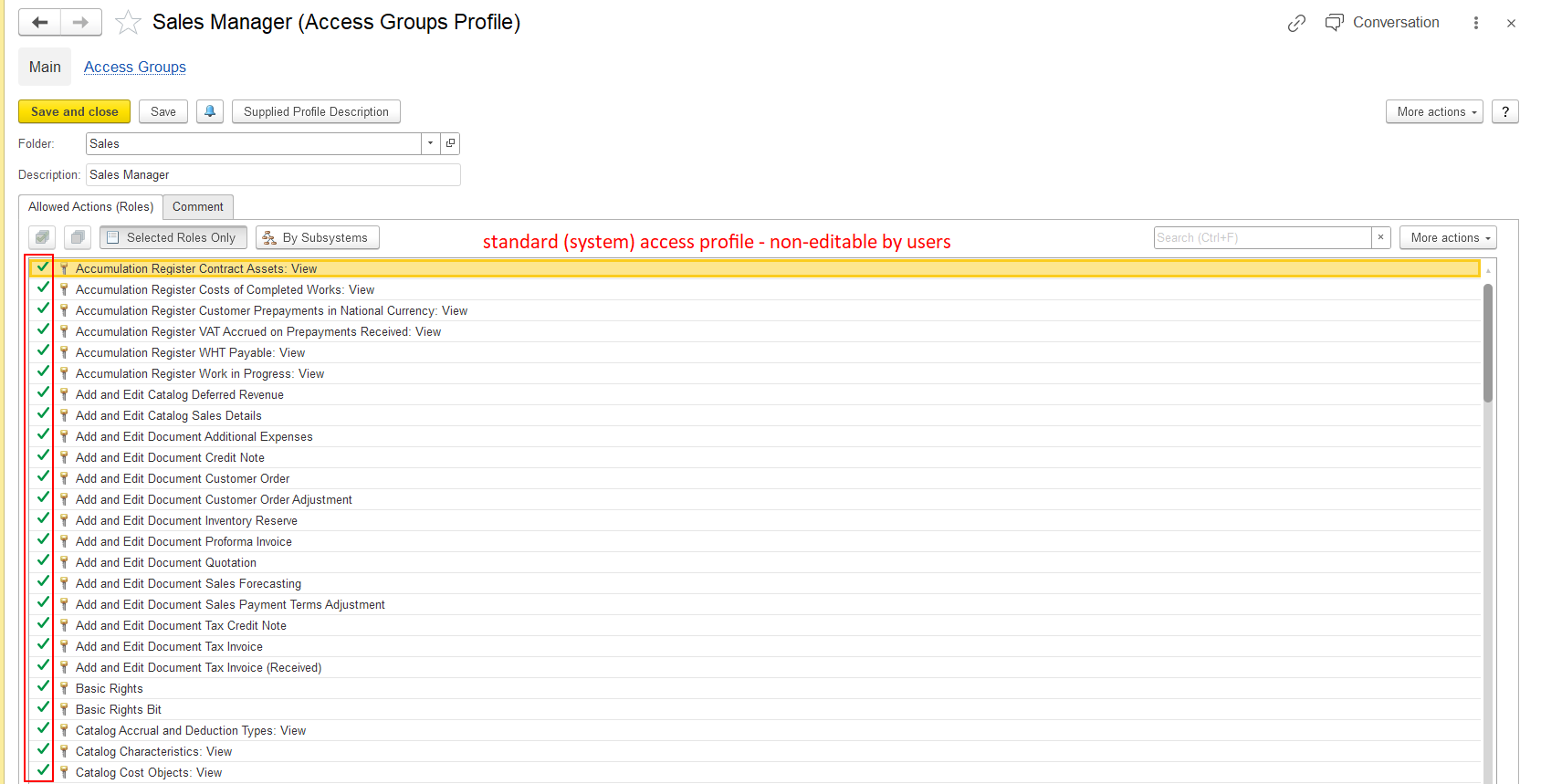
This option is available only for an editable custom Access Group Profile. Standard system profiles cannot be edited.
...
- Go to Administration → Master Data → Access Group Profiles.
- Open the required custom Access Group Profile.
- Open the Access Groups tab.
- In the Allowed Actions (Roles) area, find the required role.
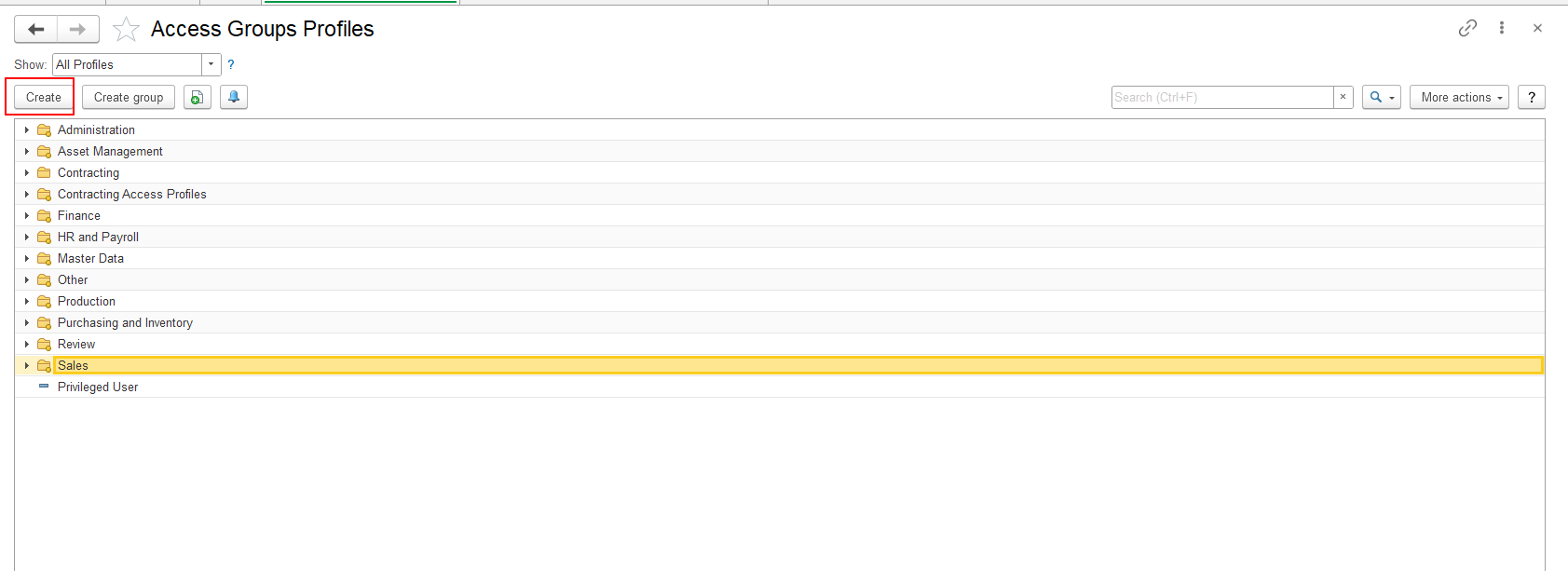
Find a Role in the List
The Selected Roles Only option controls which roles are displayed in the list.
...
Note: If the profile is already assigned to users, adding a role to that profile adds the role to the permissions provided by the profile. The affected users must log out and log in again before checking the updated access rights.
Create a New Access Group Profile with Roles
If user do not want to modify an existing custom profile, an administrator can create a new Access Group Profile containing the required roles.
...
Important: Creating a new Access Group Profile does not automatically assign it to any user.
Assign a New Profile to a User
After creating a new Access Group Profile, an administrator must assign it to the user who needs the roles included in the profile.
...
Note: You do not need to assign the profile again when you add a role to an existing profile that is already assigned to the user. The updated role is included in the permissions provided by that profile.
Log Out and Log In Again
After adding a role to a profile or assigning a new profile to a user, the affected user must log out and log in again.
...
Important: Do not check the updated permissions in the user's existing session. Log out and log in again first.
Standard System Profiles
Standard system Access Group Profiles are predefined and cannot be modified. You cannot add or remove roles in these profiles.
If the required role cannot be added because the profile is a standard system profile, an administrator must create a new custom Access Group Profile containing the required roles and assign it to the user.
Important Notes
- Only users with administrator rights can create Access Group Profiles, add roles to profiles, or assign profiles to users.
- Roles are added to Access Group Profiles, not directly to users.
- Standard system Access Group Profiles cannot be modified.
- You can add roles to an existing custom Access Group Profile if it is available for editing.
- To add a role that is not currently included in a profile, clear Selected Roles Only before searching for the role.
- Selected Roles Only displays only roles that are already selected in the current profile, not all roles available in the system.
- A new Access Group Profile can contain one or multiple required roles.
- A newly created profile must be assigned to the required user through Users → Access rights.
- If a role is added to an existing profile that is already assigned to a user, the profile does not need to be assigned again.
- After changing access rights, the affected user must log out and log in again before checking the result.
...
Thank you for being FirstBIT Customer!
Alternative User Questions / Keywords
Alternative User Questions:
How can I add additional access rights to a user?
How can I remove unnecessary roles from a user's access rights?
How do I add or remove roles in an Access Group Profile?
Why can't I edit a standard Access Group Profile?
How can I change access rights without modifying a standard profile?
How do I create a custom Access Group Profile?
How do I assign a new Access Group Profile to a user?
Why can't I find the required role in the list?
Why are only selected roles displayed?
How do I view all available roles in an Access Group Profile?
Why are the updated access rights not applied immediately?
Do I need to reassign a profile after changing its roles?
Keywords:
#AccessRights #UserPermissions #AccessGroupProfiles #AddRoles #RemoveRoles #CustomProfile #StandardProfile #SelectedRolesOnly #AssignProfile #RoleManagement #AccessRightsUpdate