...
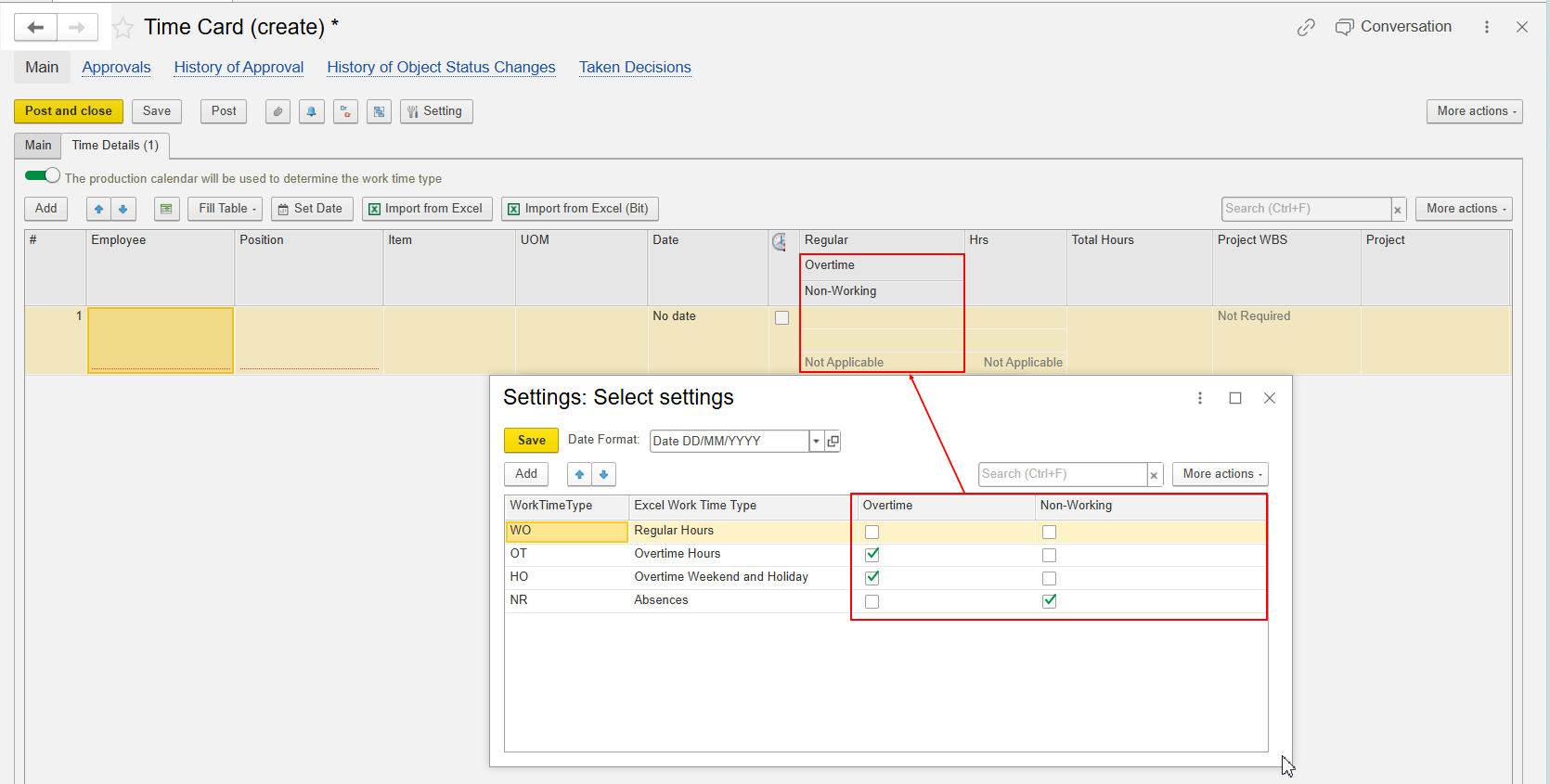
For each time type used in the Excel file, create a corresponding mapping to the required Work Time Type from the system.
Use the Overtime and Non-Working checkboxes to specify where the imported hours should be recorded in the Time Card line. Depending on the selected setting, the imported hours are assigned to the corresponding time type column, such as Regular, Overtime, or Non-Working.
For example, select Overtime for a time type that represents overtime hours. Leave both checkboxes unselected for regular working hours.
Important: The value entered for the Excel Time Type must exactly match the value used in the Excel file. The system considers letter case, spaces, and other characters when matching the value. If the value does not match exactly, the Time Type may not be recognized during import.
...