...
Period Planning focuses on organizing and allocating resources for a limited, specific period, such as daily, weekly, or monthly intervals. It addresses immediate operational needs, ensures the right resources are available at the right time, and supports detailed scheduling and day-to-day execution of tasks.
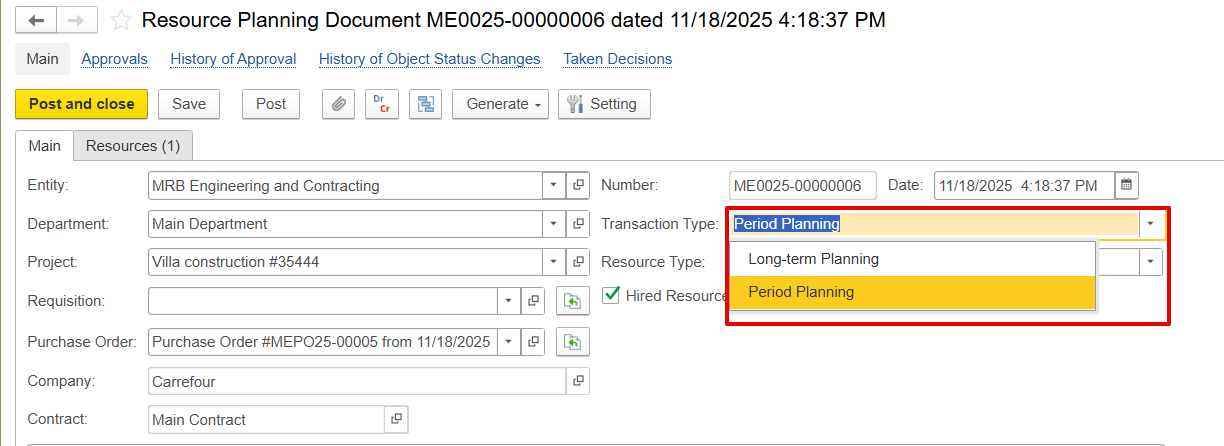
Resource type
- Fixed asset Asset resources refer to equipment, machinery, or tools used in a project. Including this type of resource in documentation helps plan and schedule its use while confirming availability. Fixed asset resources may be either company-owned or hired from an external supplier.
- Employee resources are individuals who contribute to a project. They are used for labor planning, tracking work hours, and calculating costs. Employee resources can consist of internal staff or externally contracted personnel.
...
A hired resource refers to employees or equipment acquired from an external source, enabling the management of subcontracted personnel manpower and equipment.
When the hired resources feature is activated, extra fields become available, including purchase orders, company, and contracts. These fields are used to provide the following information:
...
Go to Company Master Data and check the hyperlinks under the company name-Hired Employees and Hired Fixed Assets. Click the appropriate hyperlink.

Hired employees
- Folder - Groups employees by department or categoryFolder to group the employees.
- Code - Unique system-generated ID ID.
- Individual - Short name of the employee.
- Full Name - Legal name used in documents and reports
- Hired Resource - Marks active employees for hiring. If unchecked, it redirects to the company employee creation page
- Company - Legal entity or branch Subcontractor the employee belongs to
- Position - Job title or role
- E-mail - Employee contact detail (email)
...
- Folder - Folder to group the asset.
- Status - Indicates the asset’s stage, e.g., New, Construction in Progress, or Construction is completeActive, etc.
- Description - Short label or name of the asset.
- ID - Unique system-generated identifier.
- Type - Accounting classification.
- Category - Sub-classification under the asset type.
- Hired Resource-Company - Shows which entity owns the asset.
- Use Scheduling - Indicates that a fixed asset is linked to usage planning. When enabled, the asset becomes a schedulable resource with a calendar, allowing users to reserve and manage its availability.
...