...
To correct a prior-period error in accordance with IAS 8, record a manual journal entry in the General Ledger:
- Create a new journal entry.
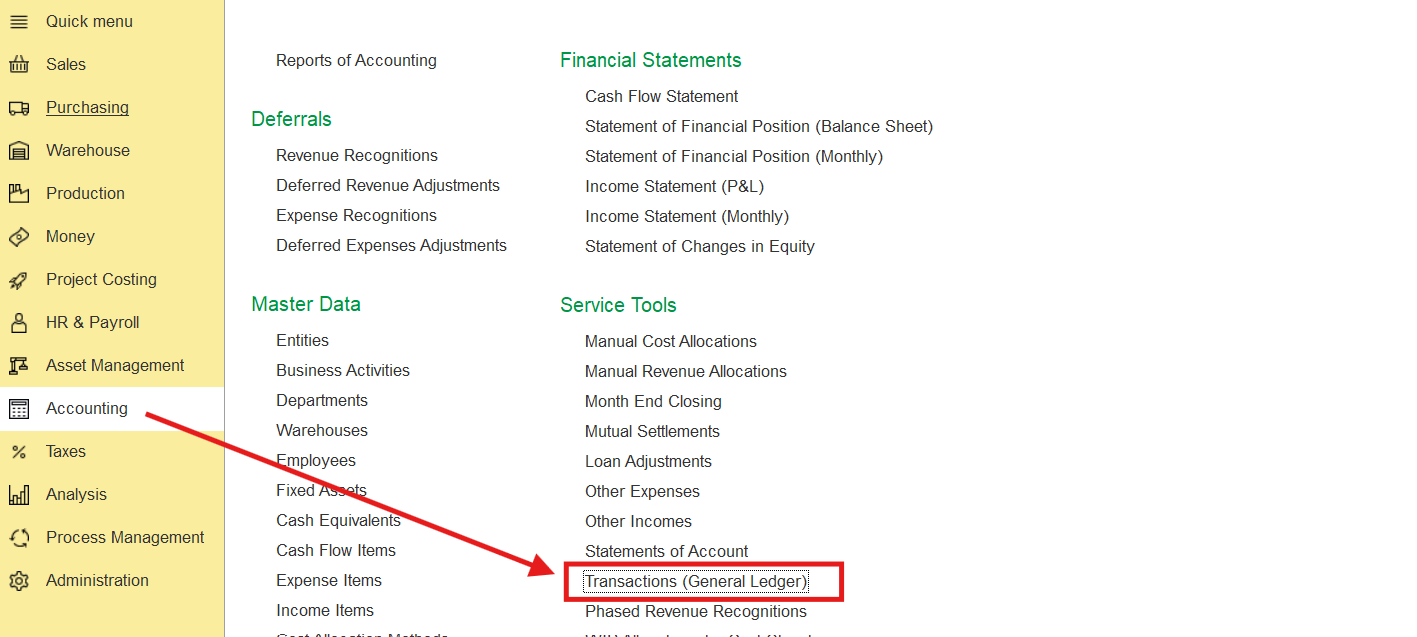
2. Specify the following lines:
Debit: Retained Earnings (the GL account for retained earnings)
Credit: the appropriate asset, liability, or expense account (e.g., Other Administrative Expenses), depending on the nature of the correction.
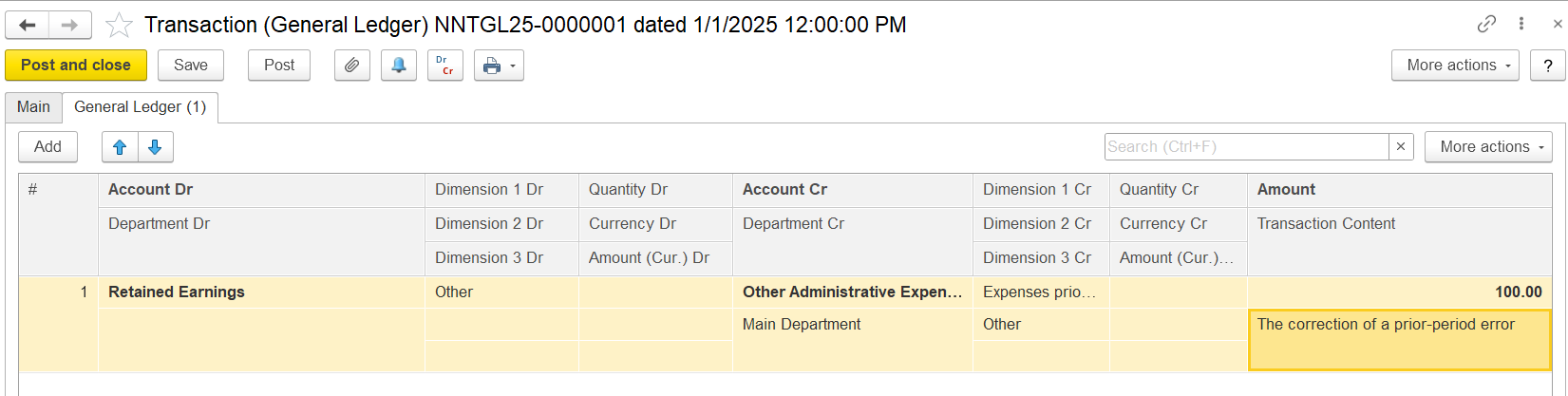
3. In the Transaction Content (description), clearly indicate that this entry represents a correction of a prior-period error in accordance with IAS 8.
4. Date the journal entry in the current reporting period as an adjustment to opening Retained Earnings (you do not backdate it to the prior period — IAS 8 does not allow reissuing or reopening prior-year ledgers for posting).
5. Post the journal entry to finalize the correction.
Thanks for being a Firstbit Customer!
...