...
Phased revenue recognition, in line with IFRS 15, is widely applied in contracting for long-term projects such as construction works that extend over several months. Under this method, revenue and costs are recognized progressively, based on the stage of contract completion of the contract, rather than solely at the time of invoicing. Any revenue recognized before invoicing is recorded as a contract asset and not as receivables until the related contractual obligations are satisfied and an invoice is issued. This ensures that project revenues are aligned with the actual progress of work performed.
Administration → General Settings → Phased Revenue Recognition.
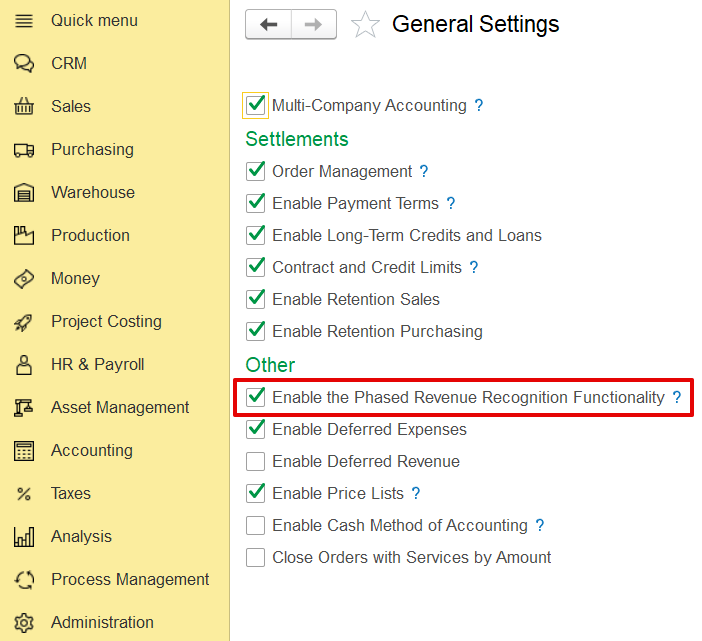
...
In addition to the main settings, phased revenue recognition must also be activated within the contract itself. To do this, open the specific contract
...
, navigate to the Terms section, and enable the Phased Revenue Recognition option.
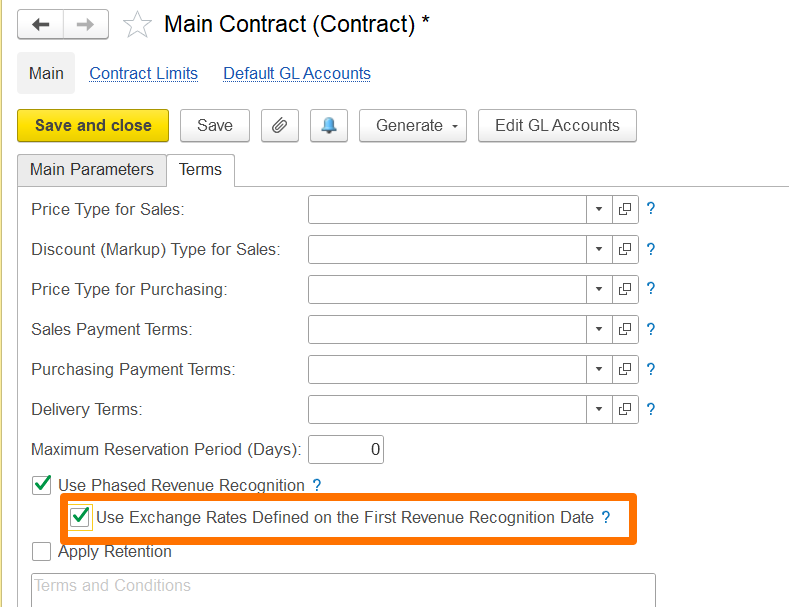
For default GL accounts, use Work-in-Progress and Contract Assets accounts
Additionally, if the contract involves a foreign currency, you can use the exchange rate defined on the first revenue recognition date to account for exchange rate fluctuations.
If enabled, the exchange rate set on the date of the first revenue recognition will apply to all subsequent phased revenue recognition documents, with gains or losses calculated only when the invoice is issued.
If disabled, gain/loss calculations will occur during month-end closing using the exchange rates applicable on each document's date.
- To create and use Work type items with associated costs, enable Use Work Type Items in Sales Documents on the Administration > Settings > Sales form. Work-type items can be used in documents such as Quotations, Customer Orders, Adjustments, Credit Notes, Tax Credit Notes, Tax Invoices, and Project Estimates.
...