The Project Progress Report enables the tracking of actual progress for project tasks (WBS lines) during a selected reporting period. It is used to monitor performance, manage progress transfers (especially for variations), and support billing processes.
Project Costing → Project Progress → Project Progress Report.
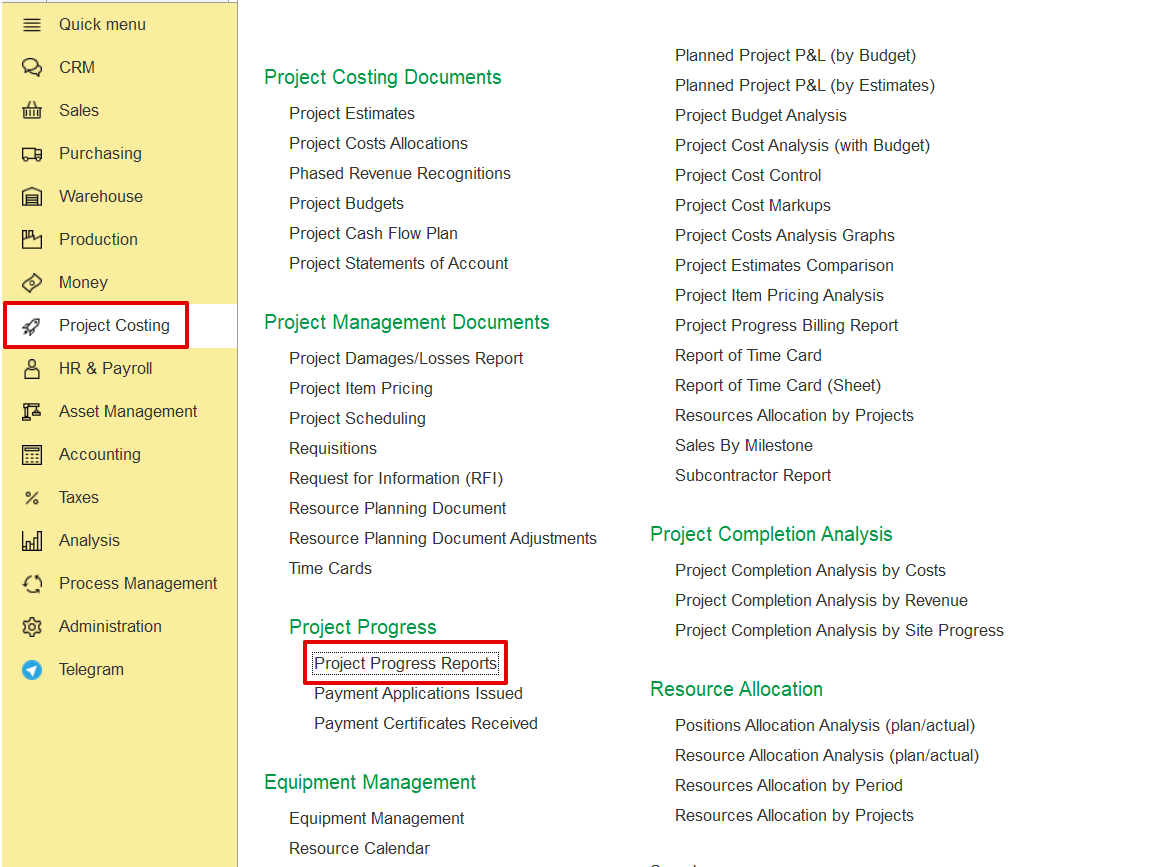
Click Create and select the required Project from the list.
The system automatically fills in the fields using the defined project structure and associated parameters.
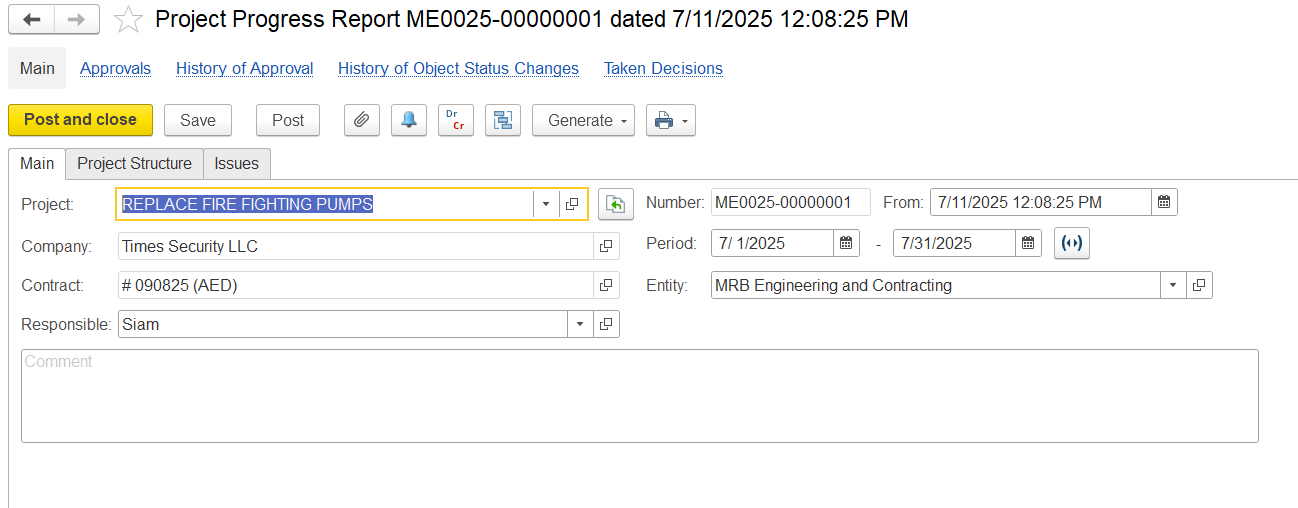
In the main Tab,
Project- Indicates the project for which the progress is being tracked.
Company- Refers to the client or project owner.
Contract- Specifies the contract number and currency under which the work is being executed.
Responsible- the person accountable for updating and submitting the progress report.
Period- Defines the timeframe for which the progress is being reported.
Entity- Specifies the Entity responsible for the physical work on site.
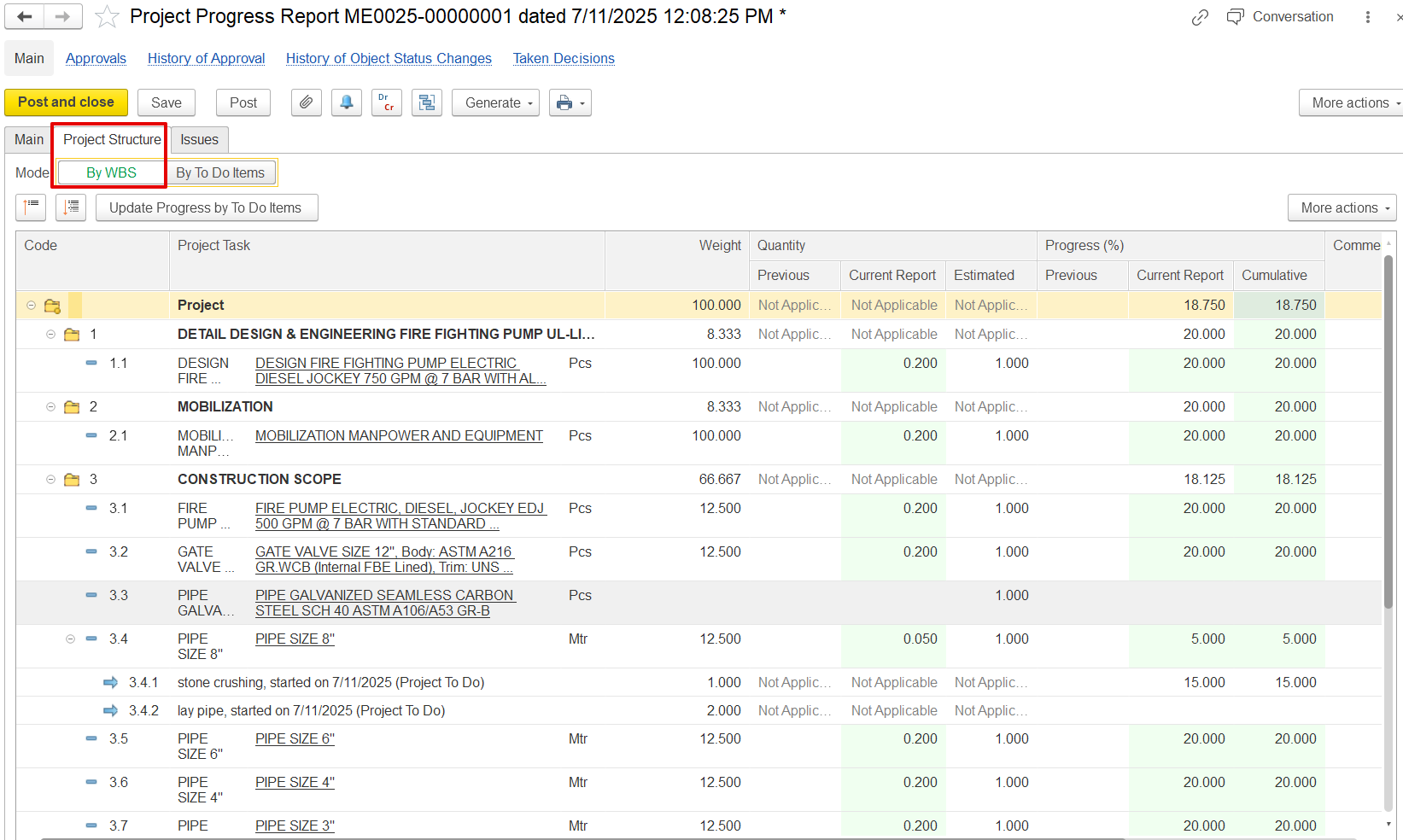
In the Project structure tab,
Code- Displays the hierarchical WBS (Work Breakdown Structure) code for each task. For example:
1is the main task “Detail Design & Engineering…”1.1Is the subtask “Design Fire Fighting Pump…”
Project Task- Describes each activity or deliverable. Tasks may be general (e.g., "CONSTRUCTION SCOPE") or detailed (e.g., "PIPE SIZE 8").
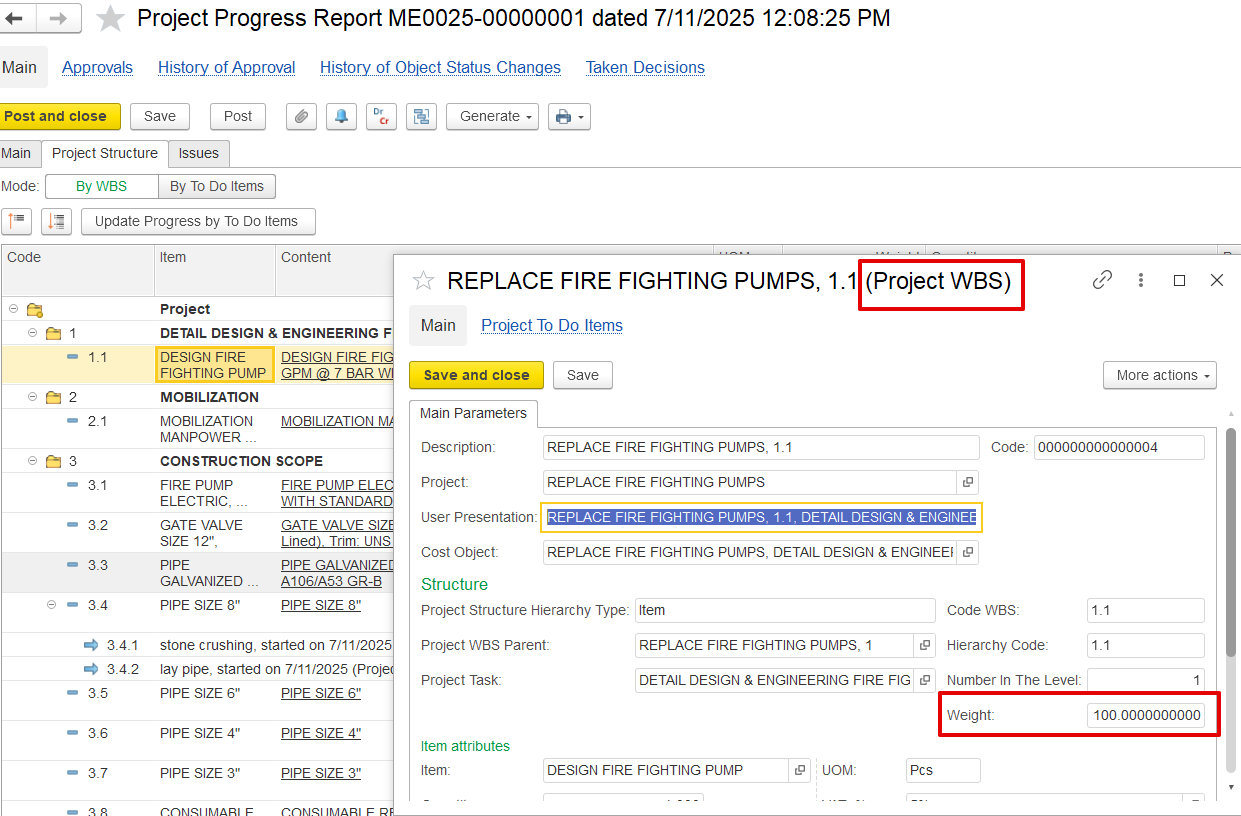
Weight- Itis set during estimation and distributed proportionally across tasks. It shows how much each task contributes to the overall project progress
Quantity – Shows work progress in terms of units and is divided into:
Previous – Quantity completed before the current report.
Current Report – Quantity newly completed in this reporting cycle.
Estimated – Total planned or expected quantity for the task.
Progress (%) – Indicates task completion in percentage and includes:
Previous – Progress achieved before this report.
Current Report – Progress added in the current update.
Cumulative – Total progress so far.
Example: For the "PIPE SIZE 8" task, 30.000% cumulative progress is shown, all of which comes from this report.
In the Issues Tab
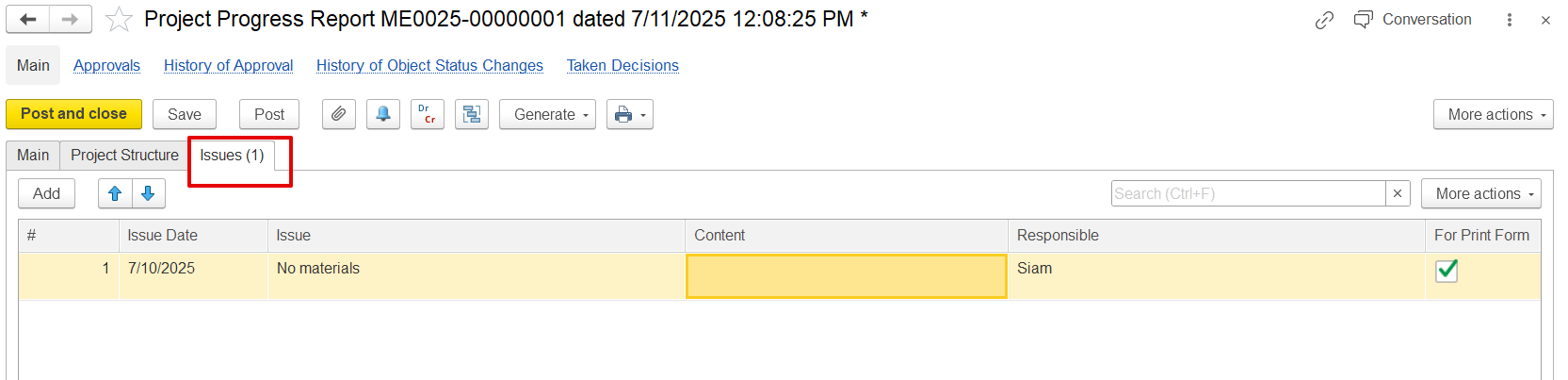
Issue Date: The date the issue was identified.
Issue: A short title or summary of the problem (e.g., "No materials").
Content: Additional explanation or context (optional).
Responsible: The person assigned to resolve or follow up on the issue (e.g., "Siam").
For Print Form: A Checkbox to indicate whether this issue should appear in the printed version of the progress report.