...
Then, choose the Progressive Invoice type from the available invoice types.
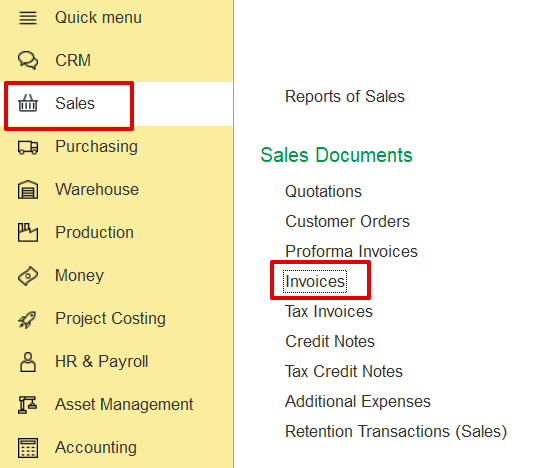
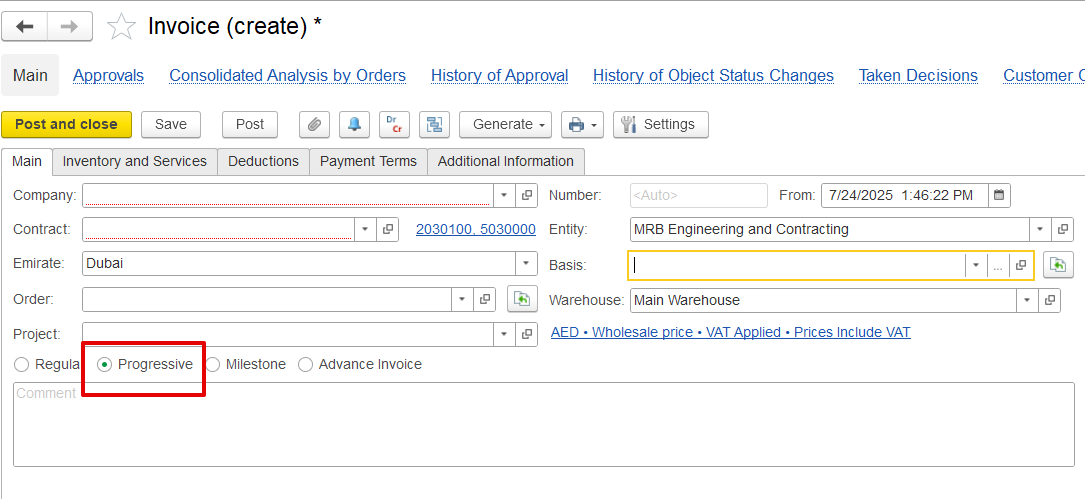
If generated from a document such as a Payment Certificate, the invoice form will have the progressive settings already applied by default . It will and also automatically populate key fields such as the project, contract, and period, and retrieve related data from the linked Payment Application and Certificate, streamlining the creation process.
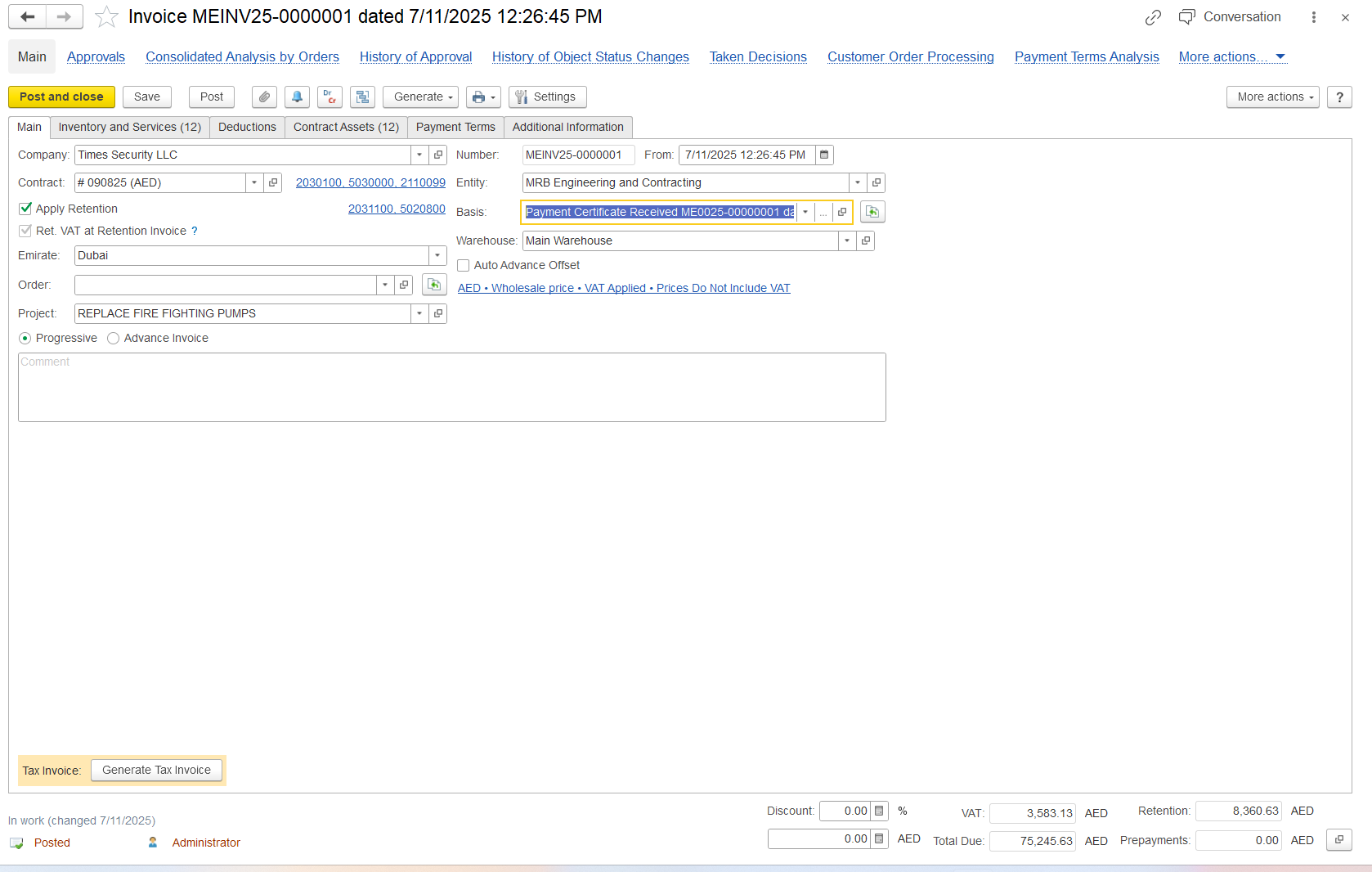
Company – The entity issuing the invoice.
Contract Number – Links the invoice to contractual terms.
Entity – The customer or contractor being invoiced.
Basis Document – Indicates the document the invoice is based on.
Project – The specific project or assignment tied to the invoice.
Invoice Type – Specifies whether the invoice follows the Progressive or the Advance invoice type.
Auto Advance Offset – If enabled, any received advance payments will be automatically applied and deducted from the invoice total, eliminating the need for manual adjustment.