...
1. How to Create a Full Project Template
Go to the Projects Module,
...
navigate to the Projects screen from the main menu.
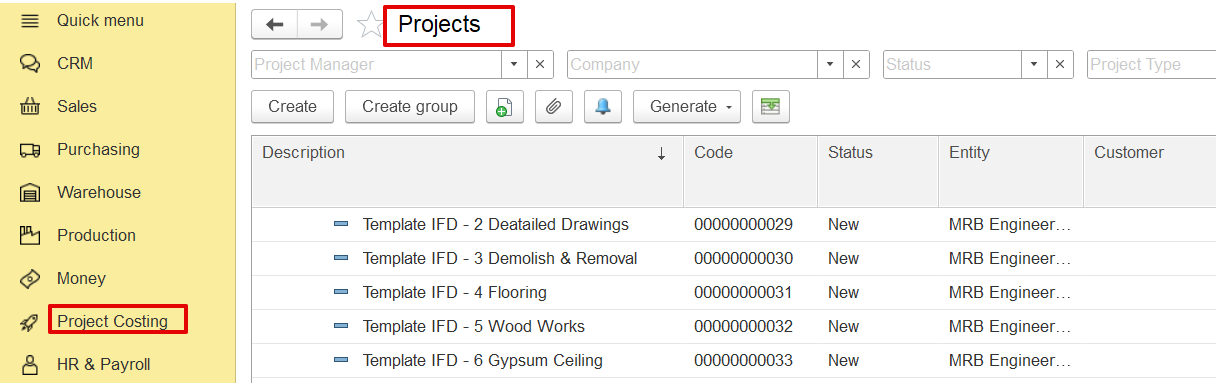
Click “Create.” to open a new project entry form.
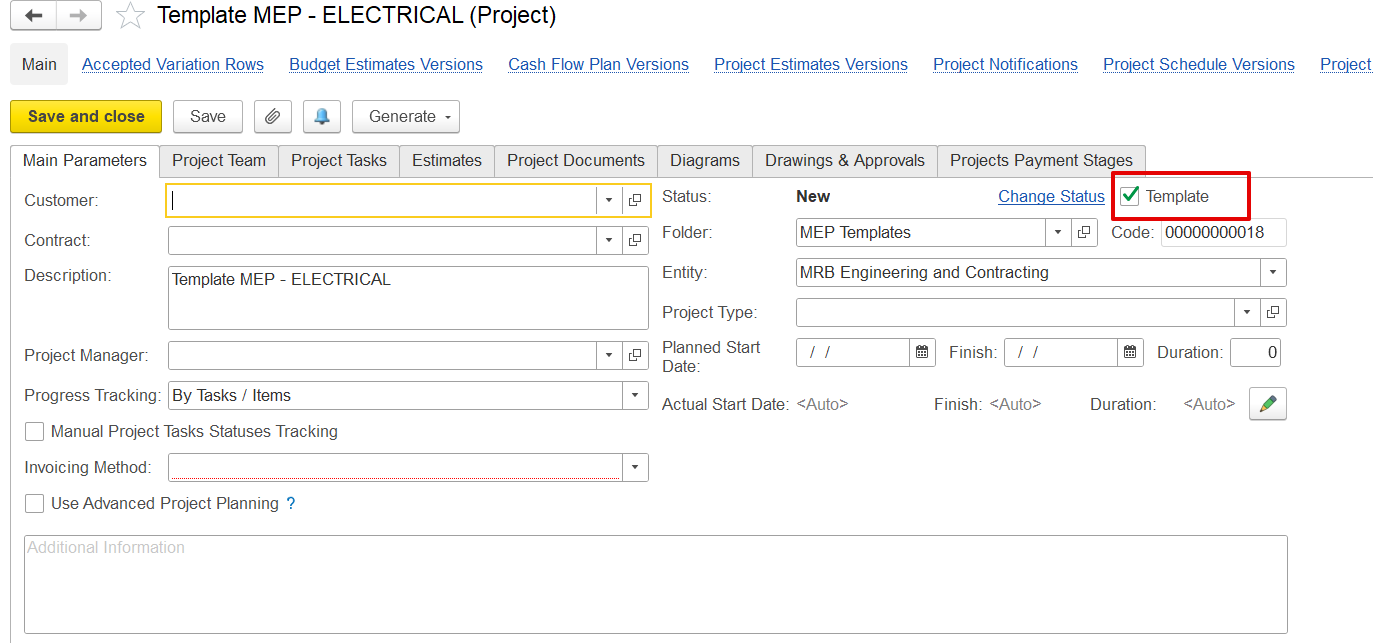
Enter Template Details
Description: Name of the template (e.g., “Template MEP – ELECTRICAL”).
Status: Set as “New”.
Check ‘Is Template’: This marks the project as a reusable template.
Entity, Company, and Project Type: Fill these as needed for categorization.
Build the Estimate Structure
Go to the Estimates tab.
Manually enter cost and revenue items or import BOQ from Excel.
Include WBS codes, units, prices, overheads, and markups.
Save
Once the structure is complete, click Save. The project is now available as a template.
...
2. How to Use a Full Project Template
...