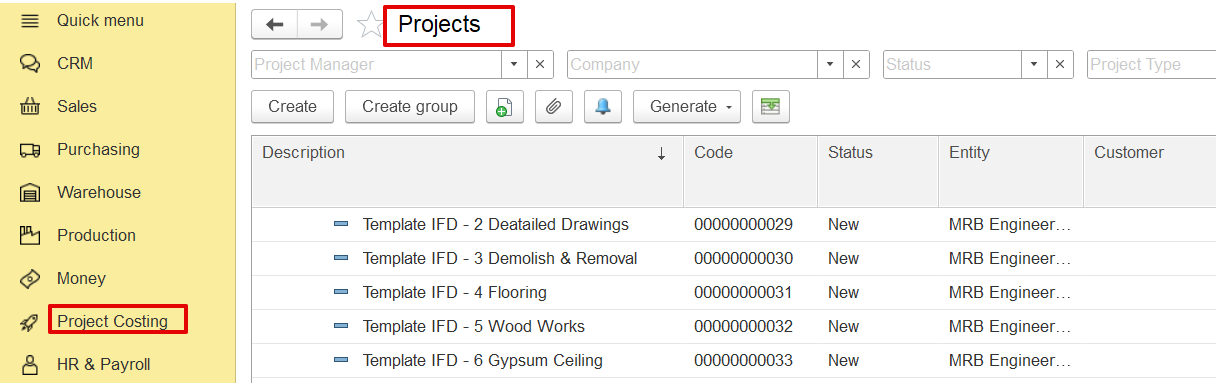
Project templates are ready-made templates that simplify creating new project estimates. They ensure consistency and save time by reusing standard formats and structures.
Each template contains predefined:
WBS (Work Breakdown Structure) or hierarchy
Cost and revenue structures
Standard tasks, UOMs, and pricing
Overheads and markup percentages (if applicable)
Go to the Projects Module, navigate to the Projects screen from the main menu.
Click “Create.” to open a new project entry form.
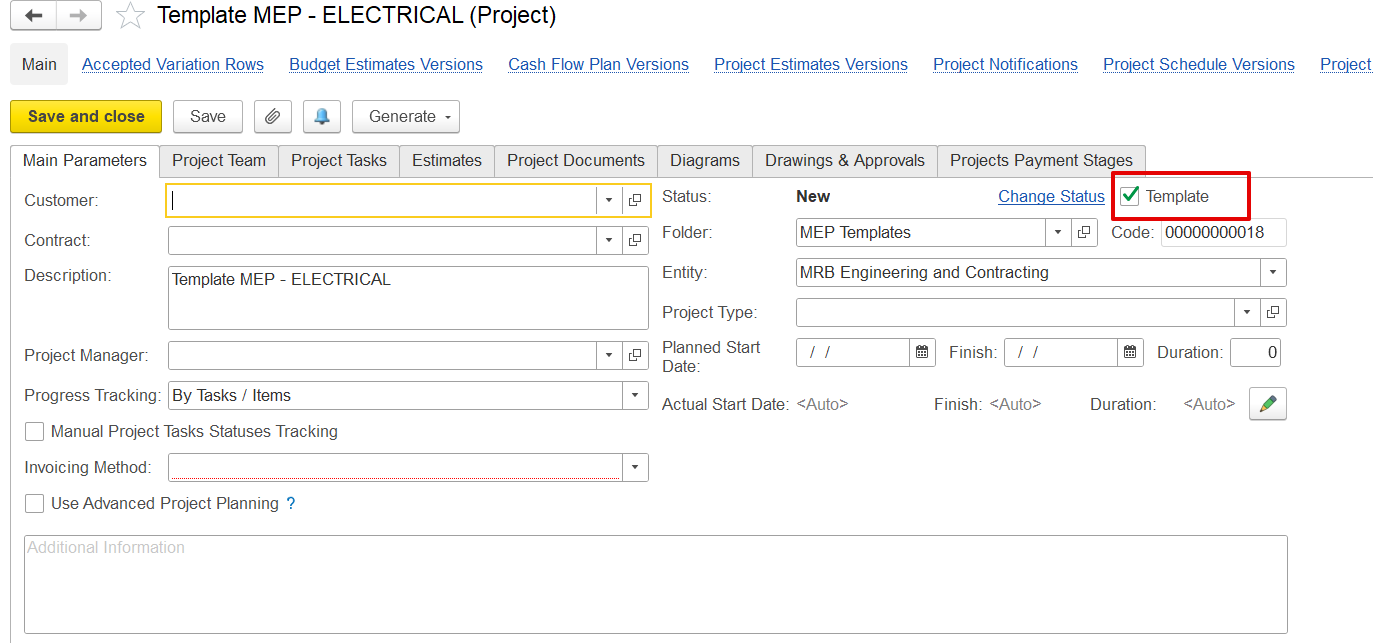
Enter Template Details
Description: Name of the template (e.g., “Template MEP – ELECTRICAL”).
Status: Set as “New”.
Check ‘Is Template’: This marks the project as a reusable template.
Entity, Company, and Project Type: Fill these as needed for categorization.
Build the Estimate Structure
Go to the Estimates tab.
Manually enter cost and revenue items or import BOQ from Excel.
Include WBS codes, units, prices, overheads, and markups.
Save
Once the structure is complete, click Save. The project is now available as a template.
Go to Projects > Project Templates
Locate the relevant template group (e.g., Construction Bill Templates, MEP Templates).
Select a Template
Highlight the template to use (e.g., “Template MEP – ELECTRICAL”).
Click “Generate”
Select Generate > Create Project from Template.
A new project will be created using the full structure of the template.
Enter Specific Project Details
Modify project name, customer, dates, and any unique tasks or quantities.
Leave the standard cost structure intact, or adjust it as needed.
Save and Proceed
The new project is now ready with a pre-filled estimate.
If the project already exists but the cost items are missing or incomplete, the template can be used to fill just the cost details:
Open the Project Estimate
Navigate to the Estimates tab in the existing project.
Click “Fill by Templates”
A selection window will open with available templates.
Choose the relevant template (e.g., MEP Electrical, Interior Works).
Apply Template
Confirm the import. The system will copy the cost structure (items, quantities, UOM, prices) into the project estimate.
Revenue and markup may also be filled, depending on template settings.
Review and Save
Adjust any items if needed.
Click Save to update the project with the filled-in cost data.