Projects Pipeline
To access the list of projects, select select Project Costing (the left panel) > Master Data > Projects.
The project master data contains information about the company's external and internal projects.
Before you can start creating projects, you may need starting project creation, it may be necessary to create master records of the following types: Project Roles and Project Types. However, you can easily create all the necessary all required master records of these and other types when creating a projectcan also be created easily during the project creation process.
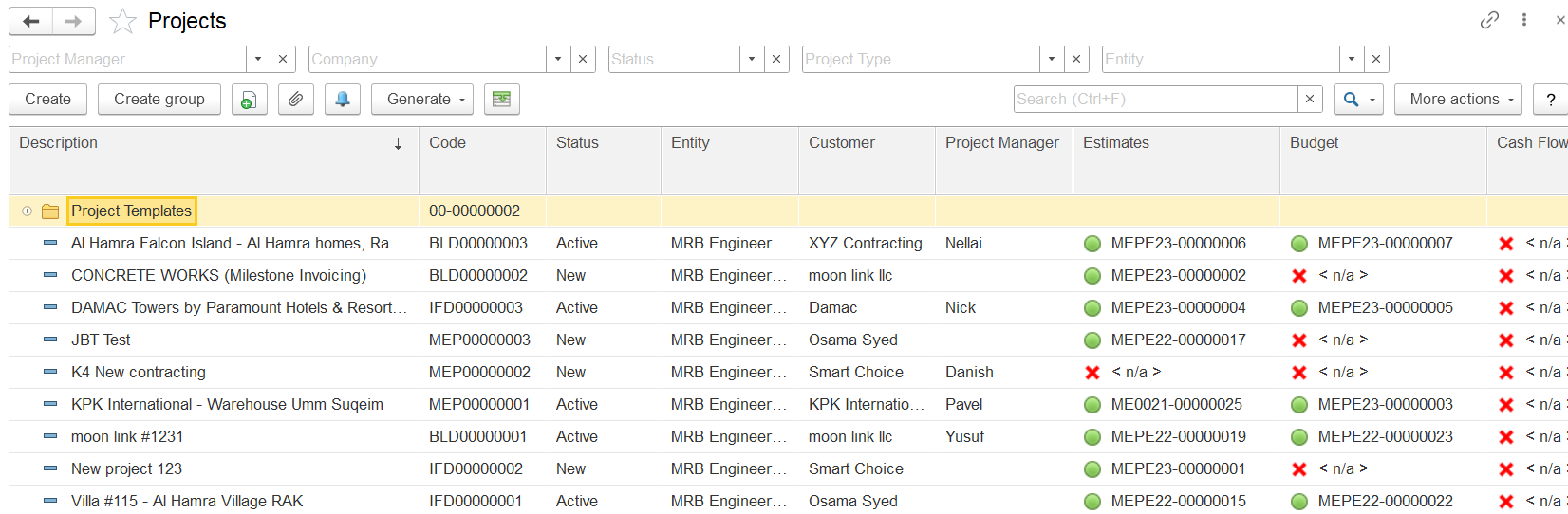
Project records can be organized in a folder (or group) structure. For example, projects can be grouped by customer, project type, or in any other logical way. In a newly implemented system, no No projects or folders are available by default in a newly implemented system.
The project list displays all projects in the system, organized in this hierarchical structure. If a specific project is not visible, try opening a different folder or use using the Search field to locate the project by part of its description or the customer’s name.
The toolbar buttonsToolbar Buttons
To add a project, click the click the Create button button on the toolbar. To To edit the an existing oneproject, double-click the line with containing its name. You can also Alternatively, select the line, right-click it, and select Edit or click on choose Edit, or use the toolbar : More actions > option: More actions > Edit.
For a selected project selected in the list, you can click the Generate button to enable creating documents the Generate button enables the creation of the following document types:
Customer Order
: To record the– Records goods and services
requested bythe customer
in thisrequests for the project.
Invoice
: To bill– Bills the customer (client) for
the providedgoods and services
renderedprovided within the project.
Purchase Order
: To order the– Orders goods and services required for the project.
Invoice Received
: To register– Registers the purchase of goods and services
requiredfor the project.
Inventory Write-Off
: To register– Records the issue of inventory items
needed for the projectfrom a warehouse for project needs.
Requisition
: To request– Requests goods and services required for the project.
Proforma Invoice / Payment Application
: To request– Requests payment from the customer (client) for
thegoods and services
provided within the projectdelivered.
Proforma Invoice Received
: To record– Records a supplier’s payment request
sent by suppliersfor
the purchase ofgoods and services
requiredpurchased for the project.
Progressive Invoice
: To bill– Bills the customer (client) based on
theproject progress
of the project.
Requisition (for Estimate)
: To request– Requests estimated prices of
estimatedgoods and services from the supplier.
Creating a folder
To add a group (folder), click the Create Group button on the form toolbar. This opens the Projects (Create folder) dialog box. In the Description field, enter the description of this group (folder).
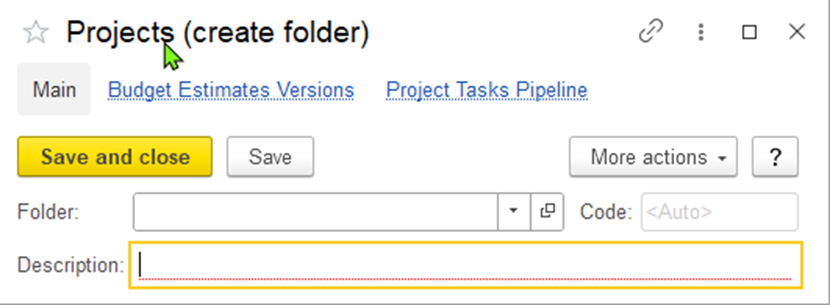
Figure 6: The "Projects (create folder)" form
If the created group should be To create a group within another group—parent group—specify this group (a parent group), specify the parent group in the the Folder field field (see the figure below) thus adding . This action adds a new level to the hierarchy level. The . There is no limit to the number of levels is virtually unlimited. Then, click Save and close.You can move the projects between folders by hierarchy levels that can be created. After setting the parent group, click Save and Close.
Projects can be moved between folders either by using the drag-and-drop method or by selecting another folder to hold a particular project (when editing this project)a different folder in the project card while editing the project.
Adding a Project: The Main Parameters
...
Tab
This tab provides you with contains the main information on related to the project: , including the entity, customer, project manager, and planned dates of its start and finish dates. As the project moves progresses through different stages of its life cycle, the dates of its actual start and finish dates can also be addedentered.
The required fields are: Description, Entity, and Project Warehouse.
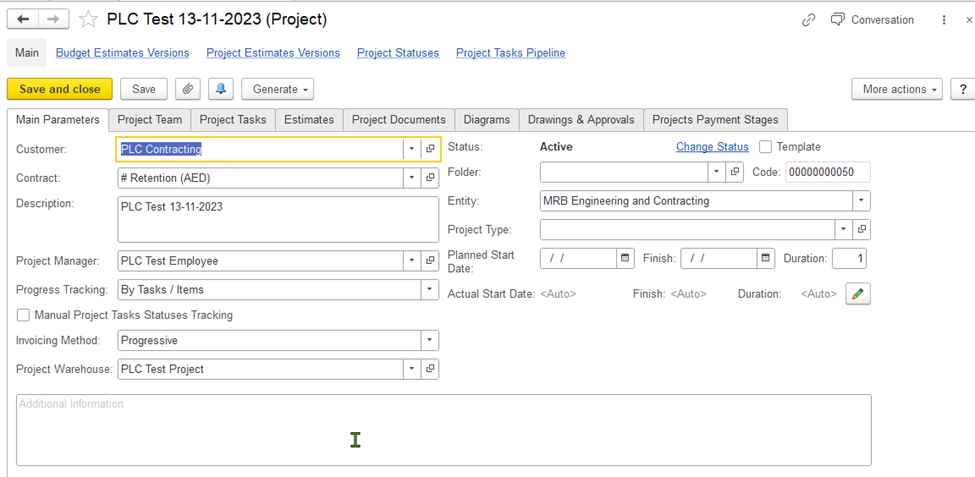
Figure 7: The "Projects (create)" form. The Main Parameters tab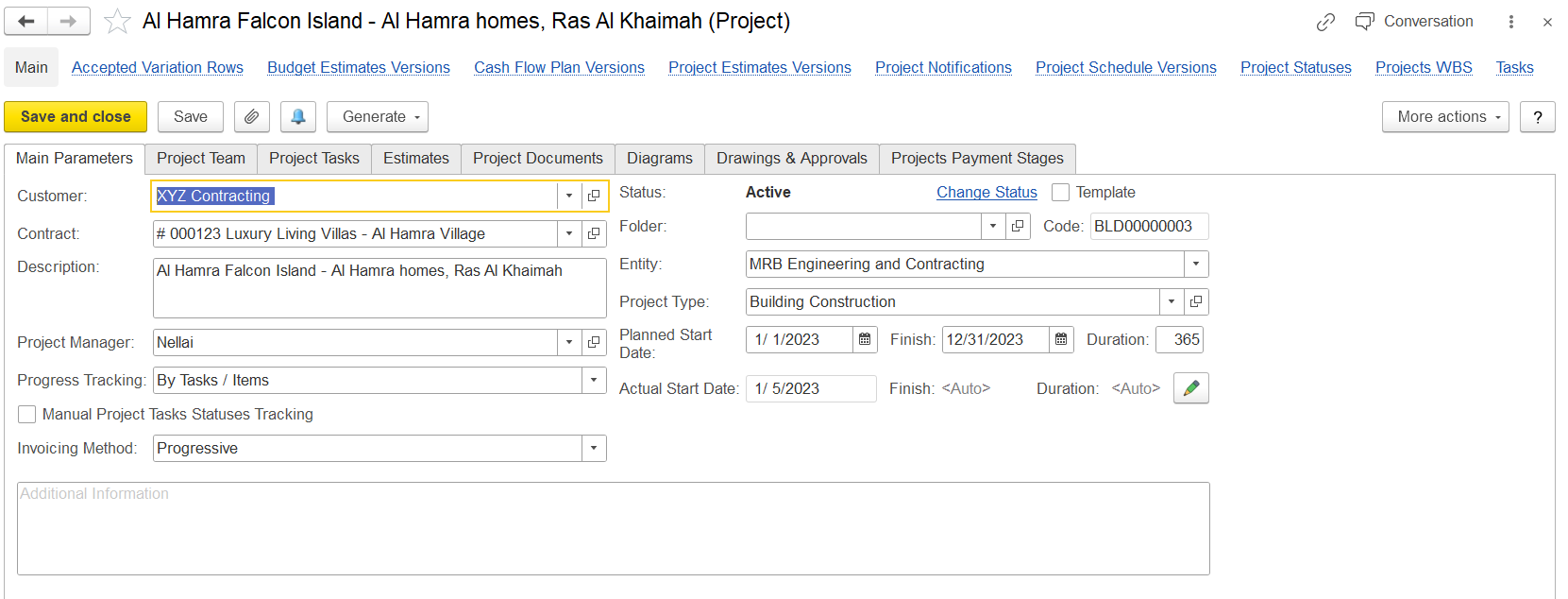
In the Customer field, specify the client for whom the project is intended. Optionally, in the Contract field, you can specify a contract which is related to this project.
...