Problem: How to allocate sick leave costs as direct costs to projects?
Solution: Ensure that sick leave days are reflected in the Time Card and allocate the related costs to projects using the Project Cost Allocation document.
To record sick leave costs as direct costs and allocate them to projects in FirstBit Software, follow the steps below:
1. Register Sick Leave
- Go to HR and Payroll > Time Tracking Documents > Sick Leaves.
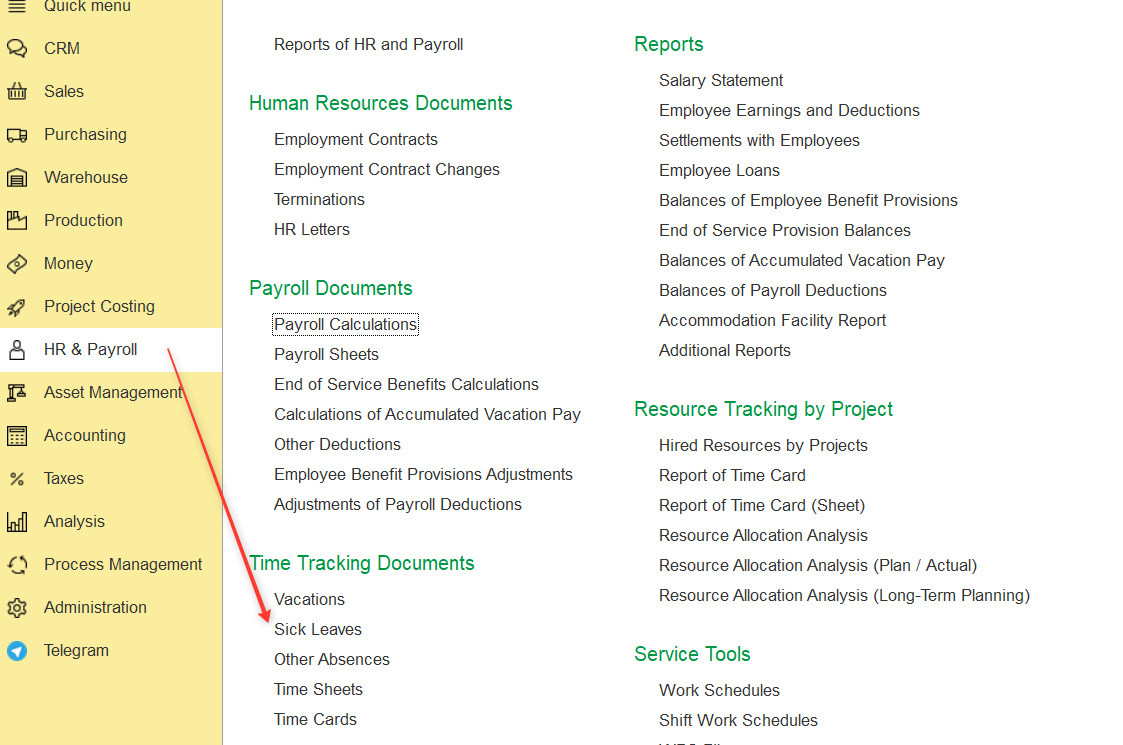
- Create a new Sick Leave document for the employee, fill in all required fields, and post the document.
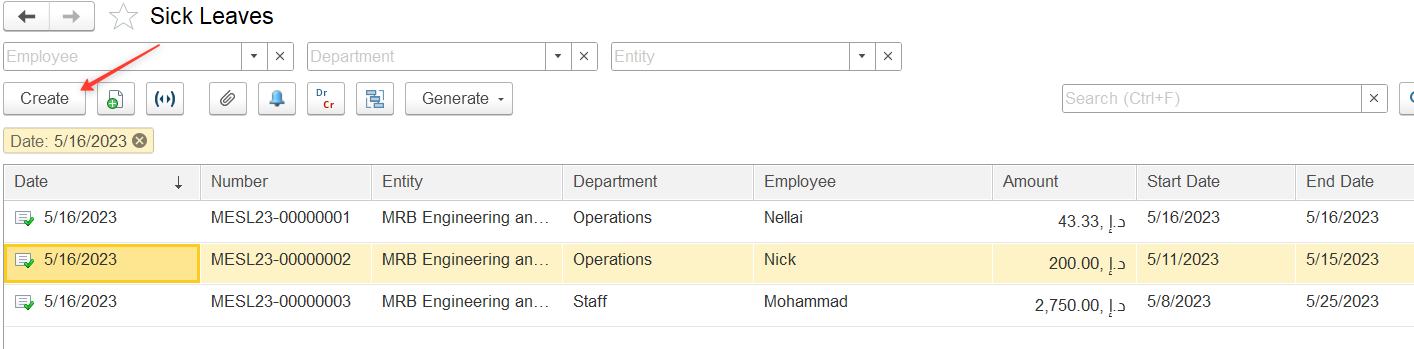
For detailed instructions, refer to the article Sick Leaves.
2. Ensure Sick Leave Days are Reflected in Time Card
Sick leave days must be reflected in the employee's Time Card (Timesheet).
- Go to HR and Payroll > Time Tracking Documents >Time Cards
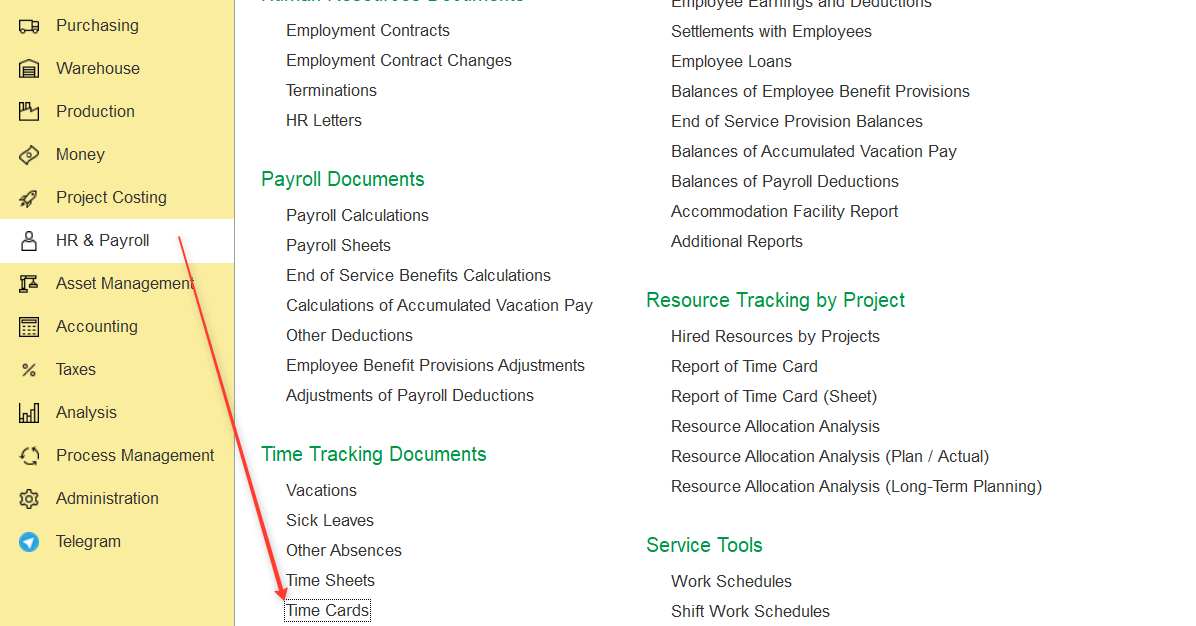
- Create a new Time Card document.
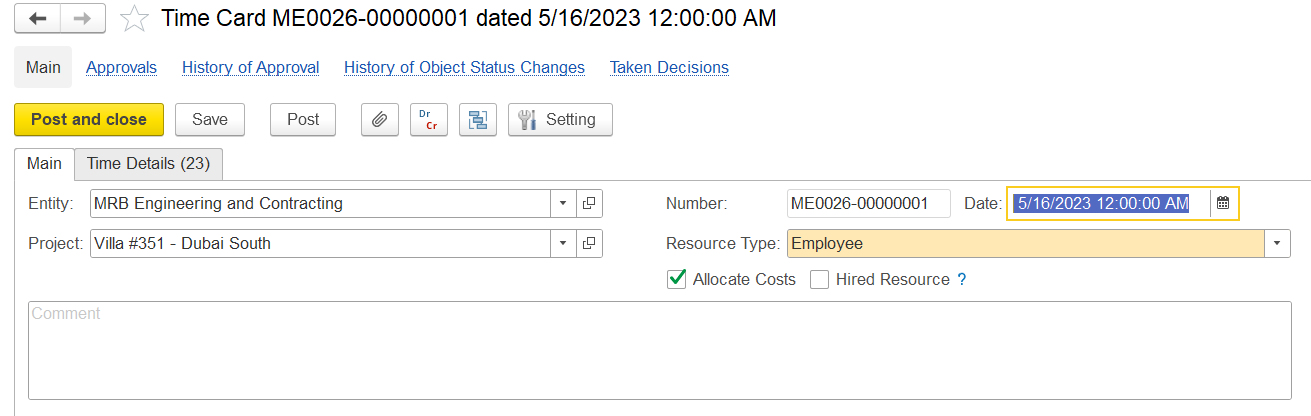
Fill in the required fields.
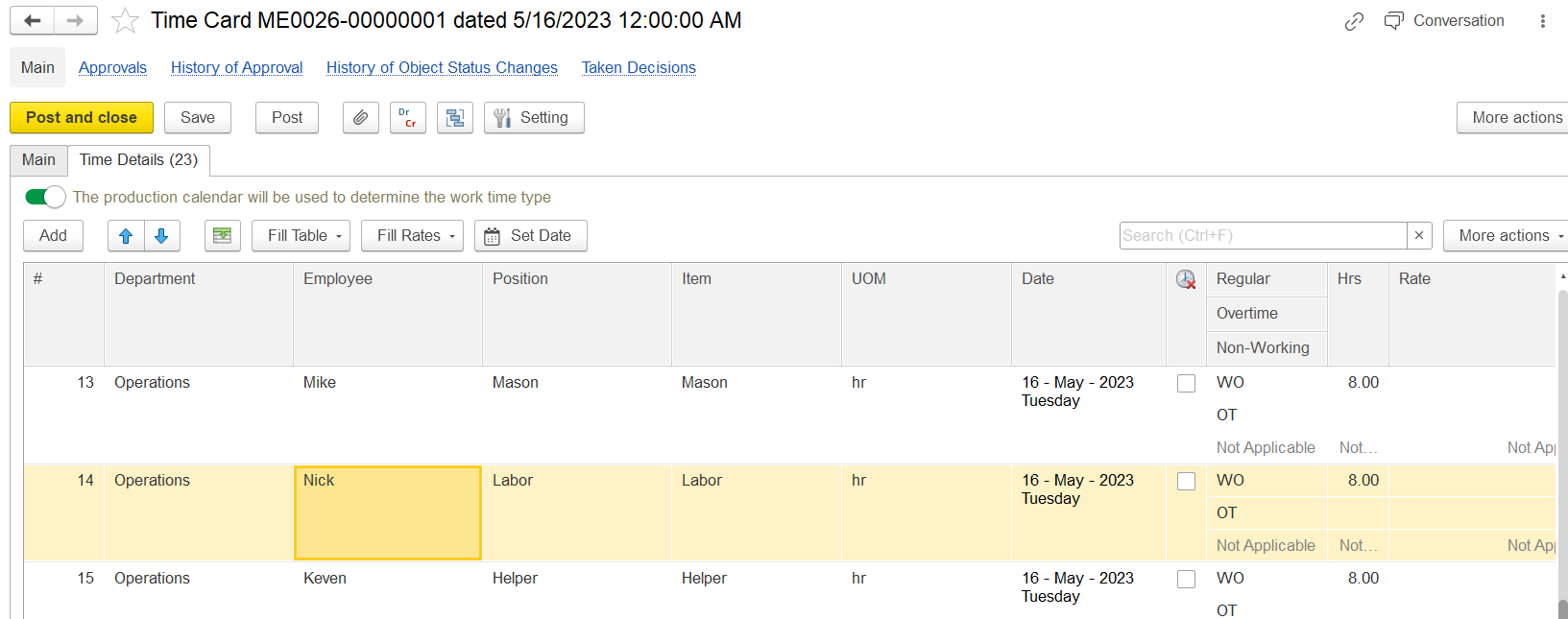
For detailed instructions, refer to the article Time Card.
3. Allocate Sick Leave as Direct Costs to Projects
- Go to Project Costing > Project Costing Documents > Project Cost Allocation
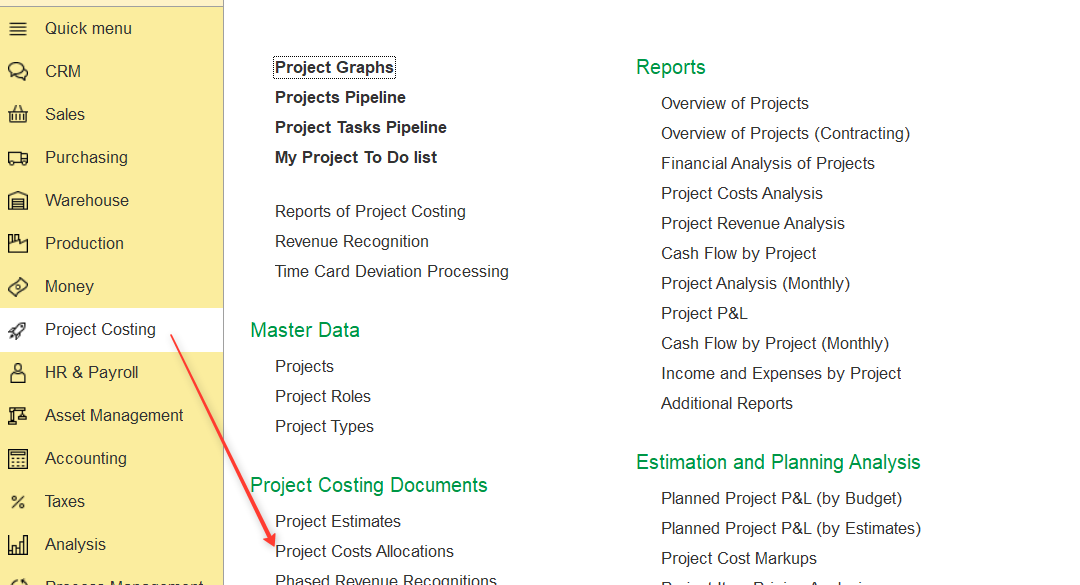
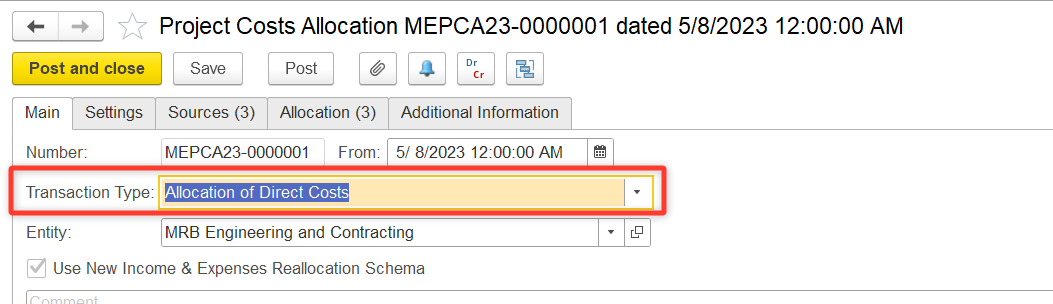
- Create a new document with Transaction type: Allocation of Direct Costs.
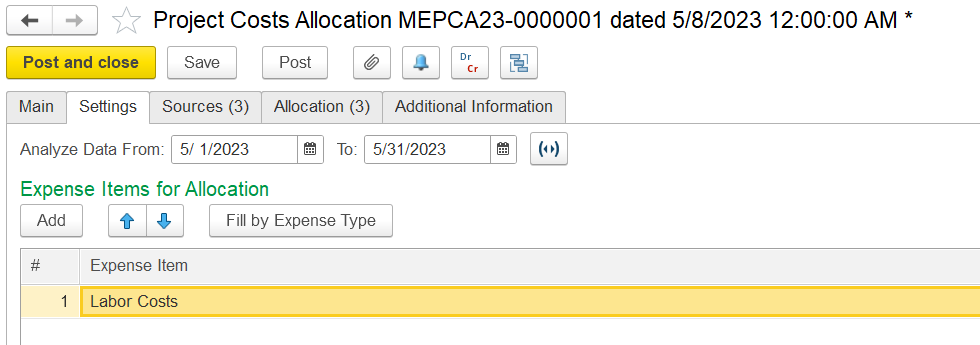
- On the Settings tab:
- Specify the period for which the allocation is being performed.
- Click Fill by Expense Type to select Expense Item.
- On the Sources tab:
- Click Fill to populate the source data, including sick leave expenses.
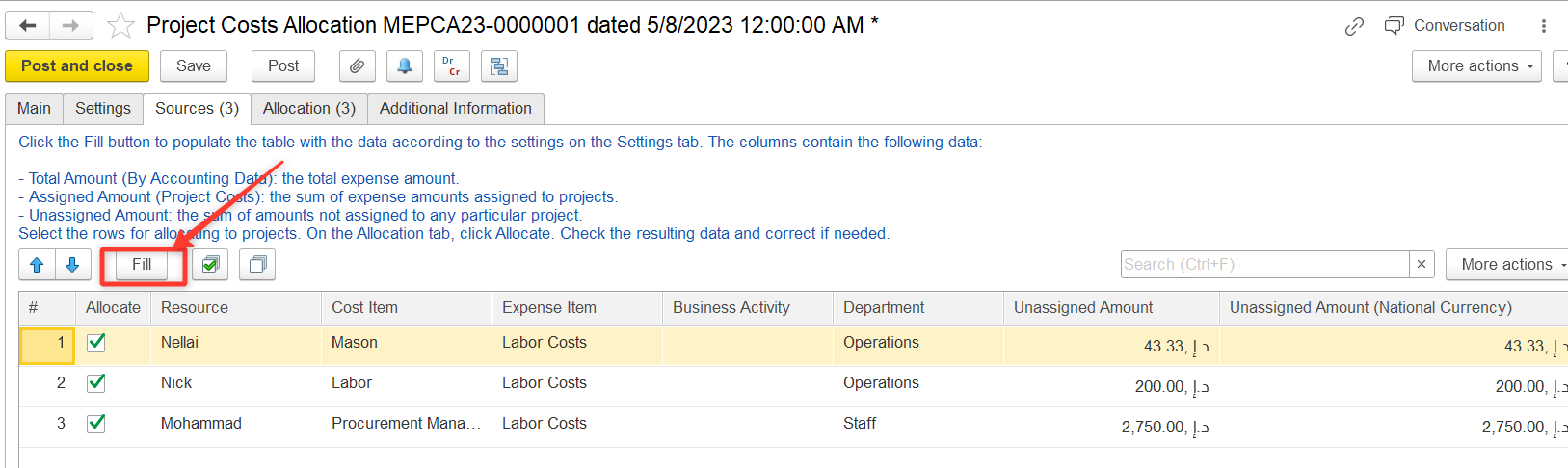
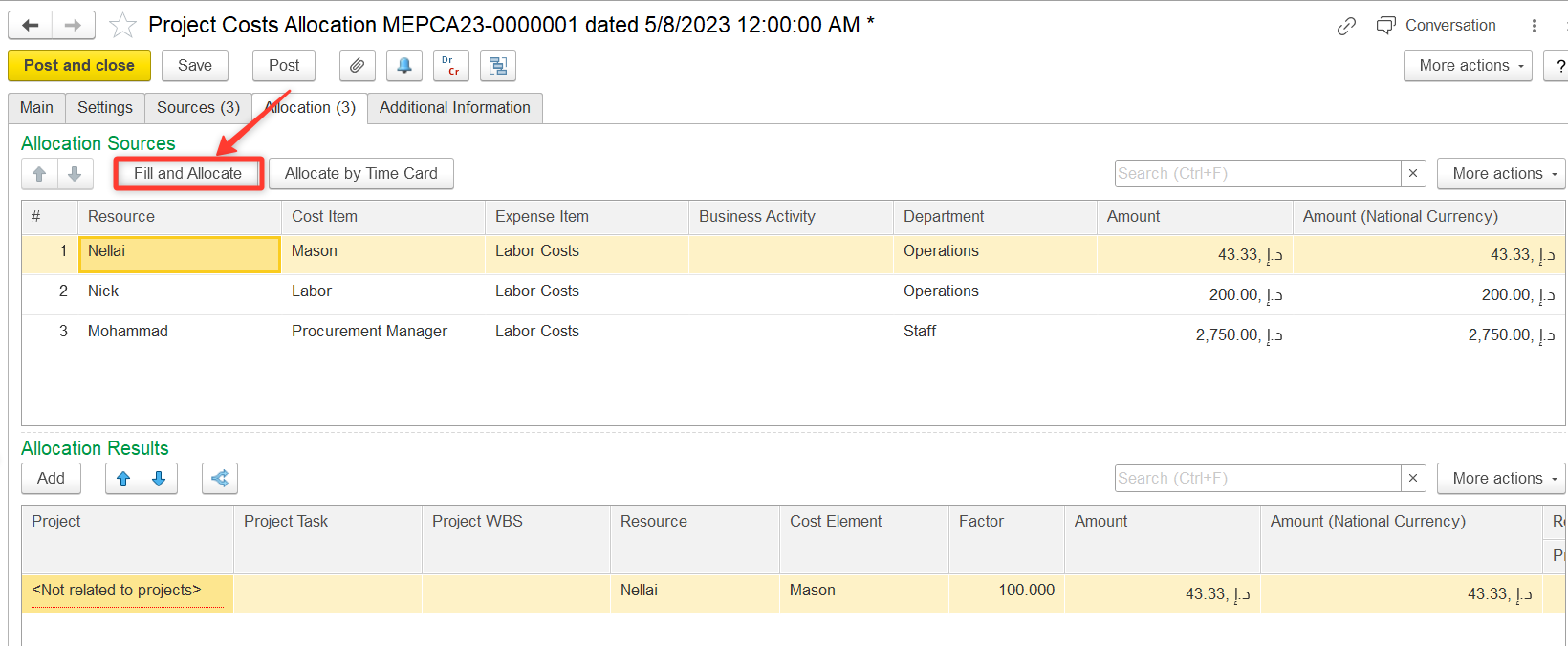
- On the Allocation tab:
- Click Fill and Allocate.
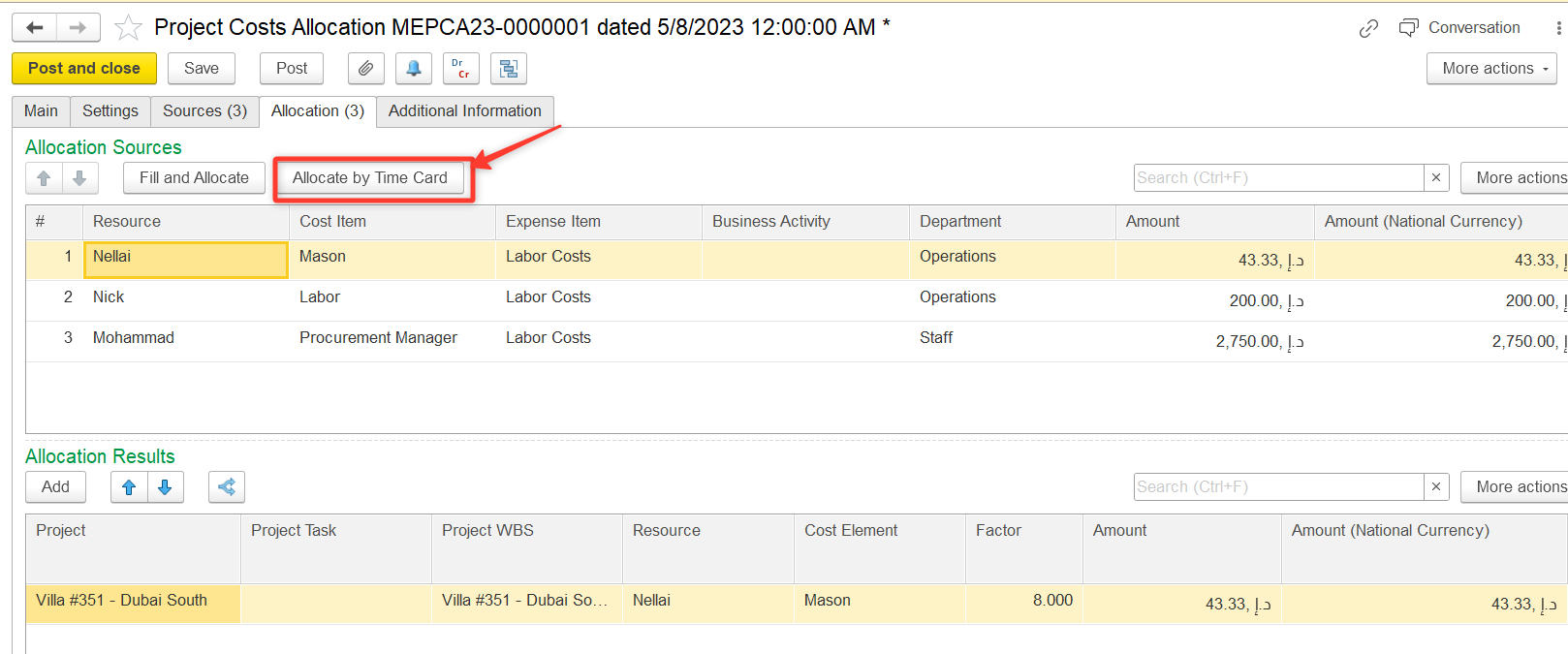
- Click Allocate by Time Card.
- Click Post and Close.
This process ensures that sick leave costs are properly recorded and allocated to the relevant projects in FirstBit Software based on employees' Time Cards.
Thanks for being a Firstbit Customer!
#SickLeave #TimeCard #ProjectCostAllocation #DirectCosts #ProjectCosting #TimeTracking #ProjectCosts