An aging interval is a predefined range of days used to group outstanding balances based on how long they have been overdue (or outstanding).
Aging intervals are used in Aging Reports (Acounts Receivables / Accounts Payables Aging) to analyze receivables or payables by maturity.
Common examples of aging intervals:
To 7
8–30 days
31–60 days
61–90 days
91+ days
Each document (invoice, debit note, etc.) is placed into an aging interval based on:
Due Date of the document
Report Date (As of Date)
Guide how to create and use User Defined Aging Intervals:
1. FirstBIT software system has Predefined Aging Intervals Administration > Master Data > Aging Intervals: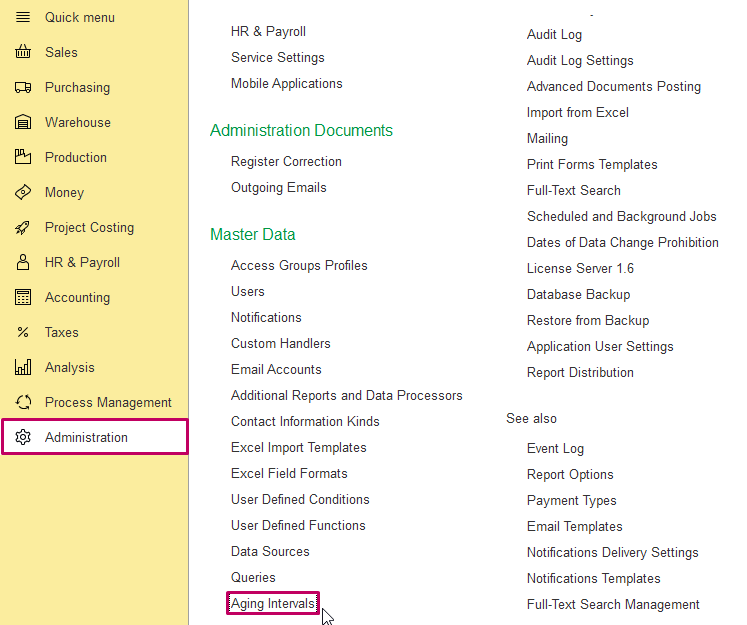
2. Create a new group of aging intervals and create intervals themselves, choosing parent directory: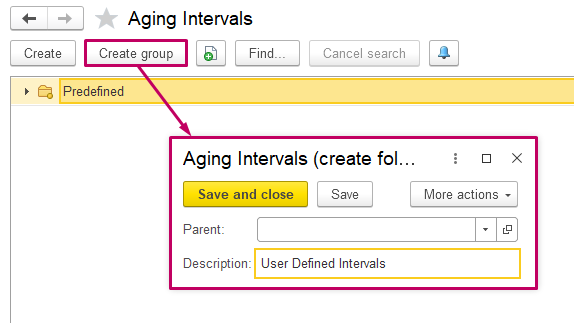
Add Description for each interval and it's duration in days (Start Value and End Value):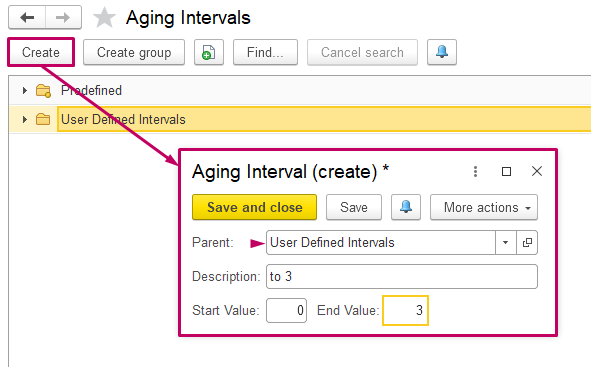
Create final interval and receive a group: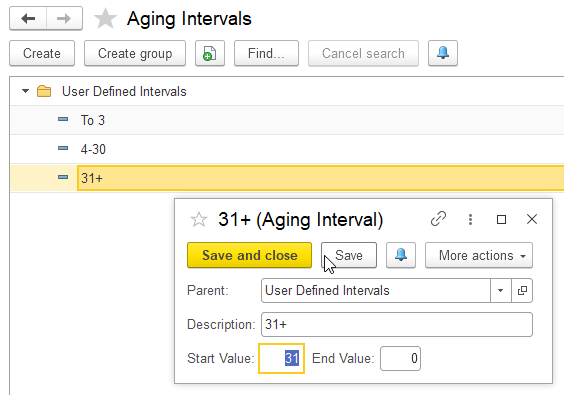
NOTE. In case, if Values have intersections, system gives corresponding notification: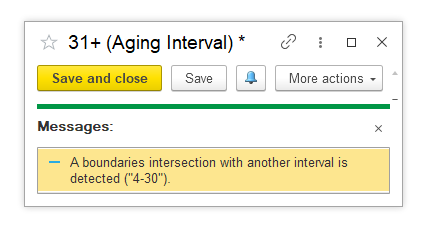
3. As a group of new intervals created, apply it in Accounts Receivable Aging or Accounts Payable Aging reports.
Find created intervals group in a list of Aging Intervals Group in Parameters section: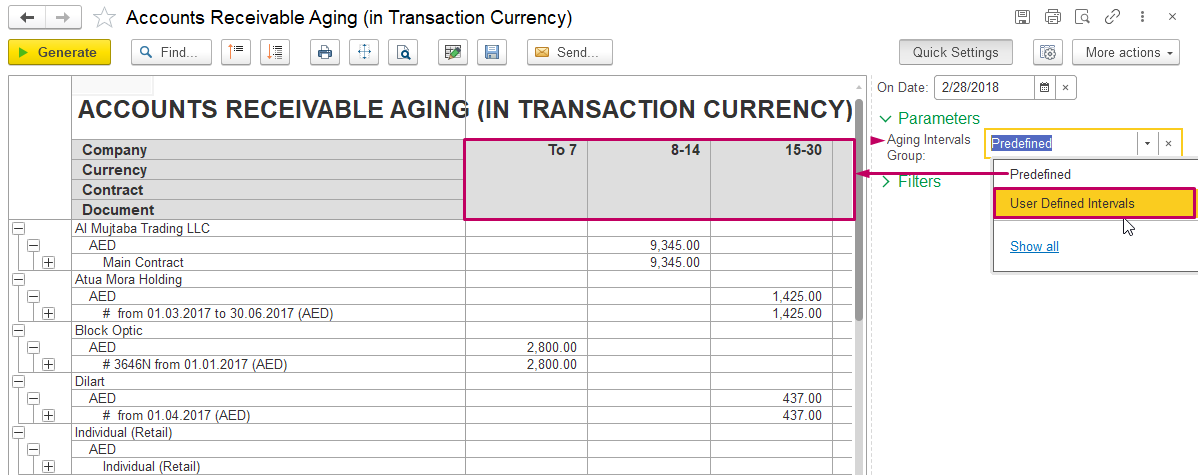
Intervals of the report would be accordingly changed: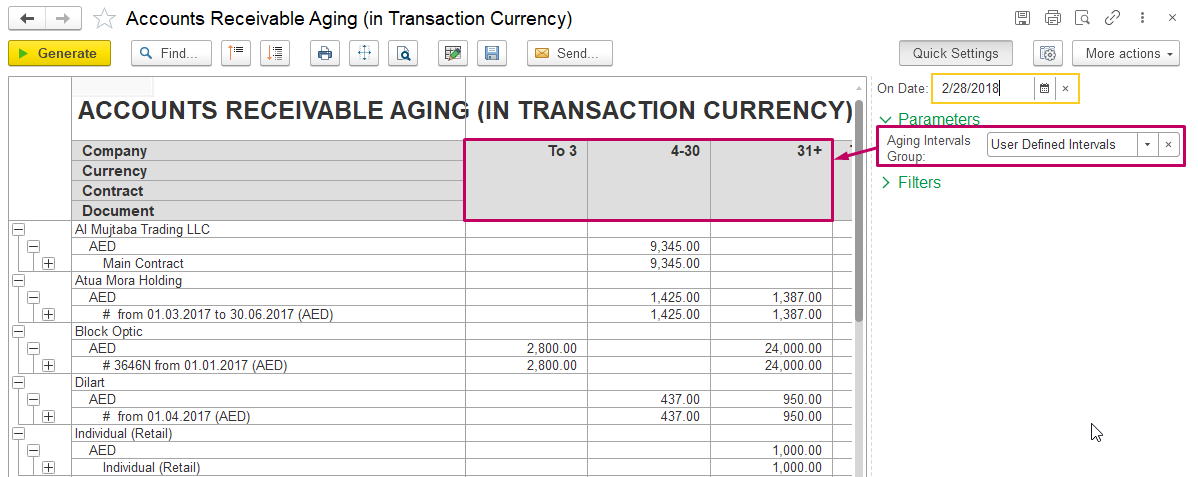
Additional explanations:
Logic of collecting data to Aging Report in FirstBIT Software
In FirstBIT Software, aging reports are built dynamically based on actual outstanding documents.
! Aging intervals are displayed only if at least one document falls into that interval.
If no documents match a specific aging range:
the interval is not shown in the report.
This behavior follows standard reporting logic and is not an error.
Main Reasons Why Aging Intervals May Not Be Visible
No documents fall into the interval
If:
there are no open invoices within a specific overdue range;
all balances fall into other intervals,
the corresponding aging interval will not appear in the report.
Example:
The interval 31–60 days is not visible because:
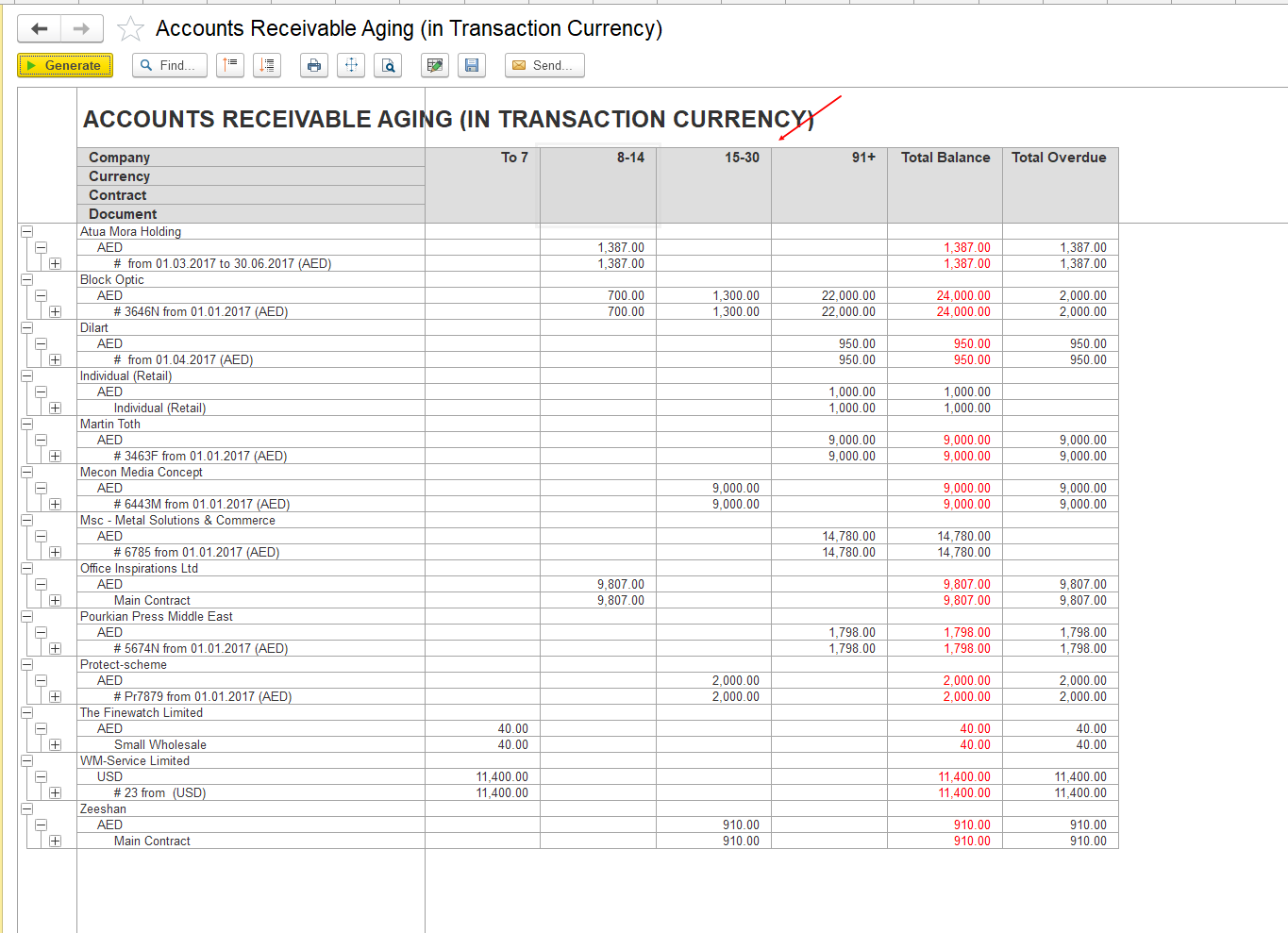
all outstanding invoices are either up to 30 days, or
already over 91 days overdue (as on screenshot above).
Thank you for being a FirstBIT customer!