The Main Parameters tab contains the basic settings of an Excel Import Template. TThese settings define the general parameters of the import process, such as the template name, import type, and target object. They determine where the data will be imported and how the template will be used. The available fields and additional processing rules are configured separately in the Fields and Handlers tabs.
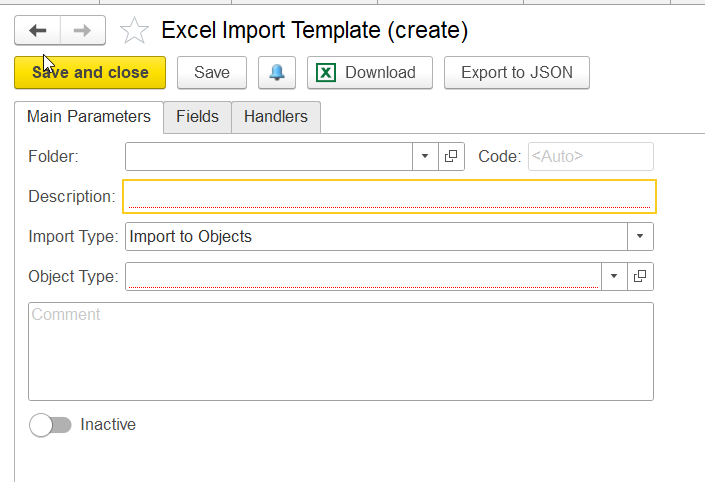
Folder – allows users to group Excel Import Templates into folders for easier navigation and template management. This field is optional.
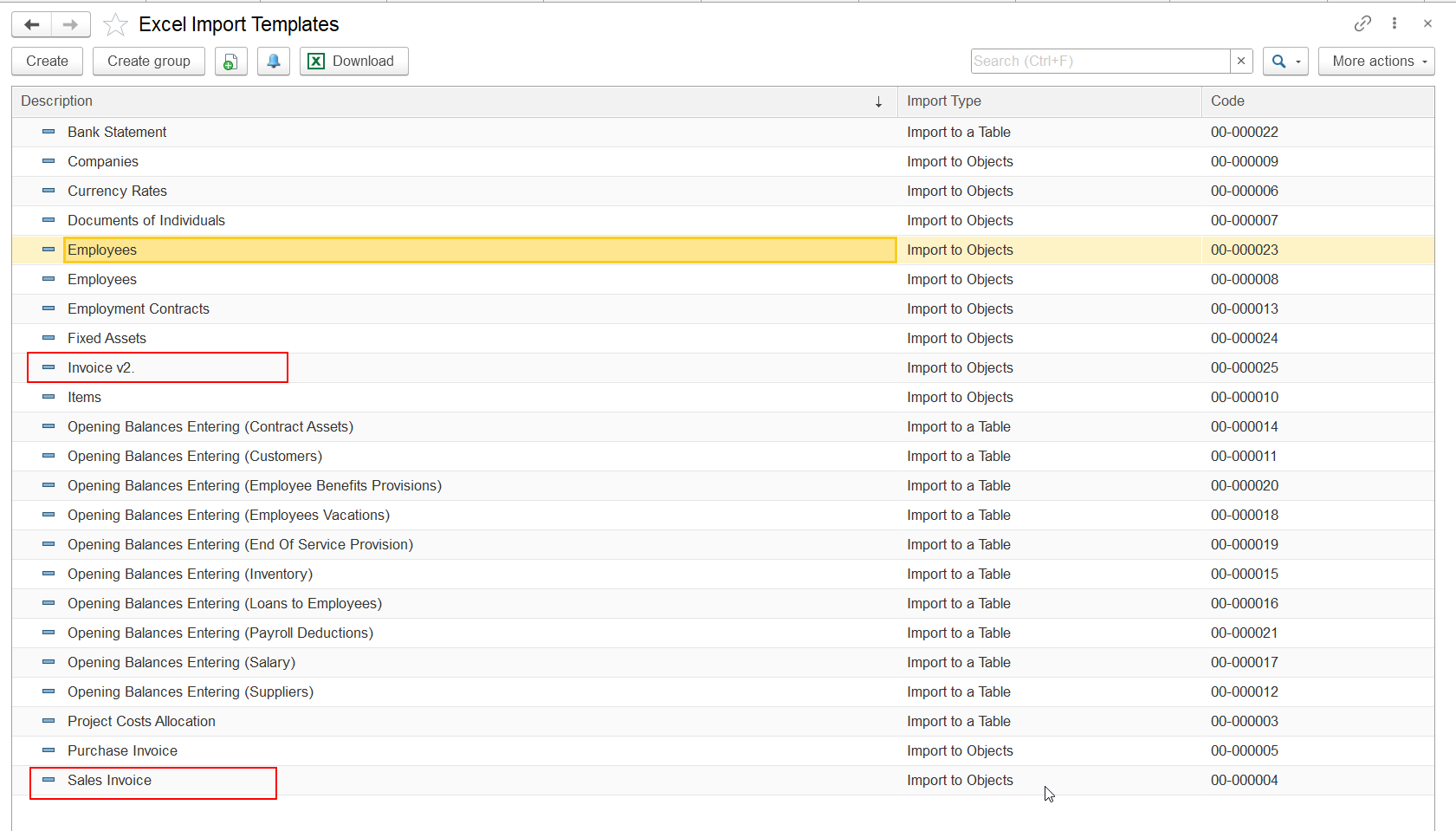
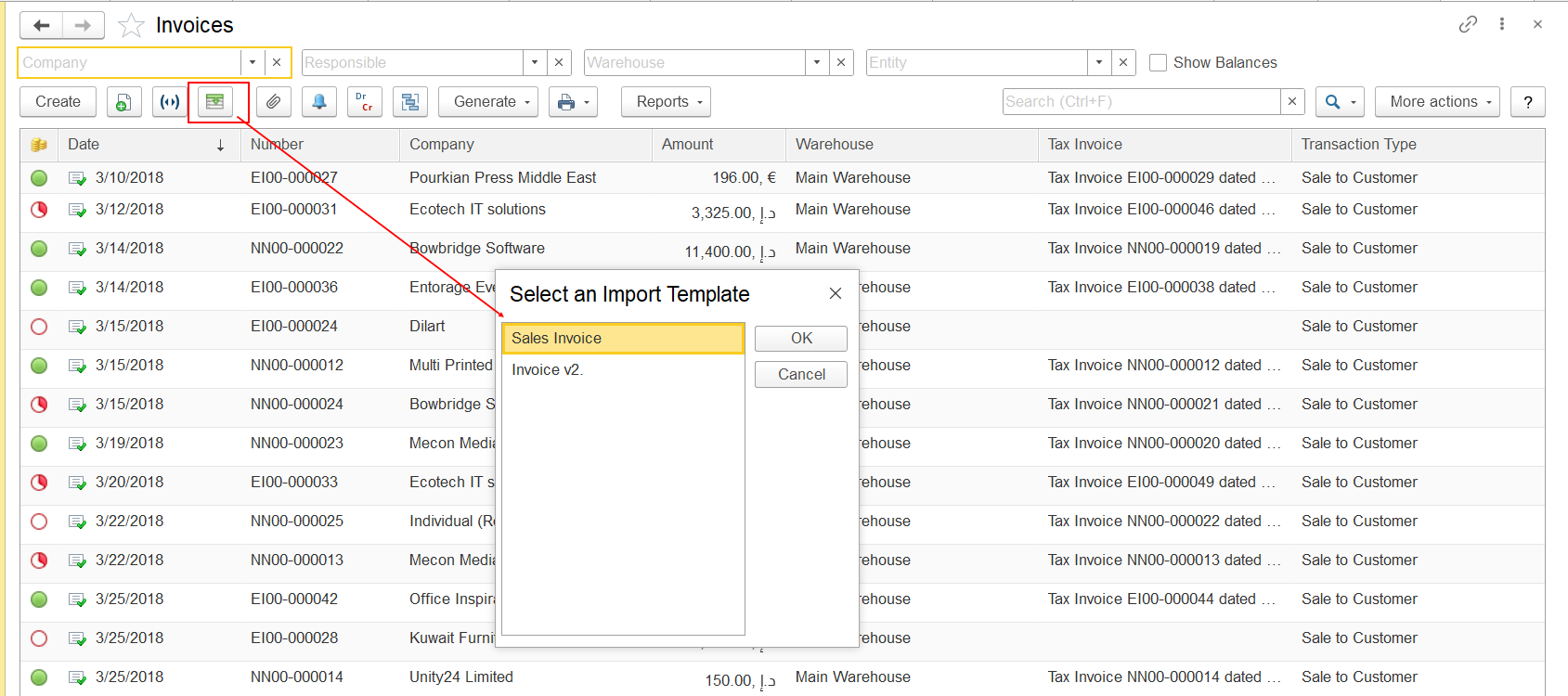
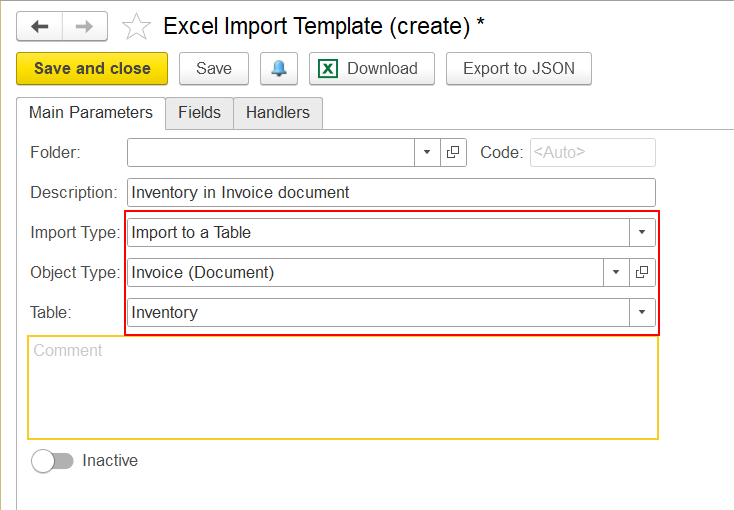
Description – specifies the name of the Excel Import Template. This field is mandatory. The description should be unique if several import templates are created for the same system object. For example, two templates can be created for importing Invoice documents using different Excel file formats or different sets of columns. In this case, when importing data, the user will be able to select the required template.
Example:
Import Type – defines the type of data loading:
- Import to Objects – imports data into system objects.
- Import to a Table – imports data into a table section of an existing document opened by the user.
The selected import type defines the import scenario. Additional settings, such as imported fields and specific processing rules, are configured separately.
Table – specifies the table section of the object selected in the Object Type field where the imported data will be loaded.
This field is available when Import Type = Import to a Table.
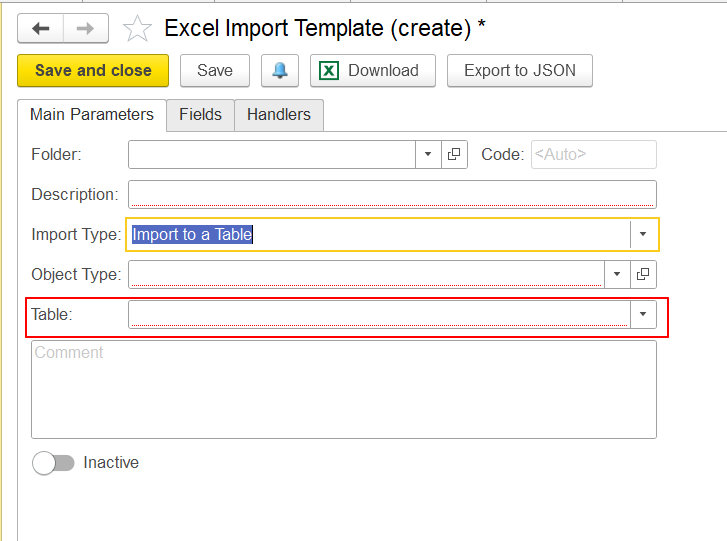
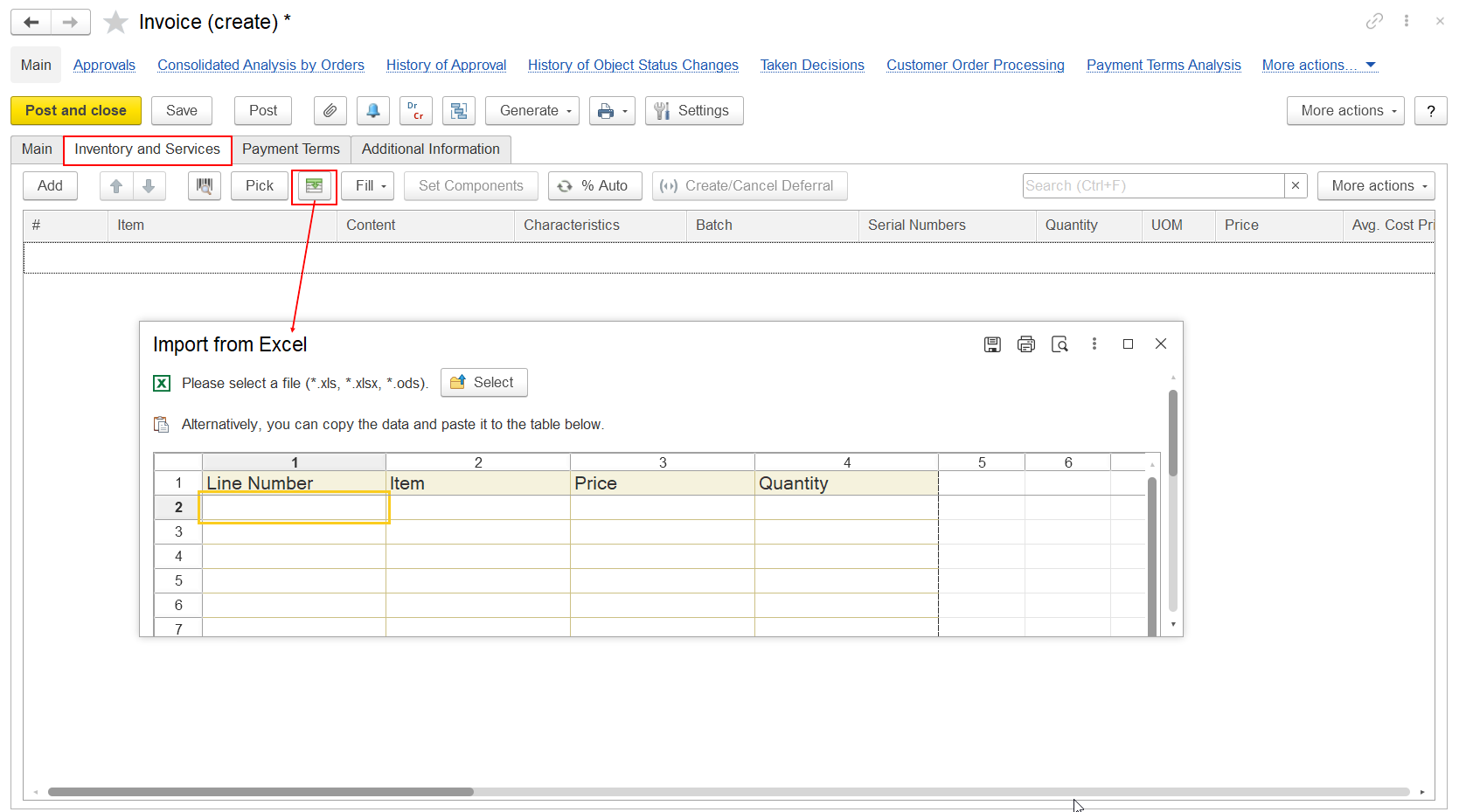
Example: If a user needs to import data into the Inventory and Services tab of an Invoice document, the following parameters should be specified on the Main Parameters tab:
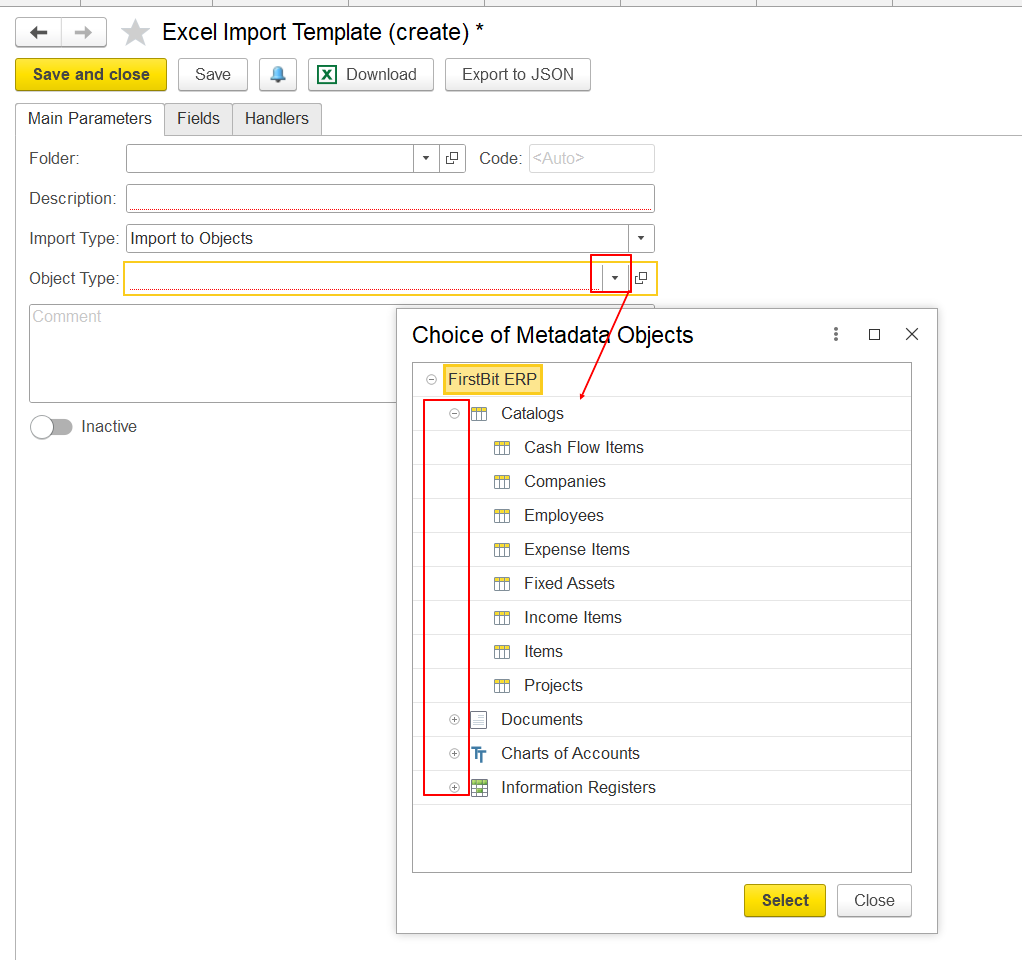
Object Type – defines the FirstBit configuration object into which data from Excel will be imported.
Available object types may include catalogs, documents, charts of accounts, and information registers.
The selected object defines the target area of the import process. The fields available for import and any additional processing depend on the configuration of the Excel Import Template.
Comment – provides additional information about the Excel Import Template.
This field is optional.
Inactive – allows users to disable an Excel Import Template. When this option is enabled, the template cannot be used for importing data.
This is the only setting that users can change for standard templates delivered with the system.
Note
Use the Fields tab to configure which Excel columns are transferred to system fields. Use the Handlers tab to add additional processing logic when required.
Thank you for being FirstBit customer!