Overview
This instruction explains how to process non-standard fixed asset transactions when a direct transfer operation is not available.
The method allows users to:
- Remove a fixed asset from the balance sheet
- Reclassify the fixed asset value to the required accounting account
- Process transactions that cannot be completed using standard fixed asset transfer documents.
The process is performed in two steps:
- Write off the fixed asset
- Reclassify the amount from the expense account to the appropriate target account
This approach is intended as a workaround for cases where the system does not provide a direct transfer option.
When to use this method
Use this method for the following scenarios:
- Transfer of a fixed asset to a shareholder or owner
- Transfer of a fixed asset to another legal entity when a standard transfer is not available
- Accounting reclassification
Example: Transfer of a Fixed Asset to a Shareholder
Step 1: Write Off the Fixed Asset
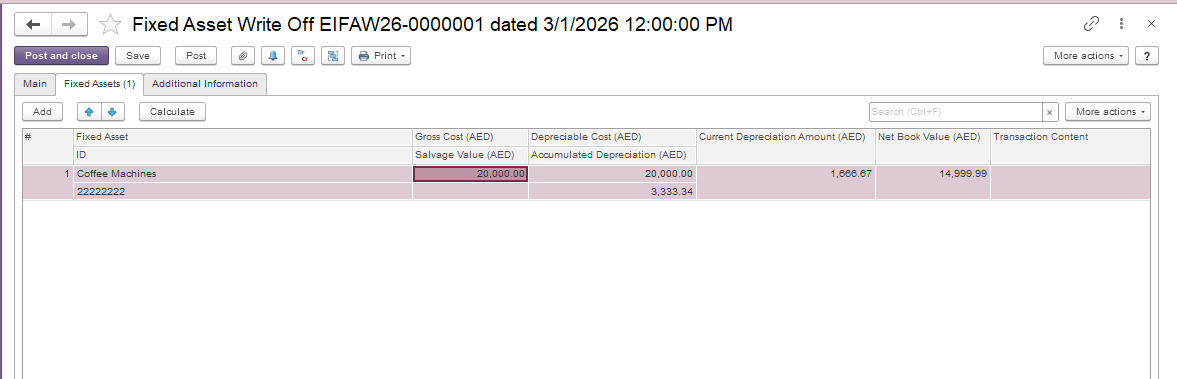
Open the Fixed Asset Write Offs document. Go to Asset Managment → Fixed Asset Documents → Fixed Asset Write Offs. Create a new document and select the fixed asset to be transferred on the Fixed Assets tab.
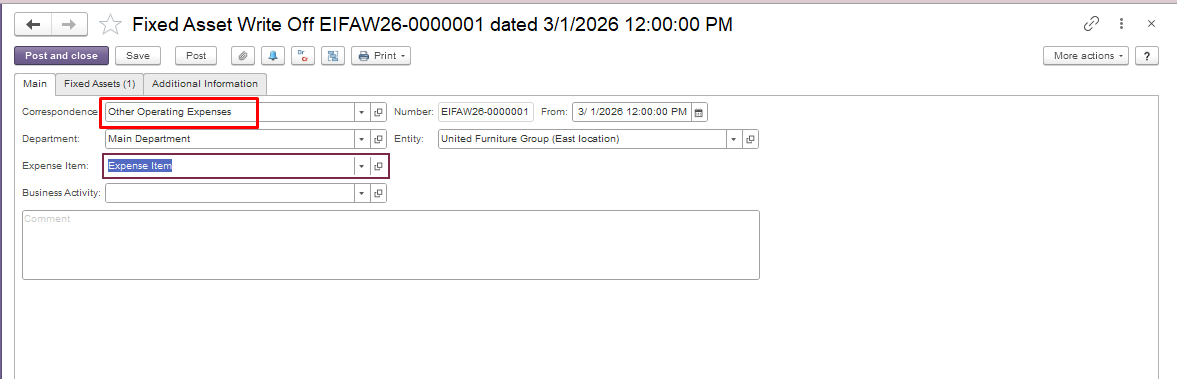
On the Main tab, select the expense account to which the fixed asset will be written off. Save and post the document.
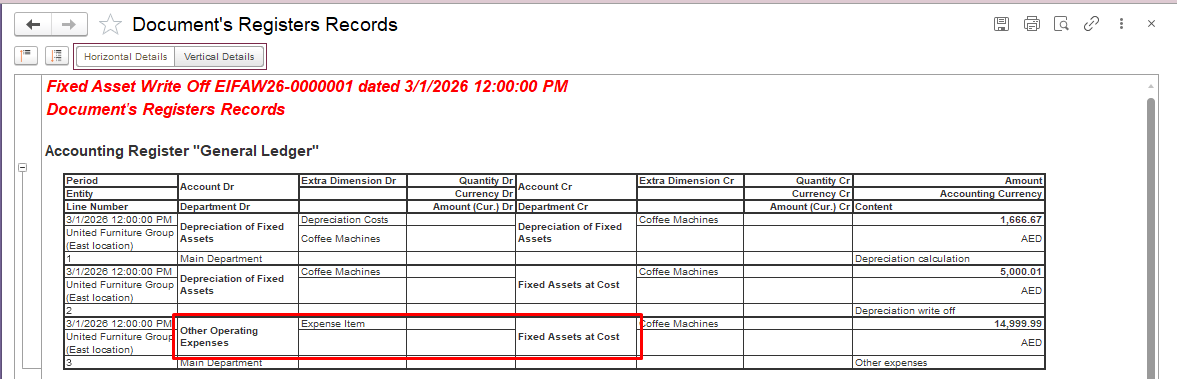
Run the Statement of Depreciation report to verify that the asset balance is zero and depreciation has been fully recognized.
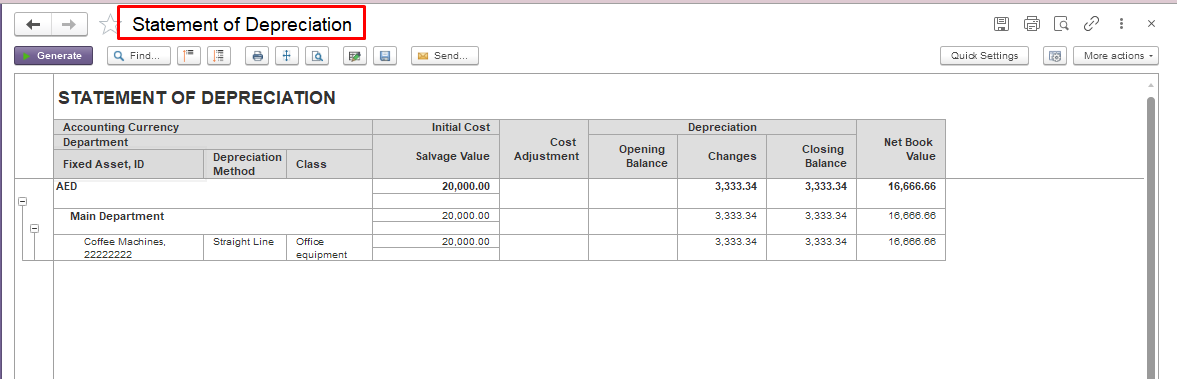
Purpose: This step removes the fixed asset from the balance sheet and transfers its value to an expense account as an intermediate accounting entry.
Step 2: Reclassify the Amount to the Target Account.
Open the Other Expenses document. Go to Accounting module → Service Tools → Other Expenses. Create a new document and select Transaction Type – Reversal on the Main tab.
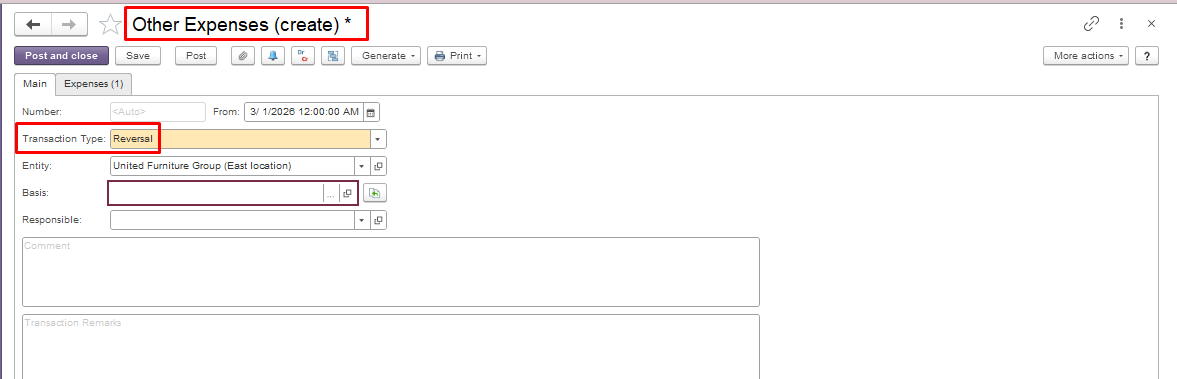
Transfer the amount from the Expense Account to the Shareholder Account (account for settlements with the owner), or to another account according to the transaction scenario. Save and post the document.
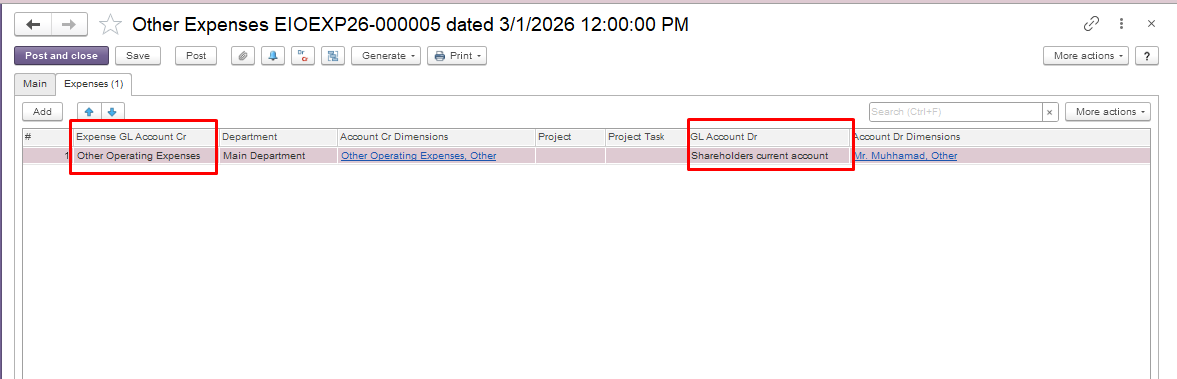
Result
After completing both steps:
- The fixed asset is removed from the balance sheet.
- The amount is transferred to the appropriate accounting account.
- The temporary expense entry is reversed.
- The transaction does not remain reflected in Profit & Loss (P&L).
- The accounting records reflect the intended business transaction.
Important notes:
- This method should only be used when a standard fixed asset document is not available for the required transaction.
- The target account must be selected according to the nature of the transaction and the company’s accounting policy.
- Ensure depreciation is fully recognized before writing off the asset.
Thank you for being a FirstBIT customer!
# FixedAssetswriteoff#fixedassettransfertoshareholder#fixedassettransfertoanotheraccount