-
Created by
 Karina Gilmanova, last updated on 11 Sept, 2026
2 minute read
Karina Gilmanova, last updated on 11 Sept, 2026
2 minute read
User Question
Search does not work out correctly immediately after creation a new master data object
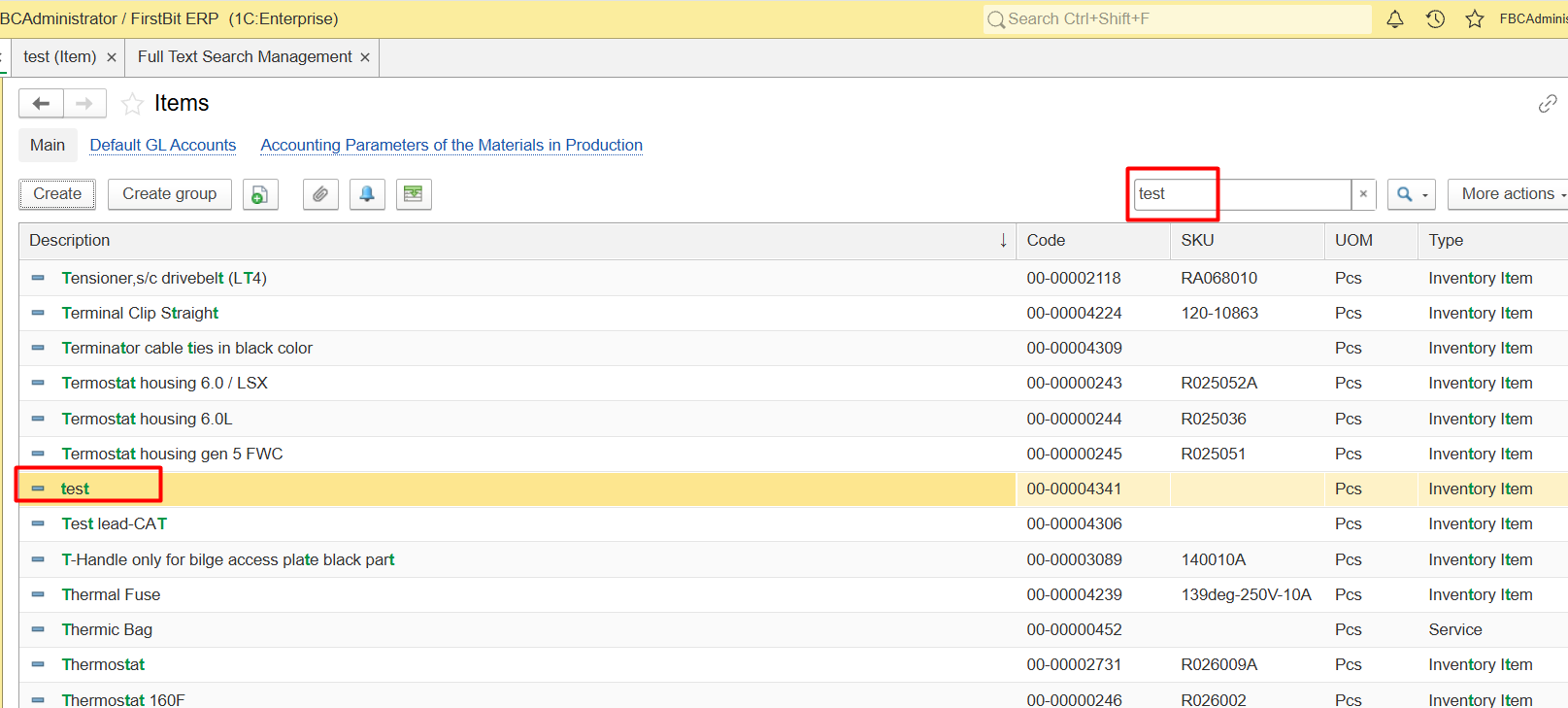
Problem / Symptom
Completely unsearchable object. Newly created object to be completely unsearchable right after creation—not just deprioritized, but entirely absent from the search results.
Partial match instead of exact. The substring search for example “test” triggers against already indexed descriptions, for example "Test lead-CAT"
Visual mismatch. The user can see the sought-after item in the overall list (after scrolling), but not in the filtered results—hence the perception that the search is malfunctioning.
Conditions
The issue appears immediately after creaton a new master data object (item, warehouse, employee, bank and etc.).
The issue reproducible only within the first 15 minutes after creation/modification.
Root Cause
The full-text search mechanism in the FirstBit platform operates asynchronously. When a new object is created, the data is saved to the main database instantly, but it is not immediately added to the full-text search index. The index update is handled by a separate background process (a scheduled job).
Diagnostics
Verify the item exists in the database.
Confirm the new Item is present by navigating directly to it (e.g., via the Items list or a direct link). If it opens and displays correctly, the issue is not about data creation but about search indexing.Check the full-text search index status.
- Go to Administration → General Settings → Full-text search of data → Configure.
- Look at the index status field. If it shows “Needs update” or “Out of date,” the index hasn’t yet included recent changes.
- Note the timestamp of the last successful index update. If it’s older than the time the Item was created, that confirms the delay.
Review the background job schedule and history.
- Navigate to Administration → Maintenance → Scheduled and Background Jobs.
- Find the job named Update Full-Text Search Index (name may vary slightly by configuration).
- Check its schedule (how often it runs) and recent execution history (last run time, status, errors). A long interval or a failed/stalled run explains why the new Item isn’t in the index yet.
Resolution
Related Materials
Product / Configuration
Functional Area / FirstBit Software Section
Thank you for being FirstBit customer!