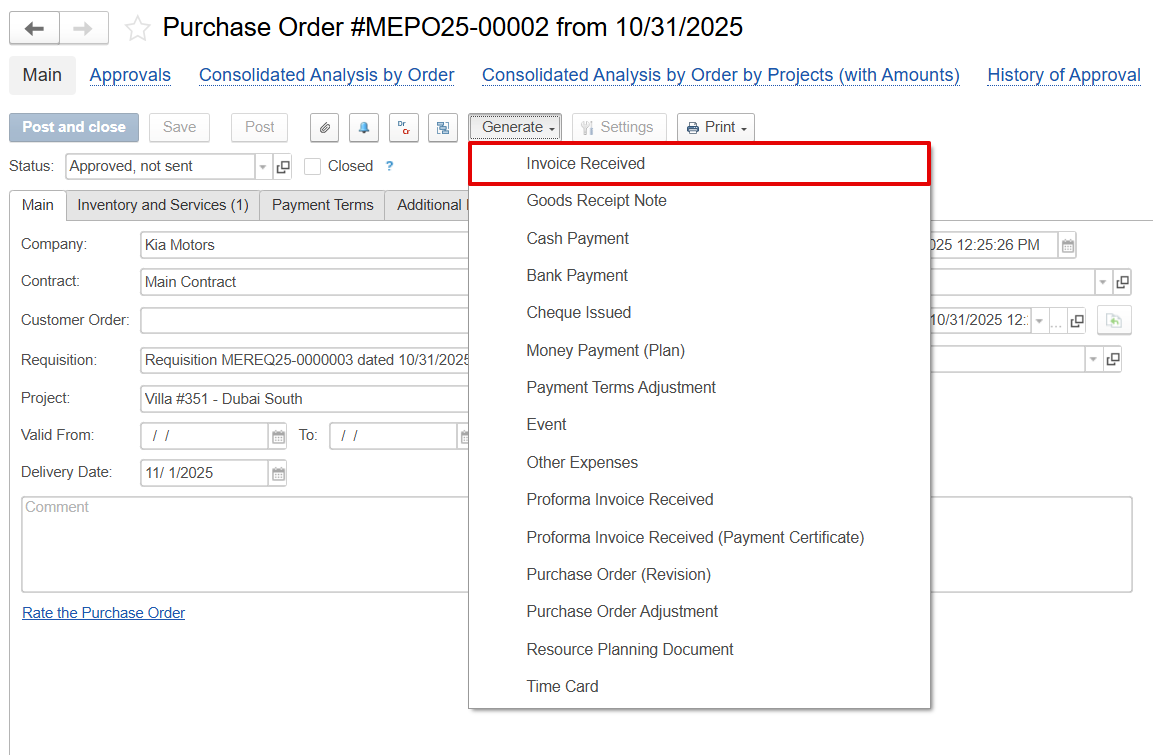
The Invoice Received document is generated directly from the Purchase Order (PO) and is automatically associated with the relevant PO, project, and hired resource.
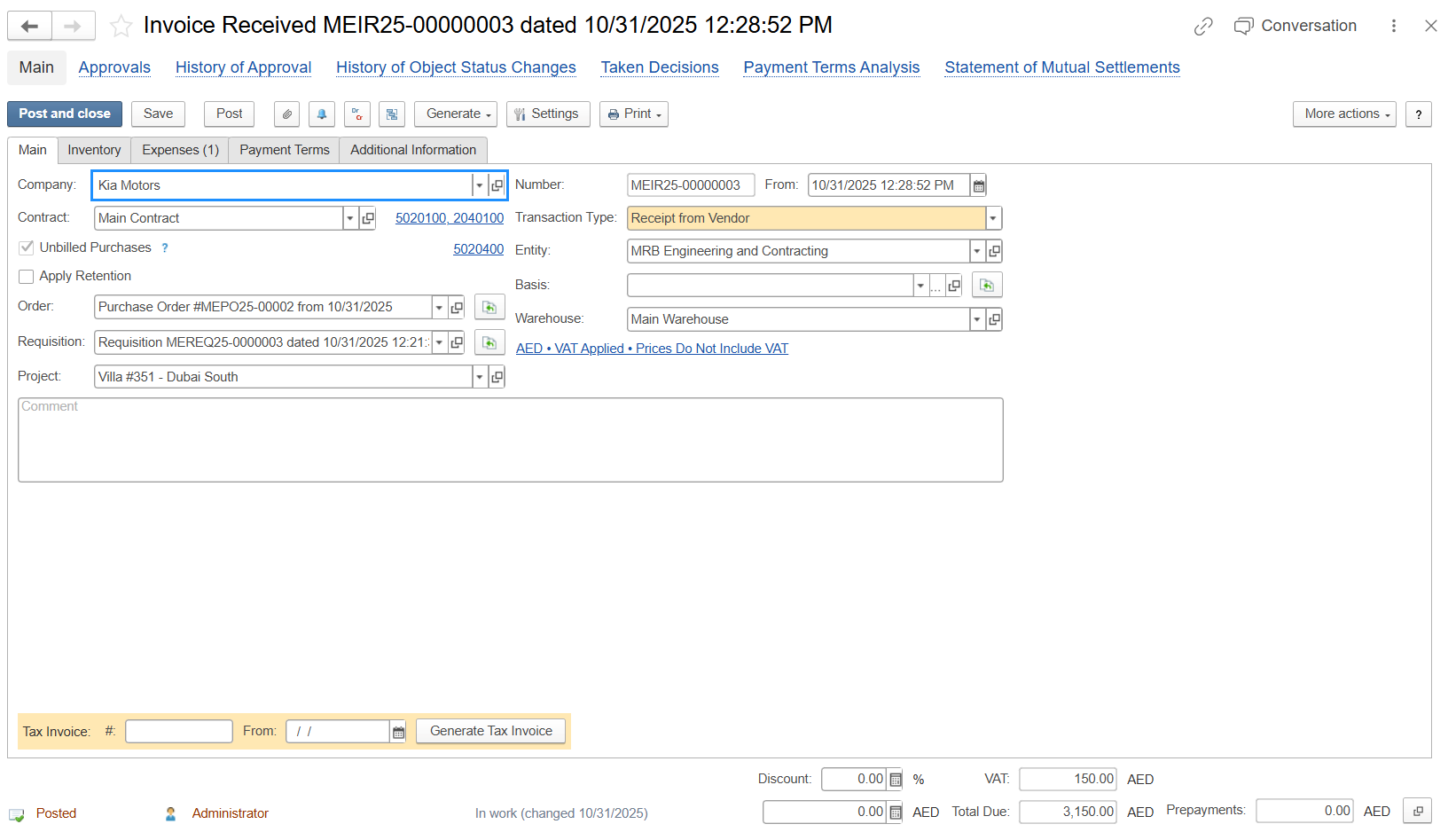
Main Tab
The Main tab captures all the basic and important details of the invoice received.
- Company - The company issuing the Invoice received
- Contract - The contract under which this invoice was received is being processed
- Transaction Type - Defines the type of transaction, such as vendor invoice or receipt
- Entity - The entity that is responsible for the document.
- Order - The purchase order linked to this document.
- Requisition - The original request that led to the purchase order
- Basis - A reference used to pull related data.
- Warehouse - The location where goods are received, or services are assigned
- Project - The project to which the invoice cost will be allocated
- Unbilled Purchases - This means costs were recorded before invoicing, and this option is used to match invoices received to goods or services already received but not yet billed.
- Apply Retention - Option to hold back a portion of the payment as retention
- Comment - A field to add any notes or additional information
Expense Tab
The Expenses and Consumables table captures quantities and prices based on the defined Unit of Measure (UOM).
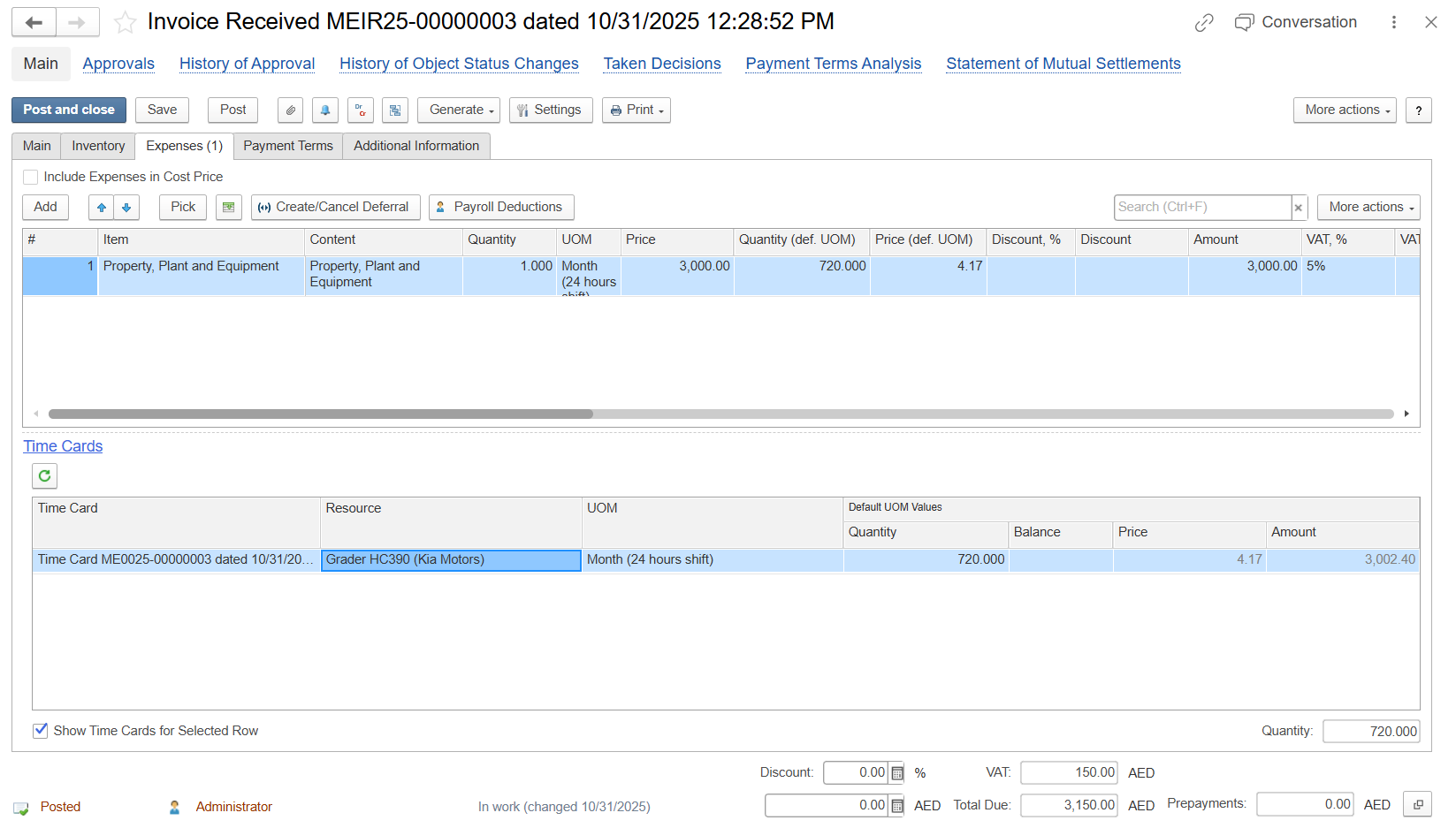
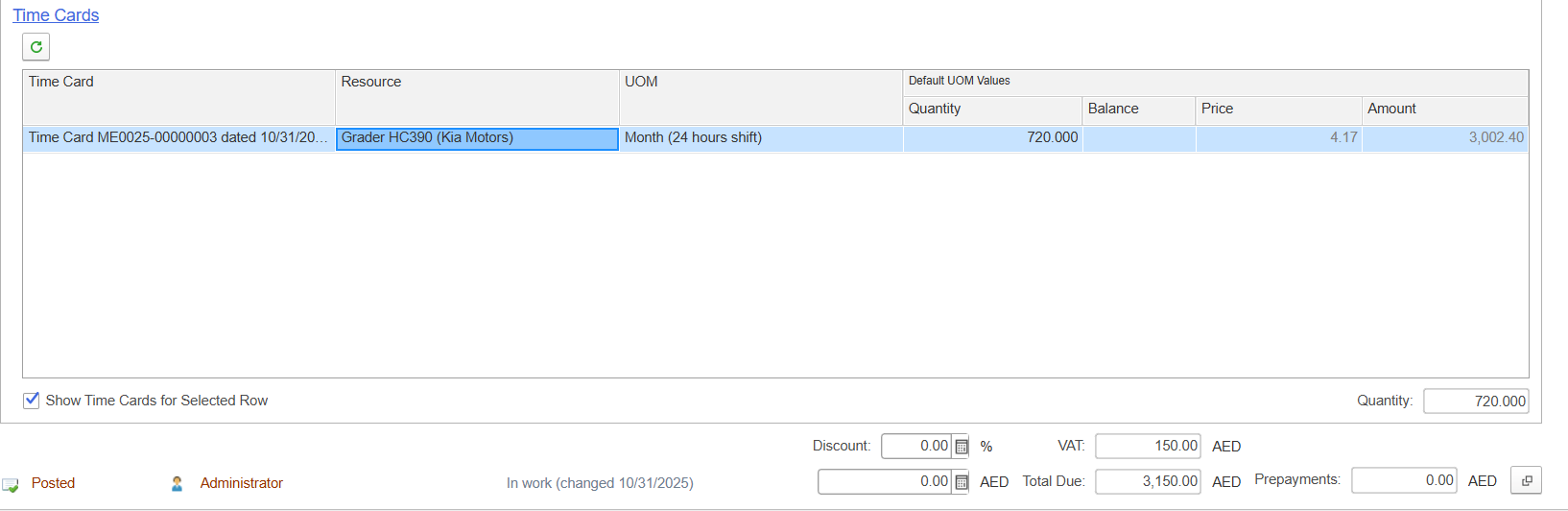
Time Cards
The Time Cards table is automatically populated from time entries recorded by each resource against the Purchase Order (PO). Each line reflects actual work performed and is directly used for invoice calculations.
- Time Card - Linked the time card document.
- Resource - The individual (employee or consultant) who performed and logged the time.
- UOM - Default unit of measurement used in the system.
- Default UOM Values
- Quantity (Hours) - The number of hours worked for a specific day or task, which forms the basis for billing.
- Balance (Hours) - Remaining or available hours.
- Price - The hourly rate defined in the Purchase Order is automatically applied for consistency.
- Amount - The calculated value for each entry, derived as Hours × Price
Also, any change in Quantity (Hours) in the Time Cards table will automatically recalculate the related parent line in the “Invoice Received” document.
Unbilled Purchase
Need to explain unfilled purchase posting schema with TIme Cards. Unbilled purchase check box on the main page.
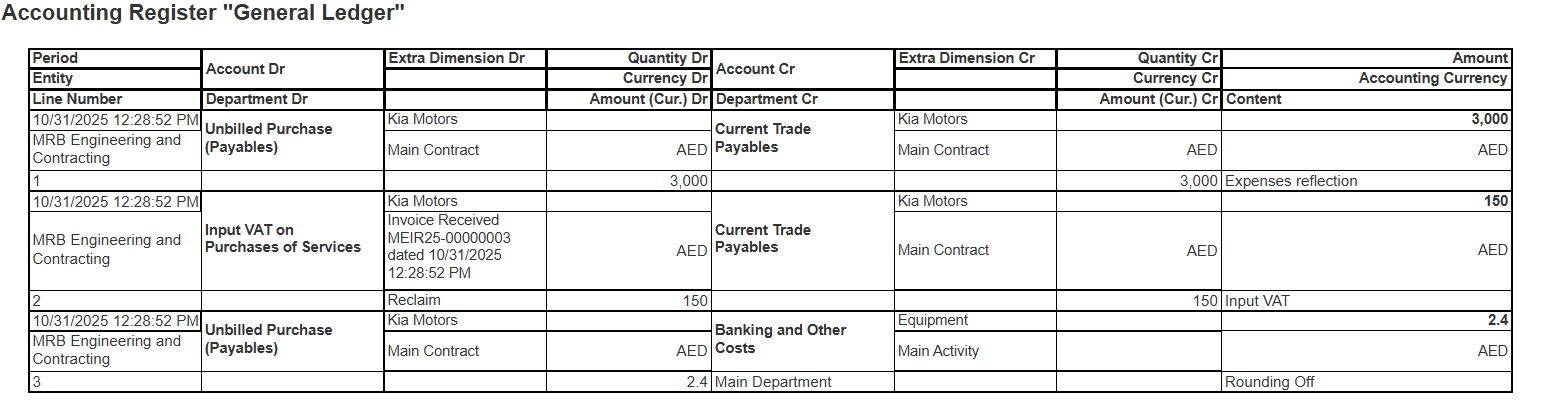
- Time card is calculating expenses (Dr) in correspondence with unfilled purchase account (Cr payables) by PO rates.
- Invoice received is closing unfilled purchase (Dr) to current payables (Cr) and calculating required VAT transaction.
Unbilled Purchase
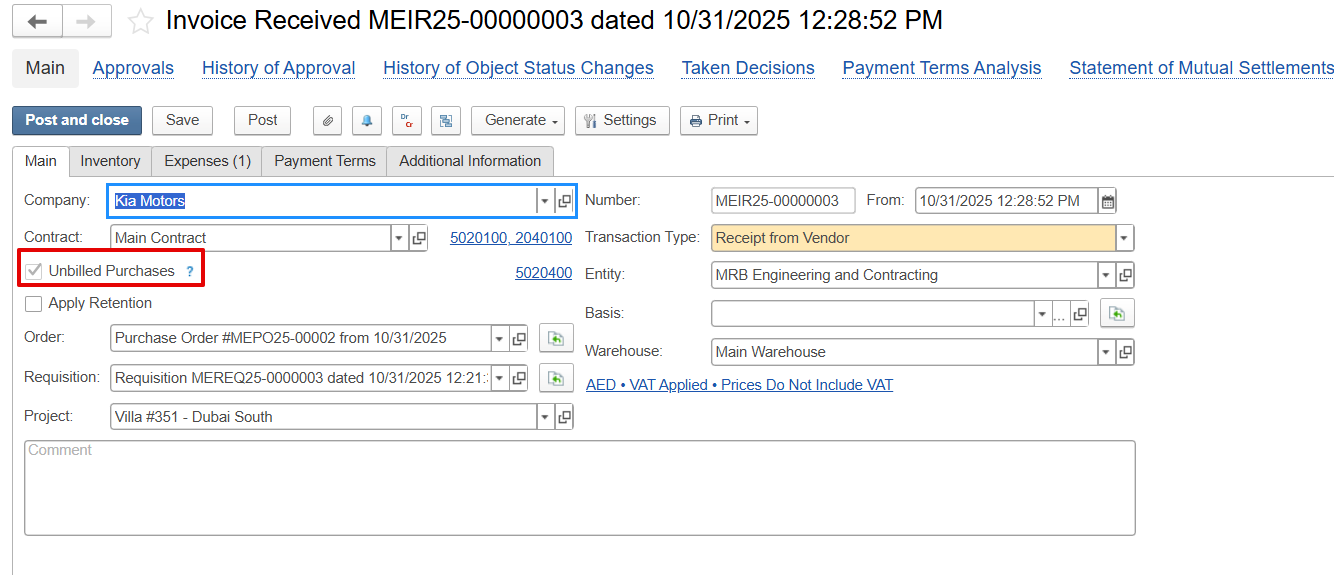
When Unbilled Purchase is enabled in the main tab, the system initially records the timecard, and then the system calculates the cost using hours × PO rate and posts it to the Unbilled Purchase GL account. This is a separate general ledger account from the standard Trade Payables GL account.
The entry is recorded as an expense (Dr) with a corresponding credit (Cr) to Unbilled Purchase. The cost is recognized in the accounts, but it is not yet treated as an actual supplier payable because the invoice has not been received., But it remains in the Unbilled Purchase account until the supplier invoice is received, after which it is transferred to the standard payables account.
Dr: Expense
Cr: Unbilled Purchase
The cost is recognized in the accounts, but it is not yet treated as an actual supplier payable because the invoice has not been received.
The Unbilled Purchase account functions similarly to Trade Payables, but it is maintained as a separate interim account for expected invoices. Once the supplier’s invoice arrives, the amount is moved from Unbilled Purchase to the regular Trade Payables account, making it an official liability.

Later, when Invoice Received is created, the system:
Moves the amount from Unbilled Purchase to Payable
Dr: Unbilled Purchase (to clear it)
Cr: Payables