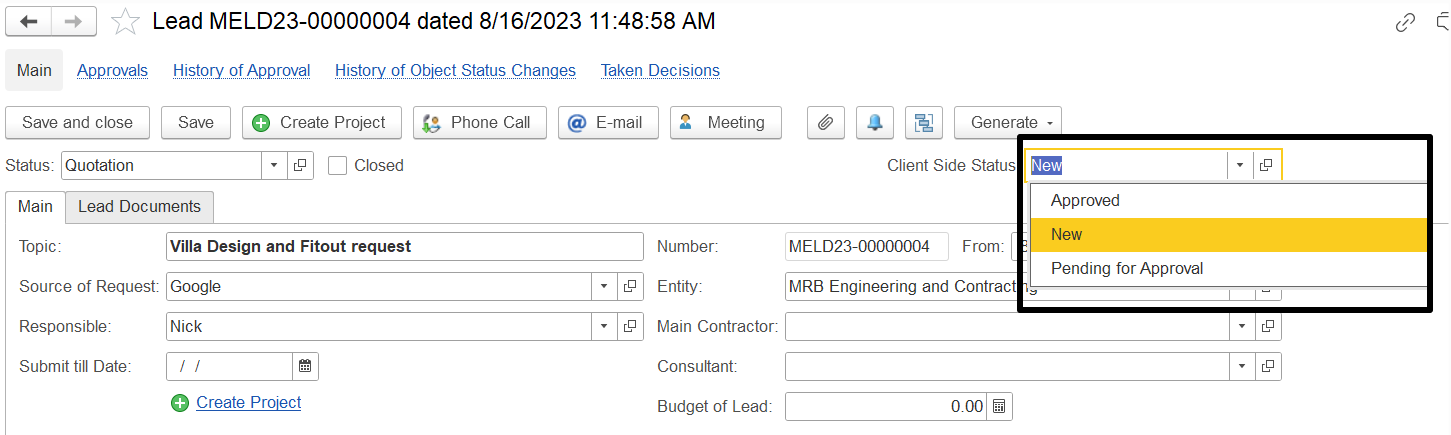
To Add the Field on the Lead Page:
Go Administration > CRM Settings and enable the option "Use client-side lead status."
This will allow the field to be displayed and managed directly on the lead page.
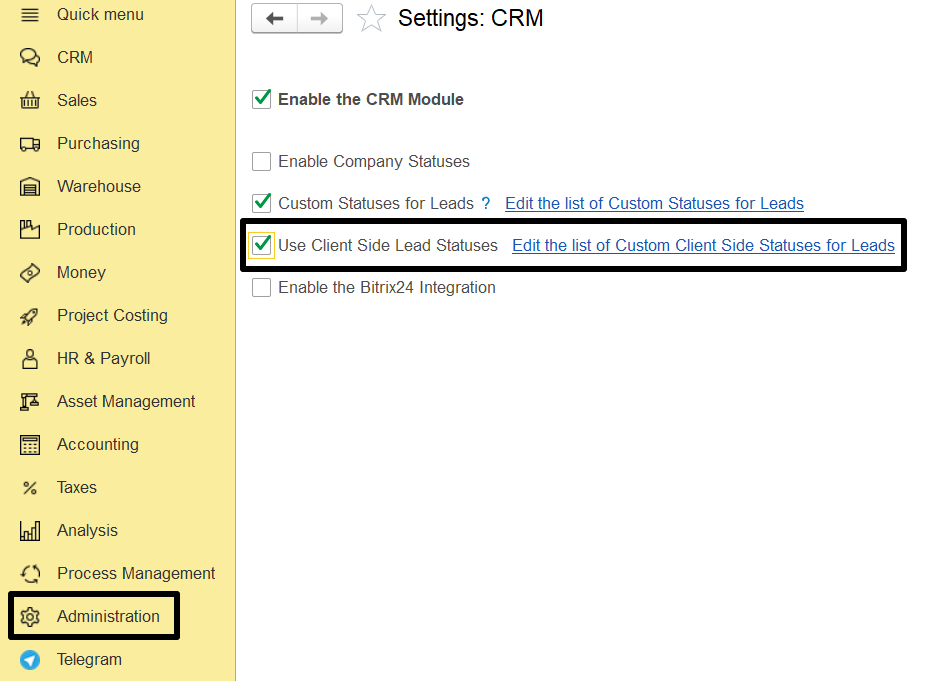
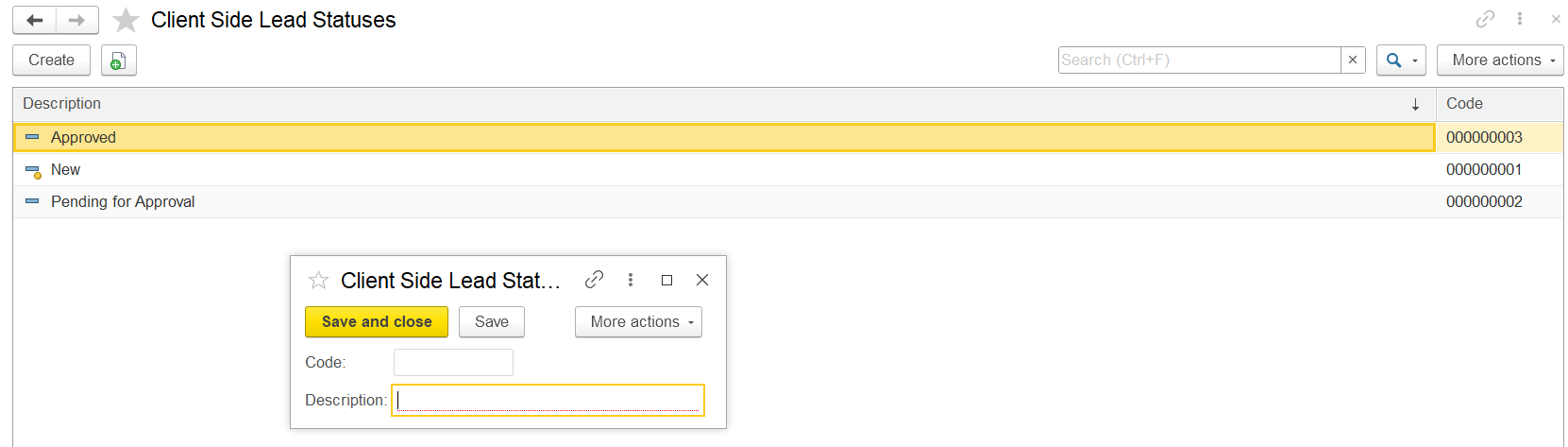
Status types can be added using the Edit custom client-side statuses for leads hyperlink.
On the lead page, this option is available on the right side of the screen.
To assign a status, select one from the dropdown list of available statuses