The Invoice Received document is used to record incoming invoices from subcontractors or service providers for work completed under a Subcontractor Agreement or Project Contract.
This document is primarily used for service-based invoices, such as subcontracted works, consulting, and professional services, excluding material inventory.
When linked to a Payment Certificate, it automatically retrieves certified work quantities, amounts, and VAT details to ensure alignment with certified progress.
How to create
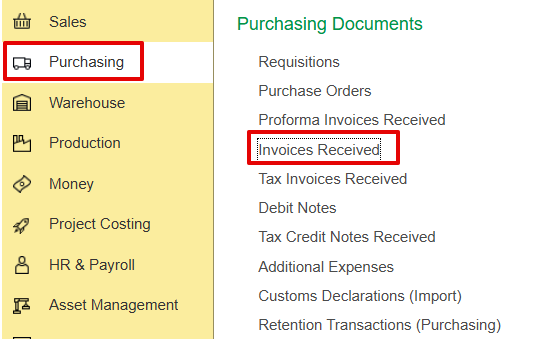
a) Purchasing→ Purchasing documents → Invoice received
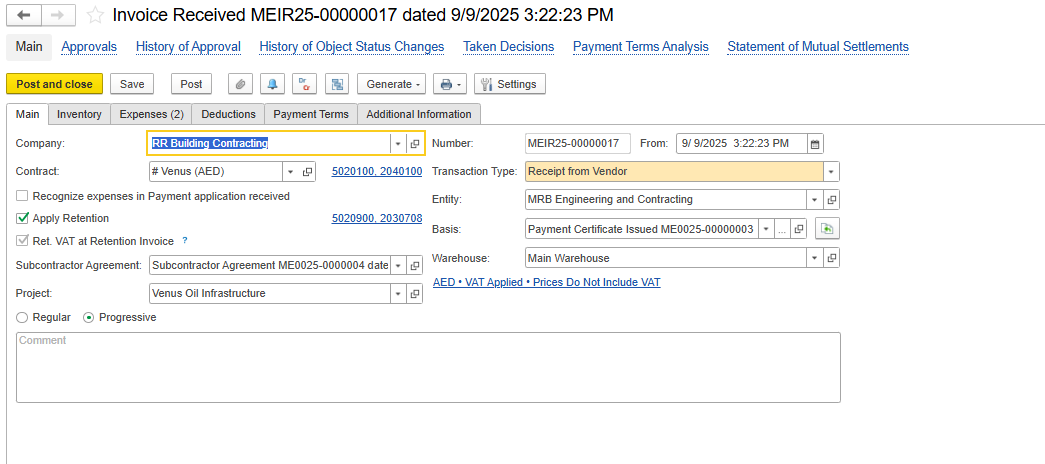
Main Tab
This tab mainly contains key identification and control information for the invoice.
Company - The company receiving the invoice.
Contract - Refers to the contract related to the service.
Recognize expenses in Payment Application received - Option to recognize costs at the stage of payment application instead of invoice posting. If it was enabled, it will appear further in the invoice received
Apply Retention - Enables retention deduction based on the agreement settings.
Ret. VAT at Retention Invoice - Indicates that VAT on retention will be accounted for when retention is invoiced.
Subcontractor Agreement - References the subcontractor agreement under which this invoice was processed.
Project - Links the invoice to a specific project for cost tracking.
Transaction Type - Defines the nature of the transaction: Receipt from Vendor for subcontractor invoices.
Basis - The document from which this invoice is generated is typically a Payment Certificate Issued.
Warehouse - Optional, used only when materials are involved (not applicable for services).
Regular / Progressive - Defines the invoicing method:
Regular - Used for one-time or standard service invoices not linked to cumulative progress.
Progressive - Used for ongoing subcontractor works where the invoice is based on certified progress or cumulative quantities.
Comment - Free-text field for additional notes or internal references.
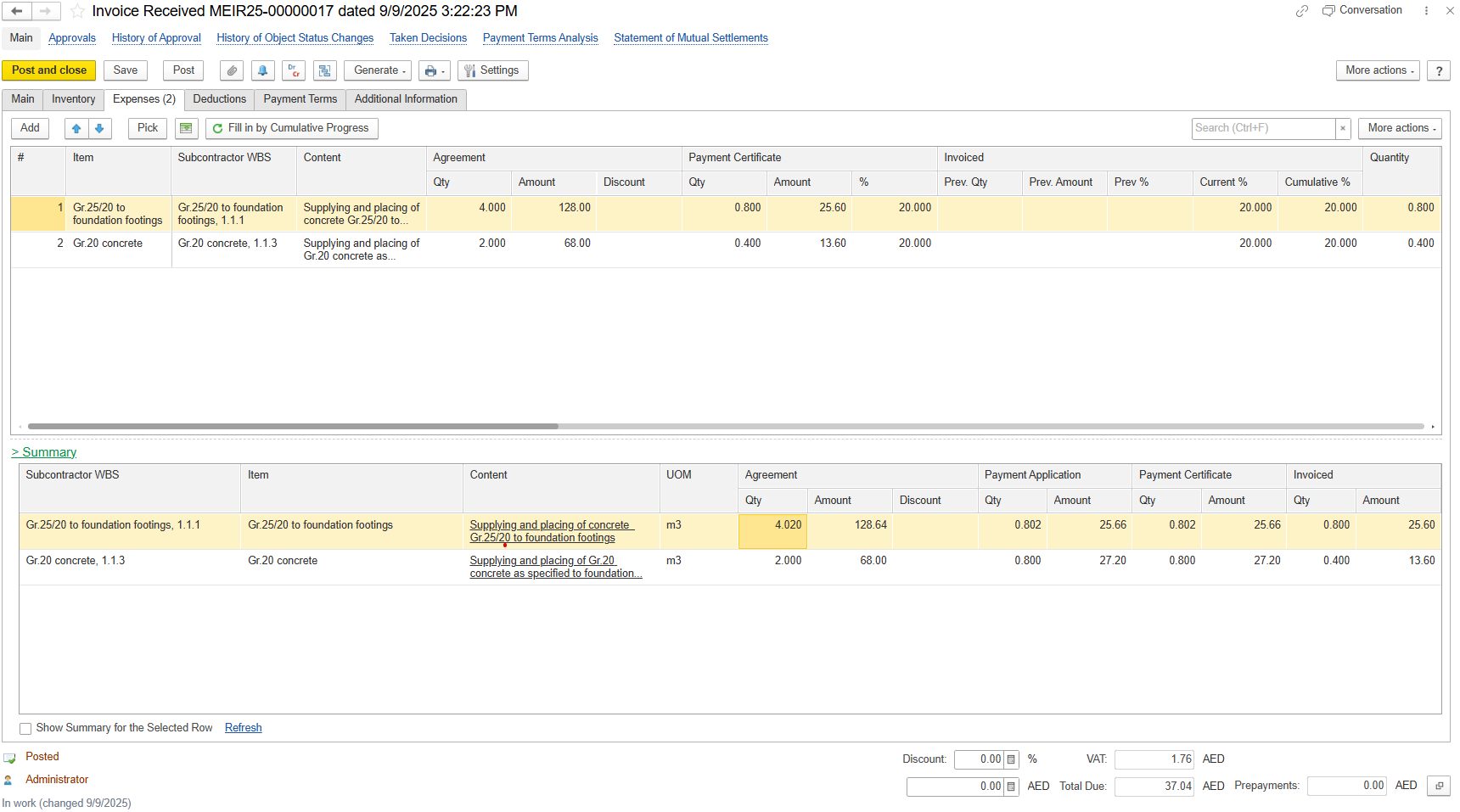
Expense Tab
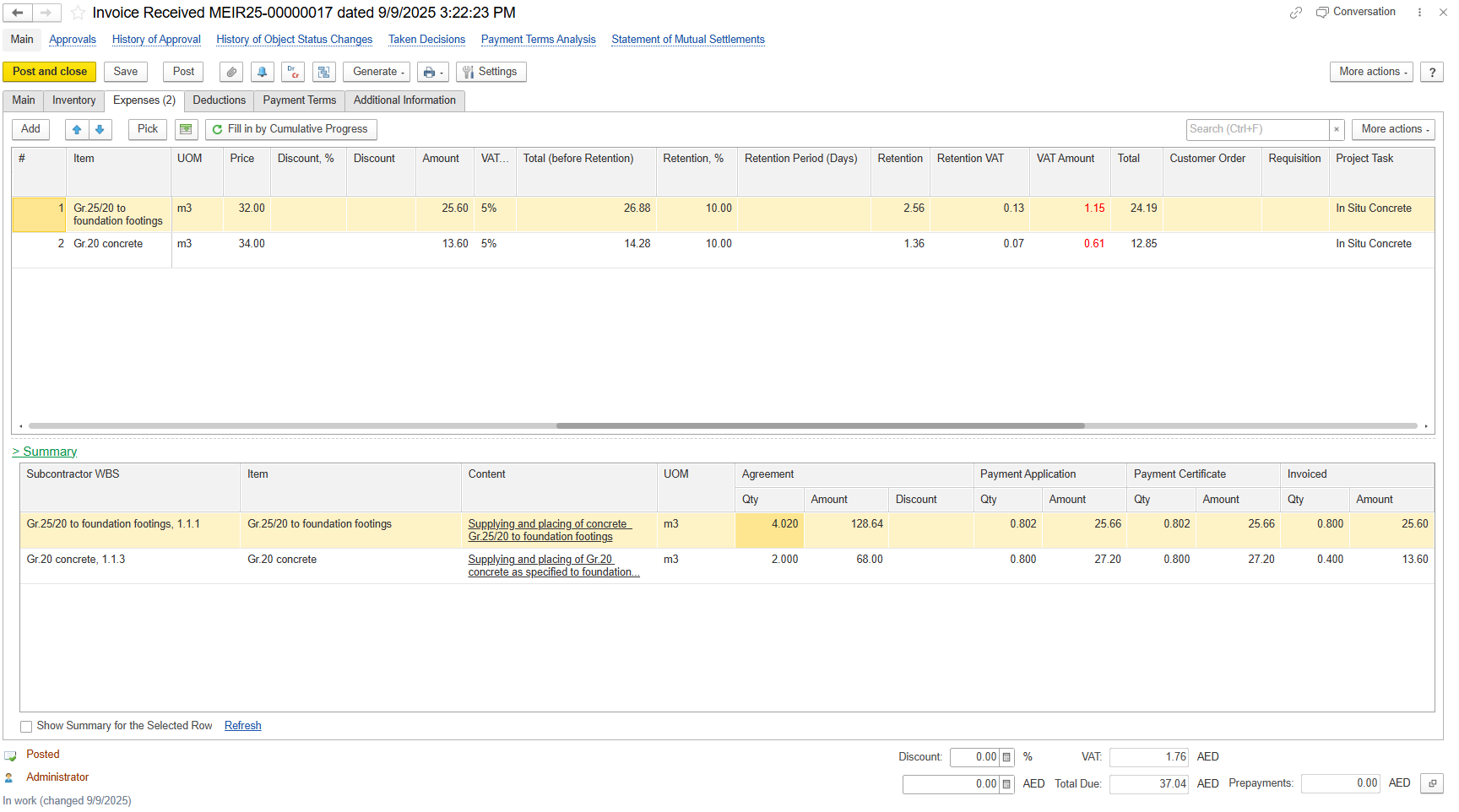
The tab lists all service or subcontractor work items being invoiced.
- Subcontractor WBS-Project WBS code linked to the subcontractor’s scope of work.
- Content-Description of work or service performed; must align with the contract scope.
- Agreement
- Unit Price-Rate per unit as agreed in the subcontract.
- Agreement Amount-Total contractual value = Agreement Quantity × Unit Price.
- Agreement Discount-Discount applied to the agreed amount, if any.
- Payment Certificate
Qty-Quantity certified for the current payment period.
Amount-Certified amount corresponding to the approved quantity.
%-Percentage of the total agreement certified for payment.
- Invoiced
- Previous Qty-Quantity invoiced in previous payment periods.
- Previous Amount-Amount invoiced in previous payment periods.
- Previous %-Percentage invoiced up to the last period.
- Current %-Percentage invoiced in the current period.
- Cumulative %-Total invoiced percentage to date.
- Qty-Current claimed quantity of work or service.
UOM-Unit of Measure (e.g., m², m³, pcs).
Price-Unit rate applied for invoicing.
Discount-Value of discount applied on the line item.
Discount %- Percentage of discount applied to the line item.
Amount-Net value after applying discounts.
VAT-Value Added Tax calculated on the taxable amount.
Total (Before Retention)-Gross total before applying retention deduction.
Retention %-Percentage of retention applied as per contract terms.
Retention Period (Days)-Duration after which the retained amount can be released.
Retention-Amount withheld from the total payable for quality or performance assurance.
Retention VAT-VAT calculated on the retained amount.
VAT Amount: Total VAT applied to the invoice value.
Total- Final invoice total, including VAT and after applying retention.
Customer Order- Reference to the corresponding customer order linked to the transaction.
Requisition-Linked requisition document initiating the purchase or service request.
Project Task-Specific project or task code associated with the invoiced work or service.
Summary
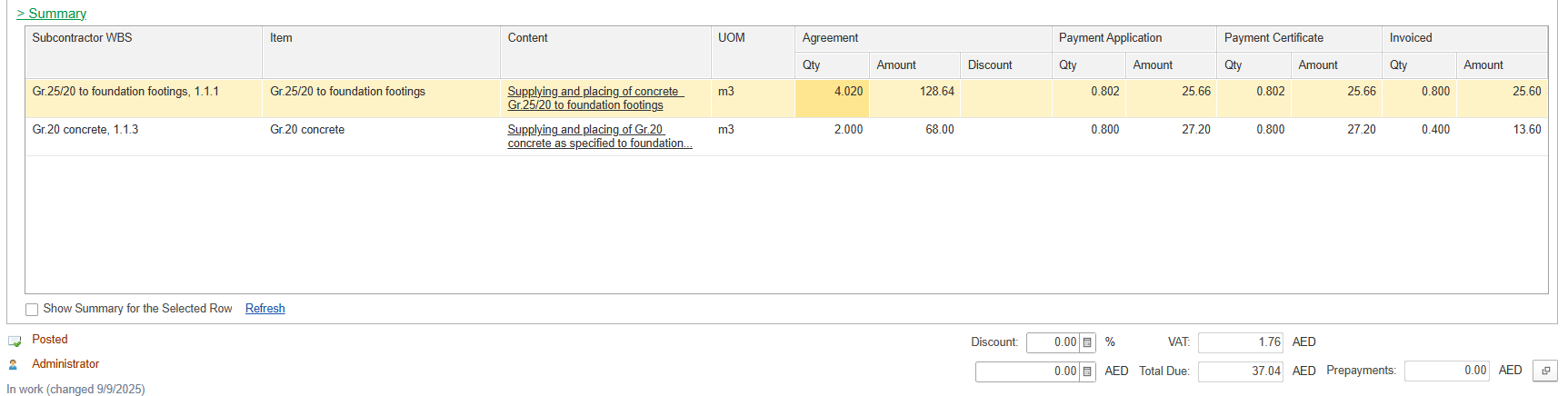
Subcontractor WBS - Code linking work scope to project cost structure.
Item - Task or activity code from BOQ or contract.
Content - Description of the executed work or service.
UOM - Unit of measure used for quantity tracking.
Agreement
Quantity - Original contract quantity.
Amount - Corresponding contract value for the agreed quantity.
Payment Application
Qty - Claimed quantity submitted for approval.
Amount - Value corresponding to the claimed quantity.
Payment Certificate
Qty - Quantity approved for payment.
Payment Certificate Amount - Certified amount corresponding to the approved quantity.
Invoiced
Qty - Quantity included in the invoice.
Amount - Final invoiced value based on certified work; must match approved amounts.
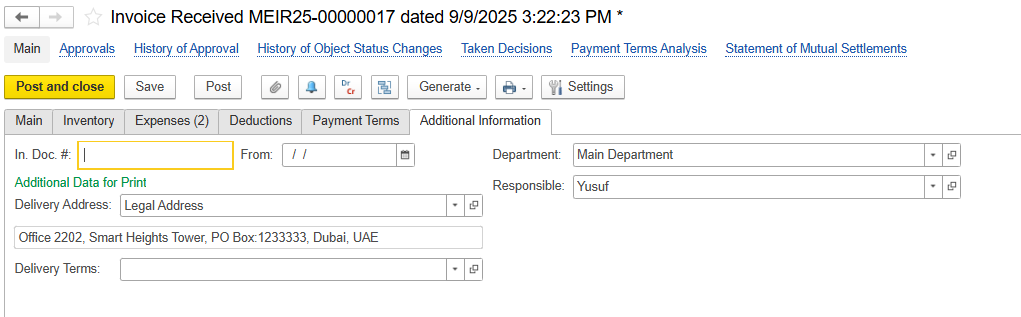
Additional Information
In Doc # - unique reference number assigned to a document received from an external party,
From Date - Date when the invoice is issued.
Department - Internal division responsible for processing or approving the invoice received.
Responsible - Employee accountable for the transaction.
Delivery Address - Location where the goods or services were delivered.
Delivery Terms - Terms and conditions agreed upon for the delivery of goods or services.