-
Created by
 Igor Averin, last updated on 22 Oct, 2024
5 minute read
Reference Information
Downloading Backup Files
Backup files are stored within the hosting platform.
These files can be obtained for storage or use.
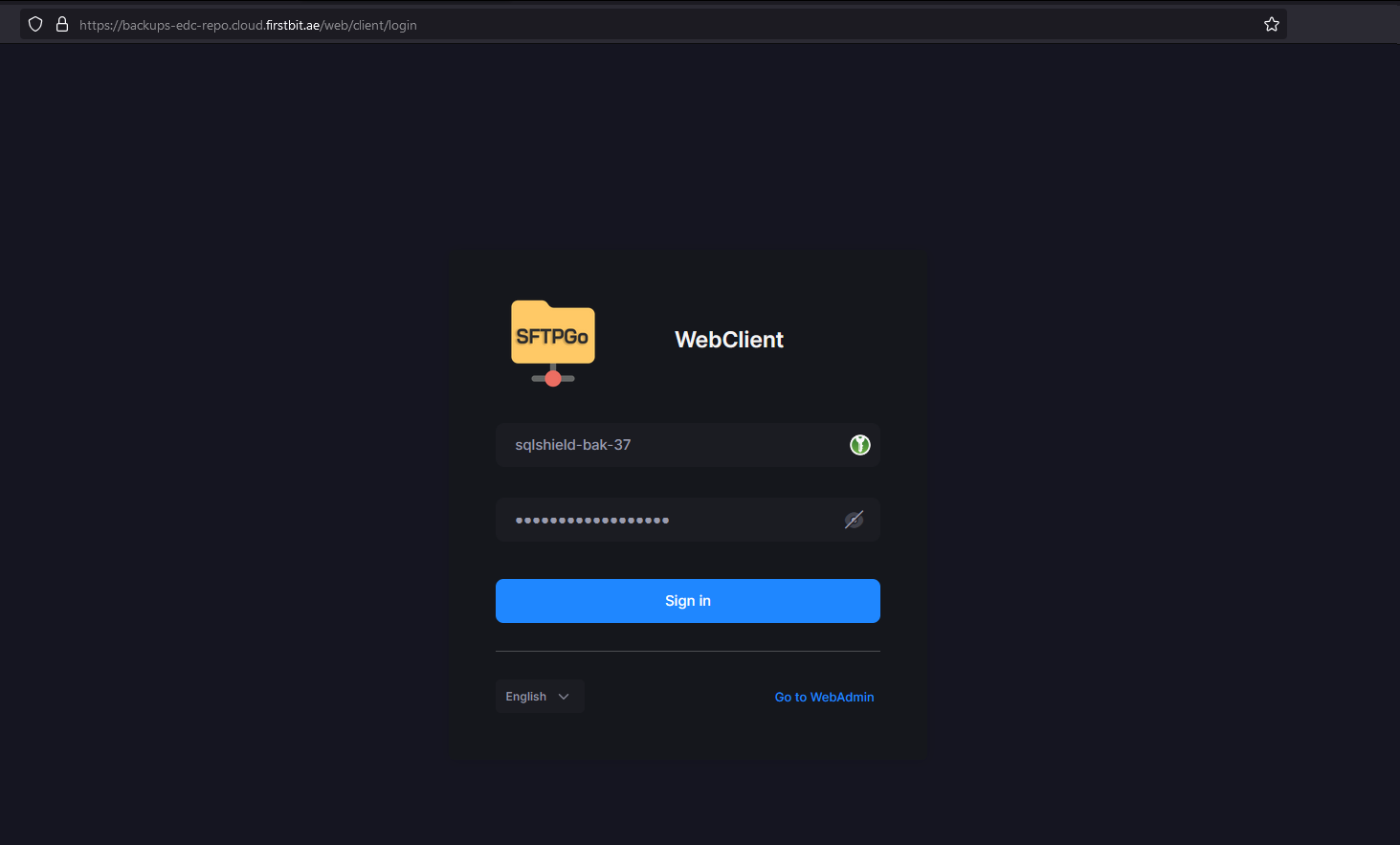
Step 1 – Go to the web page and log in using the credentials provided by your manager - https://backups-edc-repo.cloud.firstbit.ae
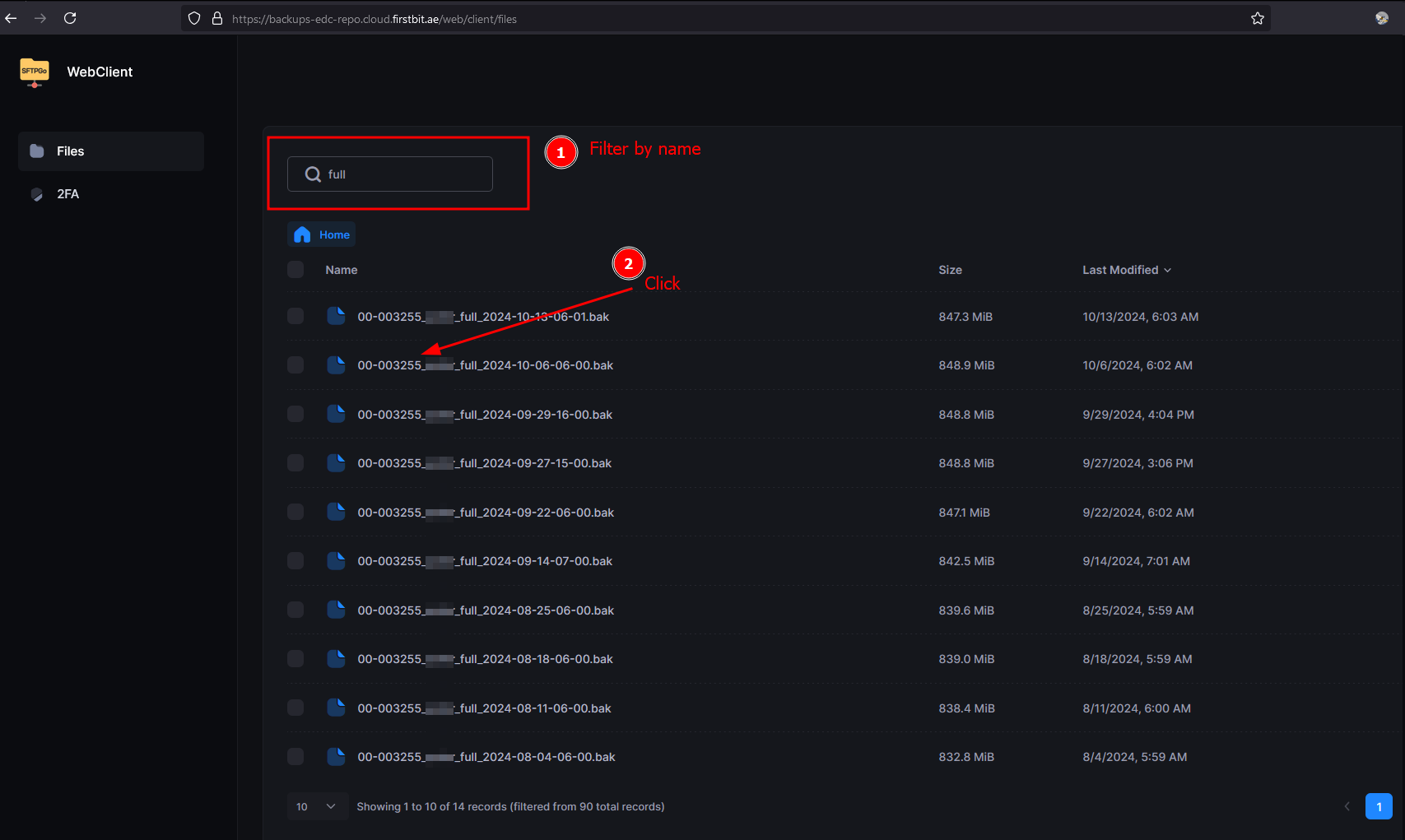
Step 2 – Select the backup file and click on it once. The file will begin downloading to your local computer.
Use Case Scenario – Long-Term Local Storage of Backups
To implement this task, you need to:
- Organize a local storage where you will keep the files.
- Regularly access the web portal and download full backup files to your local storage.
- Clean up outdated copies based on the required retention periods.
Information for Technical Specialists
Backup Organization
This article describes the backup system for applications hosted on FirstBIT Cloud.
In this deployment option (classic), a separate SQL database is provided for each application.
Microsoft SQL Server is used as the DBMS, and the standard mechanism of this software is utilized for backup purposes.
This means that the deployment of the data backup file is only possible on Microsoft SQL Server.
Choosing the SQL Server Edition for Deployment of Backups
For one-time deployment, not for continuous operation, the free version – Developer Edition – is suitable.
You can find more information about licensing on the - official website
Backup File Naming Rules
Below are two examples of backup files:
- 00-015441_data_full_2024-12-15-07-12.bak
- 00-015441_data_diff_2024-12-16-11-05.bak
When creating a backup, the file is generated according to the following logic:
- 00-015441_data – the name of the SQL database;
- full / diff – the type of backup;
- 2024-12-15-07-12 – the date and time of the backup creation in the following format:
- 2024-12-15 – year-month-day;
- 07-12 – hour-minute.
Using Backups
To implement this task, you need to:
- Connect to the storage.
- Download the necessary set of files – a full backup and a differential backup if you need to restore as close as possible to a specific date.
- Perform the database restoration from the backup.
1. Starting the Database Restoration Wizard:
- In the Object Explorer of SSMS, find the Databases node and right-click on it.
- In the context menu, select Restore -> Database...
- The Database Restore Wizard will open.
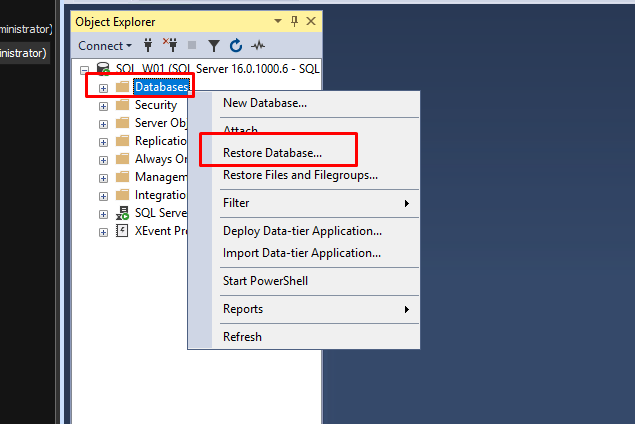 Choose master of Restore Database.
2. Specifying the Backup Source:
- On the General page, in the Source section, select Device and click the button ...
- In the dialog that opens, select the downloaded backup files (full + diff if necessary).
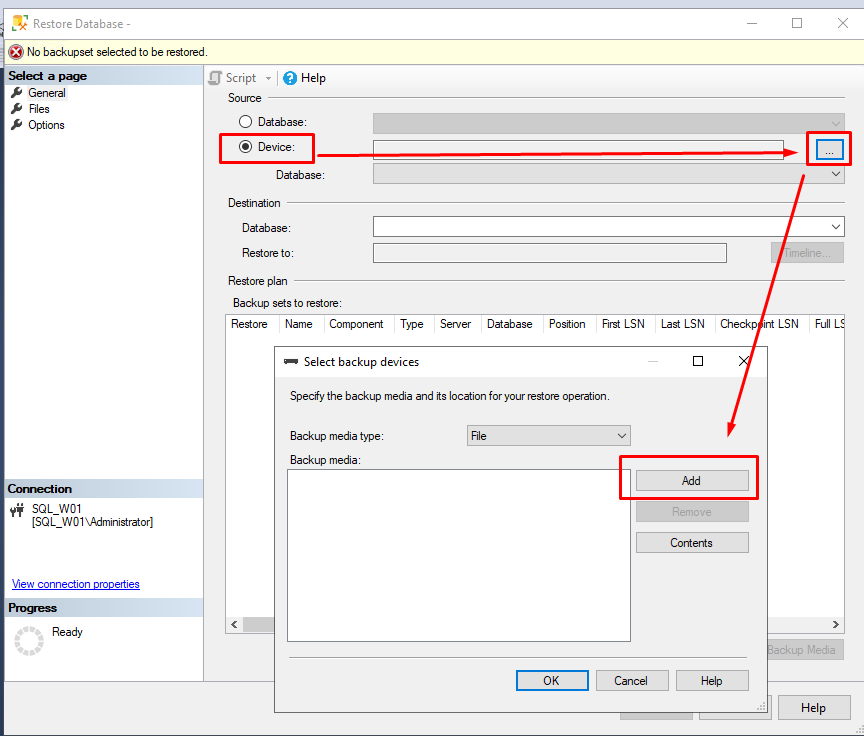
Add downloaded files as source.
3. Choosing the Date and Time for Restoration:
- Important: For a correct restoration, you need not only the backup file from the desired date and time but also the nearest preceding full backup.
- If you want to restore the database to the time of the full backup creation, it is sufficient to select only its file.
4. Verifying Selected Files and Parameters:
- Carefully check the selected backup files, date, and time for restoration.
- Ensure that all parameters are specified correctly.
- Click the OK button to begin the restoration process.
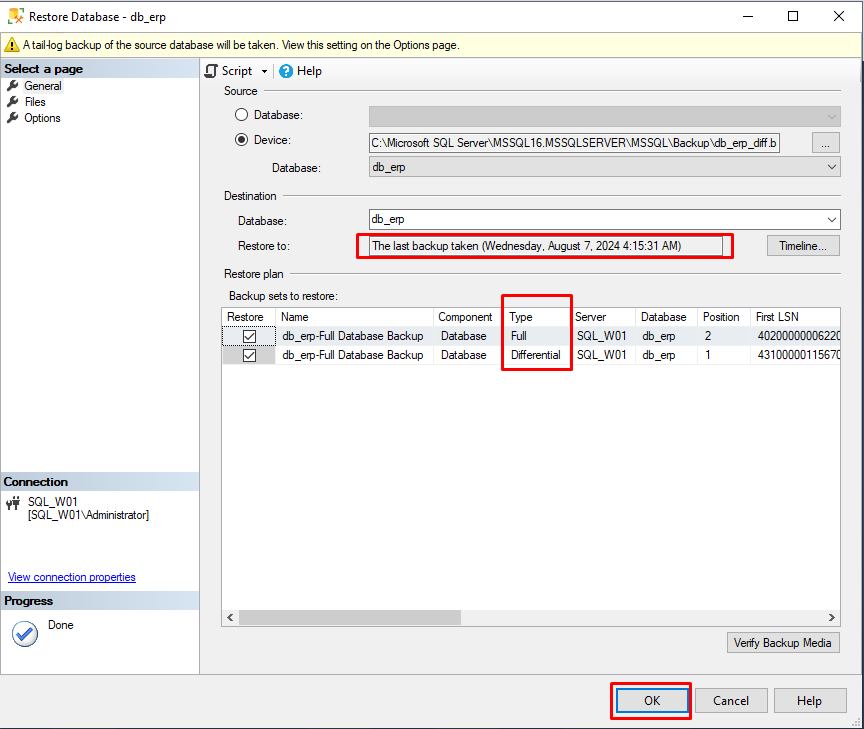
Check files and date to restore.
5. Completing the Restoration:
- After the restoration is successfully completed, the database will be ready for use.
- You can add it to the 1C server cluster.
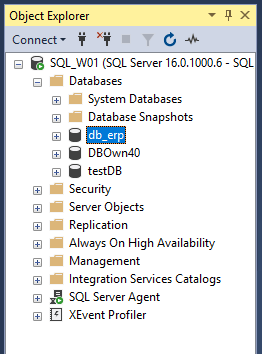
Database restored.