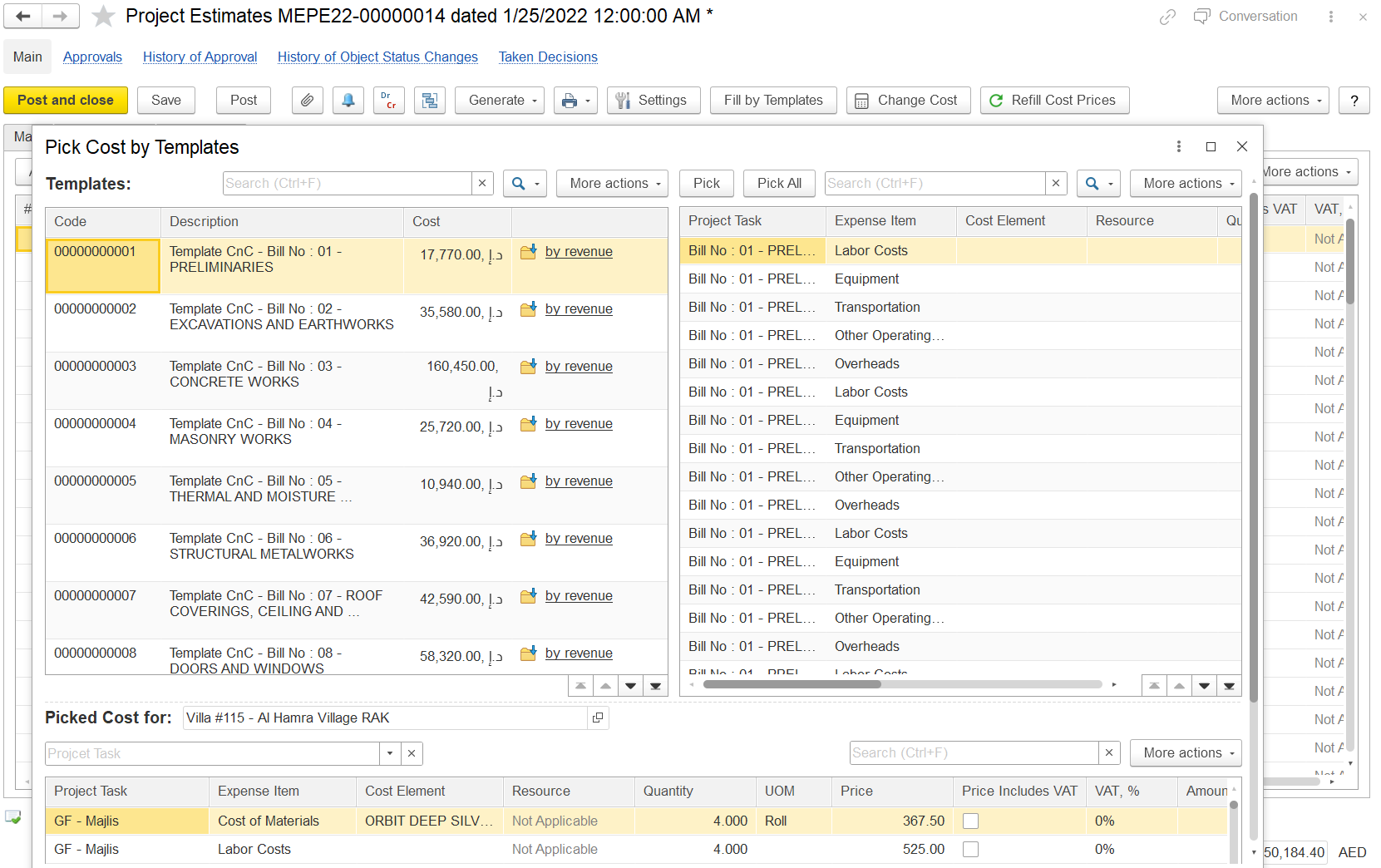
The Cost tab in the Project Estimates form allows users to enter and manage all cost-related data for a project when the estimation method is set to Independent Calculation of Costs and Revenues. This means cost and revenue figures are maintained and calculated separately.
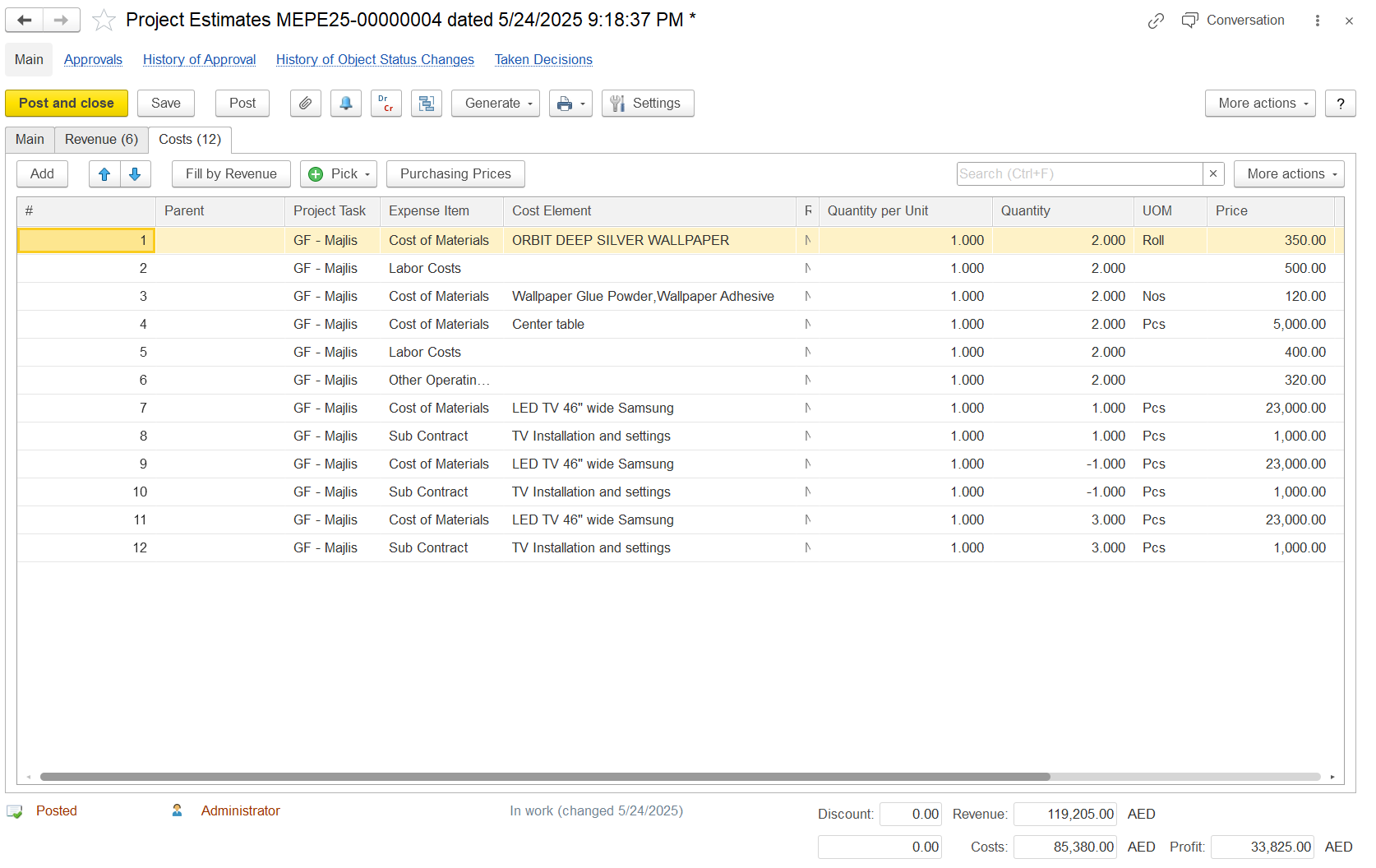
Differences Based on Revenue vs. Independent Calculation
Feature | Revenue-Based Calculation | Independent Calculation |
|---|---|---|
| Cost derived from revenue | Yes (markup applied) | No (costs are entered independently) |
| Revenue auto-filled based on cost | Yes | No |
| Separate handling of VAT, price, and items | Limited | Fully flexible and detailed |
| Cost and revenue linkage | Direct | No linkage (manual entry) |
Fill by Revenue
The Fill by Revenue button is available on the Costs tab of the Project Estimates form.
When clicked, it automatically fills in cost estimates using the revenue figures already entered on the Revenues tab. This provides a quick way to generate initial cost values, which can then be adjusted manually if needed. This function ensures consistency between projected revenues and expected costs, streamlining early-stage project budgeting.

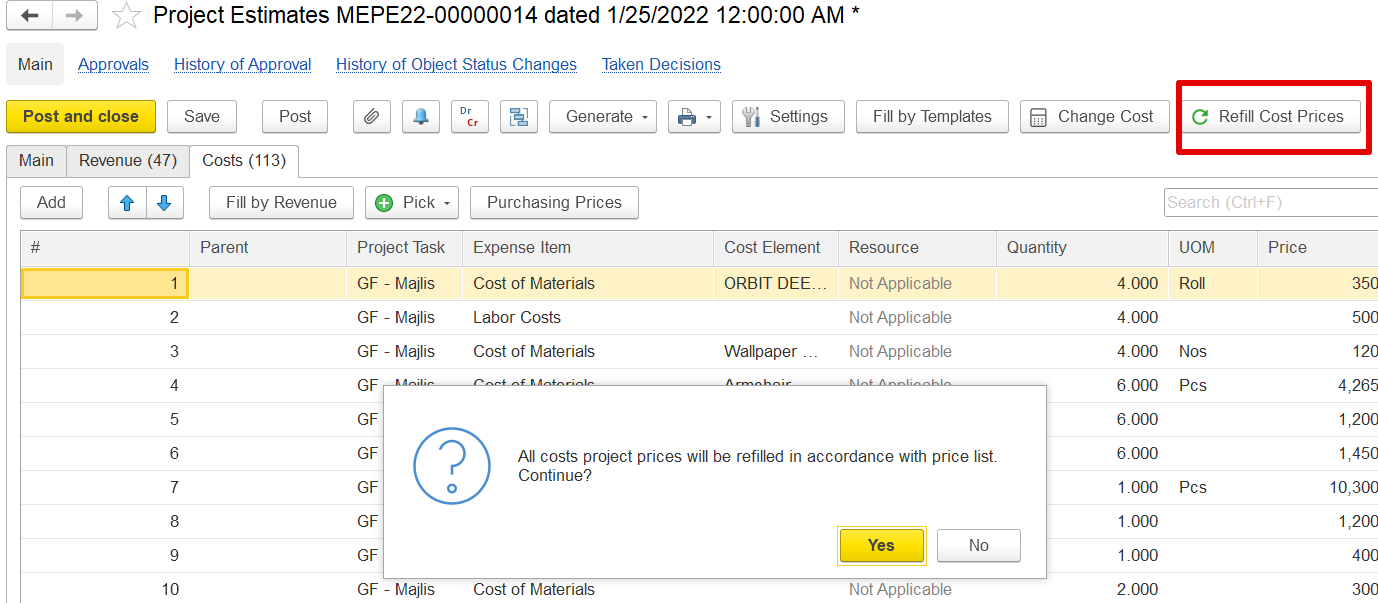
Refill Cost Prices
The Refill Cost Prices button updates the Price fields in the Costs tab using the latest values from project item pricing documents.
When selected, the system checks each cost item against relevant project-specific pricing records and replaces outdated prices with the most current approved values. A confirmation prompt is displayed before proceeding with the update.
Does not change Quantity, UOM, or Cost Element fields, only the price.
If no new price is available in the pricing document, the existing value remains unchanged.
Purchasing Price
The Purchasing Price form lets users select and apply the most relevant price for an item from historical purchase data, supplier tenders, or Suppliers price lists.
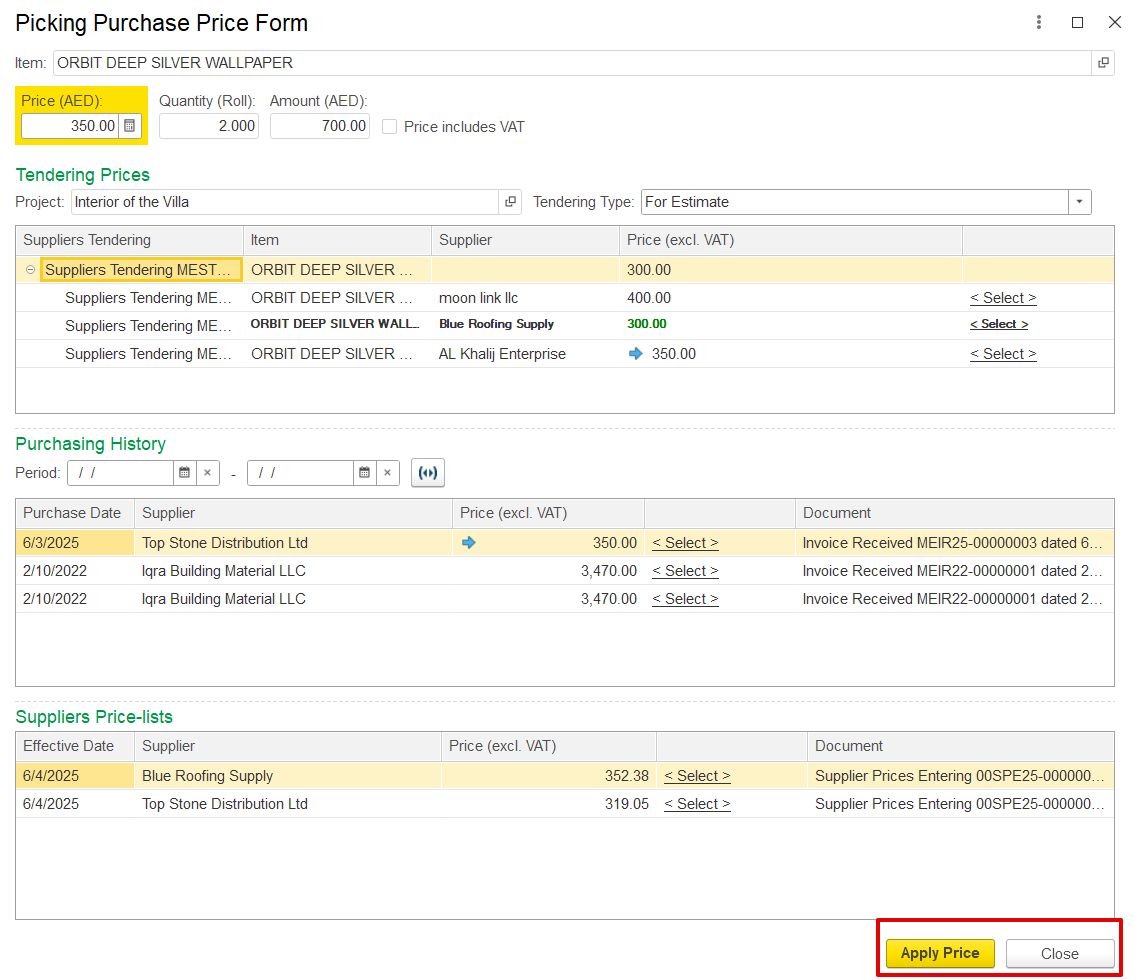
Shows quantity and price in accounting currency.
Includes a toggle for VAT inclusion.
Displays history of purchases by supplier and price.
Allows applying the selected price directly to the estimate.
This ensures cost accuracy and standardization based on previous procurement.
Change Cost Form
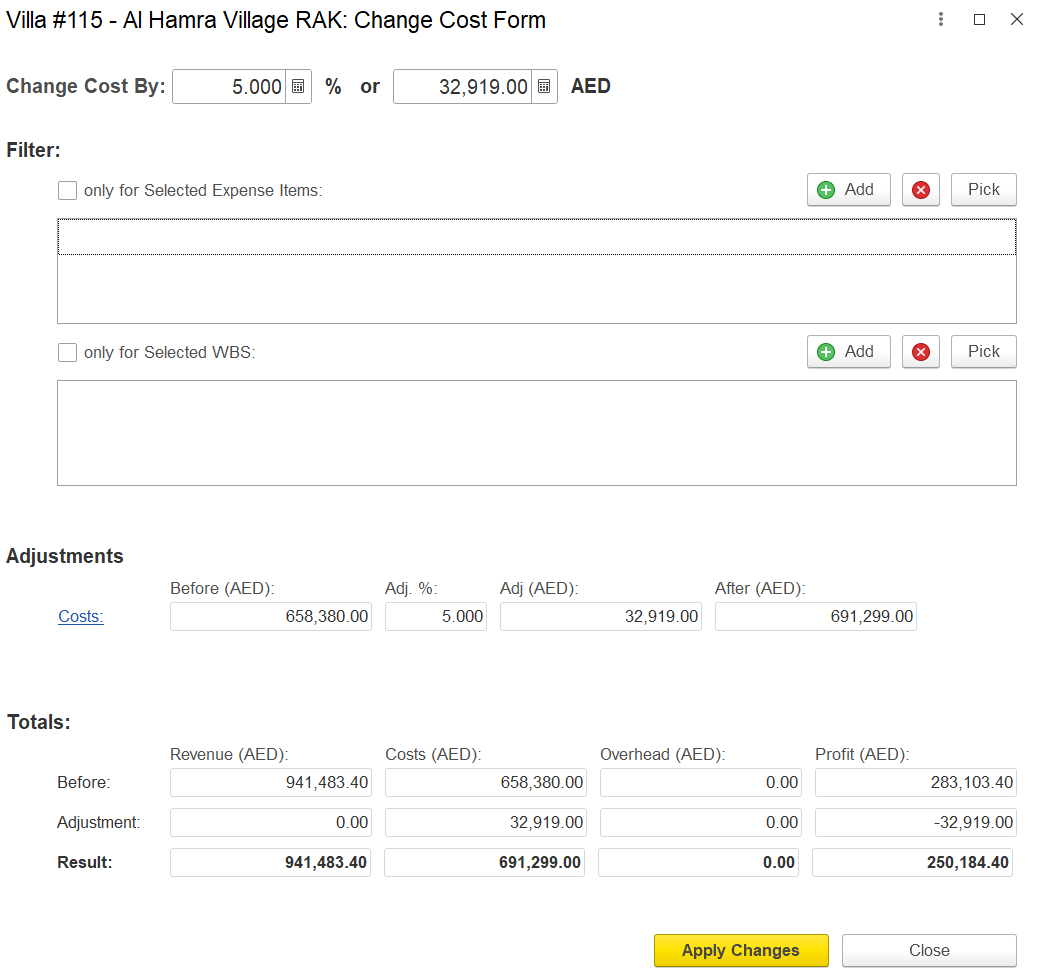
The Change Cost Form allows for bulk modification of project cost estimates. Users can adjust values by a specific percentage or a fixed AED amount.
Key Features:
Change Cost By: Apply percentage or absolute adjustments
Filters: Apply changes to specific Expense Items or Work Breakdown Structure (WBS) levels
Adjustments Table: Shows before and after cost values with automatic recalculations
Totals Section: Displays impact on Revenue, Costs, Overhead, and Profit
Apply Changes: Executes and updates cost values
Close: Exits the form without saving changes
Example: A 5% increase on a 658,380 AED budget adds 32,919 AED, updating the cost and reducing profit accordingly.
Pick by Resources
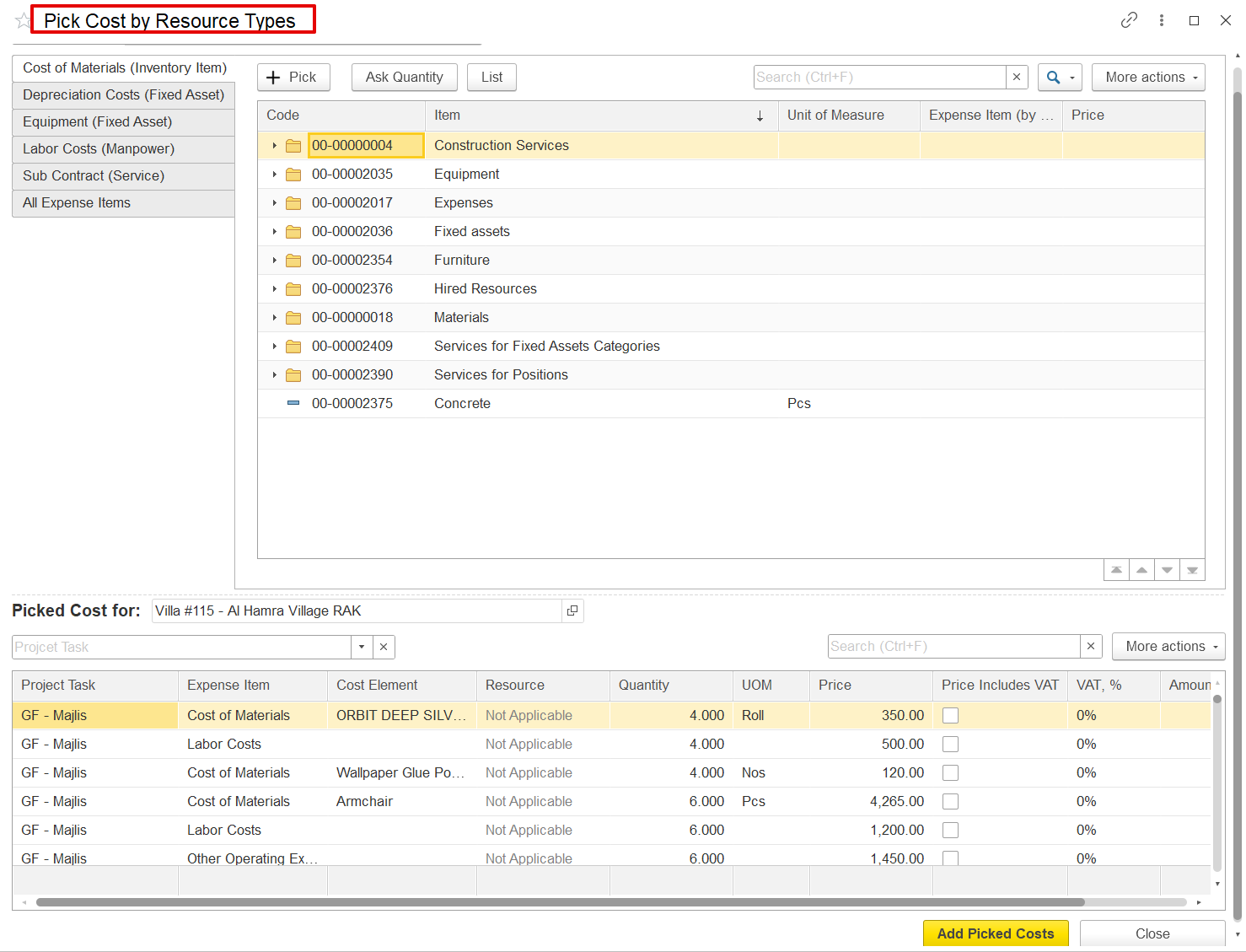
The Pick Cost by Resource Types screen allows users to add different types of costs to a project estimates, such as materials, labor, equipment, and subcontracted services.
On the left, users can select a category like Cost of Materials or Subcontract. After choosing the appropriate category, the related cost items appear in the list on the right. From there, users can pick items like concrete, furniture, or labor services.
The selected items are shown at the bottom, where quantities, prices, and VAT can be entered. Once done, clicking Add Picked Costs will add these items to the cost tab of the project estimates. This function is especially useful for custom projects, where cost structure is unique.
Employees (Labor costs)
Inventory items (Materials)
Fixed assets (Equipment use)
Subcontractor services (e.g., construction, external labor)
Pick by Templates
The Pick by Templates feature allows users to load predefined sets of cost structures into the Costs tab. These sets are drawn from other projects marked as templates.
Facilitates the reuse of cost data for similar work types
Saves time and promotes standardization
Enables consistent cost planning across projects