-
Created by
 Elena Kislitsina, last updated on 11 Aug, 2026
5 minute read
Elena Kislitsina, last updated on 11 Aug, 2026
5 minute read
Problem: During inventory write-off, the system does not allow the document to be posted.
Use this checklist to investigate issues when an Inventory Write-Off document cannot be posted or when inventory quantities in the document do not match the expected available inventory.
The checklist helps identify possible causes related to inventory balances, inventory dimensions, system settings, inventory registers, document processing, and warehouse processes.
Follow the steps below to identify the source of the discrepancy and apply the appropriate correction.
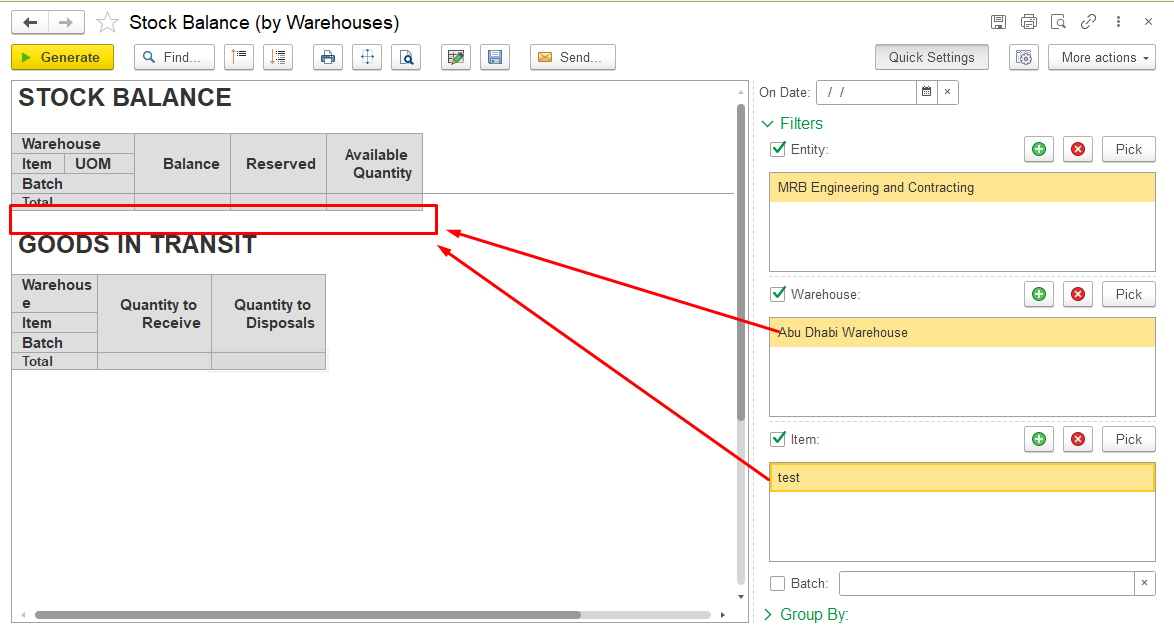
- Check Stock Balance (by Warehouse) report
Run the Stock Balance (by Warehouse) report for the same date, company, and warehouse as the Inventory Write-Off document.
Review the item balance in the report and verify:
- whether the item has a quantity balance;
- whether the balance is recorded for the correct warehouse;
- whether the balance is available under the required inventory dimensions.
If the source of the discrepancy is not identified, continue with the following checks.
2. Check inventory dimensions
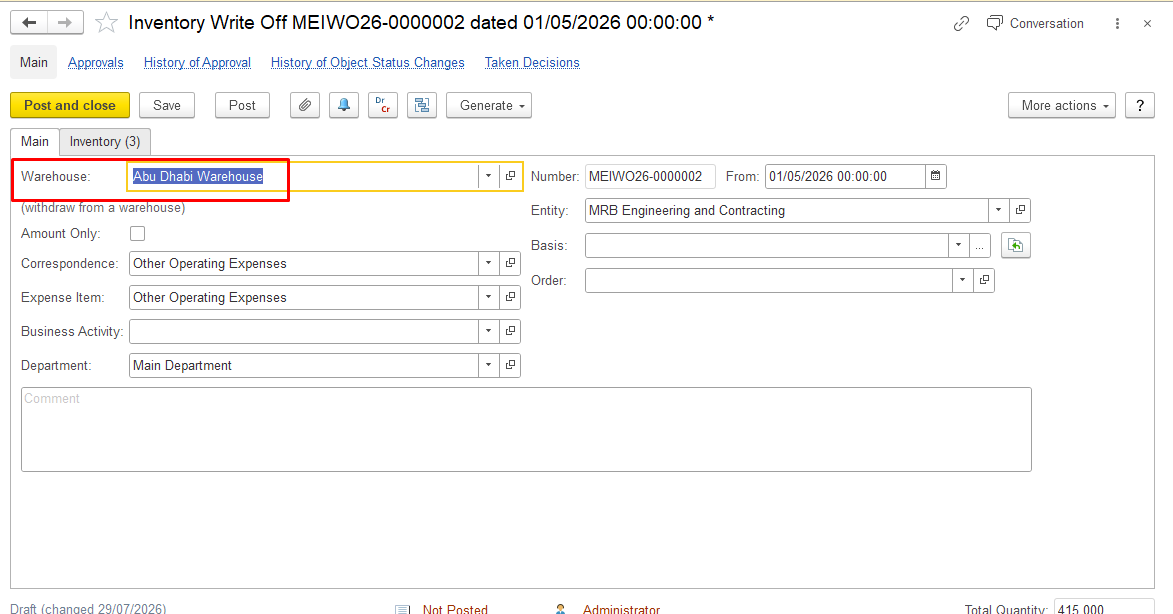
Verify that the item balance is recorded under the same inventory dimensions as the Inventory Write-Off document.
Check the following dimensions:
- warehouse;
- entity;
- batch;
3. Check Control Balances setting
Verify that Control Balances is enabled.
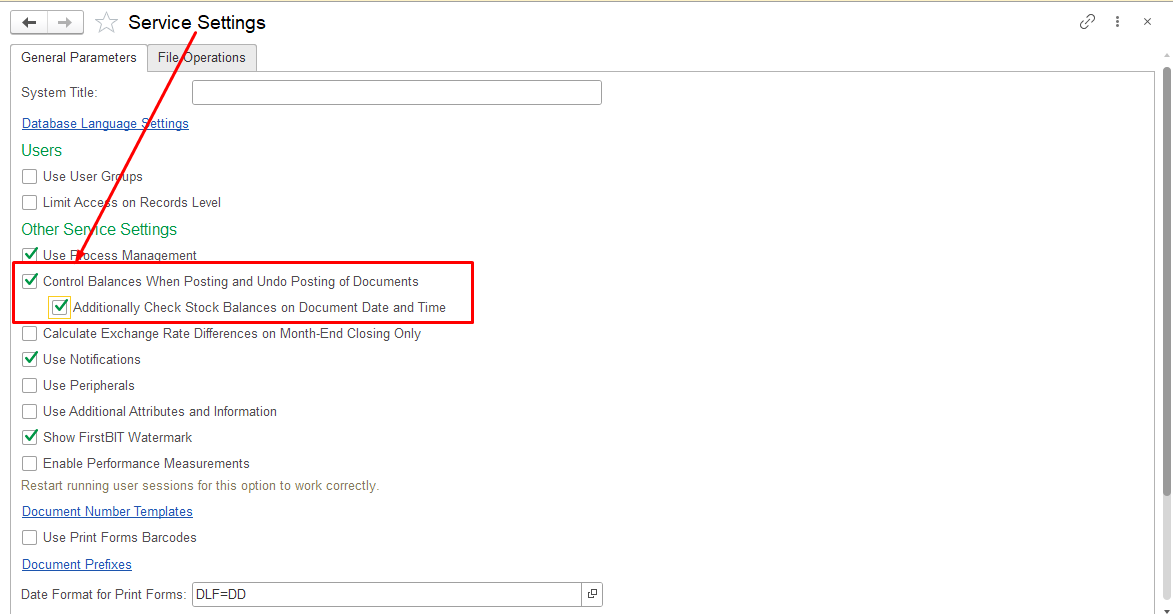
When Control Balances is enabled, the system prevents posting documents if there is insufficient inventory balance.
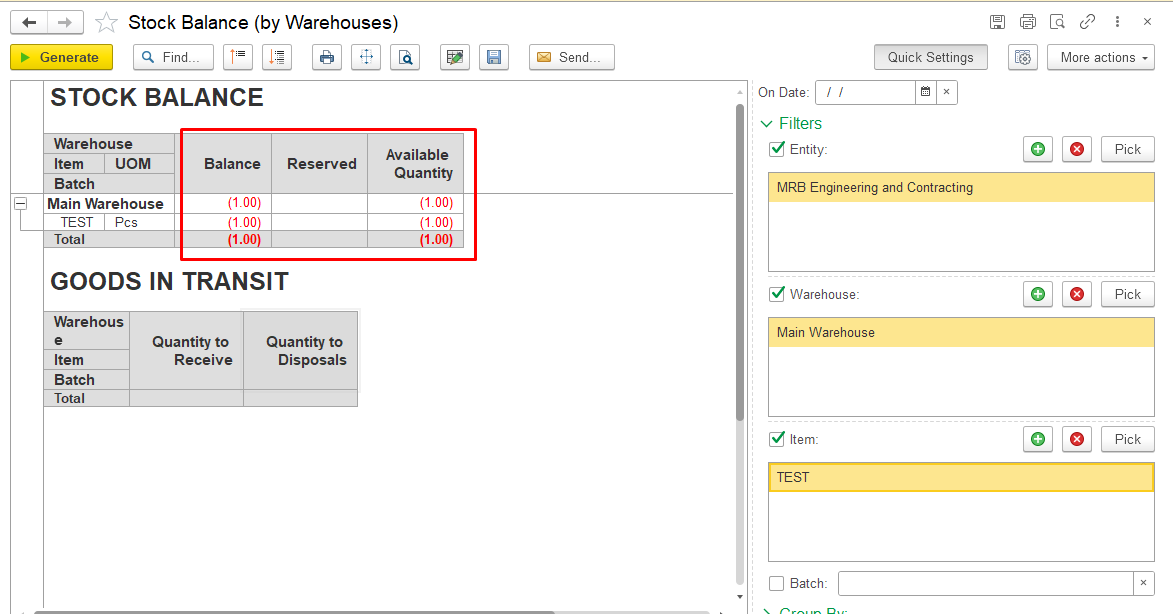
If Control Balances is disabled, documents can be posted even when sufficient inventory quantity is not available. This may lead to inventory discrepancies that can affect further operations, including Inventory Write-Off.
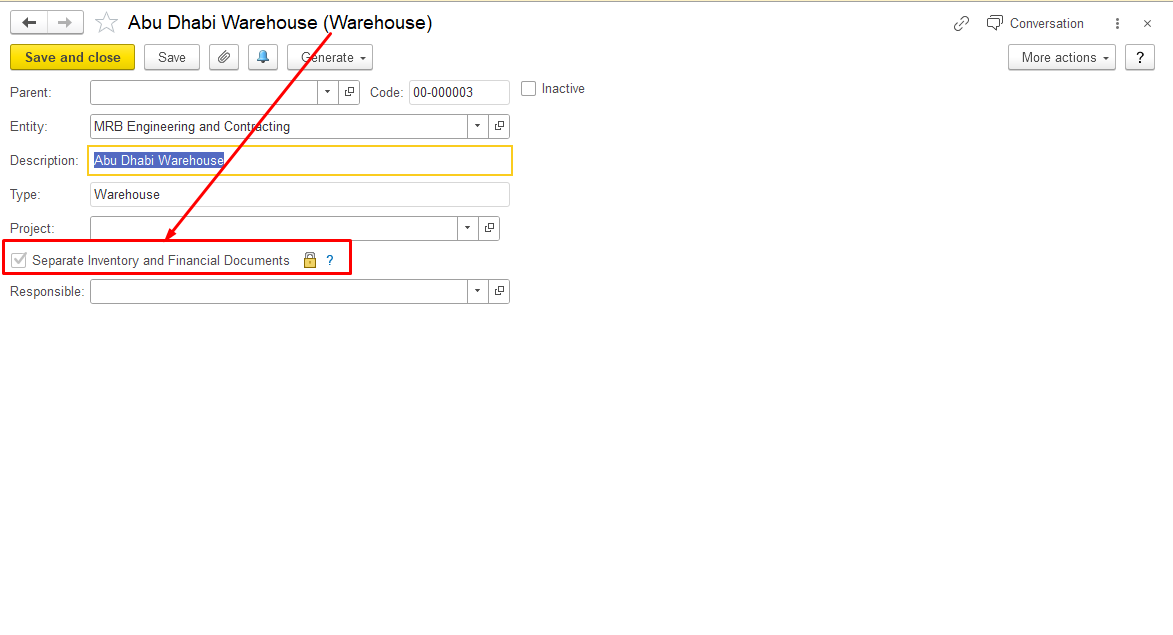
4. Check Separate Inventory and Financial Documents setting
Verify whether the Separate Inventory and Financial Documents option is enabled.
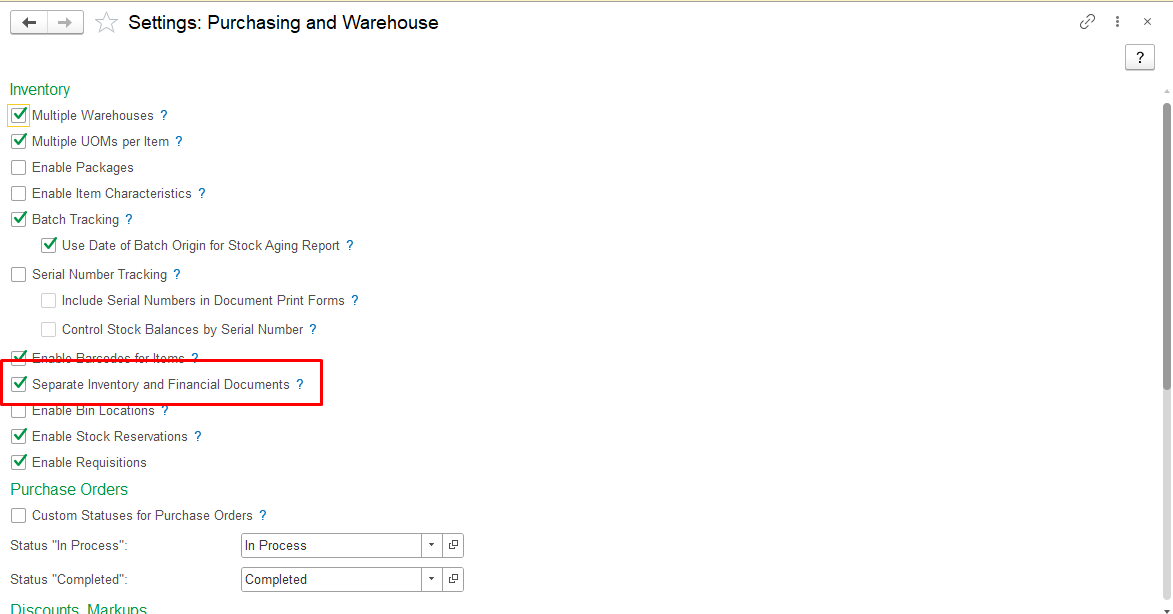
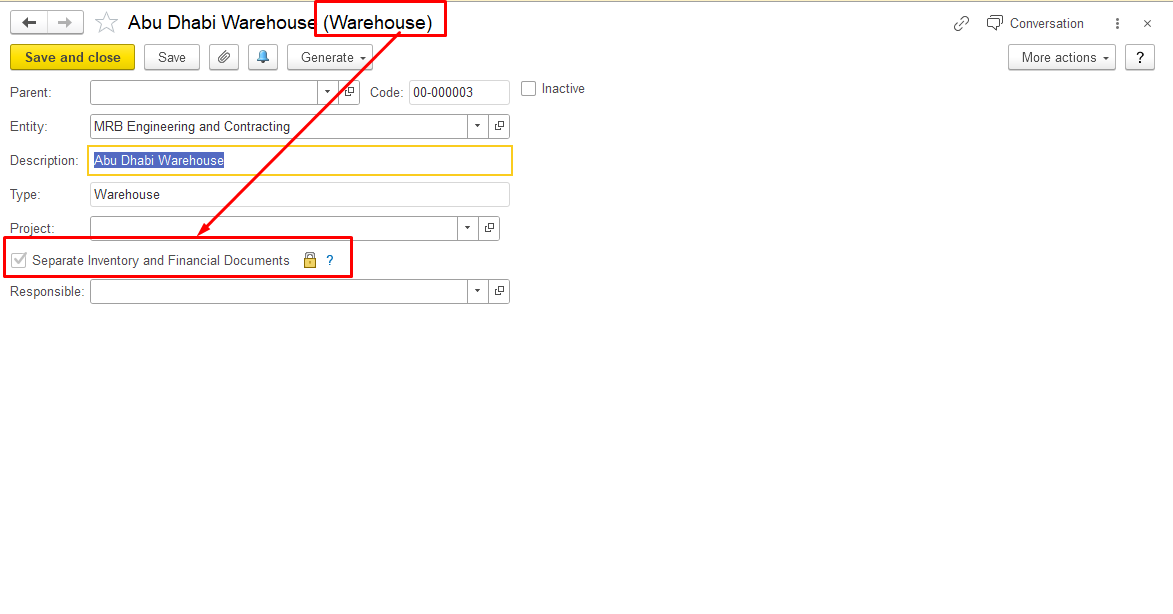
If the option is disabled:
Inventory Write-Off updates both financial and warehouse inventory registers. When the document is posted, the warehouse quantity is reduced.
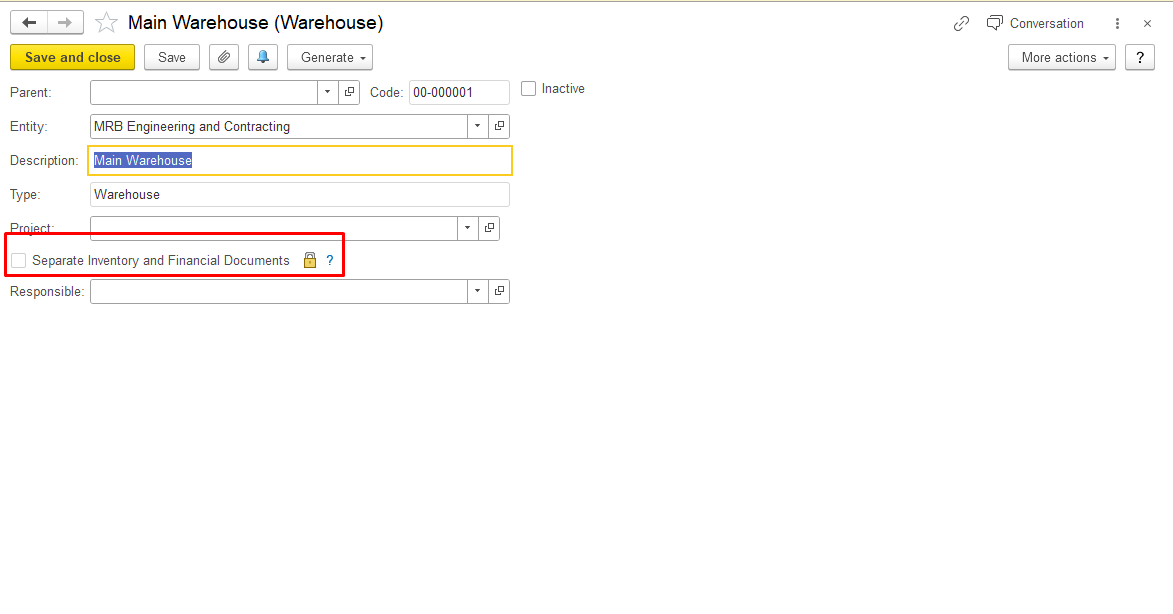
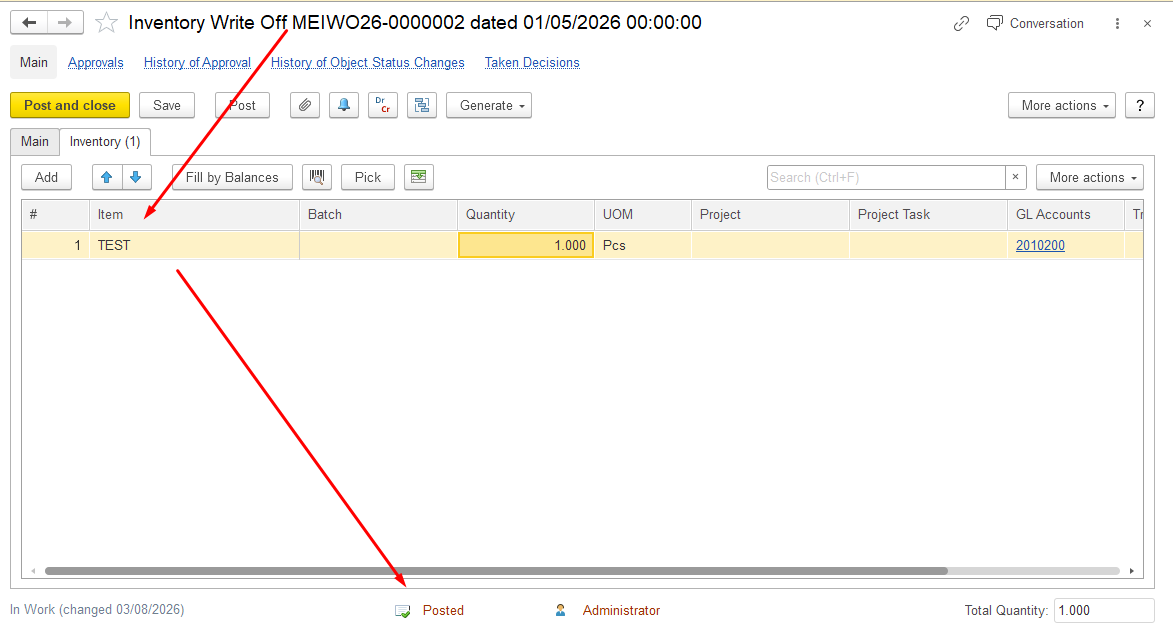
If the option is enabled:
Financial and warehouse inventory movements are processed separately.
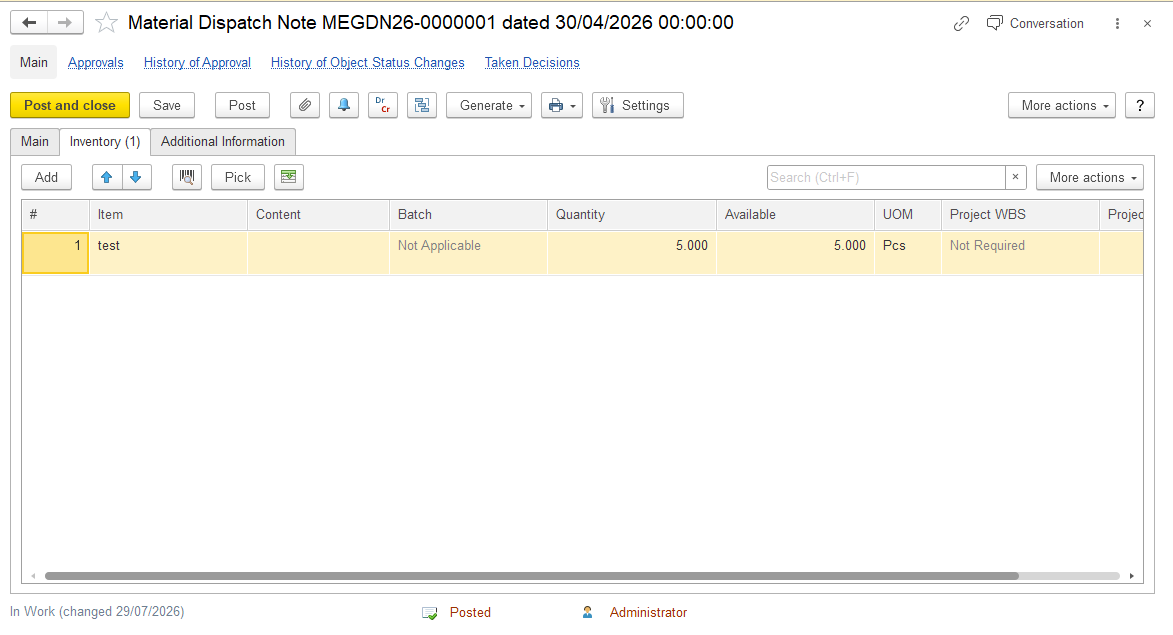
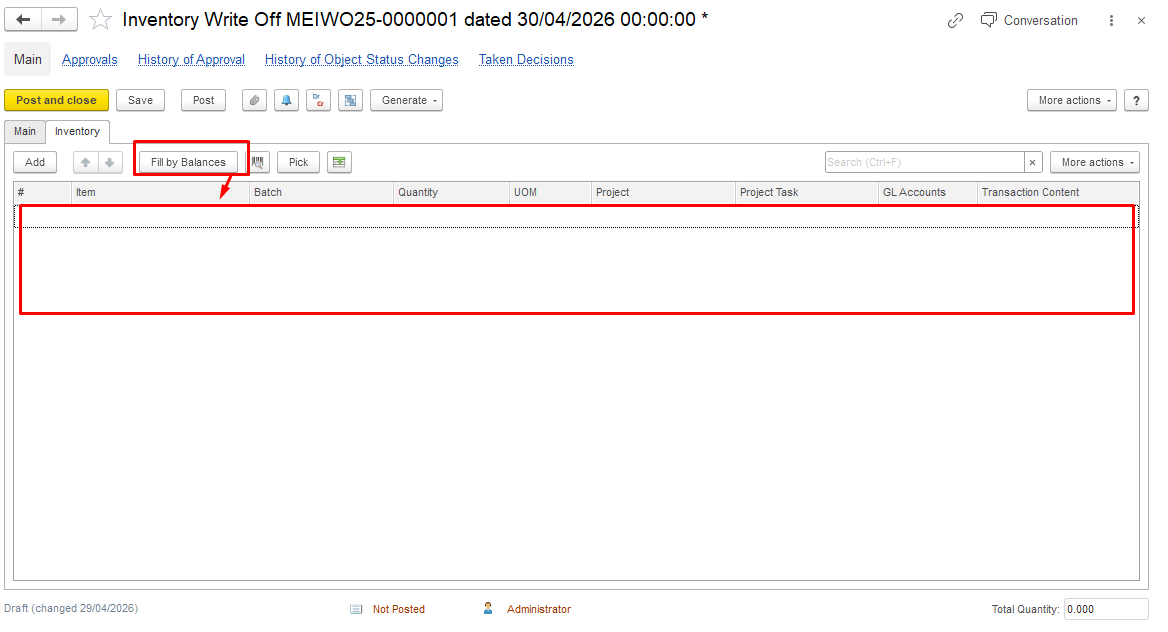
For sales transactions, make sure the corresponding warehouse document (Material Dispatch Note) has been created and posted. Otherwise, the warehouse inventory register is not updated, and the item may still appear in the warehouse balance and be included in Inventory Write-Off when using Fill by balance.
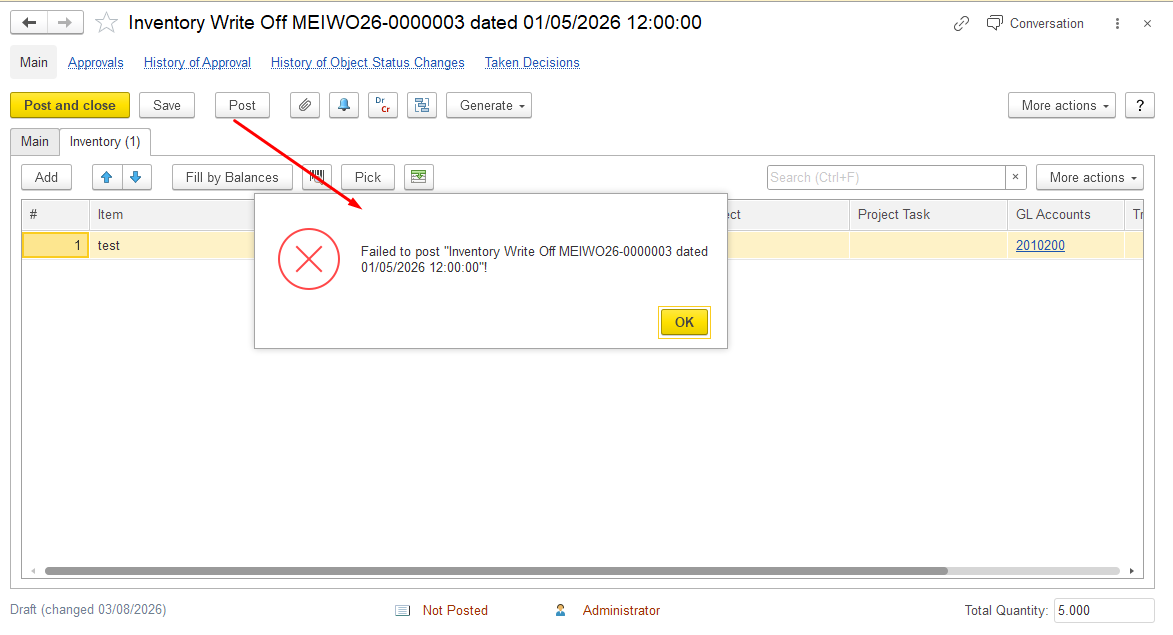
When you attempt to post the Inventory Write-Off, an error occurs if the item is included in the write-off but the corresponding warehouse movement has not been recorded. This can happen when the required Material Dispatch Note is missing or has not been posted.
To avoid the error, create and post the required Material Dispatch Note before posting the Inventory Write-Off document.
5. Check financial inventory availability
If the warehouse report shows available quantity, but Inventory Write-Off cannot be completed due to insufficient inventory availability, check the financial inventory register.
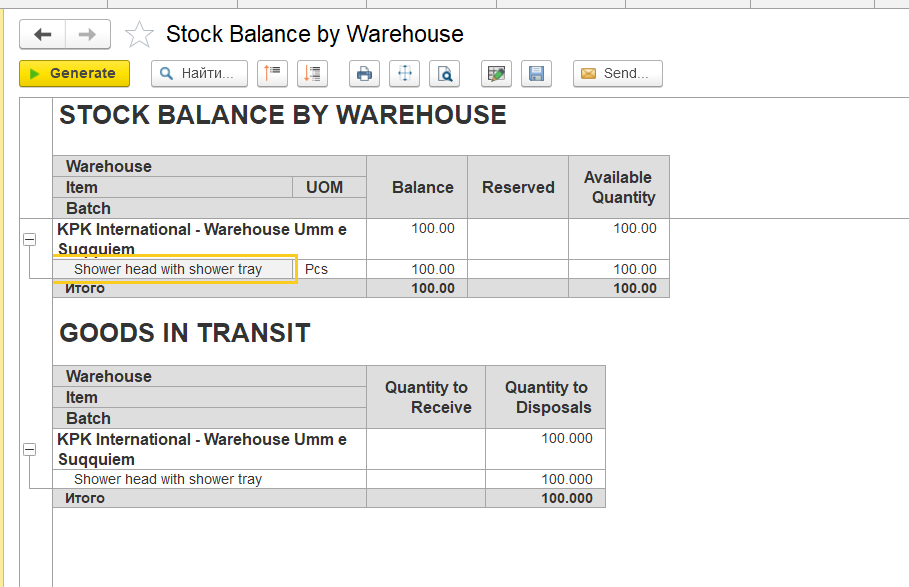
The Stock Balance (by Warehouse) report shows warehouse quantities based on the Inventory on hand accumulation register (warehouse quantity register).
Top Section (Stock Balance)
Data source:
- Inventory on hand accumulation register (warehouse quantity register)
This report reflects physical stock in the warehouse (e.g., 100 units).
However:
- Write-Off checks the Inventory and expenses accumulation register (financial accounting).
If no stock exists in the financial register, the operation cannot be completed.
A discrepancy may occur when:
- warehouse quantity exists, but financial inventory availability is missing;
- documents affect only one of the registers;
- documents were posted in an incorrect sequence;
- documents were not reposted after corrections.
Common documents that may cause register discrepancies:
- Invoice Received;
- Inventory Transfer;
- Inventory Write-Off.
How to investigate
- Open Stock Balance (by Warehouse) and review item movements in the Inventory on hand accumulation register.
- Open Statement of Inventory (by Warehouse) and review item movements in the Inventory and expenses accumulation register.
- Compare:
- document postings;
- posting sequence;
- document status.
Identify the document that caused the difference between warehouse and financial inventory data.
6. Check Goods in Transit
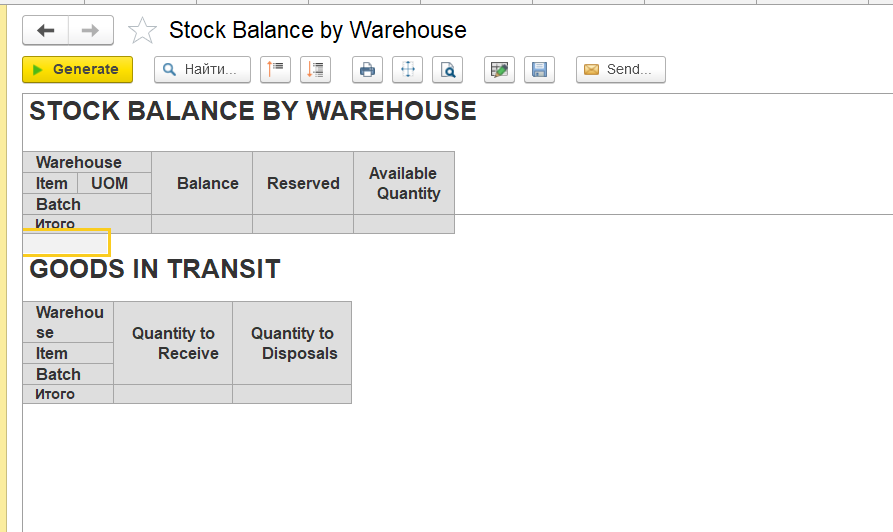
Review the Goods in Transit section in the Stock Balance (by Warehouse) report.
Goods in Transit (Bottom Section)
This section is based on two registers:
- Inventory to Receive → Quantity to receive accumulation register
- Inventory to Transfer → Quantity to Disposal accumulation register
If the item quantity is shown in this section, verify whether the related inventory transfer or dispatch processes have been completed.
Check whether:
- required warehouse documents exist;
- transfer or dispatch documents are posted correctly;
- inventory movements are completed.
Incomplete inventory processes may cause quantities to remain in Goods in Transit instead of being reflected as available warehouse stock.
In some cases, if an Inventory Write-Off was posted but the corresponding warehouse document (Material Dispatch Note) was not created, the quantity may remain in the Quantity to Disposal section.
After the required warehouse document is created and posted, the outstanding quantity should be cleared.
Summary
Stock Balance (by Warehouse) shows warehouse inventory quantities.
Inventory Write-Off uses inventory availability from financial inventory registers.
Differences between warehouse and financial registers may cause unexpected results during write-off operations.
Separate inventory and financial document processing may require additional warehouse documents to complete inventory movements.
Check inventory dimensions, settings, document processing, inventory registers, warehouse processes, and other possible causes to identify the source of the discrepancy.
Thanks for being a Firstbit Customer!
#inventorywriteoff #meterialdispatchnote #separateFinancialandWarehouseAccounting