details
structure and estimation mode;
Set markups;
Freeze revenue amounts;- done
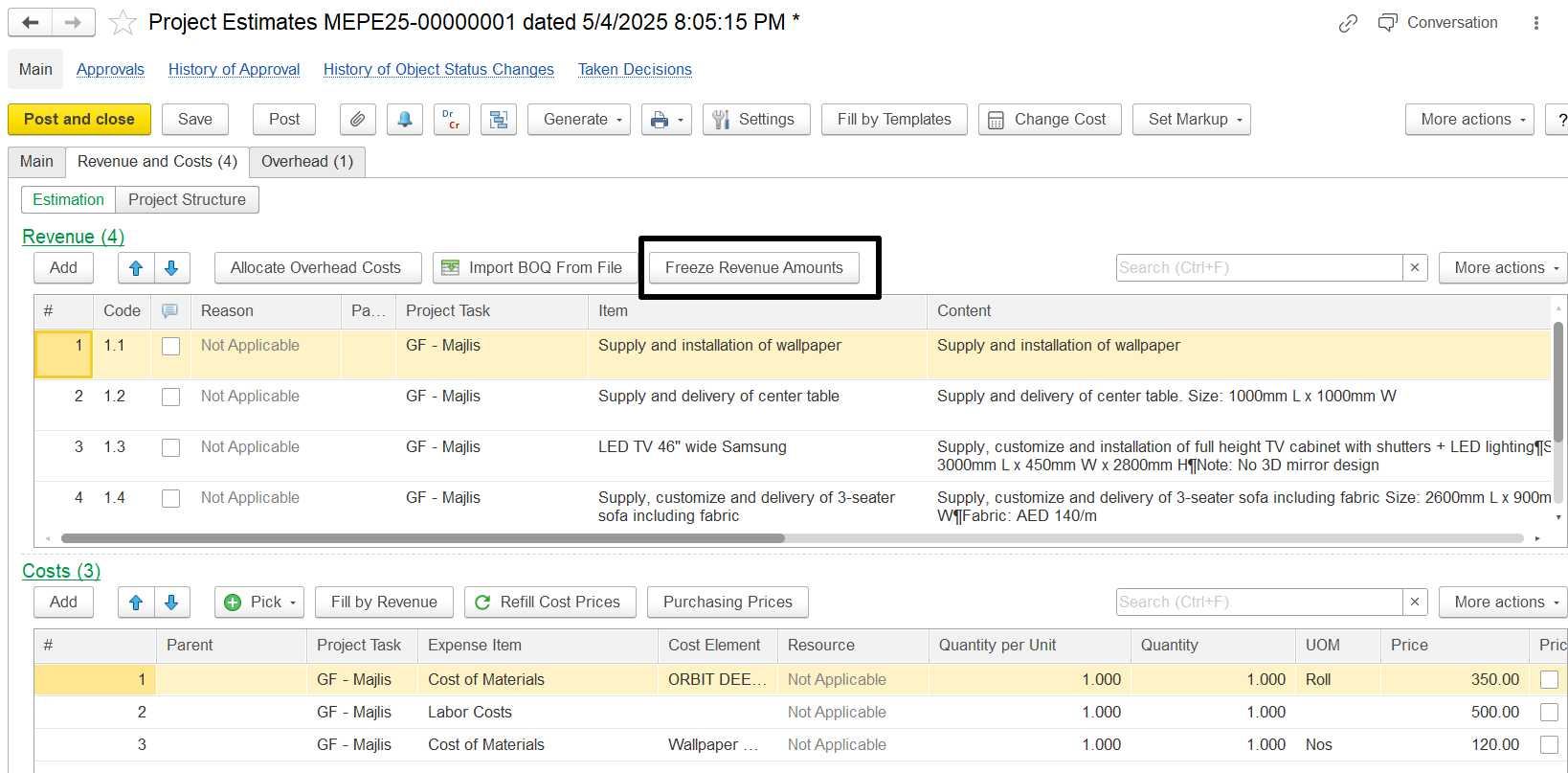
The Estimation Document has a button, "Freeze Revenue Amounts." When this button is activated, it changes the recalculation logic during cost updates.
If the Freeze Revenue Amounts button is pressed:
Revenue values in parent lines remain fixed.
Only the associated costs and markups are recalculated.
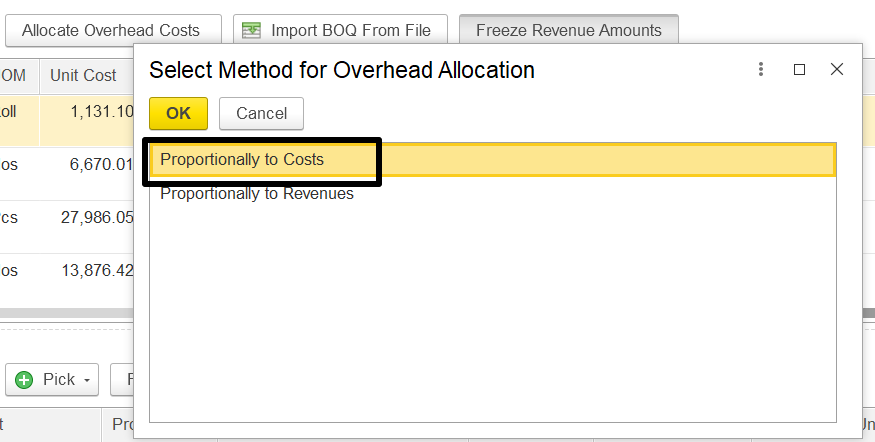
This applies both to direct cost modifications and to overhead allocations performed through the allocation functionality.
Suppose an estimation line shows a revenue amount of 1450.15. If the overhead amount is changed, and the "Allocate Overhead Costs" option is used to reallocate those costs, this revenue figure would normally be recalculated to reflect the updated overheads as 1,470.43
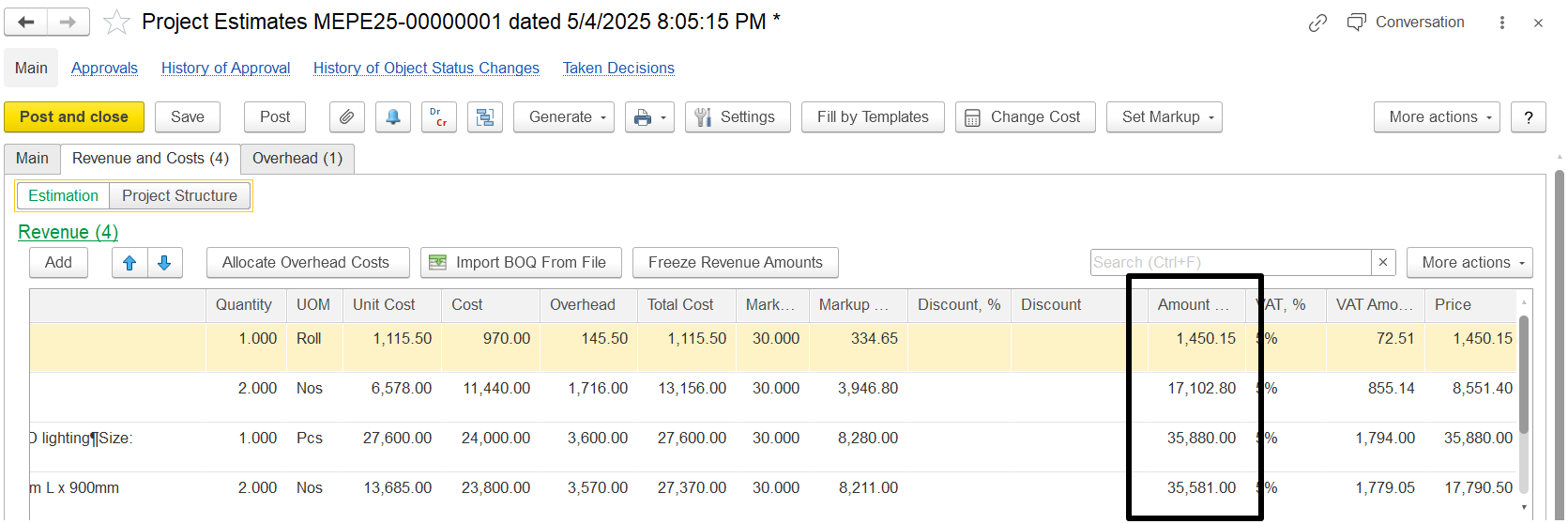
But if the Freeze Revenue Amounts button is pressed before making changes, then even after changing the overhead and allocating it again, the revenue stays the same at AED 1,450.15.
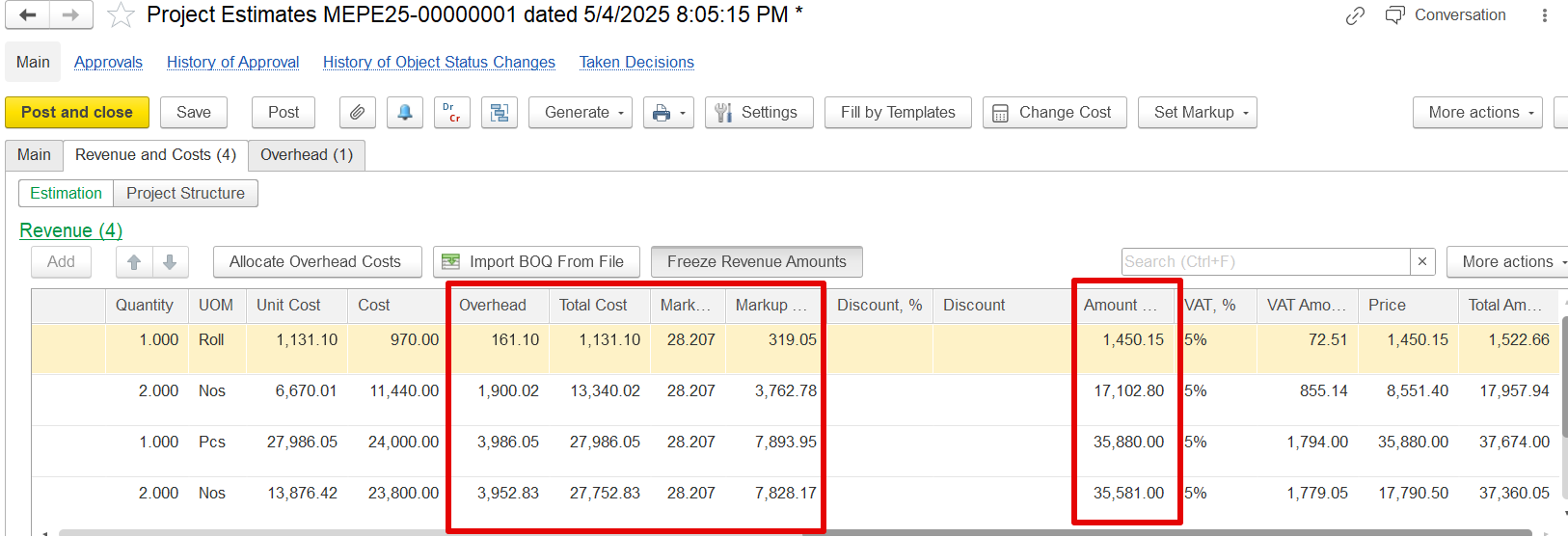
Only the overhead cost, total cost, and markup will change. This helps keep the revenue fixed, even when the costs are updated.
The revenue will remain same, but the overhead, Total cost and markup will be changed. For example previously the revenue was 1450.15 and changed in overhead it remain the same.
upload from Excel